
1. Introduction
This manual provides essential information for the safe and efficient operation, maintenance, and troubleshooting of your Ausom K20 Pro Dual Motor All-Terrain Electric Scooter. Please read this manual thoroughly before your first ride to ensure proper usage and to maximize the lifespan of your scooter.
The Ausom K20 Pro is designed for adult riders, featuring a powerful dual motor system, an extended 90 km range, 10-inch tubeless tires, and a dual suspension system for comfortable all-terrain riding. It also includes advanced features like NFC locking and integrated turn signals for enhanced security and visibility.
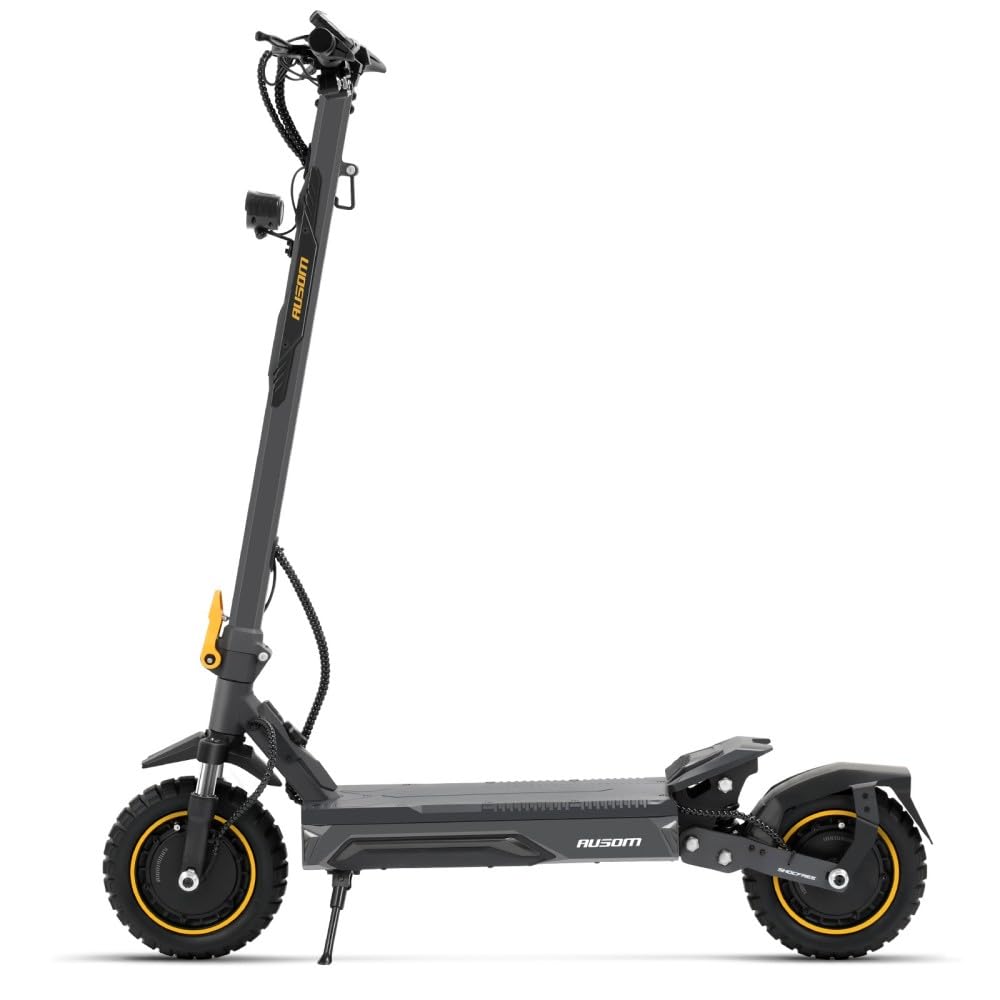
Image 1.1: Ausom K20 Pro Dual Motor All-Terrain Electric Scooter. This image displays the scooter from a side angle, highlighting its robust frame, large wheels, and suspension system.
2. Safety Instructions
Your safety is paramount. Always adhere to the following guidelines:
- ABE Certification: Please note that this scooter model does not have ABE certification. Always check and comply with local laws and regulations regarding electric scooter usage in your region.
- Protective Gear: Always wear a helmet, knee pads, elbow pads, and appropriate footwear when riding.
- Pre-Ride Check: Before each ride, inspect the brakes, tire pressure, and ensure all quick-release mechanisms are securely fastened.
- Riding Conditions: Avoid riding in heavy rain, on icy surfaces, or in conditions with poor visibility.
- One Rider Only: The scooter is designed for a single rider. Do not carry passengers.
- Weight Limit: Do not exceed the maximum load capacity of 130 kg.
- Traffic Laws: Obey all local traffic laws, signs, and regulations.
- Avoid Stunts: Do not attempt jumps, stunts, or aggressive maneuvers.
- Age Restriction: This scooter is intended for adult use.
3. Package Contents
Upon unpacking, please verify that all the following items are included:
- Ausom K20 Pro Dual Motor Electric Scooter
- Power Charger
- NFC Cards (3 pieces)
- User Manual
If any items are missing or damaged, please contact your retailer or Ausom customer support immediately.
4. Assembly and Setup
4.1 Unfolding the Scooter
- Place the scooter on a flat surface.
- Locate the folding mechanism latch at the base of the handlebar stem.
- Release the latch and carefully lift the handlebar stem until it locks into the upright position. Ensure it clicks securely.
- Tighten any safety clamps or levers associated with the folding mechanism.
4.2 Handlebar Adjustment
The K20 Pro features an ergonomic swallow-style handlebar. Adjust the height to a comfortable position that allows for a relaxed and natural standing posture. Secure the handlebar at the desired height using the quick-release clamp.
4.3 Initial Charging
Before first use, fully charge the scooter's battery. Connect the charger to the charging port on the scooter and then to a power outlet. The charging indicator on the charger will change color (e.g., red to green) when fully charged. Do not overcharge.
4.4 NFC Lock Setup
The scooter features a dual unlocking system via NFC cards and a password. Follow the on-screen instructions on the scooter's display to pair your NFC cards and set up your personal password for enhanced anti-theft protection.
5. Operating Instructions
5.1 Powering On/Off
Press and hold the power button on the display panel to turn the scooter on or off. The display will illuminate, showing battery level, speed, and other relevant information.
5.2 Starting Your Ride
To start, kick off with one foot while simultaneously pressing the accelerator. The dual motors provide responsive acceleration. Familiarize yourself with the acceleration sensitivity in a safe, open area.
5.3 Braking
The K20 Pro is equipped with an E-ABS system combined with front and rear disc brakes for smooth and effective stopping power. Apply both brake levers gently and evenly to slow down or stop. Avoid sudden, harsh braking, especially at high speeds.
5.4 Lighting and Turn Signals
Activate the headlight, taillight, and ambient light system for visibility, especially during low-light conditions. Use the integrated turn signals to indicate your direction changes to other road users.
5.5 NFC Lock/Unlock
To unlock the scooter, tap one of your registered NFC cards on the designated area or enter your password on the display. To lock, simply power off the scooter or use the NFC card/password function to engage the lock.
6. Maintenance
6.1 Tire Care
The 10 x 2.75 inch tubeless rubber tires offer excellent grip and puncture resistance. Regularly check tire pressure and inflate to the recommended PSI (refer to the tire sidewall for specific values) to ensure optimal performance and range.
6.2 Brake System
Periodically inspect the front and rear disc brakes for wear and proper function. If you notice reduced braking performance or unusual noises, have the brakes adjusted or serviced by a qualified technician.
6.3 Battery Maintenance
The 864 Wh (48V, 18Ah) high-capacity battery requires proper care:
- Charge the battery fully after each use.
- Avoid completely draining the battery.
- If storing the scooter for an extended period, charge the battery to approximately 50-70% and recharge every 1-2 months.
- Store the scooter in a cool, dry place away from direct sunlight and extreme temperatures.
6.4 Cleaning
Clean the scooter with a damp cloth. Do not use high-pressure water jets or immerse the scooter in water, as this can damage electrical components.
6.5 Suspension System
The dual suspension system (front fork and ShocFree adjustable rear pivot) is designed for durability. Periodically check for any loose components or signs of damage. Lubricate moving parts as needed.
7. Troubleshooting
| Problem | Possible Cause | Solution |
|---|---|---|
| Scooter does not power on | Low battery; loose connection; power button malfunction | Charge battery; check all cable connections; contact support if issue persists |
| Reduced range or power | Under-inflated tires; low battery charge; riding uphill frequently; heavy load | Check tire pressure; fully charge battery; adjust riding style |
| Brake rubbing noise | Misaligned brake calipers; worn brake pads; bent rotor | Inspect brake system; adjust calipers; replace worn pads; seek professional service for bent rotors |
| NFC unlock not working | NFC card not registered; incorrect password; NFC reader issue | Ensure card is registered; re-enter password; try another registered NFC card; contact support |
For issues not listed here or if solutions do not resolve the problem, please contact Ausom customer support or your retailer.
8. Specifications
| Feature | Specification |
|---|---|
| Brand | Ausom |
| Model Name | K20 Pro Dual Motor |
| Motor Type | Dual Motor System |
| Torque | 28 Nm |
| Max Climbing Angle | Up to 33% |
| Battery Capacity | 864 Wh (48V, 18Ah) |
| Maximum Range | 90 Kilometers |
| Maximum Load Capacity | 130 Kilograms |
| Wheel Size | 10 Inches (10 x 2.75 inch) |
| Wheel Type | Tubeless Pneumatic Rubber |
| Brake Type | E-ABS + Front and Rear Disc Brakes |
| Suspension | Front Fork Suspension + ShocFree Adjustable Rear Pivot |
| Handlebar Type | Swallow-style |
| Deck Dimensions | 520 x 185 mm (Length x Width) |
| Special Features | Integrated Lighting System (Headlight, Taillight, Turn Signals, Ambient Light), Smart NFC Lock |
| Recommended Uses | Urban transport and leisure |
| Target Audience | Unisex |
9. Warranty and Support
For warranty information, please refer to the documentation provided at the time of purchase or contact your retailer. Keep your proof of purchase for any warranty claims.
For technical support, spare parts, or service inquiries, please contact Ausom customer service through their official website or the contact information provided with your purchase. When contacting support, please have your scooter's model number and purchase date readily available.


