
1. Product Overview
The Llano G8001 is a versatile 2-in-1 SD and Micro SD card reader designed for high-speed data transfer. Featuring a USB-C interface and supporting USB 3.2 Gen 1 protocol, it offers transfer speeds up to 5 Gbps and read speeds up to 312 MB/s, making it ideal for photographers, videographers, and content creators. Its dual-slot design allows for simultaneous reading of both SD and Micro SD cards, supporting capacities up to 2 TB. The device is built with triple-layer data protection for secure file transfers and operates with plug-and-play convenience across various operating systems.
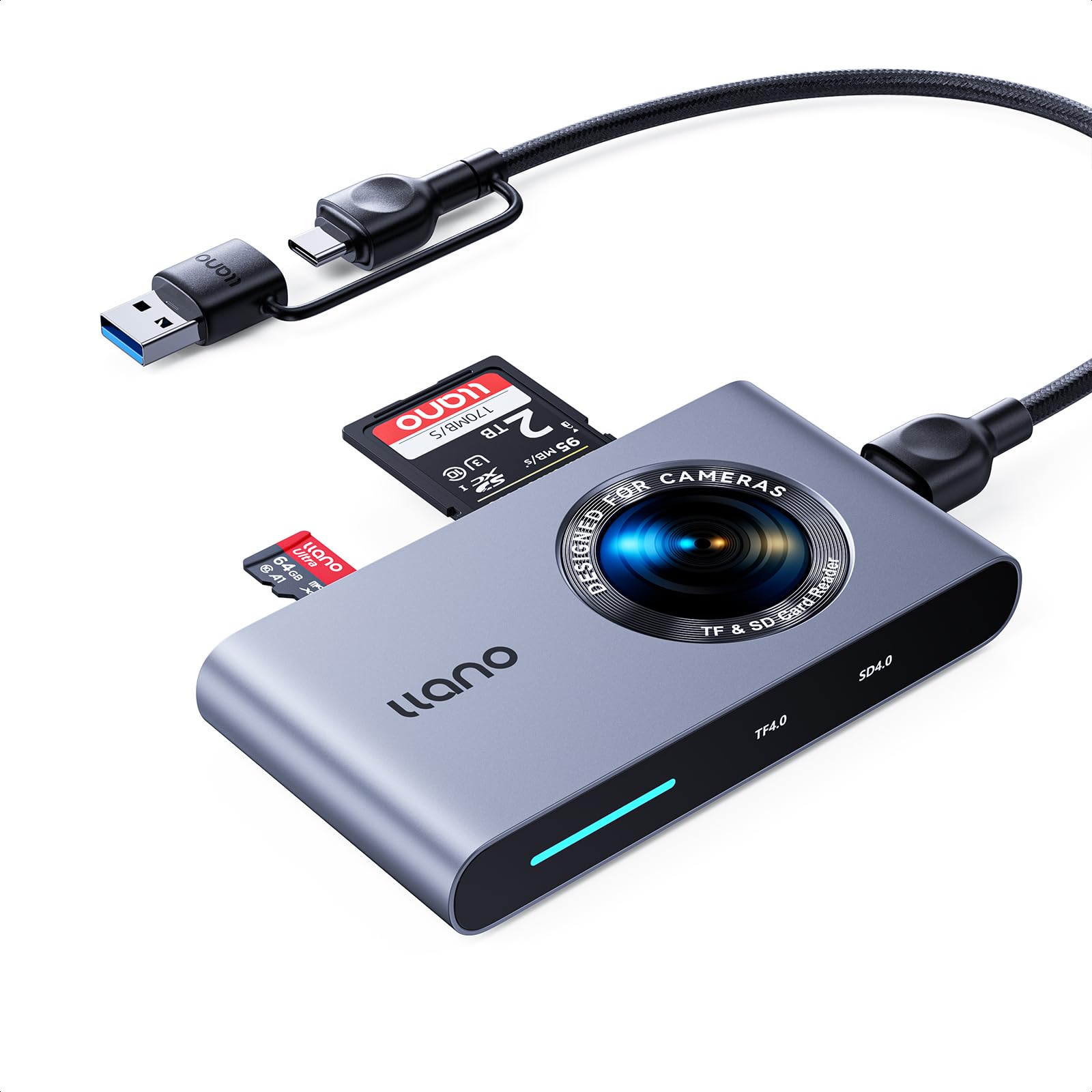
Figure 1: Llano G8001 USB-C 2-in-1 SD & Micro SD Card Reader.
2. Setup Guide
2.1. Package Contents
Before using your Llano G8001 card reader, please ensure all items are present in the package:
- 1x Llano G8001 Card Reader
- 1x USB-C to USB-C Cable (1 meter)
- 1x User Manual

Figure 2: Contents of the Llano G8001 package.
2.2. Connecting the Card Reader
- Connect to Host Device: Plug the USB-C connector of the provided cable into the USB-C port on the Llano G8001 card reader. Connect the other end of the cable (USB-C or USB-A, depending on your model) to an available port on your computer, laptop, smartphone, or tablet.
- Insert Memory Card:
- For SD cards: Insert the SD card into the designated SD card slot until it clicks into place.
- For Micro SD (TF) cards: Insert the Micro SD card into the designated Micro SD (TF) card slot until it clicks into place.
- System Recognition: The card reader is Plug and Play, meaning it should be automatically recognized by your operating system (Windows, macOS, Linux, Chrome OS) without requiring additional drivers. A solid blue LED indicator will illuminate upon card detection, and a flashing blue light will indicate data transfer.

Figure 3: Connecting the card reader and inserting cards.

Figure 4: Llano G8001 designed to avoid blocking adjacent ports.
3. Operating Instructions
3.1. Data Transfer
Once the card reader is connected and your memory card(s) are inserted, they will appear as removable drives on your computer or device. You can then drag and drop files, copy, or cut files to and from the memory cards as you would with any other storage device.
- High-Speed Transfer: The Llano G8001 supports USB 3.2 Gen 1, offering theoretical transfer speeds of up to 5 Gbps and read speeds up to 312 MB/s with compatible UHS-II cards. Actual speeds may vary based on the memory card's speed and the host device's USB port capabilities.
- Simultaneous Reading: The device allows for simultaneous reading and writing to both SD and Micro SD cards, enabling efficient batch file transfers.

Figure 5: High-speed data transfer capabilities.

Figure 6: Simultaneous reading of SD and Micro SD cards.
3.2. OTG Compatibility
The Llano G8001 is compatible with OTG (On-The-Go) enabled smartphones and tablets. This allows you to directly access and transfer files from your memory cards to your mobile device without needing a computer.

Figure 7: Using the card reader with an OTG-compatible smartphone.
3.3. Supported Card Types and Operating Systems
The card reader supports a wide range of memory card types and is compatible with major operating systems:
- Supported Card Types: SD, SDHC, SDXC, Micro SD, Micro SDHC, Micro SDXC. Supports cards up to 2 TB.
- Compatible Operating Systems: Windows, Linux, macOS, Chrome OS.

Figure 8: Wide compatibility with various memory card types.

Figure 9: Plug and Play functionality across devices.
4. Maintenance
To ensure the longevity and optimal performance of your Llano G8001 card reader, follow these maintenance guidelines:
- Cleaning: Use a soft, dry cloth to clean the exterior of the card reader. Avoid using liquid cleaners or solvents.
- Storage: Store the card reader in a cool, dry place away from direct sunlight and extreme temperatures.
- Handling: Avoid dropping the device or subjecting it to strong impacts. Do not force memory cards into the slots.
- Safe Removal: Always safely eject the memory card from your operating system before physically removing it from the card reader to prevent data corruption.

Figure 10: Internal design for data protection and durability.
5. Troubleshooting
If you encounter issues with your Llano G8001 card reader, refer to the following common problems and solutions:
| Problem | Possible Cause | Solution |
|---|---|---|
| Card reader not detected by device. |
|
|
| Memory card not recognized. |
|
|
| Slow data transfer speeds. |
|
|
| Data corruption or errors. |
|
|
6. Product Specifications
| Feature | Detail |
|---|---|
| Model Number | G8001 |
| Brand | llano |
| Dimensions (L x W x H) | 15 x 10 x 3 cm |
| Weight | 80 grams |
| Connectivity Technology | USB Type A, USB Type C |
| Hardware Interface | USB 3.2 Gen 1 |
| Data Transfer Speed | Up to 312 MB/s (read) / 5 Gbps (bandwidth) |
| Supported Media Types | SD, SDHC, SDXC, Micro SD, Micro SDHC, Micro SDXC |
| Max Card Capacity | Up to 2 TB |
| Slot Count | 2 (1x SD, 1x Micro SD/TF) |
| Operating System Compatibility | Windows, Linux, macOS, Chrome OS |
| Special Features | Dual USB 3.0 USB C Connector, UHS-II Support, Plug & Play, OTG Compatible, Triple-layer Data Protection |
| Color | Grey |
7. Warranty and Support
7.1. Product Warranty
The Llano G8001 USB-C 2-in-1 SD & Micro SD Card Reader comes with a 1-year product warranty from the date of purchase. This warranty covers manufacturing defects and ensures the product meets its specified performance standards under normal use. Please retain your proof of purchase for warranty claims.
7.2. Customer Support
For any questions, technical assistance, or support needs, please contact Llano customer service. Llano offers comprehensive customer support, including detailed setup videos, frequently asked questions (FAQs), and unlimited personalized assistance. Refer to the official Llano website or your purchase platform for contact information.
Note: A 24-month protection plan is also mentioned in product features, please refer to your purchase documentation for specific details regarding this extended protection.
