
Product Overview
The Bestier 55-inch Computer Desk is designed for home office, gaming, and study environments, offering a blend of functionality and modern aesthetics. Key features include an integrated power station, lockable file drawer, LED lighting, an ergonomic monitor stand, and a dedicated printer shelf.
Key Features:
- All-in-One Charging Hub: Includes 2 AC outlets, 1 USB-A port, and 1 Type-C port for convenient device charging.
- Lockable File Drawer: Secure storage for sensitive documents with a lock and key system, accommodating Letter, Legal, and A4 size files.
- Integrated LED Lighting: RGB LED light strip with multiple colors and dynamic modes, controlled by a user-friendly switch for customizable ambiance.
- Ergonomic Monitor Stand: Elevates screens to eye level to improve posture and reduce neck strain, also providing additional storage space.
- Dedicated Printer Shelf: Maximizes vertical storage for printers, scanners, or large gaming towers, keeping the main desktop clear.
- Durable Construction: Crafted from thick P2-grade MDF board and a reinforced heavy-duty metal frame for stability and durability.
- Spacious Work Surface: 55"L x 21.7"W desktop accommodates multiple monitors and peripherals.
- Reversible Design: Storage shelves and CPU stand can be configured to fit various room layouts.
Safety Information
Please read and understand all safety instructions before assembly and use. Failure to follow these instructions may result in injury or product damage.
- Assemble strictly according to the instruction manual.
- Do not exceed the specified weight capacity of the desk.
- Keep children under supervision during use to avoid injury.
- Ensure all connections for the power outlets and LED lights are secure before use.
- Place the desk on a level surface to prevent wobbling.
Assembly Instructions
This desk requires assembly. All necessary tools and illustrated step-by-step instructions are provided. Each part is individually labeled for easy identification. It is recommended to have two people for assembly.
General Assembly Steps:
- Attach legs with screws and tighten using the provided tool.
- Connect the desktop to the frame using bolts.
- Insert drawer slides into side panels.
- Assemble the drawer boxes.
- Attach the power station and LED light strip.
- Secure the file drawer with the lock and key system.
- Install adjustable footpads to level the desk.
Assembly Video Guide:
This video provides a detailed, step-by-step guide on how to assemble the Bestier 55-inch Computer Desk. It covers all components and tools required for a smooth assembly process.
Visual Assembly Aids:

Image showing the fully assembled Bestier 55-inch Computer Desk, highlighting its overall design and functionality in a typical use environment.

Diagram illustrating the precise dimensions of the desk, including the main desktop, monitor stand, and drawer unit, crucial for planning placement and ensuring fit.
Operating Instructions
LED Lighting System:
The desk features an integrated RGB LED light strip with multiple color and dynamic mode options. The lighting is controlled via a user-friendly switch located on the underside of the monitor stand.
- Power Button: Press to turn the LED lights on or off.
- Color Button: Cycle through 16 different colors.
- Mode Button: Select from 22 dynamic lighting modes.
- Adjustable Speed/Brightness: Adjust the speed of dynamic modes and the brightness of static colors using the controls.

This image details the LED light strip and its control panel, illustrating how to operate the lighting features of the desk.
Integrated Power Outlets:
The desk includes a recessed power strip for convenient charging of electronic devices.
- 2 AC Outlets (125V/12A): For standard electronic devices.
- 1 USB-A Port (5V/2.1A): For charging USB-compatible devices.
- 1 Type-C Port (5V/2.1A): For fast-charging compatible devices.
- Connect the desk's power cord (4.6 feet) to a wall outlet to activate the charging hub.
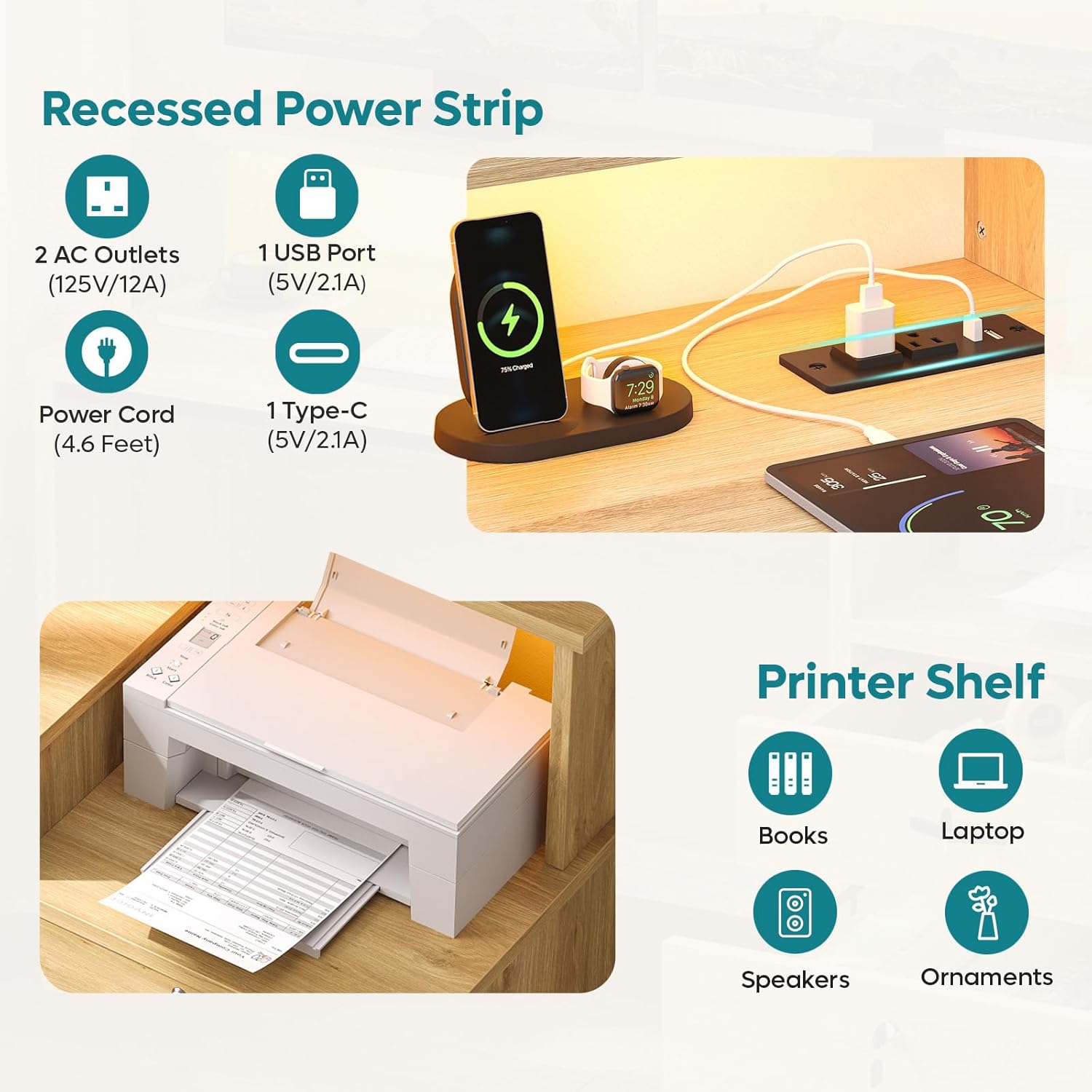
This image highlights the integrated power strip with its various ports, demonstrating how to connect and charge devices directly from the desk.
Lockable File Drawer:
The desk features a lockable file drawer for secure storage.
- Use the provided key to lock and unlock the drawer.
- The drawer includes hanging bars suitable for Letter, Legal, and A4 size files.

This image highlights the lockable file drawer, demonstrating its capacity for organized document storage and the security feature.
Ergonomic Monitor Stand:
The full-length raised monitor shelf helps maintain an ergonomic posture.
- Place your monitor(s) on the elevated shelf to align with eye level.
- Utilize the space underneath for keyboard, mouse, or notebooks.

This image visually explains the ergonomic benefits of the monitor stand, showing how it helps improve sitting posture and reduce strain.
Maintenance and Care
To ensure the longevity and appearance of your Bestier Computer Desk, follow these maintenance guidelines:
- Cleaning: The desk features a scratch-resistant and waterproof walnut finish. Wipe surfaces with a soft, damp cloth. Avoid harsh chemicals or abrasive cleaners.
- Spills: Promptly clean up any spills to prevent water damage, especially around the power outlets.
- Heat: Avoid placing hot items directly on the desk surface without protection.
- Fasteners: Periodically check and tighten all screws and bolts to maintain stability.
- Weight Capacity: Do not overload the desktop or shelves beyond their intended weight capacity to prevent structural damage.
Troubleshooting
If you encounter any issues with your Bestier Computer Desk, please refer to the following common solutions:
- Wobbly Desk: Ensure all assembly screws are securely tightened. Check that the desk is on a level surface; use the adjustable footpads to stabilize if necessary.
- LED Lights Not Working: Verify the power cord for the desk's integrated power station is securely plugged into a wall outlet. Check the connection of the LED light strip to the power source. Ensure the power button on the LED control panel is pressed.
- Power Outlets Not Functioning: Confirm the desk's main power cord is plugged in. Test the wall outlet with another device to ensure it is functional.
- Drawer Sticking/Not Closing Properly: Check that the drawer slides are correctly installed and free of obstructions. Ensure the drawer box is assembled squarely.
For further assistance, please contact customer support.
Specifications
| Feature | Detail |
|---|---|
| Brand | Bestier |
| Model Number | H107014AUS |
| Product Dimensions | Overall: 55"L x 21.7"W x 36.1"H (Main desktop depth: 19.7", Side unit depth: 19.4") |
| Desktop Material | P2-grade MDF board with Oak Wood finish |
| Frame Material | Metal |
| Color | Natural Wood Finish |
| Item Weight | 37 Pounds |
| Number of Drawers | 1 (File Drawer) |
| Number of Shelves | 3 (including monitor stand and printer shelf) |
| Power Outlets | 2 AC (125V/12A), 1 USB-A (5V/2.1A), 1 Type-C (5V/2.1A) |
| Power Cord Length | 4.6 Feet |
| LED Lights | RGB, 16 Colors, 22 Modes, Adjustable Speed & Brightness |
| Assembly Required | Yes, all tools included |
Warranty and Support
Bestier offers customer support for any inquiries or issues you may have with your product. Please refer to the contact information below:
| Region | Contact Information |
|---|---|
| North American | Phone: 888-666-1086, Email: Service.US@bestier.net |
| Europe (UK) | Email: Service.UK@bestier.net |
| Europe (FR) | Email: Service.FR@bestier.net |
| Europe (DE) | Email: Service.DE@bestier.net |
| Europe (IT) | Email: Service.IT@bestier.net |
| Europe (ES) | Email: Service.ES@bestier.net |
| Asia (JP) | Phone: 04-8888-0283, Email: Service.JP@bestier.net |
| Global Support | Email: Service@bestier.net |
For return policy details, please refer to your purchase platform or contact customer support. The product typically includes a 30-day easy return policy.


