
1. Introduction
This manual provides essential information for the safe and efficient operation of your Albott 2 Zone Mini Split AC System, Model SAC001. This system offers independent temperature control for two distinct areas, enhancing comfort and energy efficiency in your home or office.

Image 1.1: The Albott 2 Zone Mini Split AC System provides independent temperature control for two separate areas, as shown in this diagram of a multi-room setup.
Key Features:
- Independent Dual Zone Control: Two 9,000 BTU indoor units allow for customized temperature settings in two rooms.
- 25 SEER2 Energy Efficiency: Energy Star certified for reduced energy consumption and year-round performance.
- Smart WiFi App Control: Manage your system remotely via smartphone for convenience.
- Advanced Outdoor Defrost Function: Ensures reliable operation in cold climates and extends system lifespan.
- Quiet Operation with Sleep Mode: Designed for low noise levels, ideal for bedrooms and quiet environments.
2. Safety Information
Please read all safety warnings and instructions carefully before installation and operation. Failure to follow these instructions may result in property damage, personal injury, or death.
- Installation must be performed by qualified personnel in accordance with all local and national electrical and building codes.
- Ensure the power supply matches the unit's specifications (220V).
- Do not attempt to repair or modify the unit yourself. Contact qualified service personnel.
- Keep children and pets away from the outdoor unit and ensure proper ventilation.
- Turn off the power supply before cleaning or performing any maintenance.
3. Package Contents
Verify that all components are present and undamaged upon unpacking. If any items are missing or damaged, contact your retailer immediately.

Image 3.1: Overview of the Albott 2 Zone Mini Split AC System components and installation kit.
Included Components:
- 1 x Outdoor Unit
- 2 x Indoor Units (9,000 BTU each)
- 2 x Remote Controls & Batteries
- Installation Kit (Copper Pipes, Drain Hoses, Wall Sleeves, Plasticine Putty, Tapping Screws, Drainage Joints, Bandage, Expansion Bolts, Insulation Foam, Wall Covers, Mounting Rubber Pads)
Note: External power cord is not included and must be purchased locally according to your specific requirements.
4. Setup and Installation
The Albott 2 Zone Mini Split AC System requires professional installation due to refrigerant handling, electrical connections, and vacuuming procedures. Improper installation can lead to refrigerant leaks, electrical shock, fire, or water damage.
General Installation Steps (for qualified technicians):
- Site Selection: Choose appropriate locations for the outdoor unit and two indoor units, ensuring proper airflow, drainage, and structural support.
- Mounting Indoor Units: Securely mount the indoor units on the wall, ensuring they are level and have adequate clearance.
- Drilling Wall Holes: Drill holes through the wall for refrigerant lines, drain hoses, and communication cables.
- Connecting Refrigerant Lines: Connect the pre-charged copper pipes between the indoor and outdoor units. Ensure proper flaring and tightening to prevent leaks.
- Electrical Wiring: Connect the power supply and communication cables according to the wiring diagram provided in the full installation manual.
- Vacuuming and Leak Test: Evacuate the refrigerant lines to remove air and moisture, then perform a leak test.
- Drainage Connection: Connect the drain hoses to ensure proper condensate removal.
- Insulation: Insulate all refrigerant lines and connections to prevent condensation and energy loss.
- Test Run: Perform a test run to ensure all functions operate correctly.
Consult the comprehensive installation manual provided with your unit for detailed diagrams and instructions.
5. Operating Instructions
Your Albott Mini Split AC System can be controlled via the included remote control or through the dedicated WiFi app on your smartphone.
5.1 Remote Control Operation

Image 5.1: The remote control allows direct management of your AC unit's settings.
Insert the provided batteries into the remote control. Point the remote control towards the indoor unit to send commands. Common functions include:
- Power Button: Turns the unit ON/OFF.
- Mode Button: Cycles through operating modes (Cool, Heat, Fan, Dry, Auto).
- Temperature Adjustment: Up/Down arrows to set desired temperature.
- Fan Speed: Adjusts fan speed (Auto, Low, Medium, High).
- Swing Button: Controls the louver's vertical swing.
- Sleep Mode: Optimizes temperature and fan speed for comfortable sleep.
- Timer: Sets a timer for automatic ON/OFF.
- Self-Clean: Initiates the self-cleaning function.
5.2 WiFi App Control
The built-in WiFi module allows remote control via a smartphone app. Download the official Albott AC app from your device's app store. Follow the in-app instructions to connect your unit to your home WiFi network. Once connected, you can:
- Turn the unit ON/OFF from anywhere.
- Adjust temperature and operating modes.
- Set schedules and timers.
- Monitor unit status.
5.3 Special Functions

Image 5.2: Icons representing various advanced functionalities of the Albott Mini Split AC.
- Auto Clean: This feature helps remove dust and odors from the indoor unit, maintaining cleaner air quality. Activate via remote or app.
- Defrost Function: The outdoor unit automatically initiates defrosting in cold weather to prevent ice buildup and maintain heating efficiency. This is an automatic process.
- Sleep Mode: Reduces noise and adjusts temperature gradually for optimal sleeping conditions.
- Child Lock: Prevents accidental changes to settings. Refer to your remote control manual for activation.
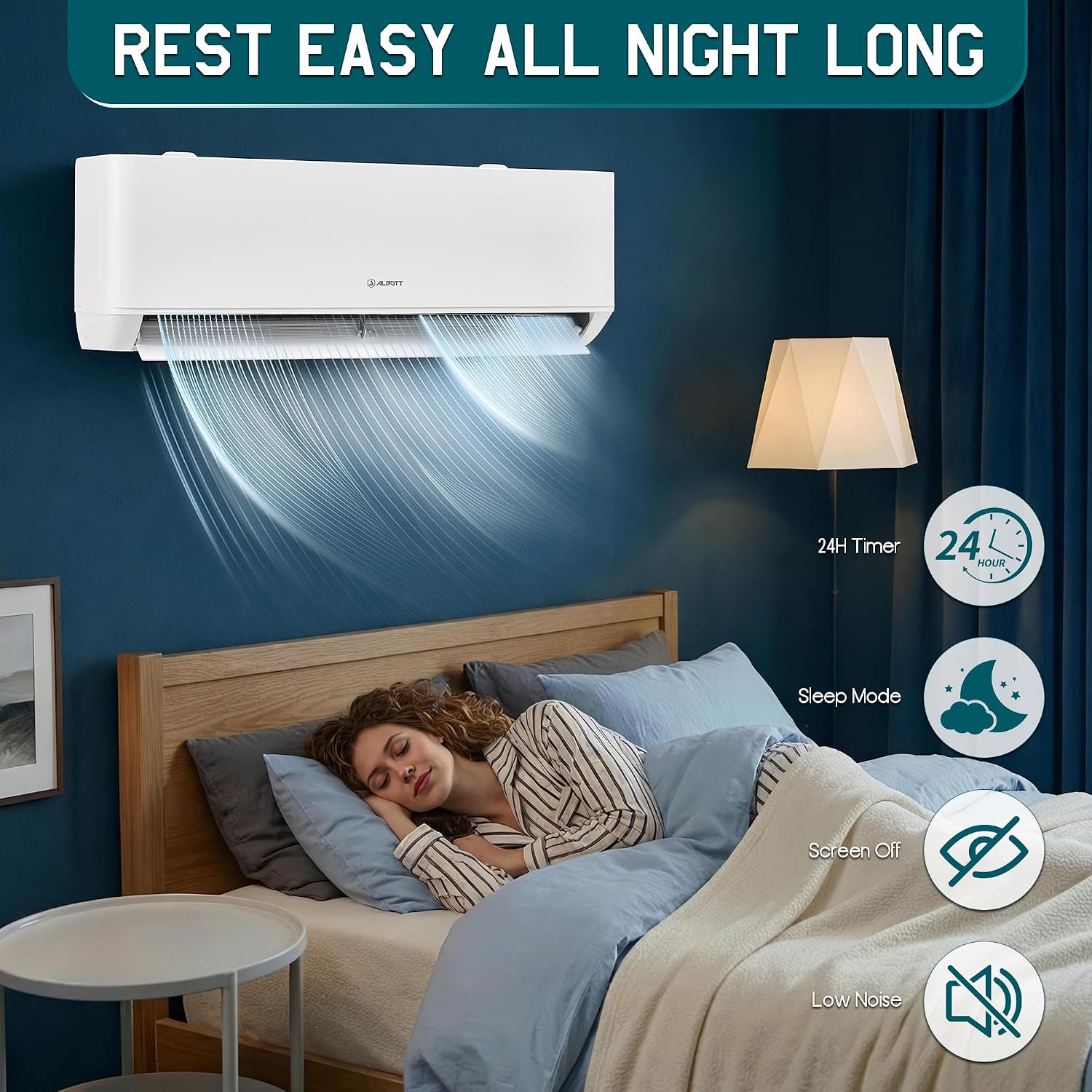
Image 5.3: The self-cleaning mode helps maintain a clean indoor unit and improves air quality.

Image 5.4: The defrost function ensures the outdoor unit maintains performance even in cold conditions.

Image 5.5: Sleep mode provides quiet operation and optimized temperature for restful nights.
6. Maintenance
Regular maintenance ensures optimal performance and extends the lifespan of your Albott Mini Split AC System. Always turn off the power supply to the unit before performing any maintenance.
6.1 Air Filter Cleaning
The indoor units are equipped with mesh filters that should be cleaned regularly (every 2-4 weeks, depending on usage and air quality).
- Open the front panel of the indoor unit.
- Carefully remove the air filters.
- Clean the filters with a vacuum cleaner or wash them with lukewarm water (below 40°C / 104°F).
- Allow the filters to dry completely in a shaded area before reinstalling. Do not expose to direct sunlight.
- Reinstall the filters and close the front panel.
6.2 Outdoor Unit Maintenance
Periodically check the outdoor unit for any obstructions (leaves, debris) around the fan and coils. Gently clean the coils with a soft brush or vacuum. Ensure the area around the outdoor unit is clear for proper airflow.
6.3 Self-Cleaning Function
Utilize the built-in Auto Clean function to help keep the indoor coil clean and reduce mold growth. Refer to the operating instructions for how to activate this feature.
7. Troubleshooting
Before contacting customer support, review the following common issues and solutions:
| Problem | Possible Cause | Solution |
|---|---|---|
| Unit does not turn on | No power supply; Remote control batteries depleted; Circuit breaker tripped. | Check power connection; Replace remote batteries; Reset circuit breaker. |
| Insufficient cooling/heating | Dirty air filters; Temperature setting incorrect; Obstruction near unit; Refrigerant leak. | Clean air filters; Adjust temperature; Remove obstructions; Contact service technician for refrigerant check. |
| Unusual noise | Loose parts; Fan obstruction; Unit not level. | Check for loose components; Clear fan area; Ensure unit is level. If noise persists, contact service. |
| Water leakage from indoor unit | Clogged drain hose; Improper installation. | Check and clear drain hose; Contact installer to verify proper drainage setup. |
| WiFi connection issues | Router issues; Incorrect password; Unit too far from router. | Restart router; Re-enter WiFi password in app; Move unit closer to router or use a WiFi extender. |
If the problem persists after attempting these solutions, please contact Albott customer support.
8. Specifications
Detailed technical specifications for the Albott 2 Zone Mini Split AC System (Model SAC001).
| Feature | Detail |
|---|---|
| Brand | Albott |
| Model Name | SAC001 |
| Capacity | 2 x 9,000 BTU (Total 18,000 BTU) |
| Cooling Power | 18000 British Thermal Units |
| Seasonal Energy Efficiency Ratio (SEER2) | 25 |
| Voltage | 220 volts |
| Noise Level | 29 dB |
| Refrigerant | R-32 |
| Product Dimensions (Outdoor Unit) | 33.86"D x 13.78"W x 23.62"H |
| Item Weight | 115.6 pounds |
| Floor Area Coverage | Up to 800 square feet |
| Control Method | App, Remote |
| Special Features | Auto Clean, Dehumidifier, Dust Filter, Inverter Compressor, WiFi Enabled |
| Filter Type | Mesh Filter |
| Installation Type | Split System |
| Manufacturer | Happy Tao |
9. Warranty and Support
9.1 Warranty Information
The Albott 2 Zone Mini Split AC System comes with a 2-Year Warranty. This warranty covers defects in materials and workmanship under normal use. Please retain your proof of purchase for warranty claims. The warranty does not cover damage resulting from improper installation, misuse, neglect, or unauthorized repairs.
9.2 Customer Support
For technical assistance, troubleshooting beyond this manual, or warranty claims, please contact Albott customer support. Refer to the contact information provided with your purchase documentation or visit the official Albott website for support details.
Manufacturer: Happy Tao
