
1. Introduction
Thank you for choosing the Oilsky M502 MP3 Player. This device combines a powerful Android 13.0 operating system with extensive media capabilities, including Bluetooth, Wi-Fi, a high-definition touchscreen, and dual cameras. It is designed for versatile entertainment and communication. This manual provides essential information for setting up, operating, and maintaining your device.

Image 1.1: Front view of the Oilsky M502 MP3 Player, showcasing its sleek design and large touchscreen.
2. What's in the Box
Please check the package contents upon unboxing:
- 1 x Oilsky M502 MP3 Player
- 1 x User Manual
- 1 x Protective Film
- 1 x USB Cable
- 1 x Earphones

Image 2.1: The Oilsky M502 MP3 Player and its included accessories: USB cable, earphones, protective film, and user manual.
3. Product Overview
Key Features:
- Operating System: Android 13.0
- Processor: MTK 6762 Octa-core processor
- Memory: 4GB RAM + 128GB Internal Storage (expandable up to 1TB via MicroSD card)
- Display: 5.5-inch HD Touchscreen (1440x720 resolution, IPS wider viewing angle)
- Connectivity: Bluetooth 5.0, Dual-band Wi-Fi (2.4GHz/5GHz), USB
- Cameras: 13MP Rear Camera, 5MP Front Camera
- Battery: 2500mAh Lithium-ion (approx. 30 hours music playback, 5 hours video playback)
- Pre-installed Apps: Spotify, Pandora, Amazon Music, Audible, Tidal, Deezer, etc.
- Supported Music Formats: MP3, WAV, APE, FLAC, AAC
- Supported Video Formats: AVI, MKV, RMVB, MP4, MPG, MOV
Visual Overview:

Image 3.1: Device powered by Android 13.0 and MTK 6762 octa-core chip for smooth performance.

Image 3.2: Bluetooth 5.0 for stable wireless connections to speakers, headsets, mobile phones, and computers.

Image 3.3: Capture moments with the 13MP rear camera and 5MP front camera.

Image 3.4: Large storage capacity with 128GB built-in and up to 1TB expandable storage.

Image 3.5: 1440P HD full-format video player with a 5.5-inch full touch screen and IPS display.

Image 3.6: Powerful music app (HiByMusic player) supporting various formats and features.
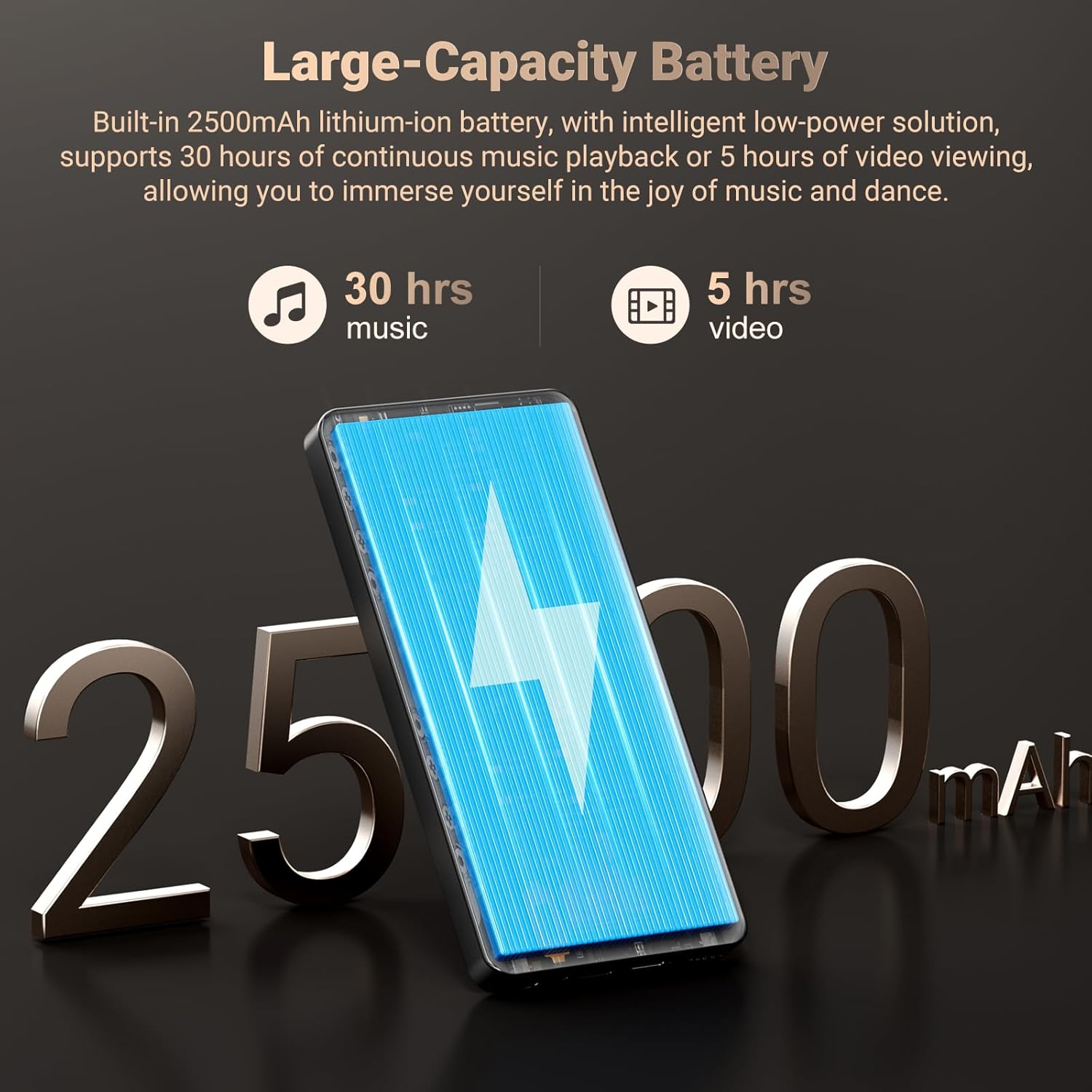
Image 3.7: Long-lasting 2500mAh battery for extended music and video playback.

Image 3.8: Access to streaming apps and local music playback for a rich audio experience.
Product Video Overview
Video 3.1: An official overview of the Oilsky 128GB MP3 Player, highlighting its key features and functionalities.
4. Setup
4.1 Charging the Device
Before first use, fully charge the MP3 player. Connect the provided USB cable to the device's charging port and the other end to a USB power adapter (not included) or a computer's USB port. The charging indicator will show the charging status.
4.2 Powering On/Off
- To Power On: Press and hold the Power button on the side of the device until the screen lights up.
- To Power Off: Press and hold the Power button, then select 'Power off' from the options that appear on the screen.
4.3 Initial Setup
Upon first power-on, follow the on-screen prompts to complete the initial setup, which includes selecting your language, connecting to a Wi-Fi network, and setting up your Google account (optional, but recommended for app downloads).
4.4 Inserting a MicroSD Card
To expand storage, locate the MicroSD card slot on the device. Gently insert a MicroSD card (up to 1TB, not included) into the slot until it clicks into place. Ensure the card is inserted in the correct orientation.
5. Operating Instructions
5.1 Music Playback
The device features a professional-grade music player. You can play local music files or stream from pre-installed apps.
- Local Music: Transfer MP3, WAV, APE, FLAC, AAC files to the device's internal storage or MicroSD card. Use the built-in music app to scan folders, create playlists, and search for tracks.
- Streaming: Connect to Wi-Fi and open pre-installed apps like Spotify, Pandora, Amazon Music, etc., to stream music online.
- Bluetooth Audio: Pair with Bluetooth headphones or speakers via Settings > Connected devices > Bluetooth.
5.2 Video Playback
The 5.5-inch HD screen supports 720P/1440P video playback.
- Transfer AVI, MKV, RMVB, MP4, MPG, MOV video files to the device.
- Open the video player app to browse and play your videos.
5.3 Camera Functionality
The device includes a 13MP rear camera and a 5MP front camera.
- Open the Camera app from the home screen.
- Switch between front and rear cameras as needed.
- Tap the shutter button to take photos or record videos.
5.4 App Management
As an Android device, you can install and manage applications.
- Installing Apps: Open the Google Play Store app, search for desired applications, and tap 'Install'.
- Uninstalling Apps: Go to Settings > Apps > See all apps, select the app, and tap 'Uninstall'. Pre-installed apps can also be uninstalled if not needed.
5.5 Connectivity
- Wi-Fi: Go to Settings > Network & internet > Wi-Fi to connect to available networks.
- Bluetooth: Go to Settings > Connected devices > Bluetooth to pair with other Bluetooth devices for audio or file transfer.
- USB: Connect the device to a computer using the USB cable for file transfer. Select the 'File transfer' option on the device when prompted.
6. Parental Controls
The Oilsky M502 includes parental control features to manage content access and screen time, making it suitable for children.
- Access parental control settings through the device's system settings.
- Set restrictions on app usage, screen time limits, and content filtering to ensure age-appropriate access.
- Google Chrome can be disabled if desired.

Image 6.1: Example of parental control settings, allowing for screen time limits and app restrictions.
7. Maintenance
- Cleaning: Use a soft, dry cloth to clean the device. Avoid liquid cleaners or abrasive materials.
- Battery Care: To prolong battery life, avoid extreme temperatures and do not let the battery fully discharge frequently. Charge the device regularly.
- Software Updates: Periodically check for system updates in Settings > System > System update to ensure optimal performance and security.
- Storage Management: Regularly clear unnecessary files and uninstall unused apps to free up storage space and maintain performance.
8. Troubleshooting
| Problem | Possible Solution |
|---|---|
| Device does not power on | Ensure the device is charged. Connect to a charger for at least 30 minutes. If unresponsive, perform a forced restart by holding the power button for 10-15 seconds. |
| Cannot connect to Wi-Fi | Check if Wi-Fi is enabled in settings. Ensure the password is correct. Restart the device and the Wi-Fi router. |
| Bluetooth pairing fails | Ensure Bluetooth is enabled on both devices. Place devices close to each other. Restart both devices and try pairing again. |
| Apps are slow or freezing | Close background apps. Clear app cache (Settings > Apps > [App Name] > Storage & cache > Clear cache). Ensure sufficient storage space is available. Restart the device. |
| MicroSD card not detected | Ensure the card is inserted correctly. Try reinserting the card. Test with another MicroSD card if possible. |
| Poor camera quality | Ensure the camera lens is clean. Take photos in well-lit environments. |
9. Specifications
| Feature | Detail |
|---|---|
| Brand | Oilsky |
| Model Name | M502 |
| Operating System | Android 13.0 |
| Memory Storage Capacity | 128 GB (expandable up to 1TB) |
| Screen Size | 5.5 Inches |
| Display Technology | IPS or TFT |
| Connectivity Technology | Bluetooth, USB, Wi-Fi (2.4GHz/5GHz) |
| Special Features | 1440P Full Formats, App Installation, Equalizer, FM Radio, WIFI, Dual Cameras (13MP Rear, 5MP Front) |
| Supported Media Type | MP3, WAV, APE, FLAC, AAC (Audio); AVI, MKV, RMVB, MP4, MPG, MOV (Video) |
| Compatible Devices | Headphone, Speaker |
| Battery | 2500mAh Lithium-ion |
| Color | Black |
10. Warranty and Support
The Oilsky M502 MP3 Player comes with a 1-year warranty from the date of purchase, covering manufacturing defects. Please retain your proof of purchase for warranty claims.
For technical support, troubleshooting assistance, or warranty inquiries, please contact Oilsky customer service through the retailer's platform or the official Oilsky website. Refer to the contact information provided with your purchase or on the product packaging.
Always refer to the latest information available on the official Oilsky support channels for the most up-to-date assistance.
