
1. Important Safety Instructions
Read all safety warnings and instructions carefully before installing or operating the battery. Failure to follow these instructions may result in electric shock, fire, serious injury, or death.
- Hazardous Materials: This product contains hazardous materials. Handle with care and dispose of according to local regulations.
- Qualified Personnel: Installation and maintenance should only be performed by qualified personnel.
- Ventilation: Ensure adequate ventilation around the battery to prevent overheating.
- Avoid Short Circuits: Do not short-circuit the battery terminals. Use insulated tools.
- Water Exposure: Do not expose the battery to water or excessive moisture.
- Temperature: Operate and store the battery within specified temperature ranges.
- Impact: Avoid dropping or subjecting the battery to severe impact.
- Disassembly: Do not attempt to disassemble, repair, or modify the battery. Contact customer support for service.
2. Product Overview
The MFUZOP 48V 314Ah LiFePO4 Battery is a high-capacity energy storage solution designed for various applications including off-grid systems, home energy storage, home backup, and RV use. It features advanced LiFePO4 cell technology and an integrated Battery Management System (BMS).
Key Features
- High-Quality Grade A Cells: Utilizes Grade A lithium iron phosphate cells for stable performance and strong power output.
- Integrated 200A BMS: Provides comprehensive protection against overcharge, over-discharge, overcurrent, and short circuits.
- Expandable Capacity: Supports parallel connection of up to 15 batteries, allowing for a total capacity of up to 241 kWh.
- Wide Compatibility: Supports RS232, RS485, and CAN communication protocols for compatibility with most inverters.
- Color LCD Touch Screen: Offers real-time monitoring of battery information, including cell status and parallel connections, with parameter adjustment capabilities.
- Easy Installation & Mobility: Features an integrated design, built-in wheels, and wall-mount brackets for convenient transport and installation.
- Durable Construction: Built with a robust metal housing for enhanced structural strength and protection.

Figure 2.1: Front view of the MFUZOP 48V 314Ah LiFePO4 Battery.
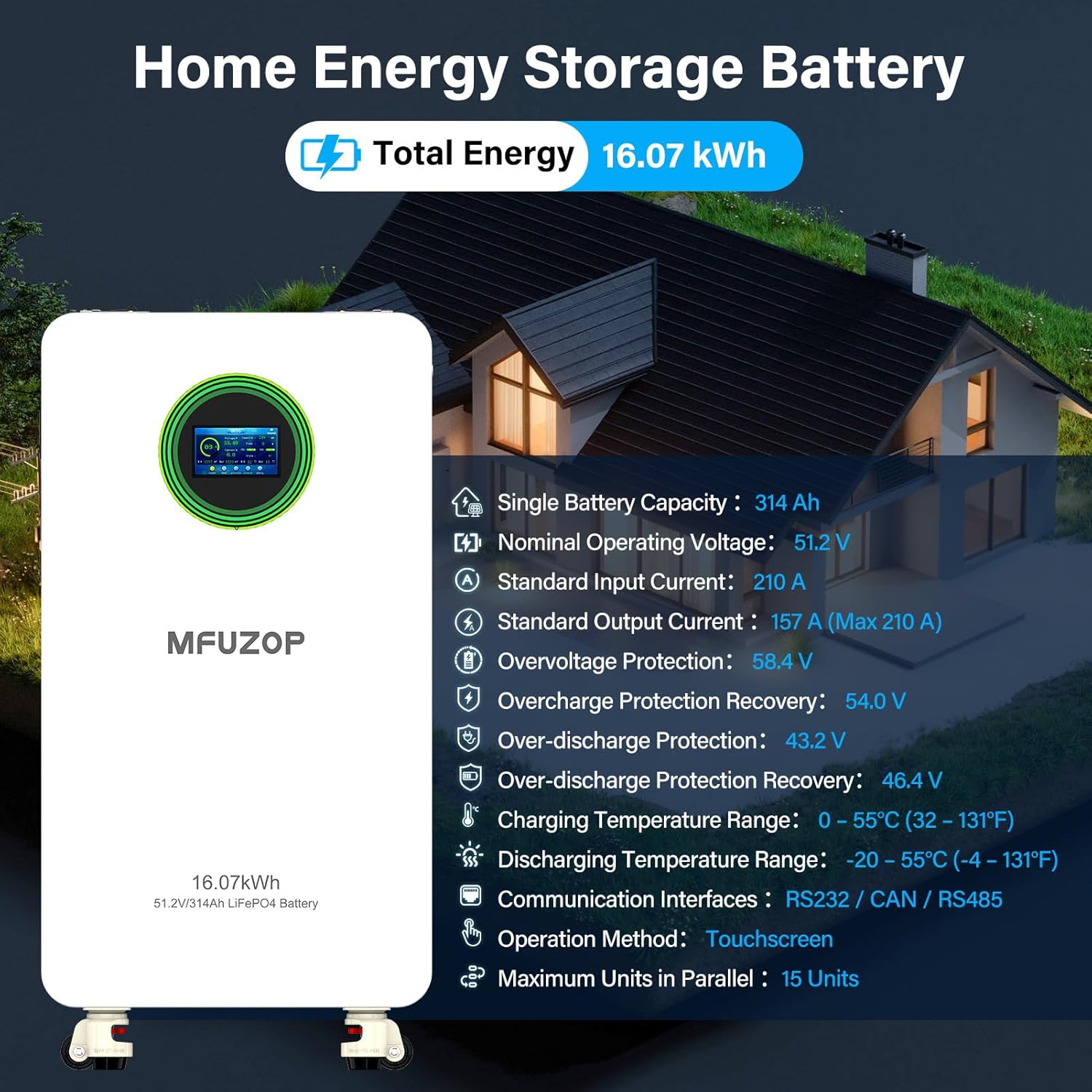
Figure 2.2: Overview of the MFUZOP 48V 314Ah LiFePO4 Battery with key operational specifications.
3. Package Contents
Verify that all items listed below are included in your package. If any items are missing or damaged, please contact customer support.

Figure 3.1: Contents included in the MFUZOP 48V 314Ah LiFePO4 Battery package.
- 1x MFUZOP 48V 314Ah LiFePO4 Battery
- 1x Mounting Bracket
- 3x Flat-Head Screws
- 2x Phillips Screws
- 8x Expansion Bolts
- 2x Positive & Negative Power Cables
- 1x Communication Cable
- 1x User Manual
4. Installation
4.1 Site Selection
Choose a location that is dry, well-ventilated, and protected from direct sunlight, extreme temperatures, and moisture. Ensure the surface is level and capable of supporting the battery's weight (approximately 249.1 lbs).
4.2 Physical Installation
The battery is designed for easy handling and installation. It features built-in caster wheels for mobility and includes wall-mount brackets for secure wall installation.
- Using Caster Wheels: The integrated caster wheels allow for easy movement and positioning of the battery. Ensure the wheels are locked once the battery is in its final position.
- Wall Mounting: Use the provided wall-mount brackets and expansion bolts to securely attach the battery to a sturdy wall. Follow the instructions provided with the mounting hardware for proper installation.

Figure 4.1: The battery features a mobile pulley design for easy transport and positioning.
4.3 Electrical Connections
Before making any electrical connections, ensure the battery's main switch is in the 'OFF' position and all connected equipment is powered down.
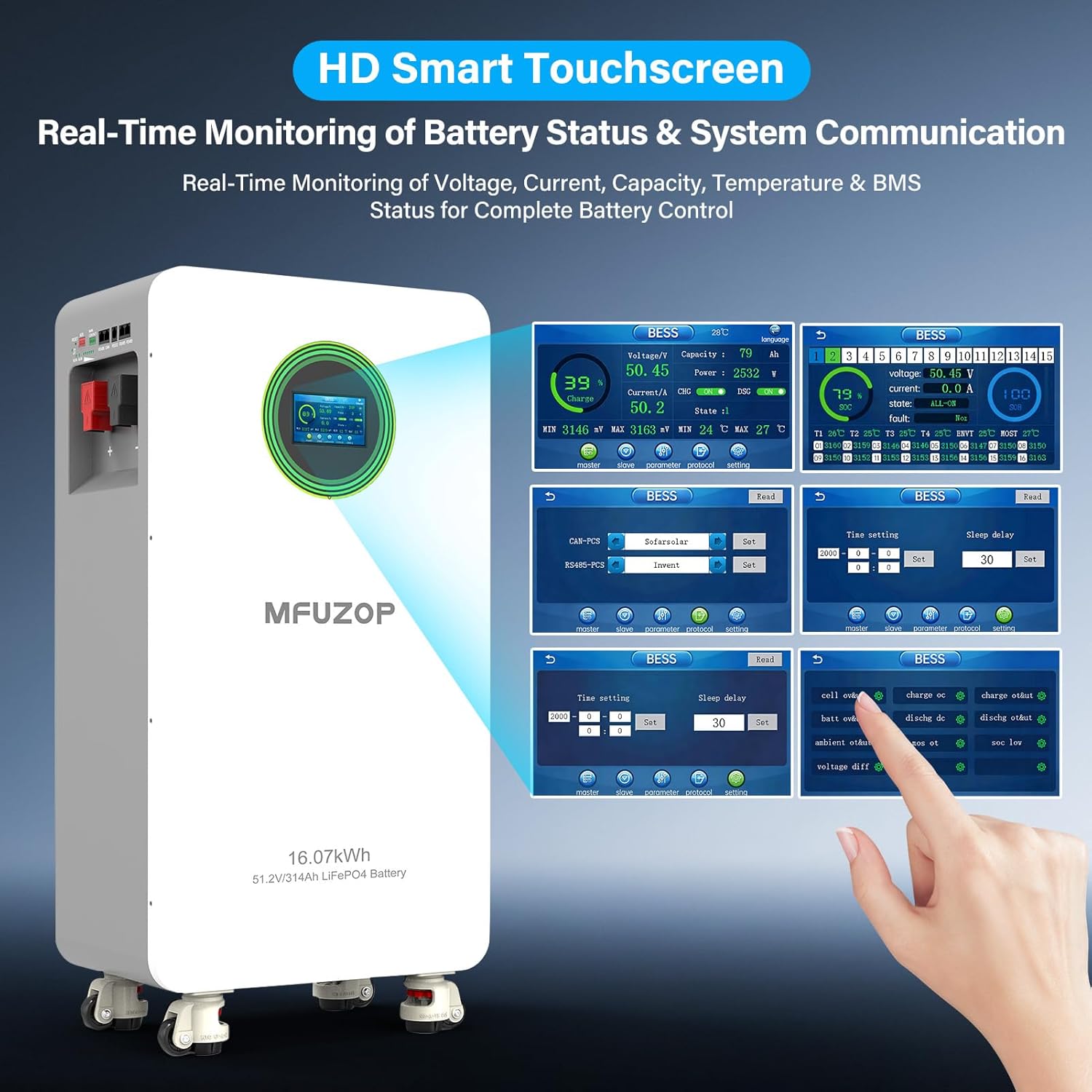
Figure 4.2: Interface and function overview of the battery, detailing connection points.
- Connect the positive power cable (red) to the battery's positive terminal (12) and the corresponding positive terminal on your inverter or load.
- Connect the negative power cable (black) to the battery's negative terminal (13) and the corresponding negative terminal on your inverter or load.
- Ensure all connections are secure and properly tightened.
- Connect the communication cable to the appropriate port (RS485, CAN, or RS232) on the battery and your inverter. Refer to your inverter's manual for specific communication setup.
4.4 Parallel Connection
The MFUZOP battery supports parallel connection of up to 15 units to increase total energy capacity. An integrated design simplifies wiring for parallel configurations.
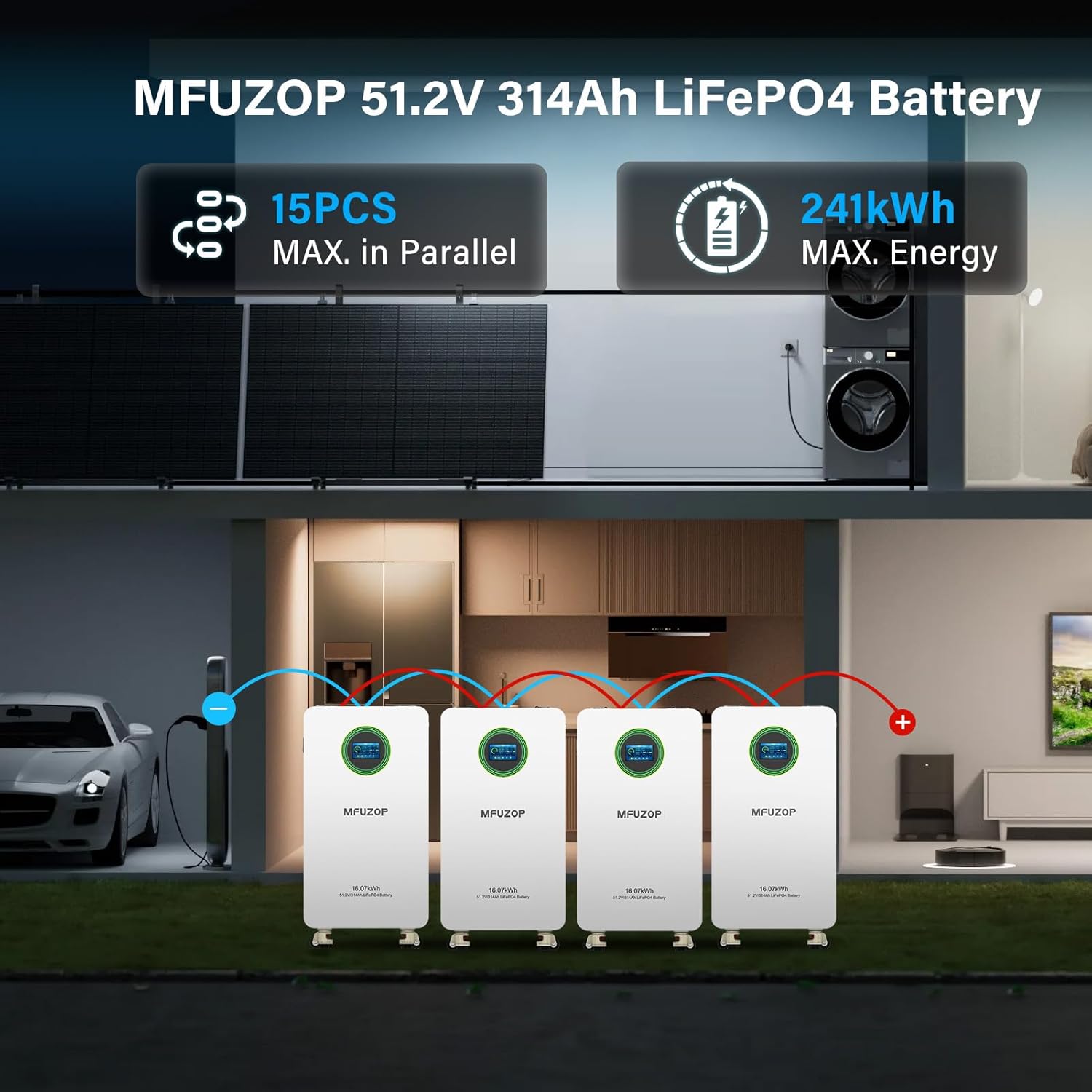
Figure 4.3: Multiple batteries can be connected in parallel to achieve up to 241 kWh of energy storage.
For detailed instructions on parallel wiring and configuration, consult the specific guidelines provided in the full product manual or contact customer support.
5. Operation
5.1 Initial Startup
- After all physical and electrical connections are complete and verified, switch the battery's main air switch (15 in Figure 4.2) to the 'ON' position.
- The LCD touch screen will power on and display the loading sequence.
5.2 LCD Touch Screen Interface
The color LCD touch screen provides real-time monitoring of battery status and allows for parameter adjustments. You can view voltage, current, capacity, temperature, and BMS status.

Figure 5.1: The HD Smart Touchscreen provides comprehensive real-time monitoring and control.
The alarm function on the display helps identify issues quickly. Parameters can be adjusted directly via the touch screen for customization.
5.3 Communication Protocols
The battery is equipped with RS232, RS485, and CAN communication interfaces, ensuring compatibility with a wide range of inverters and monitoring systems.

Figure 5.2: Communication ports for integration with various inverter systems.
For specific communication setup and protocol details, refer to the battery's detailed communication guide or your inverter's manual.
5.4 Product Video
Video 5.1: An official product video demonstrating features and interfaces of the MFUZOP 48V 314Ah LiFePO4 Battery.
6. Maintenance
6.1 General Care
- Keep the battery clean and free from dust and debris.
- Regularly inspect all connections for tightness and corrosion.
- Avoid placing heavy objects on the battery.
6.2 Temperature Guidelines
To ensure optimal performance and longevity, adhere to the following temperature ranges:
- Charging Temperature Range: 0°C to 55°C (32°F to 131°F)
- Discharging Temperature Range: -20°C to 55°C (-4°F to 131°F)
6.3 Storage
If storing the battery for an extended period, ensure it is charged to approximately 50% capacity and stored in a cool, dry place within the recommended temperature range. Periodically check the charge level and recharge if necessary.
7. Troubleshooting
7.1 Common Issues
- Battery Not Powering On: Check the main air switch. Ensure power cables are securely connected.
- No Output Power: Verify connections to the inverter/load. Check for any alarm indicators on the LCD screen.
- Communication Errors: Ensure communication cables are correctly connected to the specified ports. Verify inverter settings match battery communication protocols.
- Over-temperature Alarm: Ensure adequate ventilation around the battery. Reduce load if operating in high ambient temperatures.
For any issues not resolved by these steps, or if the LCD screen displays an error code, please refer to the comprehensive troubleshooting section in the full product manual or contact MFUZOP customer support.
8. Specifications
8.1 Technical Data
| Specification | Value |
|---|---|
| Brand | MFUZOP |
| Model Name | MF-48314S-B |
| Number of Batteries | 1 Lithium Ion battery required |
| Nominal Operating Voltage | 51.2 V |
| Single Battery Capacity | 314 Ah |
| Energy Capacity | 16.07 kWh |
| Built-in BMS | 200A |
| Standard Input Current | 210 A |
| Standard Output Current | 157 A (Max 210 A) |
| Overvoltage Protection | 58.4 V |
| Overcharge Protection Recovery | 54.0 V |
| Over-discharge Protection | 43.2 V |
| Over-discharge Protection Recovery | 46.4 V |
| Charging Temperature Range | 0 – 55°C (32 – 131°F) |
| Discharging Temperature Range | -20 – 55°C (-4 – 131°F) |
| Communication Interfaces | RS232 / CAN / RS485 |
| Operation Method | Touchscreen |
| Maximum Units in Parallel | 15 Units |
| Item Dimensions (L x W x H) | 17.83 x 10.24 x 34.61 inches |
| Item Weight | 249.1 Pounds |
9. Warranty and Support
9.1 Warranty Information
The MFUZOP 48V 314Ah LiFePO4 Battery comes with a 10-year warranty, providing peace of mind regarding its quality and durability. Please retain your proof of purchase for warranty claims.
9.2 Customer Support
For technical assistance, warranty claims, or any questions regarding your MFUZOP battery, please contact MFUZOP customer service. Our team is committed to providing timely and professional after-sales support.
Contact details can typically be found on the manufacturer's website or through your purchase platform.