
1. Introduction
This manual provides detailed instructions for the installation, operation, and maintenance of your Redragon CCW-3017 360mm ARGB Water Cooler. This high-performance liquid cooling system features a magnetic monitoring display, integrated ARGB lighting on the pump block and fans, and is compatible with a wide range of modern AMD and Intel platforms. The 120mm fans utilize hydraulic bearings for reduced noise and vibration, ensuring efficient cooling for your system.
2. Package Contents
Please verify that all components are present before proceeding with installation:
- Redragon CCW-3017 360mm ARGB Water Cooler unit (Radiator, Pump, Tubes, 3x 120mm ARGB Fans)
- Mounting hardware for Intel sockets (LGA 1851/1700/115X/1200/1366/775)
- Mounting hardware for AMD sockets (AM5/AM4/AM3/FM1/FM2)
- USB Type-C to USB 2.0 Internal Cable
- PWM Fan Adapter Cable
- 3-Pin 5V ARGB Adapter Cable
- Thermal Paste (pre-applied or in a separate tube)
- User Manual (this document)
3. Safety Information
Read all instructions carefully before installation. Failure to do so may result in damage to the product or your system.
- Ensure your computer is powered off and unplugged from the wall outlet before installation.
- Handle components with care to avoid damage.
- Do not open the pump or radiator; there are no user-serviceable parts inside.
- Keep the product away from liquids and extreme temperatures.
- If any liquid leakage is observed, immediately power off your system and contact support.
4. Installation Guide
This section outlines the general steps for installing the Redragon CCW-3017 water cooler. Specific steps may vary slightly depending on your motherboard and PC case.
4.1. Preparation
- Power off your computer and disconnect all cables.
- Open your PC case to access the motherboard and CPU area.
- Remove any existing CPU cooler. Clean the CPU surface thoroughly to remove old thermal paste.
- Identify the correct mounting hardware for your CPU socket (Intel or AMD).
4.2. Radiator and Fan Installation
Mount the 360mm radiator with its three 120mm fans to an available fan mounting location in your PC case (e.g., top, front, or side panel). Ensure proper airflow direction.

Image 1: The Redragon CCW-3017 360mm ARGB Water Cooler, showing the radiator with three illuminated fans and the pump block with its digital display. This illustrates the complete unit before installation.
4.3. CPU Block Installation (Intel Sockets)
- Install the appropriate Intel backplate behind your motherboard.
- Attach the correct Intel standoffs to the motherboard.
- Apply a thin, even layer of thermal paste to the CPU if not pre-applied on the cold plate.
- Place the pump block onto the CPU, aligning the mounting holes.
- Secure the pump block with the Intel mounting screws, tightening them in a diagonal pattern until snug.
4.4. CPU Block Installation (AMD Sockets)
- Remove the plastic retention clips from the stock AMD backplate (if present), but keep the backplate.
- Attach the correct AMD standoffs to the motherboard's stock backplate.
- Apply a thin, even layer of thermal paste to the CPU if not pre-applied on the cold plate.
- Place the pump block onto the CPU, aligning the mounting holes.
- Secure the pump block with the AMD mounting screws, tightening them in a diagonal pattern until snug.

Image 2: A detailed view of the Redragon CCW-3017 pump block, showcasing its integrated digital display which shows the CPU temperature, and the vibrant ARGB lighting around its edges.
4.5. Cable Connections
- Connect the pump's 3-pin cable to the CPU_FAN or AIO_PUMP header on your motherboard.
- Connect the fans' PWM cable to a CPU_FAN or SYS_FAN header on your motherboard.
- Connect the ARGB 3-pin cable from the pump/fans to a 5V ARGB header on your motherboard.
- Connect the USB Type-C cable from the pump block to an available internal USB 2.0 header on your motherboard. This enables software control and display functionality.

Image 3: The Redragon CCW-3017 water cooler fully assembled, illustrating the flexible, braided tubes connecting the radiator to the pump block, ready for installation within a PC case.
5. Operation
5.1. Magnetic Monitoring Display
The pump block features a magnetic monitoring display that shows the CPU temperature in real-time. The display can be rotated for optimal viewing orientation after installation.

Image 4: An angled perspective of the Redragon CCW-3017 pump block, emphasizing the magnetic attachment of the display for easy orientation adjustment and its integrated ARGB lighting.
5.2. ARGB Lighting Control
The integrated ARGB lighting on the pump block and fans can be controlled via your motherboard's ARGB software (if connected to a 5V ARGB header) or through the dedicated Redragon software. Refer to the software link in the Support section for download.
5.3. Fan Speed Control
The fan speeds are controlled via the PWM signal from your motherboard. You can adjust fan curves through your motherboard's BIOS/UEFI settings or dedicated fan control software to optimize for cooling performance or noise levels.
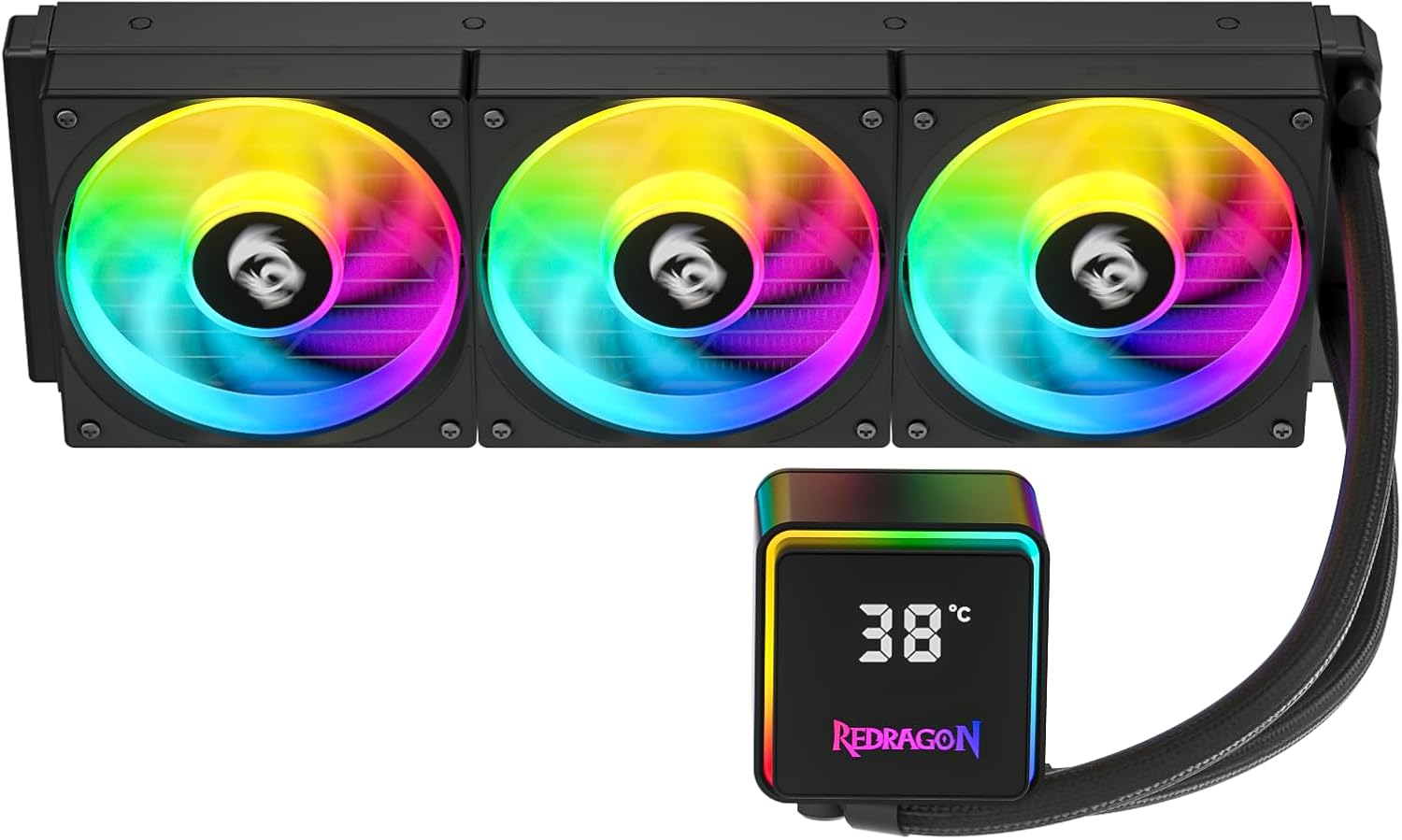
Image 5: A top-down view of the Redragon CCW-3017 water cooler, highlighting the three 120mm ARGB fans mounted on the radiator and the separate pump block, showcasing the overall design and lighting.
6. Maintenance
Regular maintenance helps ensure optimal performance and longevity of your water cooler.
- Dust Cleaning: Periodically clean the radiator fins and fan blades using compressed air or a soft brush to remove dust buildup. Dust can impede airflow and reduce cooling efficiency.
- Tube Inspection: Occasionally check the tubes for any signs of kinks, damage, or leaks. Ensure connections to the pump and radiator are secure.
- Pump Block Cleaning: Wipe the pump block and display screen with a soft, dry cloth to keep it clean.
7. Troubleshooting
If you encounter issues with your Redragon CCW-3017, refer to the following common problems and solutions:
- No Power/Lights:
- Ensure all power cables (pump, fans) are securely connected to the motherboard.
- Verify that the ARGB cable is correctly connected to a 5V ARGB header and enabled in motherboard BIOS/software.
- Check the internal USB 2.0 connection for the display.
- High CPU Temperatures:
- Confirm the pump is running (you may feel a slight vibration or hear a low hum). Check pump RPM in BIOS/monitoring software.
- Ensure the pump block is making proper contact with the CPU. Re-seat if necessary, applying fresh thermal paste.
- Verify fans are spinning and oriented correctly for optimal airflow (pushing air through the radiator).
- Clean any dust buildup on the radiator fins.
- Excessive Fan Noise:
- Adjust fan curves in your motherboard's BIOS/UEFI or fan control software to reduce RPM at lower temperatures.
- Ensure no cables are obstructing fan blades.
- Check for loose fan screws.
- Display Not Working/Incorrect Reading:
- Ensure the USB Type-C cable from the pump is securely connected to an internal USB 2.0 header on the motherboard.
- Install or update the Redragon software (see Support section).
- Restart your computer.
8. Specifications
| Component | Specification |
|---|---|
| Block Dimensions | 65.2 x 65.2 x 62.5 mm |
| Cold Plate Material | Copper |
| Pump Speed | 2550 ± 10% RPM |
| Pump Voltage | 12V |
| Pump Current | 0.34 A |
| Pump Power | 4.2 W |
| Pump/Block Lighting | ARGB |
| Pump Noise Level | 26.9 dB |
| Pump Connectors | 1x USB Type-C to USB 2.0 Internal, 1x 3-Pin Pump, 1x 3-Pin 5V ARGB |
| Radiator Dimensions | 393 x 120 x 27 mm |
| Radiator Material | Aluminum |
| Tube Length | 380 mm |
| Tube Material | Rubber with Nylon Braided Sleeving |
| Fan Dimensions | 120 x 120 x 25 mm |
| Fan Color | Black |
| Fan Voltage | DC 12V (Fan) / DC 5V (Lighting) |
| Fan Operating Current | 0.03 A (Fan) / 0.35 A (Lighting) |
| Fan Lighting | ARGB |
| Fan Speed | 650 to 2000 ± 10% RPM |
| Max Static Pressure | 1.95 mmH2O |
| Max Airflow | 57.5 CFM |
| Acoustic Profile | 25.3 dB(A) MAX |
| Bearing Type | Hydraulic |
| Fan Power Consumption | 1.2 W |
| Fan Connector | 1x Adapter Cable for 4-Pin PWM (Fan) and 3-Pin 5V ARGB (Lighting) |
| Socket Compatibility | Intel: LGA 1851 / 1700 / 115X / 1200 / 1366 / 775 AMD: AM5 / AM4 / AM3 / FM1 / FM2 |
9. Warranty Information
The Redragon CCW-3017 Water Cooler is covered by a 12-month manufacturer's warranty from the date of purchase. This warranty covers defects in materials and workmanship under normal use. Please retain your proof of purchase for warranty claims. For detailed warranty terms and conditions, refer to the Redragon official website or contact customer support.
10. Support
For technical support, troubleshooting assistance, or to download the latest software for your Redragon CCW-3017, please visit the official Redragon website or use the direct software download link below:
Software Download Link: Redragon CCW-3017 Software
For further inquiries, please contact Redragon customer service through their official channels.
