
Introduction
This manual provides detailed instructions for the HIRREO TX7-C-US Smart Watch. Please read this guide thoroughly before using your device to ensure proper operation and to maximize its features. The TX7-C-US is designed for fitness tracking, health monitoring, and smart notifications, compatible with both Android and iOS devices.
What's in the Box
Upon opening your HIRREO TX7-C-US Smart Watch package, you should find the following items:
- Smart Watch (TX7-C-US)
- Stainless Steel Strap
- Silicone Straps
- Strap Accessories
- Charger (USB Magnetic + Type-C Cable)
- Instruction Manual (this document)

Image: Contents of the HIRREO TX7-C-US Smart Watch package.
Setup
1. Charging the Smart Watch
Before initial use, fully charge your smart watch. Connect the magnetic charging cable to the charging points on the back of the watch and plug the USB or Type-C end into a power source. A full charge typically takes approximately 2.5 hours.

Image: HIRREO TX7-C-US Smart Watch connected to its magnetic charger.
2. App Installation and Pairing
To unlock the full functionality of your TX7-C-US Smart Watch, you need to install the companion app on your smartphone.
- Download the App: Scan the QR code provided in the manual or on the watch screen, or search for "GloryFitPro" in your smartphone's app store (Apple App Store for iOS, Google Play Store for Android). You can also use this direct link: GloryFitPro Download.
- Enable Bluetooth: Ensure Bluetooth is enabled on your smartphone.
- Add Device: Open the "GloryFitPro" app, navigate to the device section, and click "Add Device".
- Find and Connect: The app will search for nearby devices. Select "TX7" from the list to initiate pairing.
- Confirm Pairing: Follow the on-screen prompts on both your phone and watch to confirm the pairing. Grant necessary permissions for notifications and health data synchronization.

Image: Steps for connecting the smart watch to a smartphone via the companion app.
Operating Instructions
Basic Navigation
- Touchscreen: Swipe left, right, up, or down to navigate through menus and features. Tap to select.
- Side Buttons: Use the physical buttons on the side for quick access to certain functions or to return to the home screen.
- Wake Screen: Raise your wrist or press a side button to wake the screen.
Key Features
1. 1.43-inch AMOLED HD Display
The watch features a vibrant 1.43-inch AMOLED display with a 466x466 resolution. You can customize watch faces through the app to match your style. The Always-On Display feature provides continuous time visibility.
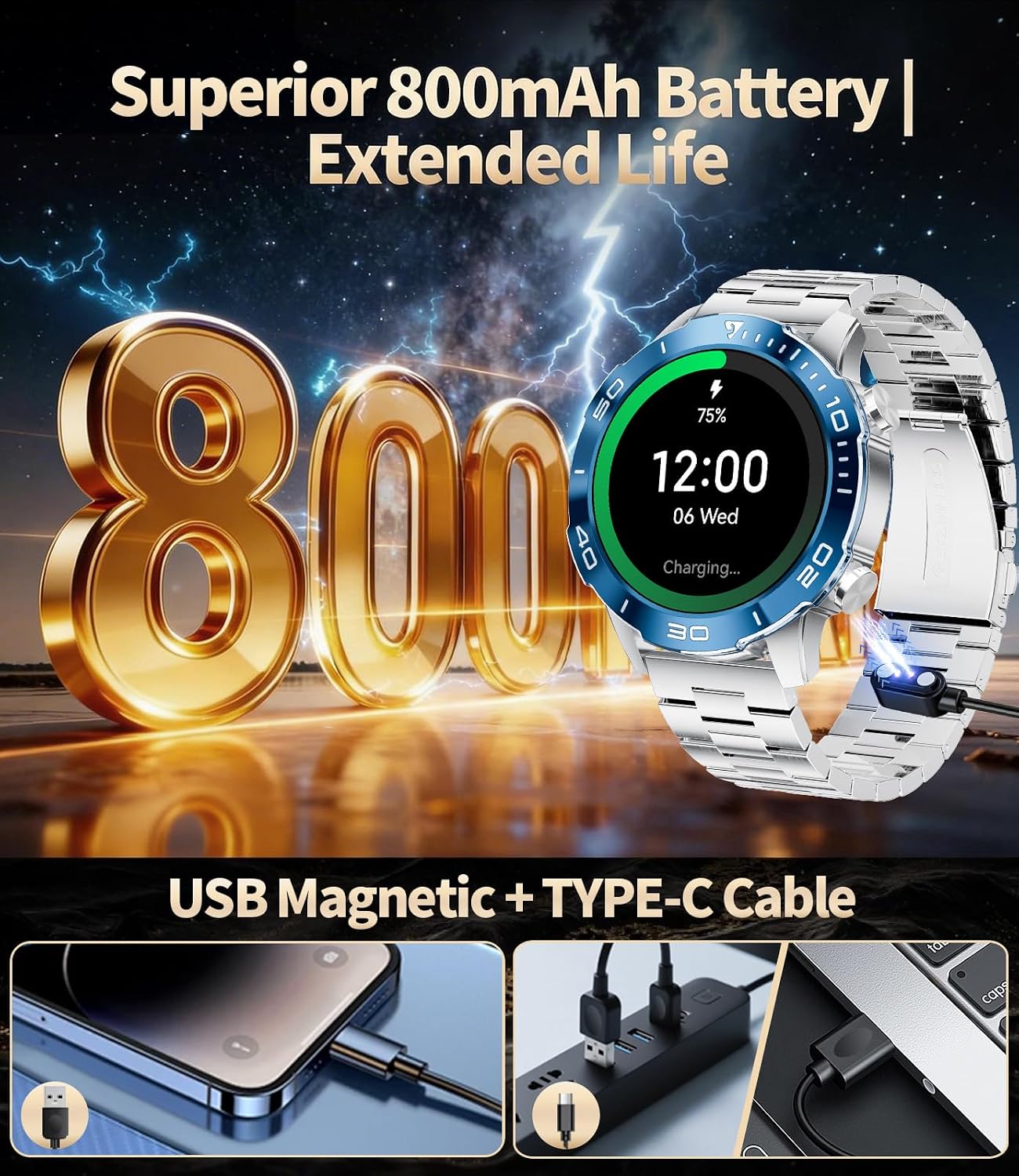
Image: The 1.43-inch AMOLED HD display of the smart watch showing a watch face.
2. Bluetooth Calling & Notifications
Once paired with your smartphone, the TX7-C-US allows you to make and receive calls directly from your wrist. It also displays smart notifications from various apps, ensuring you don't miss important alerts.
Video: Demonstrates the Bluetooth calling and notification features of the TX7 smart watch.
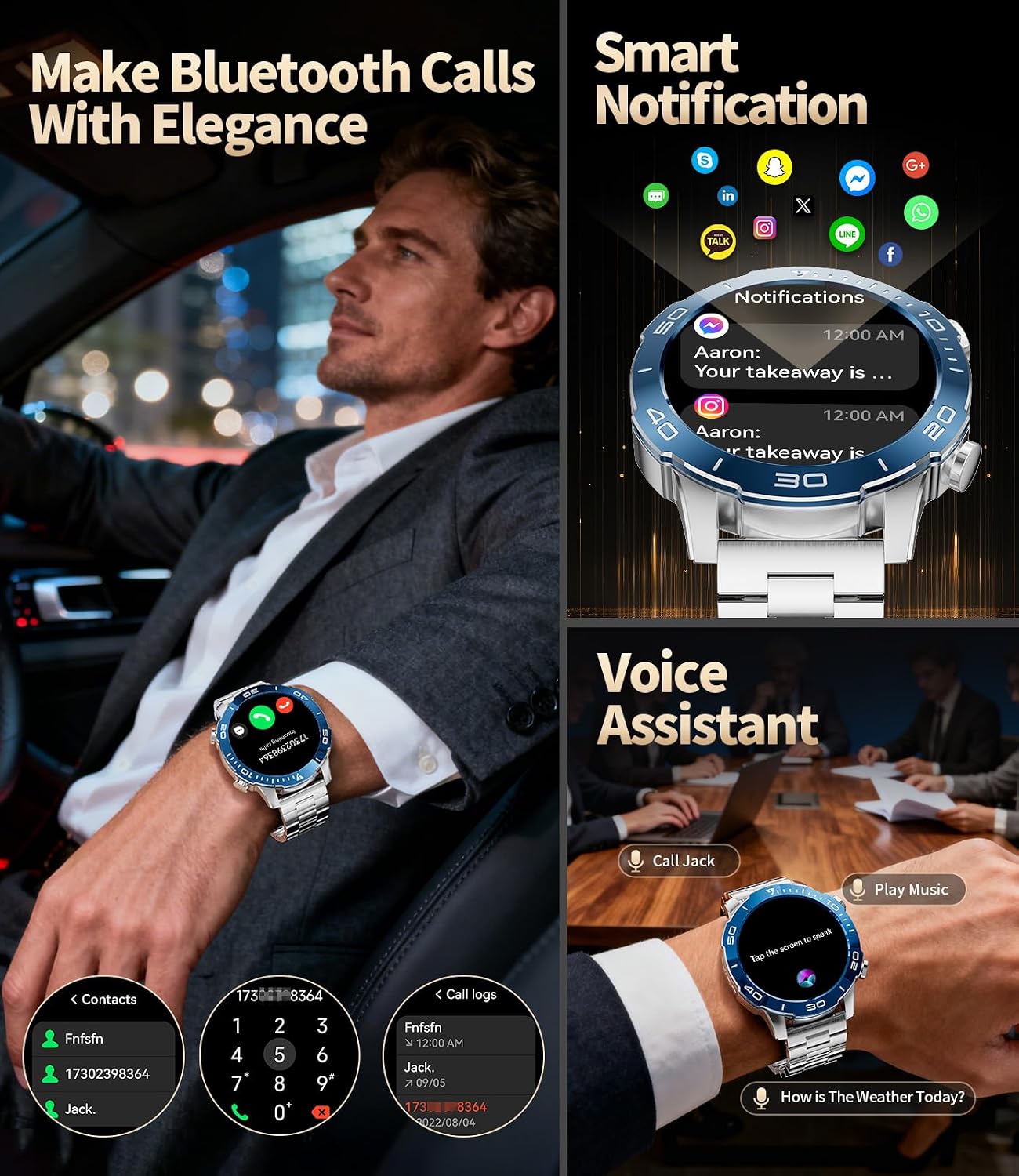
Image: The smart watch displaying an incoming call and various app notifications.
3. Health Monitoring
The watch tracks various health metrics to help you stay informed about your well-being. Note: Health data is for reference only and not for medical diagnosis.
- Heart Rate: Continuous heart rate monitoring.
- Blood Oxygen (SpO2): Measures blood oxygen levels.
- Sleep Monitoring: Tracks deep sleep, light sleep, and awake times to help improve sleep quality.
- Sedentary Reminder: Alerts you to move after periods of inactivity.
Video: Shows the TX7 smart watch monitoring various fitness data, including heart rate and blood oxygen.

Image: Health monitoring features of the smart watch, including heart rate, blood oxygen, and sleep stages.
4. 100+ Sports Modes & Fitness Tracking
The watch supports over 100 sports modes, from running and cycling to yoga and swimming. It records data such as steps, distance, and calories burned, helping you track your fitness progress.

Image: The smart watch displaying different sports modes and activity tracking metrics.
5. IP68 Waterproof & Swimming Mode
With an IP68 waterproof rating, the watch is suitable for daily activities like hand washing and rainy conditions. It also features a dedicated swimming mode to track your water-based workouts. Note: Not suitable for ocean diving or hot water activities.

Image: The smart watch demonstrating its IP68 waterproof capabilities during swimming and in rainy conditions.
6. Other Features
- Weather Forecast
- Stopwatch & Timer
- Music Control
- Brightness Adjustment
- Find Phone
- Alarm Clock
- Camera Control
- Calculator
- Drinking Water Reminder
- Do Not Disturb Mode
- Voice Assistant
Maintenance
Cleaning Your Smart Watch
- Wipe the watch screen and body with a soft, lint-free cloth.
- For stubborn stains, use a slightly damp cloth. Avoid harsh chemicals or abrasive materials.
- Ensure the charging contacts are clean and dry before charging to prevent corrosion.
Strap Care
- Regularly clean the straps, especially after exercise, to prevent skin irritation.
- For silicone straps, wash with mild soap and water, then rinse thoroughly and dry.
- For stainless steel straps, wipe with a soft, damp cloth.
Storage
When not in use for extended periods, store the watch in a cool, dry place away from direct sunlight and extreme temperatures.
Troubleshooting
| Problem | Possible Solution |
|---|---|
| Watch not turning on | Ensure the watch is fully charged. Connect it to the charger for at least 30 minutes. |
| Cannot pair with smartphone |
|
| Notifications not appearing |
|
| Inaccurate health data |
|
| Short battery life |
|
Specifications
| Feature | Detail |
|---|---|
| Model Name | TX7-C-US |
| Display Type | AMOLED |
| Screen Size | 1.43 Inches |
| Resolution | 466 x 466 pixels |
| Battery Capacity | 800 mAh Lithium Polymer |
| Battery Charge Time | 2.5 Hours |
| Average Battery Life | Up to 5 days (typical use) |
| Connectivity | Bluetooth 5.3 |
| Waterproof Rating | IP68 (30 Decimeters) |
| Operating System | AsteroidOS |
| Memory Storage Capacity | 512 MB |
| Compatible Devices | Android 5.0+ (calls require iOS 13+), iOS 11.0+ |
| Case Material | Stainless Steel |
| Band Material | Stainless Steel, Silicone |
| Metrics Measured | Calories Burned, Distance, Sleep Duration, Step Count, Stress |
| Special Features | 1.43'' HD Always on Display, Weather Forecast, Stopwatch, Pedometer, Timer, Music Control, Brightness Adjustment, Find Phone, Alarm Clock, Camera Control, Calculator, Drinking Water Reminder, Sedentary Reminder, Do Not Disturb Mode, 100+ Sports Modes, Fitness Tracker, Stress Tracker, Sleep, Calorie Counter, Answer/Dial Calls, Messaging Notification, Voice Assistant, Multi-Language |
Warranty & Support
Your HIRREO TX7-C-US Smart Watch comes with a 2-year limited warranty from the date of purchase. This warranty covers manufacturing defects and ensures your product functions as intended under normal use.
Customer Service
For any questions, issues, or support needs regarding your smart watch, please contact HIRREO customer service. We offer 24-hour online support to assist you with accessories, quality issues, operation questions, or charging problems.
- Online Support: Available 24/7.
- Returns Service: 6 months.
- Guarantee: 2 years.

Image: HIRREO customer service commitment.