
1. Important Safety Information
Please read all instructions carefully before operating your AIRDOCTOR AD3500 Air Purifier. Failure to follow these instructions may result in electric shock, fire, or serious injury.
- Always unplug the air purifier before moving it, opening the front cover, or performing any maintenance.
- Do not operate the unit with a damaged cord or plug. If the cord or plug is damaged, contact customer support.
- Keep the power cord away from heated surfaces.
- Do not use the air purifier in wet or damp environments, such as bathrooms or laundry rooms.
- Ensure the unit is placed on a stable, level surface.
- Do not block air inlets or outlets. Maintain at least 6 inches of clearance from walls and furniture.
- Only use genuine AIRDOCTOR replacement filters to ensure optimal performance and maintain warranty.
- This appliance is not intended for use by persons (including children) with reduced physical, sensory or mental capabilities, or lack of experience and knowledge, unless they have been given supervision or instruction concerning use of the appliance by a person responsible for their safety.
2. Product Overview
The AIRDOCTOR AD3500 is designed to provide superior air purification for large rooms, effectively removing a wide range of airborne pollutants. It features an advanced 3-stage filtration system and intelligent air quality monitoring.
Key Features:
- UltraHEPA Filtration: Captures 99.99% of airborne particles as small as 0.003 microns, including allergens, dust, smoke, mold spores, pet dander, bacteria, and viruses.
- Premium Activated Carbon/VOC Filter: Reduces toxic gases, odors, pet smells, cooking fumes, gas emissions, wildfire smoke, and Volatile Organic Compounds (VOCs).
- Pre-Filter: Captures larger particles like dust and pet hair, extending the life of other filters.
- Coverage Area: Rapidly cleans up to 630 sq ft in 15 minutes and up to 2,520 sq ft in 1 hour.
- Auto Mode with AirDoctor Halo: PM2.5 sensors monitor air quality in real-time, adjusting fan speed automatically. The Halo light indicates air quality (Blue: Good, Orange: Moderate, Red: Poor).
- Quiet Operation: Engineered for low noise levels, allowing for undisturbed use day and night.
Filtration System:
The AD3500 utilizes a comprehensive 3-stage filtration process to ensure clean air.

Image: A visual representation of the AirDoctor AD3500's 3-stage filtration system, detailing the Pre-Filter, Premium Carbon/VOC Filter, and UltraHEPA Filter.
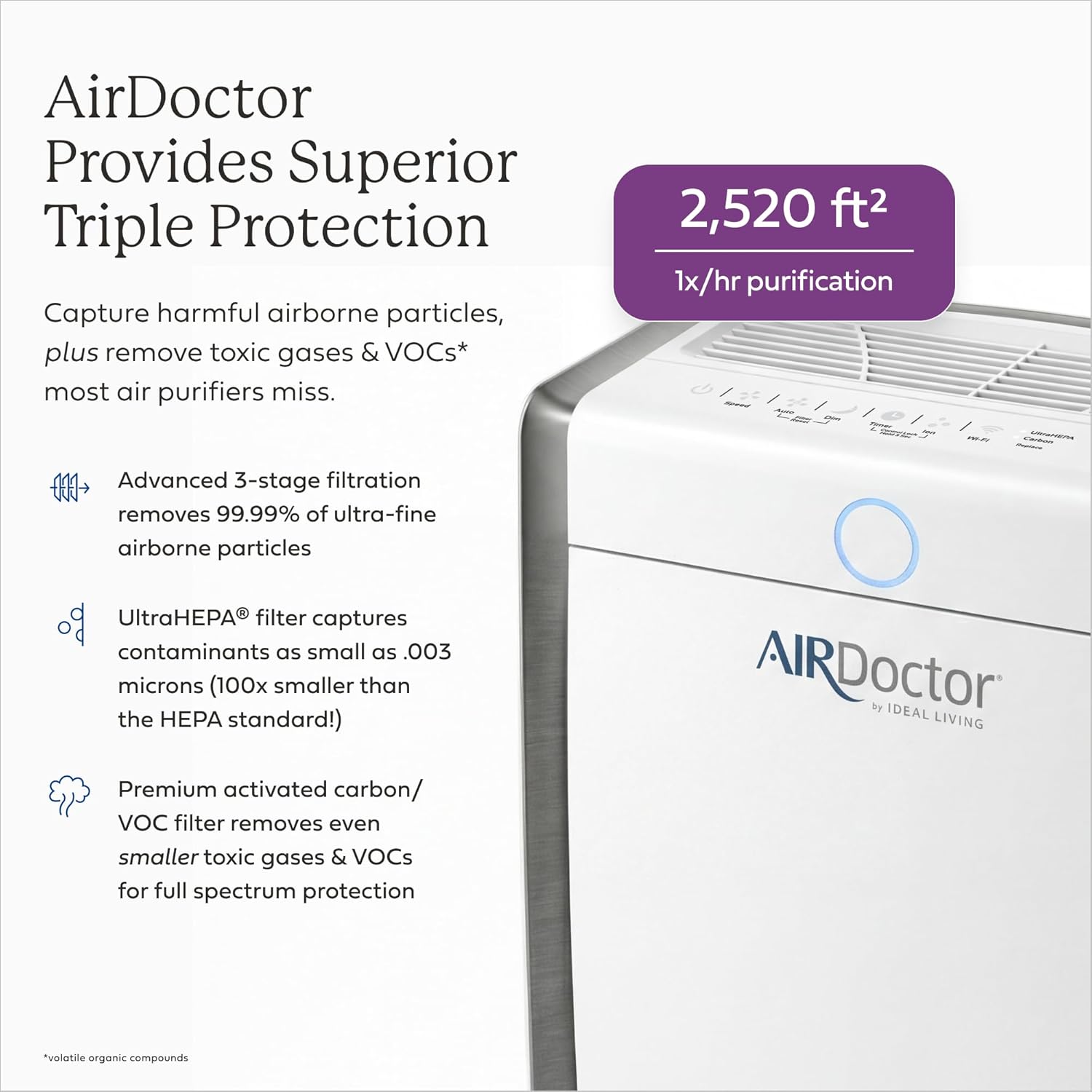
Image: The AirDoctor AD3500 unit, illustrating its superior triple protection capabilities, including its effective purification area and advanced filtration technology.
3. Setup
Follow these steps to set up your AIRDOCTOR AD3500 Air Purifier:
- Unpack the Unit: Carefully remove the air purifier from its packaging. Ensure all components are present and undamaged.
- Remove Filter Packaging: Open the front cover of the unit. Remove any plastic packaging from the filters (Pre-Filter, Carbon/VOC Filter, and UltraHEPA Filter).
- Insert Filters: Place the filters back into the unit in the correct order, ensuring they are securely seated. The UltraHEPA filter typically goes in first, followed by the Carbon/VOC filter, and then the Pre-Filter. Refer to the directional arrows on the filters for proper orientation.
- Close Front Cover: Securely close the front cover until it clicks into place.
- Position the Unit: Place the air purifier on a firm, level surface. Ensure there is at least 6 inches of clear space around all sides for optimal airflow.
- Plug In: Plug the power cord into a grounded electrical outlet.
4. Operation
The AIRDOCTOR AD3500 features an intuitive control panel for easy operation.
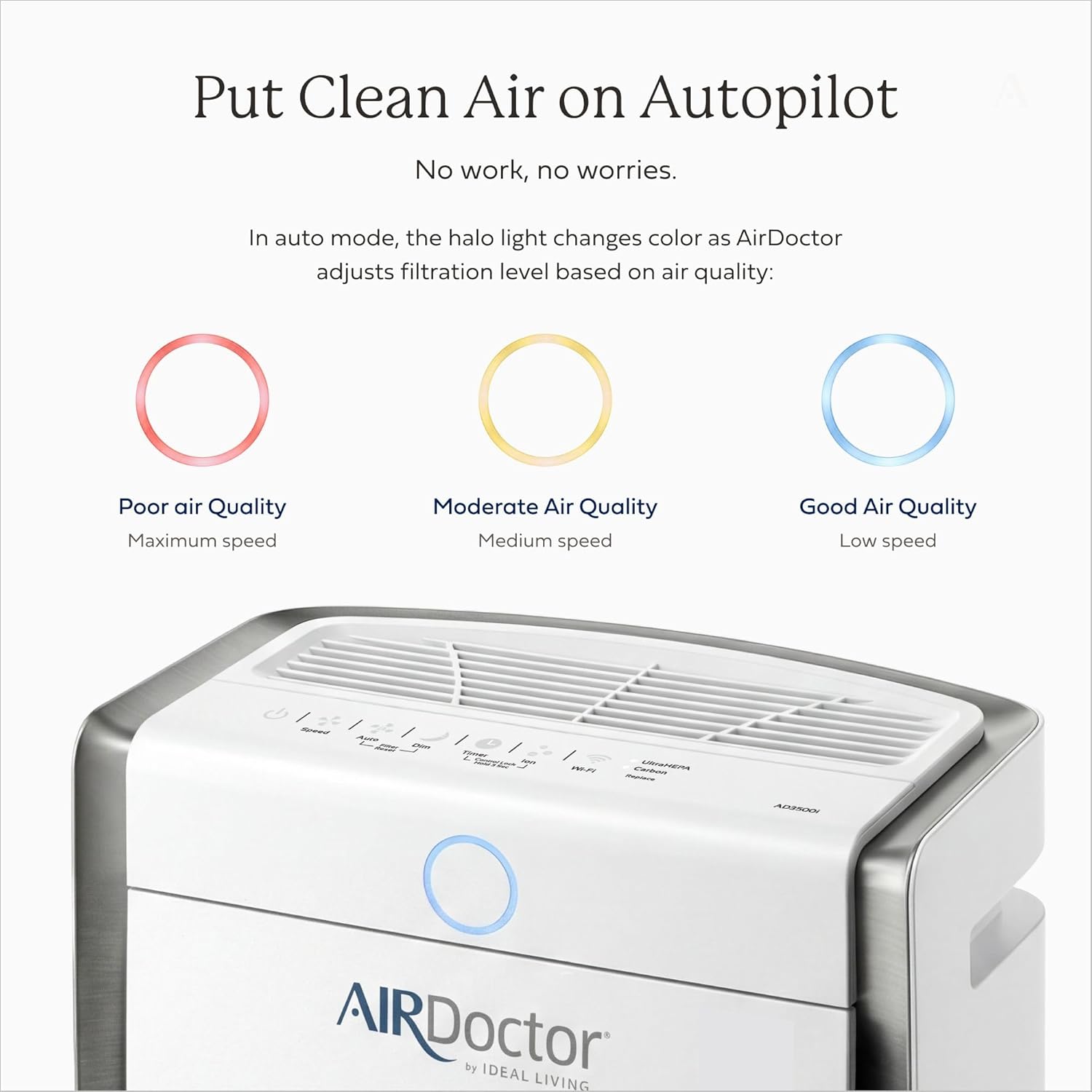
Image: The control panel of the AirDoctor AD3500, highlighting the Auto Mode and the color-coded Halo light that indicates real-time air quality.
Control Panel Functions:
- Power Button: Press to turn the unit ON or OFF.
- Speed Button: Cycles through fan speeds (Low, Medium, High, Boost).
- Auto Mode: Activates the intelligent sensor system. The unit will automatically adjust fan speed based on detected air quality.
- Dim Button: Adjusts the brightness of the control panel lights.
- Timer Button: Sets the operating time (e.g., 1 hour, 2 hours, 4 hours, 8 hours).
- Ion Button: Turns the ionizer function ON or OFF.
- Filter Reset: After replacing filters, press and hold the 'Auto' and 'Dim' buttons simultaneously for 3 seconds to reset the filter indicator lights.
AirDoctor Halo Indicator:
The circular light on the front of the unit provides a visual indication of current air quality:
- Blue: Good Air Quality
- Orange: Moderate Air Quality
- Red: Poor Air Quality
5. Maintenance
Regular maintenance ensures optimal performance and longevity of your AIRDOCTOR AD3500.
Filter Replacement:
The unit features indicator lights for UltraHEPA and Carbon filters, signaling when replacement is needed. Always use genuine AIRDOCTOR replacement filters.
- UltraHEPA Filter: Replace approximately every 12 months.
- Carbon/VOC Filter: Replace approximately every 6 months.
Steps for Filter Replacement:
- Turn off and unplug the air purifier.
- Gently pull the upper end of the front cover towards you to remove it.
- Remove the old Pre-Filter, Carbon/VOC filter, and UltraHEPA filter by lifting and pulling the tabs.
- Insert the new filters, ensuring correct orientation by following the directional arrows.
- Align the front cover with the bottom hooks and gently close it until it locks into position.
- Plug in the unit. Hold down the 'Auto' and 'Dim' buttons simultaneously for 3 seconds to reset the filter indicator lights.
Cleaning the Pre-Filter:
The Pre-Filter can be vacuumed regularly to extend its life and maintain efficiency. It is recommended to vacuum the Pre-Filter about once a week, especially in homes with pets or high dust levels.
Video: How to Change Your AirDoctor Filters and Reset Filter Light
Video: This official AIRDOCTOR video demonstrates the step-by-step process for replacing filters and resetting the filter indicator lights on your AirDoctor 3000 Series air purifier.
6. Troubleshooting
If you encounter issues with your AIRDOCTOR AD3500, refer to the following common problems and solutions:
| Problem | Possible Cause | Solution |
|---|---|---|
| Unit does not turn on | Power cord not securely plugged in; No power to outlet; Front cover not closed properly. | Check power connection; Test outlet with another device; Ensure front cover is fully closed and latched. |
| Weak airflow | Filters are dirty or clogged; Air inlets/outlets are blocked. | Clean or replace filters; Ensure proper clearance around the unit. |
| Unusual noise | Filters not installed correctly; Foreign object inside unit. | Reinstall filters correctly; Unplug and check for any obstructions. |
| Filter indicator light remains on after replacement | Filter reset not performed. | Press and hold 'Auto' and 'Dim' buttons for 3 seconds to reset. |
If the problem persists, please contact AIRDOCTOR customer support.
7. Specifications
| Feature | Specification |
|---|---|
| Model Number | AD3500 (also referred to as AD5000H Pet in some documentation) |
| Product Dimensions (D x W x H) | 19.7 x 32.3 x 19.7 inches |
| Item Weight | 30.2 Pounds |
| Power Source | Electric |
| Control Method | Touch Control |
| Filter Type | UltraHEPA, Carbon/VOC |
| Floor Area Coverage | Up to 2,520 Square Feet (1x/hr purification) |
| Contaminant Filtration Capability | Cigarette smoke, dust, odors, pet dander, pet hair, pollen, volatile organic compounds (VOCs) |
| Special Features | 3-stage filtration, UltraHEPA filter, Carbon VOC filter, captures particles as small as 0.003 microns, large room coverage |
| Smart Home Compatibility | Not Smart Home Compatible |
| Color | White |
8. Warranty and Support
For optimal performance and to maintain your product warranty, always use genuine AIRDOCTOR replacement filters. For any questions, troubleshooting assistance, or warranty claims, please contact AIRDOCTOR customer support through their official website or the contact information provided with your purchase.