
Product Overview
The Beatbot Sora 30 is an advanced 4-in-1 robotic pool cleaner designed for both above-ground and in-ground pools up to 3,229 sq. ft. It features powerful suction, smart navigation, and specialized cleaning capabilities for various pool surfaces and areas, including shallow water and platforms.
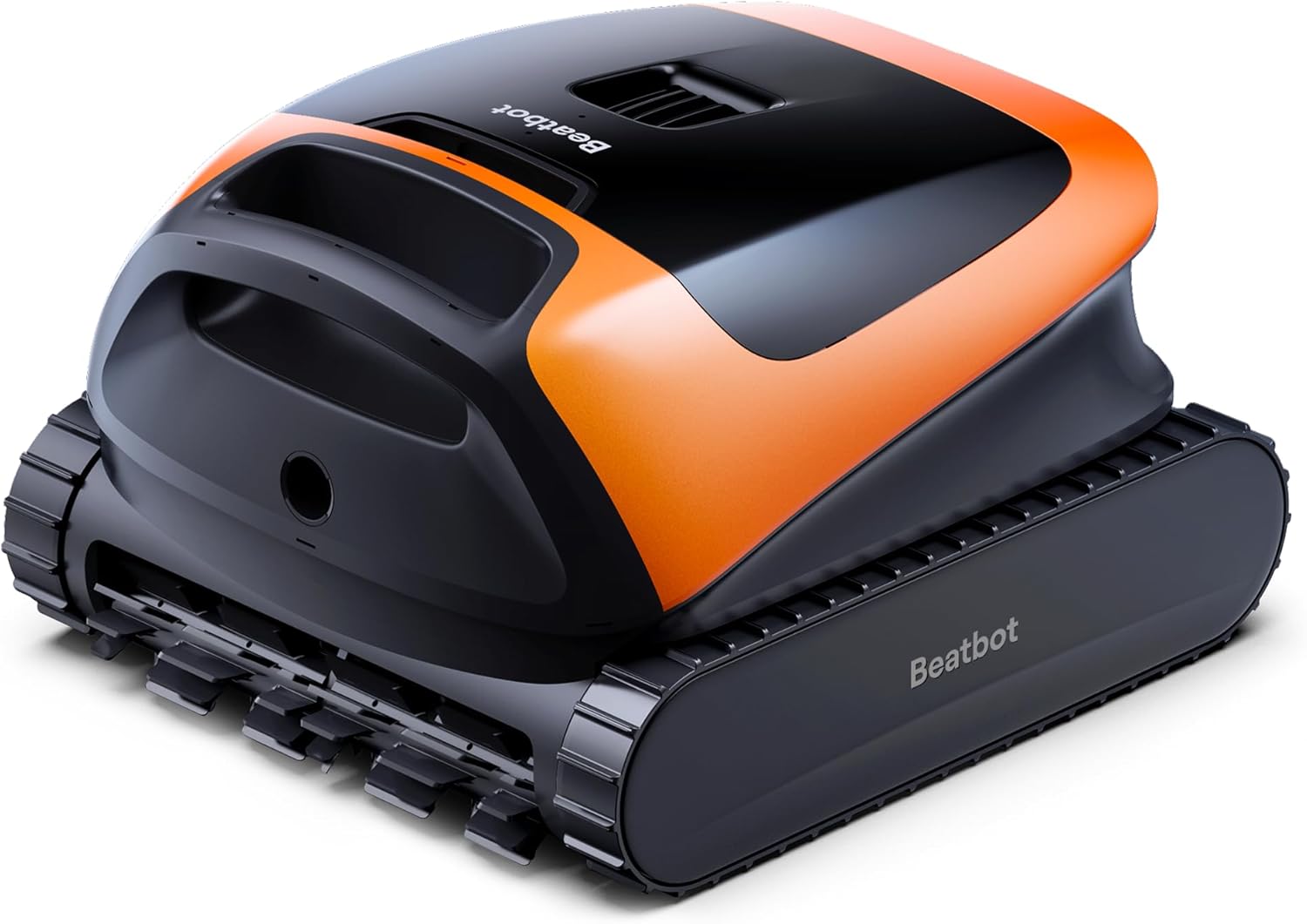
Image: The Beatbot Sora 30 Pool Vacuum Robot, vibrant orange and black, positioned at the edge of a swimming pool.
Key Features
- Smart Water-Surface Parking & One-Touch Retrieval: Automatically rises to the surface and parks at the pool edge when cleaning finishes or battery is low, releasing internal water for easy lifting.
- Huge 6800 GPH Suction Power: HydroBalance Structure delivers industry-leading suction power for effective debris collection without clogging.
- Shallow-Water & Platform Cleaning: Utilizes ultrasonic sensors to identify and clean ledges, platforms, and shallow areas down to 8 inches.
- Long Battery Life: Powered by a 10,000 mAh battery, providing up to 5 hours of continuous floor cleaning.
- 5L Debris Capacity & 150 µm Filtration: Large capacity filter basket efficiently traps everyday debris.
- 4 Cleaning Modes & Intelligent Floor Cleaning: Offers various smart cleaning modes and optimized S-shaped cleaning paths for comprehensive coverage.
- App Control & Dual Connectivity: Manage cleaning modes, start/stop operations, and monitor status via the Beatbot app with Bluetooth connectivity.
Setup Guide
Unboxing
Carefully unpack all components from the box. Ensure all items are present:
- Beatbot Sora 30 Pool Vacuum Robot
- Charger
- Retrieval Hook
- User Manual (this document)
- Quick Start Guide
- 150µm Additional Filter

Image: Contents of the Beatbot Sora 30 box, including the robot, charger, retrieval hook, and documentation.
Charging
Before first use, fully charge your Beatbot Sora 30. The charging process takes approximately 4.5 hours. The robot features titanium charging contacts for safe and fast charging in pool environments.

Image: A child relaxing by a pool while the Beatbot Sora 30 charges, highlighting its safe and fast titanium charging.
Initial Placement
Once fully charged, carefully place the Beatbot Sora 30 into your pool. Ensure it is fully submerged before initiating a cleaning cycle.
Operating Instructions
Control Methods
The Beatbot Sora 30 can be controlled via the dedicated Beatbot app or through its integrated physical controls. The app offers comprehensive control over cleaning modes and monitoring, while physical controls allow for basic operation.

Image: A smartphone displaying the Beatbot app interface, showing options for firmware updates, cleaning modes, and monitoring.
Cleaning Modes
The Sora 30 offers 4 intelligent cleaning modes to suit various needs:
- Floor Mode: Cleans the pool floor only.
- Standard Mode: Cleans floor, walls, and waterline.
- Eco Mode: Automatically cleans the pool floor every 48 hours.
- Intelligent Floor Cleaning: Optimized S-shaped cleaning paths for better coverage.

Image: The Beatbot Sora 30 demonstrating its 6800 GPH suction power, effectively cleaning various debris types from the pool floor.

Image: The Beatbot Sora 30 cleaning different zones of a pool, including the floor, walls, waterline, and shallow-water areas.
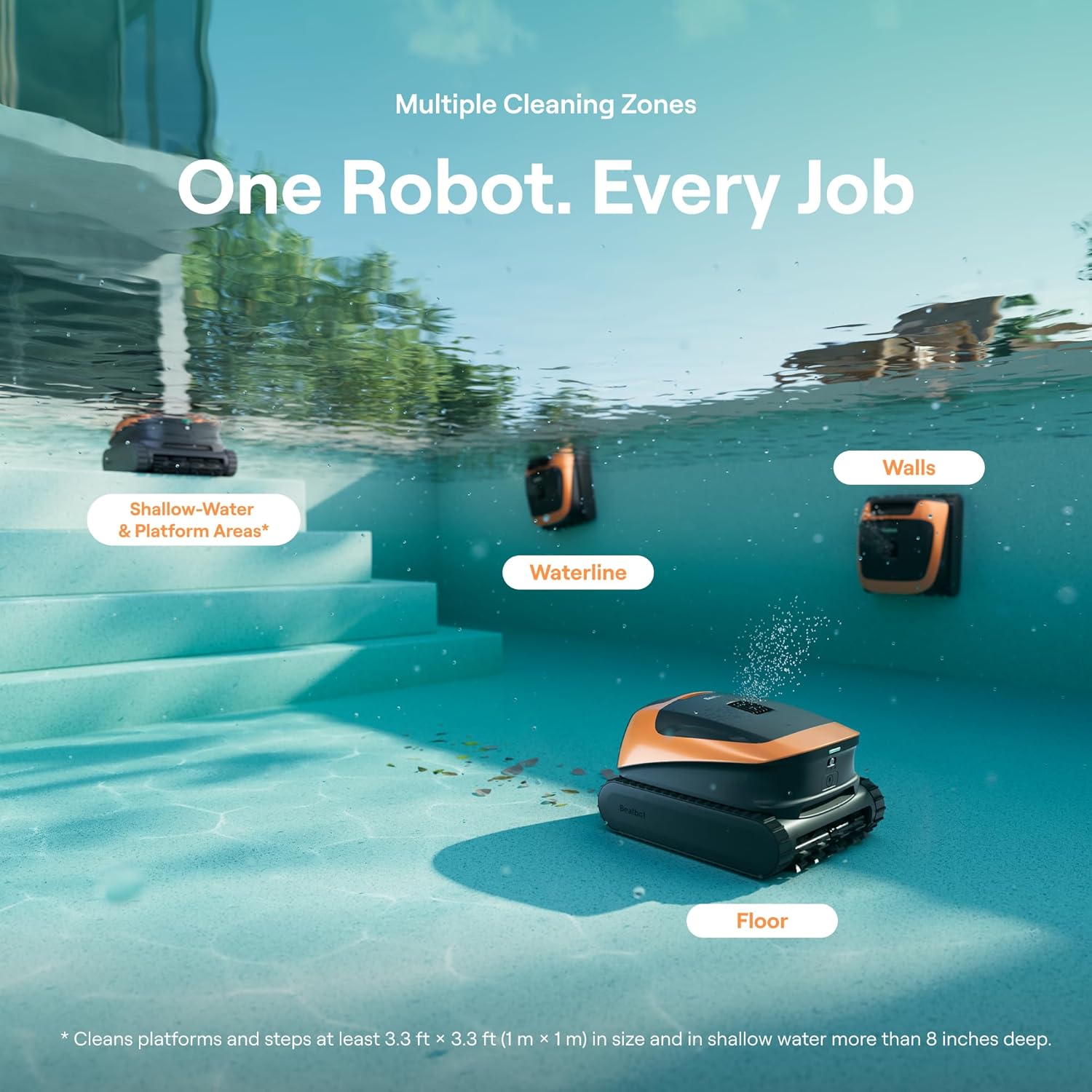
Image: The Beatbot Sora 30 cleaning a shallow-water area of a pool, demonstrating its ability to operate in depths as low as 8 inches.
Smart Surface Parking & Retrieval
Upon completion of a cleaning cycle or when the battery level is low (below 12%), the robot will automatically rise to the water surface. It then navigates to the nearest pool edge and releases its internal water, making it lighter and easier to retrieve. You can also initiate retrieval via the Beatbot app.

Image: The Beatbot Sora 30 automatically returning to the water surface and parking at the pool edge after completing its cleaning cycle.
Official Product Videos
Video: An official overview of the 2026 Beatbot Sora 30 Pool Vacuum Robot, showcasing its features and operation in various pool environments.
Video: An official video from Beatbot Tech titled 'Happy Pool Opening', demonstrating the Sora 30's cleaning capabilities in a pool setting.
Maintenance
Filter Cleaning
Regularly clean the 5L debris basket and 150µm filter to maintain optimal cleaning performance. The large capacity allows for more debris collection per cycle, reducing the frequency of emptying.

Image: A close-up view of the Beatbot Sora 30's 5L debris basket and 150µm filter, showing collected leaves and debris.
General Care
After each use, rinse the robot with fresh water to remove any pool chemicals or debris that may have accumulated on its exterior. Store in a cool, dry place away from direct sunlight.
Troubleshooting
- Robot not moving: Ensure the battery is fully charged. Check for any obstructions in the brushes or tracks.
- Poor cleaning performance: Clean the debris basket and filter. Ensure the robot is operating in the correct cleaning mode for your pool's needs.
- Robot not surfacing/parking correctly: Verify the pool edge is clear of obstructions. Check battery level.
- App connectivity issues: Ensure Bluetooth is enabled on your device and the robot is within range. Restart the app and the robot if necessary.
Specifications
| Feature | Specification |
|---|---|
| Brand | Beatbot |
| Model | Sora 30 (RCMPM021-NAA-B) |
| Color | Vibrant Orange |
| Control Method | App, Touch |
| Battery Capacity | 10,000 mAh (203.04 Watt Hours) |
| Battery Type | Lithium-Ion (1 battery included) |
| Charging Time | 4.5 Hours |
| Suction Power | 6800 GPH |
| Debris Capacity | 5 Liters |
| Filtration | 150 µm |
| Max Pool Coverage | Up to 3,229 sq. ft. |
| Shallow-Water Cleaning | Down to 8 inches |
| Installation Type | Robotic |
Warranty and Support
The Beatbot Sora 30 comes with a 2-year warranty, ensuring peace of mind and protection for your investment. The product has undergone rigorous testing and holds 15 global certifications.

Image: A man relaxing by a pool with the Beatbot Sora 30, highlighting the product's 2-year warranty and rigorous testing.
For further assistance, technical support, or warranty claims, please refer to the contact information provided in your Quick Start Guide or visit the official Beatbot website.


