
1. Getting Started
1.1 Package Contents
Verify that all items are present in the package:
- Android 15 Tablet
- USB Cable
- USB Manual
- EVA Shock-proof Case
1.2 Initial Charging
Before first use, fully charge the tablet. Connect the provided USB cable to the tablet's USB-C port and the other end to a 15W or 18W wall charger (not included). Charge for at least 3 hours or until the battery indicator shows 100%.
1.3 Powering On/Off
- To Power On: Press and hold the Power button located on the side of the tablet until the screen lights up.
- To Power Off: Press and hold the Power button, then select 'Power Off' from the options displayed on the screen.
2. Product Overview
2.1 Device Layout
Familiarize yourself with the tablet's physical features and ports.

Image: Tablet layout indicating power button, volume controls, cameras, and ports.
- Power Button: Controls power on/off and screen lock.
- Volume Buttons: Adjusts audio volume.
- Front Camera: For video calls and selfies.
- Rear Camera: For taking photos and videos.
- 3.5mm Audio Jack: For connecting headphones or external speakers.
- MicroSD Card Slot: For expanding storage up to 1TB.
- USB-C Port: For charging and data transfer.
- Speakers: Dual stereo speakers for audio output.
3. Operating Your Tablet
3.1 Android 15 Operating System
The COLORROOM K10 tablet runs on the stable Android 15 system, powered by a high-performance Octa-core CPU. It features 10GB (4GB+6GB) RAM and 64GB of internal storage, expandable up to 1TB with a MicroSD card (sold separately).

Image: Tablet screen showing Android 15 interface and key specifications.
3.2 Display Features
The tablet features a 10.1-inch HD 1280x800 fully-in-cell display. It includes an anti-blue light design and automatic brightness adjustment to protect eyesight and enhance viewing comfort.
3.3 Google Kids Space and Parental Controls
The tablet comes pre-installed with Google Kids Space, offering a curated selection of educator-endorsed apps and content suitable for children aged 3 and above. This includes activities for learning, creativity, and entertainment.

Image: Google Kids Space interface with various content categories.
Parental controls allow you to manage your child's digital experience by filtering content, setting educational goals, and establishing time limits. This ensures a secure and balanced online environment.
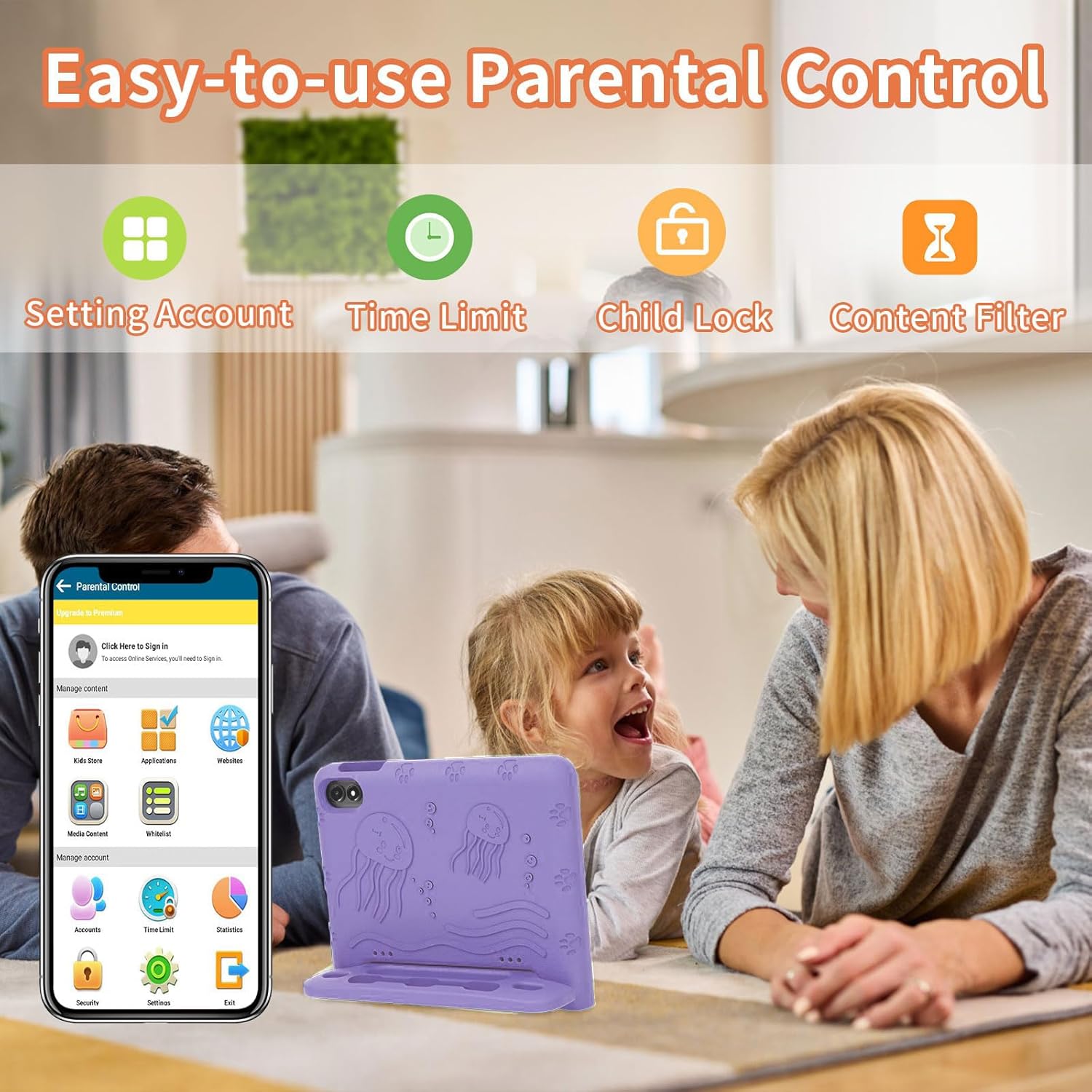
Image: Parental control features demonstrated on a smartphone interface.
3.4 Connectivity
- Wi-Fi: Supports 2.4G and 5G Wi-Fi, including Wi-Fi 6 for fast and stable internet connection.
- Bluetooth: Bluetooth 5.3 for connecting wireless accessories like headphones and speakers.
- USB-C: For charging and connecting to computers for data transfer.
- 3.5mm Audio Jack: Standard port for wired headphones.
3.5 Audio
The tablet is equipped with dual stereo speakers, providing clear and loud audio for an enhanced audiovisual experience.
4. Battery Management
4.1 Battery Life
The COLORROOM K10 tablet features a built-in 6000mAh large battery, offering 8-12 hours of usage on a full charge, depending on activity (e.g., 8 hours video, 6 hours gaming, 10 hours web browsing, 72 hours standby).

Image: Battery life indicators for various activities.
4.2 Charging Guidelines
Always use a compatible 15W or 18W charger for optimal charging performance. Avoid using damaged cables or chargers. Do not expose the tablet to extreme temperatures during charging.
5. Maintenance and Care
5.1 Cleaning Your Tablet
To clean the tablet, power it off and disconnect all cables. Use a soft, lint-free cloth, slightly dampened with water or a screen cleaner, to gently wipe the screen and body. Avoid using harsh chemicals or abrasive materials.
5.2 Storage Recommendations
Store the tablet in a cool, dry place away from direct sunlight and extreme temperatures. If storing for an extended period, ensure the battery is charged to about 50% to prolong its lifespan.
6. Troubleshooting
6.1 Common Issues and Solutions
- Tablet not turning on: Ensure the tablet is sufficiently charged. Connect it to a charger and wait a few minutes before attempting to power on again.
- Slow performance: Close unnecessary background applications. Clear cache regularly. Consider performing a factory reset if performance issues persist after backing up important data.
- Wi-Fi connection issues: Restart your Wi-Fi router and the tablet. Ensure the tablet is within range of the Wi-Fi signal. Check Wi-Fi settings on the tablet to ensure correct network selection and password.
- Screen unresponsive: Try restarting the tablet by holding the power button. If unresponsive, force restart by holding the power button for a longer duration (e.g., 10-15 seconds).
7. Technical Specifications
| Feature | Specification |
|---|---|
| Brand | COLORROOM |
| Model Name | K10 |
| Operating System | Android 15 |
| CPU | Octa-core T606, 2 GHz |
| RAM | 10 GB |
| Internal Storage | 64 GB |
| Expandable Storage | Up to 1 TB (MicroSD) |
| Screen Size | 10.1 Inches |
| Display Resolution | 1280x800 Pixels (HD IPS) |
| Battery Capacity | 6000 mAh |
| Rear Camera | 8 MP |
| Front Camera | 5 MP |
| Connectivity | 2.4G/5G Wi-Fi, Wi-Fi 6, Bluetooth 5.3, USB 3.0 Type C, 3.5mm Audio |
| Dimensions (L x W x Thickness) | 3.98"L x 6.5"W x 0.28"Th |
| Item Weight | 0.55 Pounds |
8. Warranty and Support
8.1 Warranty Information
The COLORROOM K10 tablet comes with a 180-day money-back guarantee and 5 years of worry-free protection. Please refer to the warranty card included in your package for full terms and conditions.
8.2 Customer Support
For any questions, technical assistance, or warranty claims, please contact COLORROOM customer support. Contact details can typically be found on the official COLORROOM website or in the product packaging.

