
1. Product Overview
The Jugeman Military Smart Watch V20 is a rugged and versatile wearable device designed for active lifestyles. It features a 1.43-inch AMOLED display, built-in GPS, LED flashlight, compass, and comprehensive health monitoring capabilities. The watch is 5ATM waterproof and compatible with both Android and iOS devices.
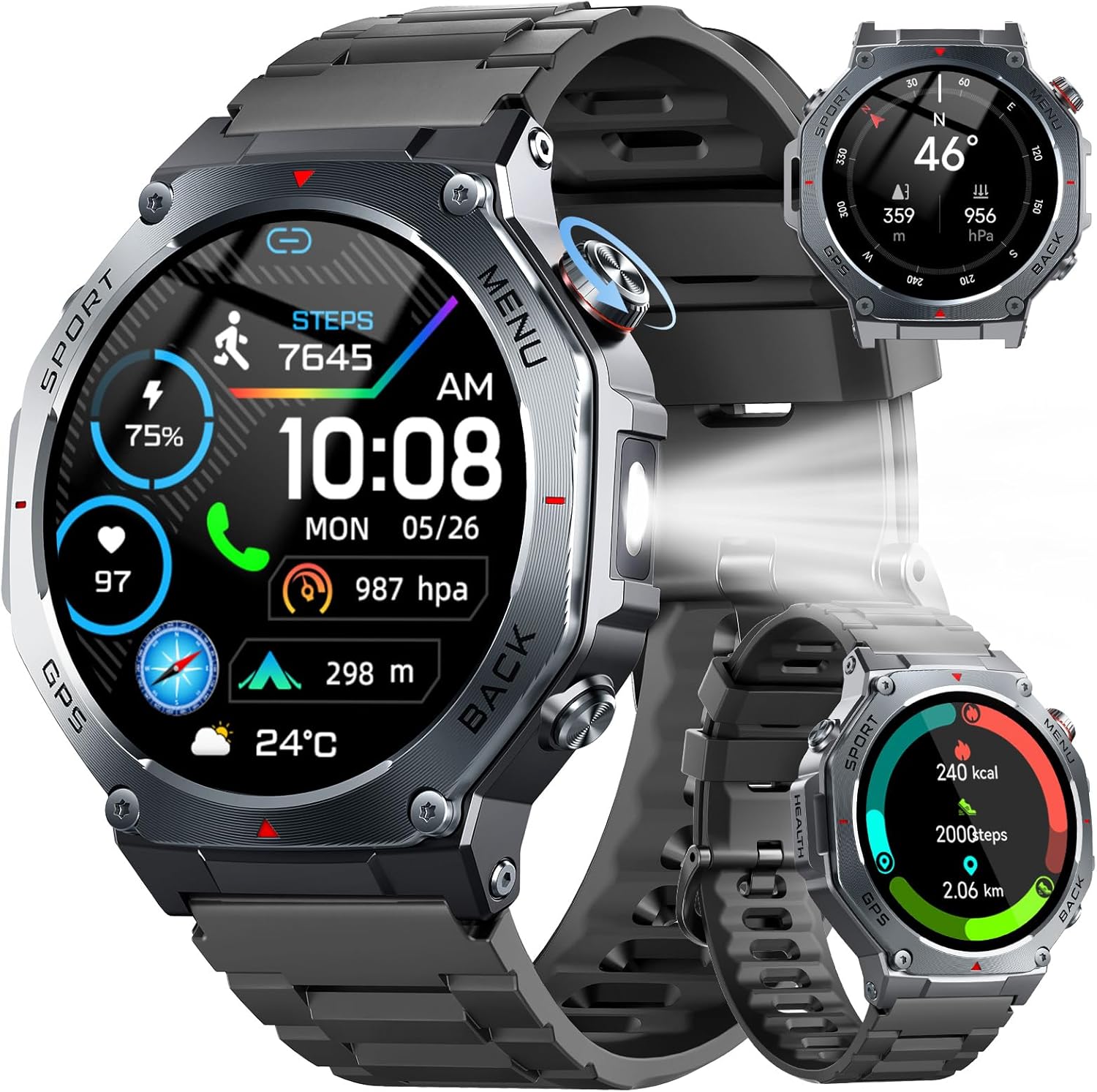
Image: Jugeman Military Smart Watch V20, showcasing its robust design and display.
2. What's in the Box
- V20 Smart Watch x 1
- Magnetic Charging Cable x 1
- User Manual x 1
3. Setup Guide
3.1 Initial Charging
Before first use, fully charge the smart watch. Connect the magnetic charging cable to the charging port on the back of the watch and plug the USB end into a power adapter (not included) or a computer's USB port. A full charge typically takes approximately 2 hours. The watch has a 520 mAh battery, providing an average life of 7-10 days with normal use, and up to 20 days in standby mode. Continuous GPS use may reduce battery life to about 3 days.

Image: The Jugeman V20 Smart Watch connected to its magnetic charging cable, illustrating the charging process and battery life.
3.2 App Installation and Pairing
To utilize all features of your smart watch, download the companion application, "GloryFitPro", from your smartphone's app store (available for Android 5.0+ and iOS 9.0+).
- Download and install the "GloryFitPro" app from the App Store or Google Play Store.
- Ensure your smartphone's Bluetooth is enabled.
- Open the "GloryFitPro" app, navigate to the device section, and select "ADD A DEVICE".
- Locate and select "V20" from the list of available devices.
- Confirm the Bluetooth pairing request on both your phone and the watch. Grant necessary permissions for contacts and call logs.
- Allow all requested permissions within the app to ensure full functionality.
- Once connected, your V20 smart watch is ready for use.

Image: A visual guide demonstrating the six steps to connect the V20 Smart Watch to a smartphone using the GloryFitPro application.
4. Operating Instructions
4.1 Display and Navigation
The V20 features a 1.43-inch AMOLED color display with an "Always-On Display" function, allowing you to check the time without activating the screen. Navigate through menus by swiping left, right, up, or down, and select options by tapping. The watch also has physical buttons for quick access to functions like Sport mode, Menu, and Back.

Image: Close-up of the V20 Smart Watch's 1.43-inch AMOLED display, highlighting its vibrant colors and Always-On Display capability.
4.2 GPS and Outdoor Features
The watch includes built-in GPS supporting six satellite systems (GPS, GLONASS, BeiDou, Galileo, NAVIC, QZSS) for accurate positioning during outdoor activities. It also features an integrated compass for navigation and an LED flashlight for illumination in low-light conditions.

Image: The V20 Smart Watch interface showing GPS activity tracking, compass readings, barometric pressure, and altitude data, alongside a smartphone displaying a map.
4.3 Health Monitoring
The V20 smart watch provides continuous health monitoring:
- Heart Rate: Monitors your heart rate throughout the day.
- Sleep Monitoring: Tracks sleep stages (deep, light, REM) and provides sleep quality analysis.
- Blood Oxygen: Measures blood oxygen levels in real-time.
- Pressure Monitoring: Assesses stress levels and offers breathing exercises.

Image: A person wearing the V20 Smart Watch, with graphical representations of pressure, heart rate, blood oxygen, and sleep monitoring data.
4.4 Sports Modes
The watch supports over 160 sports modes, including running, cycling, walking, and more. During workouts, it tracks your movement, calories burned, steps, distance, and heart rate, displaying data on the watch and a map on your smartphone via GPS.
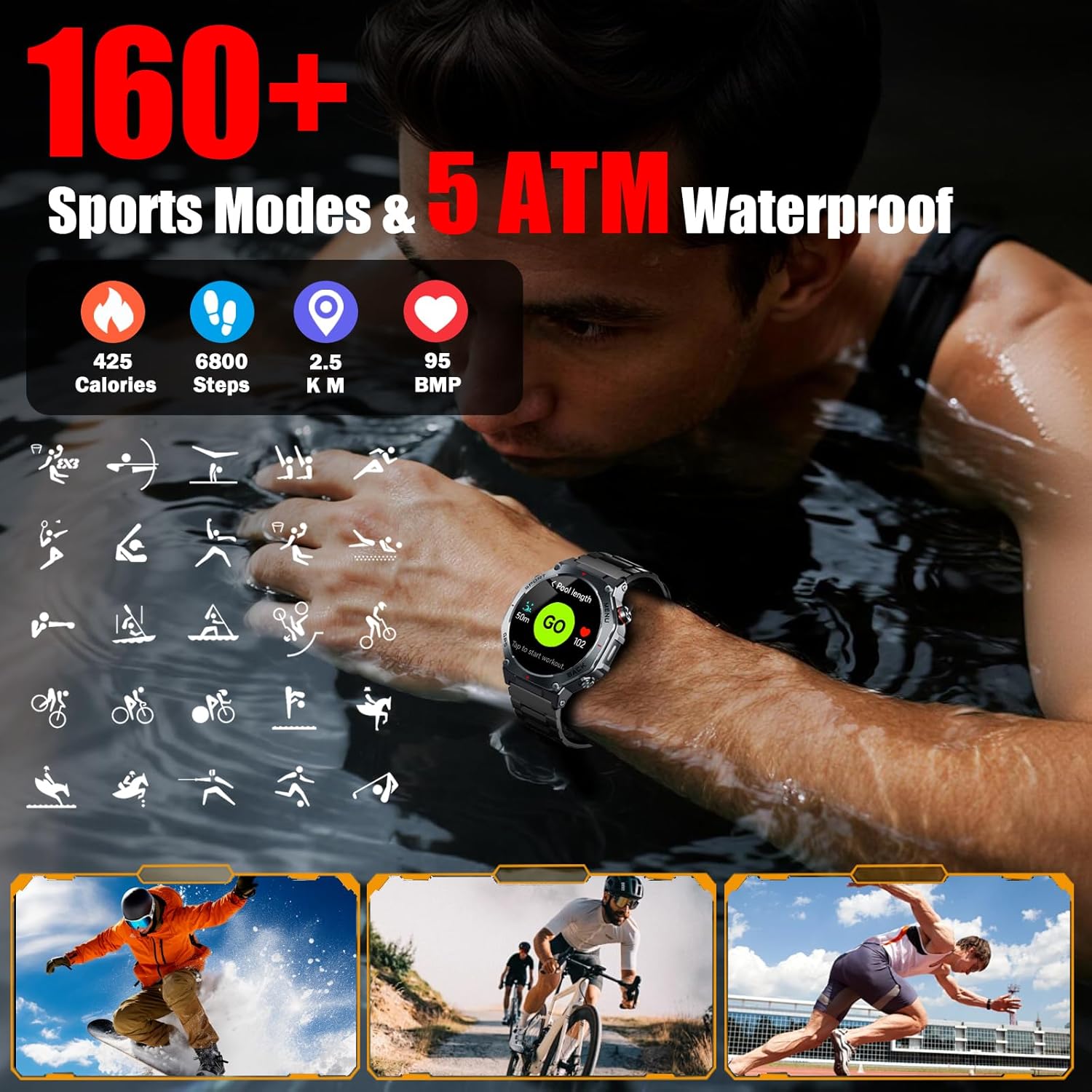
Image: A person swimming while wearing the V20 Smart Watch, illustrating its 5ATM waterproof feature and the variety of sports modes available.
4.5 Bluetooth Calling and Notifications
With its built-in speaker and microphone, the V20 supports Bluetooth voice calls directly from your wrist. It also provides message notifications from various apps, allowing you to stay connected without needing to check your phone constantly. An AI voice assistant is also integrated for hands-free control.

Image: A person interacting with the V20 Smart Watch for Bluetooth calls and message notifications, with icons representing various social media and communication apps.
4.6 Additional Features
The V20 smart watch includes several other useful functions:
- Customizable Watch Faces: Choose from over 250 watch faces or customize your own.
- Camera Control: Remotely control your smartphone's camera.
- Music Playback: Control music playing on your connected device.
- Weather Forecasts: Get real-time weather updates.
- Alarm Clock, Calculator, Stopwatch, Breathing Exercises, Sedentary Reminders, Hydration Reminders.
Image: A collage of the V20 Smart Watch's diverse functionalities, including customizable watch faces, camera remote, stopwatch, calculator, flashlight, music control, and weather display.
5. Maintenance
5.1 Waterproof Rating
The V20 smart watch has a 5ATM waterproof rating, meaning it can withstand pressures equivalent to a depth of 50 meters. This makes it suitable for swimming, showering, and exposure to rain or sweat. However, it is not recommended for diving or high-pressure water activities. Avoid exposing the watch to hot water or steam, as this can compromise the seals.
5.2 Cleaning and Care
- Regularly clean the watch and strap with a soft, damp cloth.
- Ensure the charging contacts are clean and dry before charging to prevent corrosion.
- Avoid using harsh chemicals or abrasive materials for cleaning.
- Store the watch in a cool, dry place when not in use.
6. Troubleshooting
6.1 Common Issues and Solutions
- Watch not turning on: Ensure the watch is fully charged. Connect it to the magnetic charging cable and a power source for at least 30 minutes.
- Unable to pair with smartphone:
- Ensure Bluetooth is enabled on your smartphone.
- Make sure the watch is within Bluetooth range (typically 10 meters).
- Restart both the watch and your smartphone.
- Clear the Bluetooth cache on your phone and try pairing again.
- Ensure the "GloryFitPro" app has all necessary permissions.
- Inaccurate health data: Ensure the watch is worn snugly on your wrist, about one finger's width above the wrist bone. Keep the sensor clean.
- GPS not tracking: Ensure you are in an open outdoor area with a clear view of the sky. Allow the watch a few minutes to acquire a GPS signal.
- Notifications not appearing: Check the "GloryFitPro" app settings to ensure notifications are enabled for the desired applications. Verify that your phone's notification settings allow the app to display alerts.
7. Specifications
| Feature | Specification |
|---|---|
| Model Name | V20 |
| Display Type | 1.43 Inches AMOLED |
| Operating System | Android 5.0 or above, iOS 9.0 or above |
| Connectivity Technology | Bluetooth |
| GPS | Built-in GPS (GLONASS, BeiDou, Galileo, NAVIC, QZSS) |
| Battery Capacity | 520 Milliamp Hours (Lithium Polymer) |
| Battery Average Life | 7-10 days (normal use), 20 days (standby), 3 days (continuous GPS) |
| Battery Charge Time | 2 Hours |
| Waterproof Rating | 5ATM |
| Special Features | LED Flashlight, Compass, Heart Rate, Sleep, Blood Oxygen, Pressure Monitoring, 160+ Sports Modes, Bluetooth Calling, AI Voice Assistant |
| Included Components | Magnetic Charging cable, V20 Smart Watch, User manual |
8. Warranty Information
The Jugeman Military Smart Watch V20 comes with a 2-Year Manufacturer Warranty. This warranty covers defects in materials and workmanship under normal use. It does not cover damage caused by misuse, accidents, unauthorized modifications, or normal wear and tear. Please retain your proof of purchase for warranty claims.
9. Support
For further assistance, technical support, or warranty inquiries, please refer to the contact information provided with your purchase or visit the official Jugeman website. You may also refer to the "GloryFitPro" app for additional help resources.
Video: An official product video from zaisong (seller) demonstrating key features of the Military Smart Watch, including GPS and LED Flashlight functionality. Duration: 0:34.


