
1. Introduction
Thank you for choosing the Wenoker Exercise Bike WF-WSWG-1G4V. This indoor cycling bike is designed to provide an effective and comfortable cardio workout experience in your home. Featuring a whisper-quiet belt drive, robust construction, and smart app synchronization, it's engineered for smooth, stable, and engaging exercise sessions. Please read this manual thoroughly before use to ensure proper assembly, operation, and maintenance.
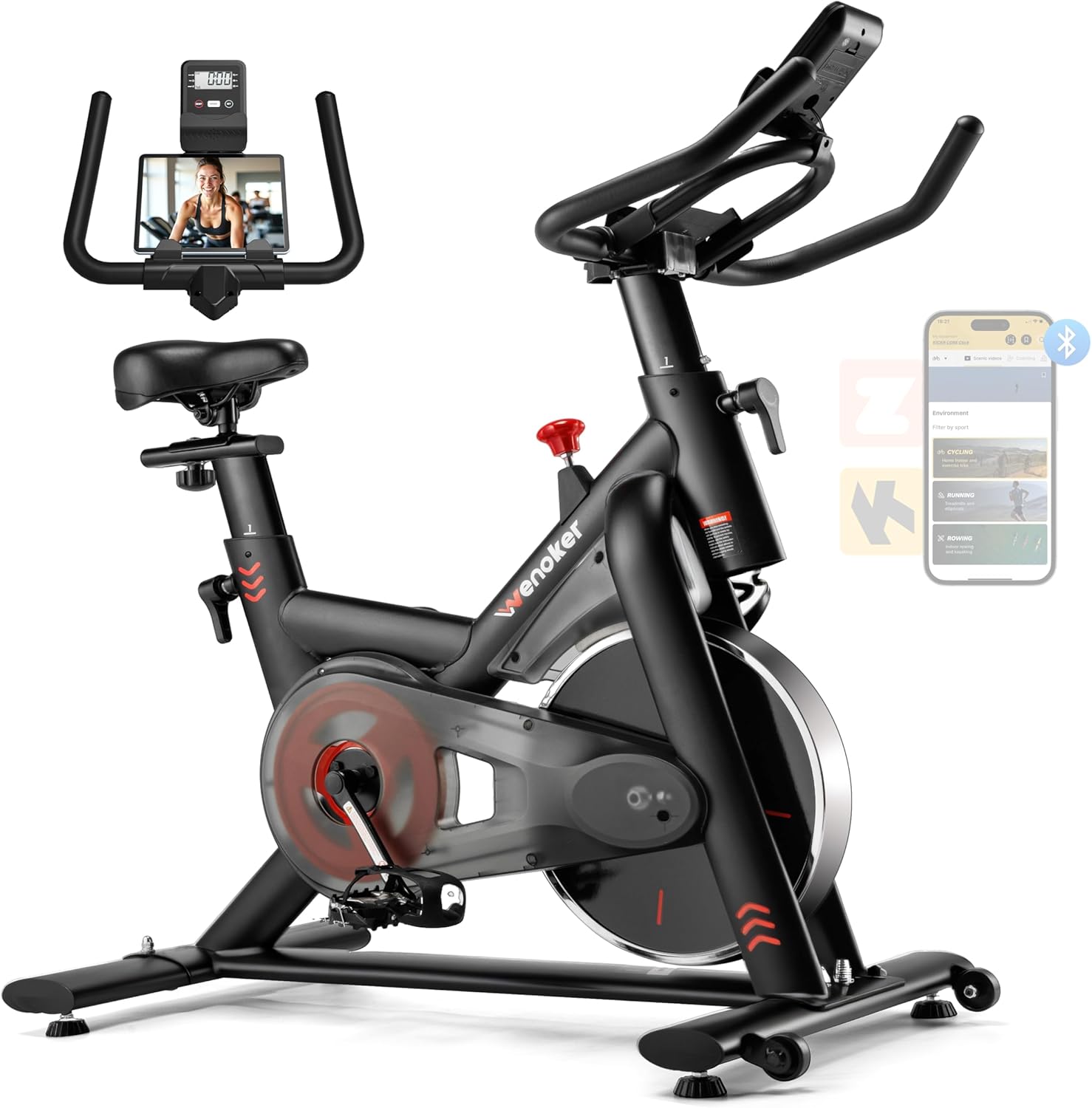
Figure 1: Wenoker Exercise Bike WF-WSWG-1G4V
2. Setup and Assembly
The Wenoker Exercise Bike comes mostly pre-assembled for quick and easy setup. All necessary tools are included. Follow these steps to assemble your bike:
- Unpack Components: Carefully remove all parts from the packaging and lay them out on a clean, flat surface. Verify all components are present against the parts list in the included user manual.
- Attach Rear Stabilizer: Secure the rear stabilizer bar to the main frame using the provided bolts and wrenches. Ensure it is tightly fastened for stability.
- Attach Front Stabilizer: Attach the front stabilizer bar to the main frame. This bar includes transport wheels. Secure it firmly with the bolts and wrenches.
- Install Pedals: Identify the left (L) and right (R) pedals. Apply a small amount of thread locker (if provided) to the pedal threads. Screw the left pedal counter-clockwise and the right pedal clockwise into their respective crank arms. Tighten securely with the wrench.
- Insert Seat Post: Insert the seat post into the main frame. Adjust to your desired height and secure it using the adjustment knob.
- Attach Seat: Mount the seat onto the seat post. Adjust its horizontal position and angle for comfort, then tighten the fasteners.
- Insert Handlebar Post: Insert the handlebar post into the front of the main frame. Adjust to your preferred height and secure with the adjustment knob.
- Attach Handlebars: Mount the handlebars onto the handlebar post. Secure them with the provided bolts and tighten.
- Connect LCD Monitor: Connect the sensor wire from the main frame to the LCD monitor. Insert batteries into the monitor (if not pre-installed) and then attach the monitor to the handlebar post.
For a visual guide, please watch the assembly video below:
Video: How to Assemble Wenoker Exercise Bike. This video demonstrates the step-by-step assembly process for the exercise bike.

Figure 2: All components laid out for assembly.
3. Operating Instructions
3.1 Resistance Adjustment
The bike features an infinite resistance adjustment system. To increase resistance, turn the red knob clockwise. To decrease resistance, turn it counter-clockwise. For an emergency stop, press the red knob down firmly.

Figure 3: Resistance adjustment knob with emergency stop function.
3.2 Seat and Handlebar Adjustment
Both the padded seat and handlebars are fully adjustable to accommodate various user heights and riding preferences. Use the quick-release levers and adjustment knobs to set the seat height, horizontal position, and handlebar height for optimal comfort and ergonomic posture during your workout.
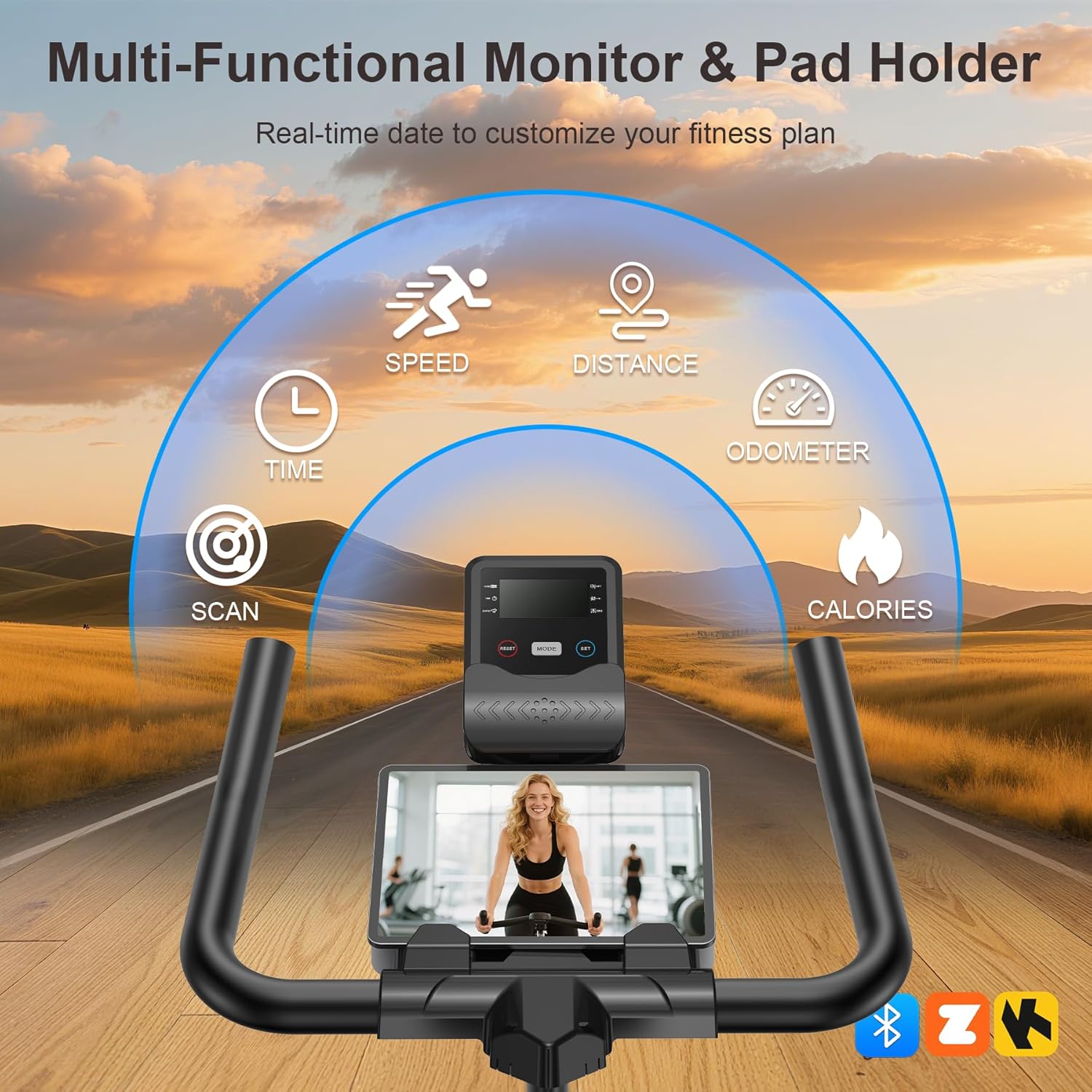
Figure 4: Adjustable seat and handlebars for personalized fit.
3.3 LCD Monitor and App Synchronization
The integrated LCD monitor displays real-time workout data including time, speed, distance, and calories burned. Use the 'MODE' and 'SET' buttons to navigate through different display modes or set target values. The bike also supports Bluetooth connectivity, allowing you to sync with popular fitness applications to track your progress, access interactive training programs, and enhance your workout experience.
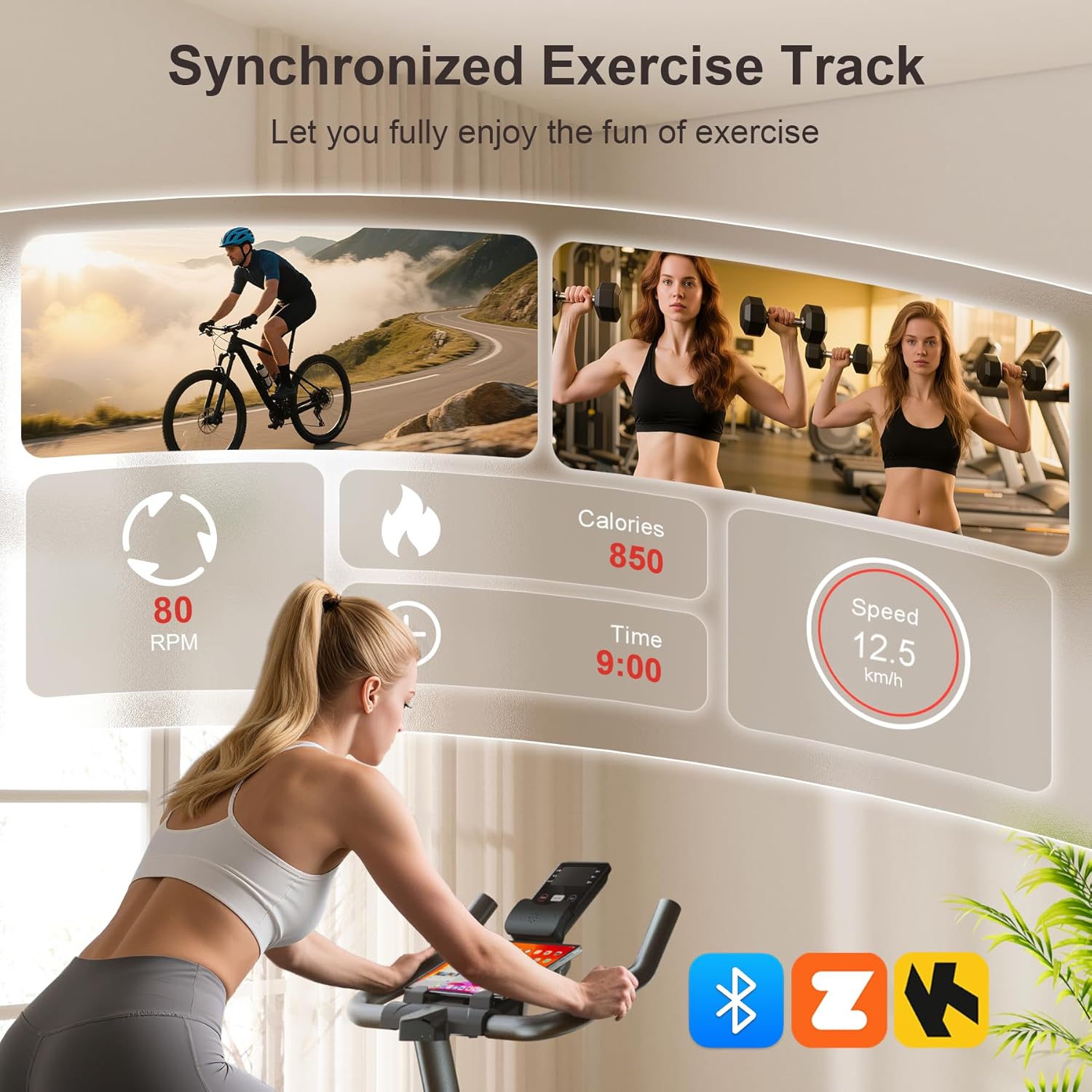
Figure 5: LCD monitor with app sync capabilities.
4. Features
- Whisper-Quiet Belt Drive: Experience smooth and silent operation (under 25dB), making it ideal for home use without disturbing others.
- Heavy-Duty Stable Frame: Constructed with a reinforced triangular steel frame, supporting up to 350 lbs for superior stability during intense workouts. Features a 30 lbs flywheel for a consistent and smooth ride.
- Bluetooth APP Sync: Connects to popular fitness apps for tracking workout data, interactive training, and real-time progress monitoring.
- Fully Adjustable Design: Seat and handlebars are fully adjustable to fit users of various heights and preferences, ensuring an ergonomic and comfortable riding position.
- Space-Saving & Portable: Compact design with built-in transport wheels allows for easy movement and storage, perfect for any home gym or living space.
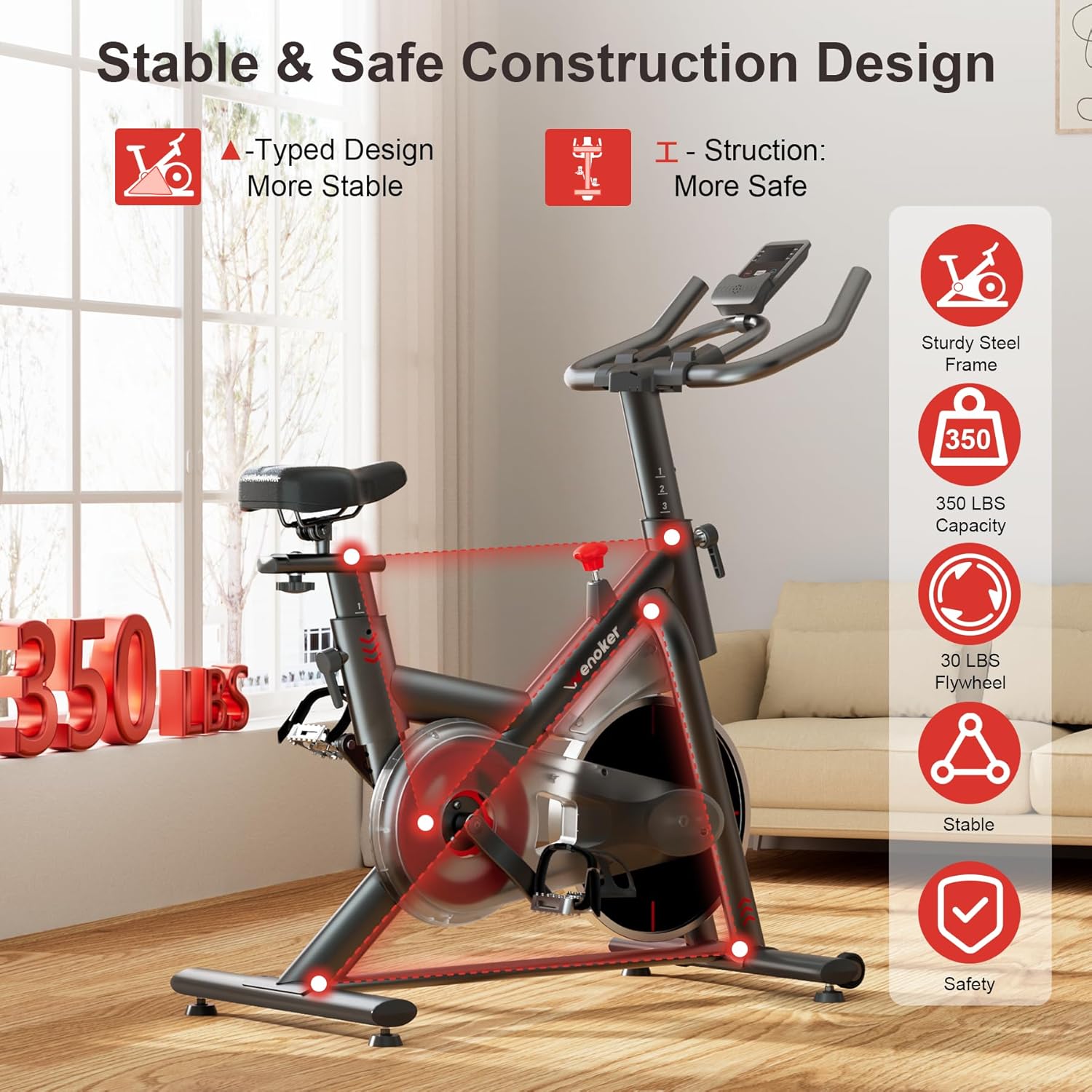
Figure 6: Stable and safe construction design.

Figure 7: Transport wheels for easy movement.
5. Maintenance
Regular maintenance ensures the longevity and optimal performance of your Wenoker Exercise Bike:
- Cleaning: Wipe down the bike with a damp cloth after each use to remove sweat and dust. Avoid abrasive cleaners.
- Check Fasteners: Periodically check all bolts, nuts, and screws to ensure they are tight. Re-tighten as necessary.
- Inspect Pedals and Straps: Ensure pedals are securely attached and foot straps are in good condition. Replace if worn or damaged.
- Leveling: Ensure the bike is always on a level surface. Adjust the leveling feet if the bike wobbles during use.
6. Troubleshooting
If you encounter any issues with your Wenoker Exercise Bike, refer to the following common troubleshooting tips:
- Bike is Unstable/Wobbles: Check that the bike is on a flat, level surface. Adjust the leveling feet located on the stabilizer bars until the bike is stable. Ensure all assembly bolts are tightened.
- Resistance Not Changing: Verify the resistance knob is properly engaged and turning freely. If the issue persists, inspect the resistance mechanism for any obstructions or damage.
- LCD Monitor Not Displaying: Check if the batteries are correctly installed and have sufficient charge. Ensure the sensor wire is securely connected to both the bike and the monitor.
- Unusual Noises: Inspect the belt drive system for any foreign objects. Check all moving parts and fasteners for looseness. If a squeaking noise occurs, ensure the resistance pad is clean and free of debris.
7. Specifications
| Feature | Specification |
|---|---|
| Brand | Wenoker |
| Model Name | WF-WSWG-1G4V |
| Color | Friction-Red |
| Material | Alloy Steel |
| Resistance Mechanism | Friction |
| Product Dimensions (D x W x H) | 37.4"D x 7.48"W x 29.92"H |
| Maximum Weight Recommendation | 350 Pounds |
| Drive System | Belt |
| UPC | 762849951782 |
8. Warranty and Support
Your Wenoker Exercise Bike is covered by a limited manufacturer's warranty against defects in materials and workmanship. Please refer to the warranty information provided with your product for specific terms and conditions.
For any questions, concerns, or technical support, please contact our customer service team:
- Email: wenokerdirect@outlook.com
- Operating Hours: Monday - Friday, 9:00 AM - 5:00 PM PST/PDT
Please retain your purchase receipt and this user manual for future reference.


