
1. Introduction
This manual provides essential information for setting up, operating, maintaining, and troubleshooting your FIREBAT U6B 16-inch QHD Laptop. Please read this guide thoroughly to ensure optimal performance and longevity of your device.
2. Product Overview
The FIREBAT U6B is a high-performance 16-inch laptop designed for various computing needs. It features a lightweight metal chassis and a vibrant QHD display.

Figure 2.1: Front view of the FIREBAT U6B laptop.

Figure 2.2: Overview of the FIREBAT U6B Ultrabook's main features.
2.1. Ports and Connectors
The laptop is equipped with a variety of ports for connectivity:
- Left Side: USB-A 3.2 Gen2 (10Gbps) x 1, USB-C 3.2 Gen2 (10Gbps) x 1 (with DP1.4 video output and 100W PD), HDMI 2.1 TMDS x 1
- Right Side: Kensington Security Lock x 1, 3.5mm 2-in-1 Combo Audio Jack x 1, USB-A 2.0 x 1, TF Card Slot x 1, USB-A 3.2 Gen1 (5Gbps) x 1, USB-C 3.2 Gen1 (5Gbps) x 1 (with DP1.4 video output and 100W PD)
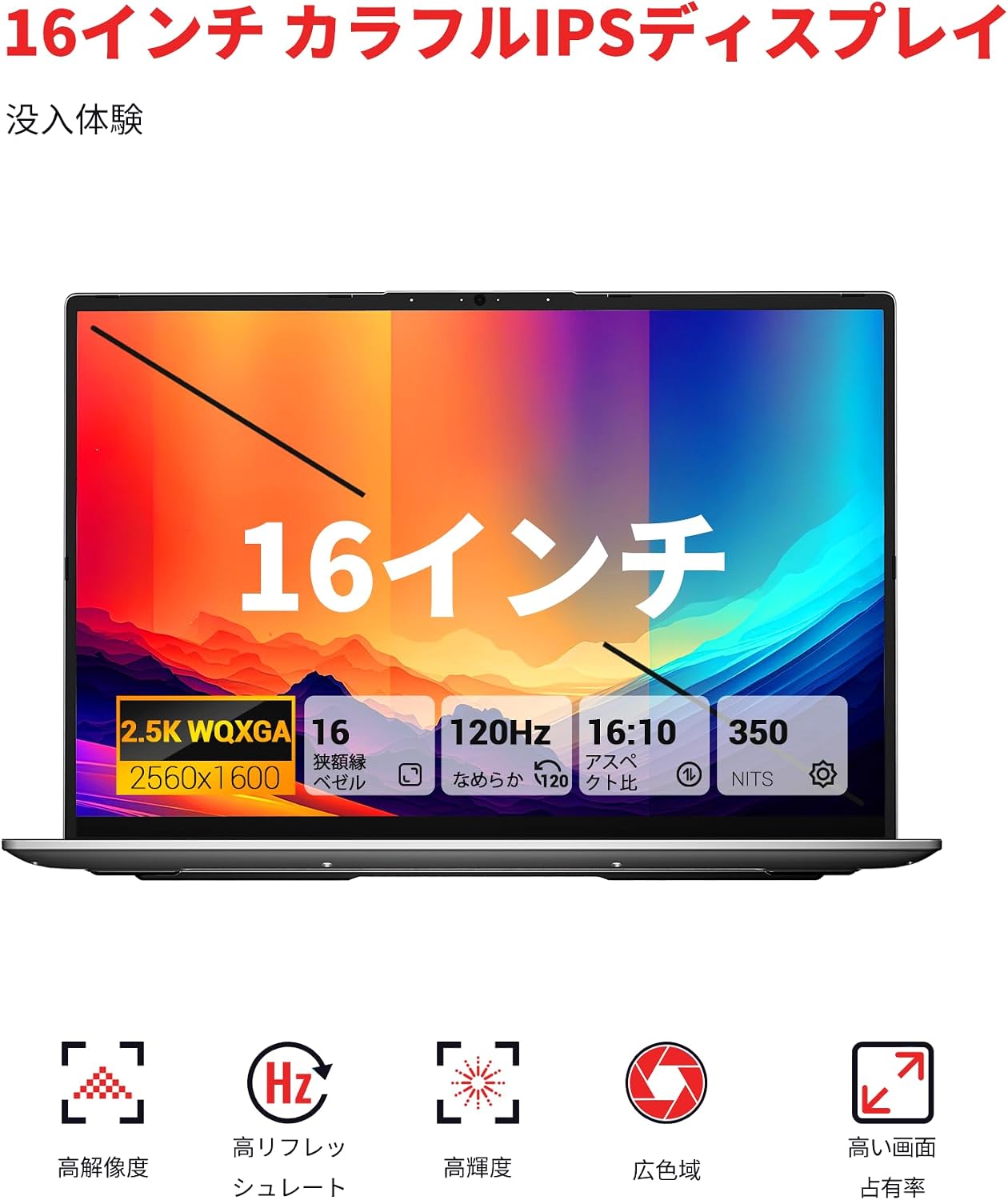
Figure 2.3: Detailed view of the laptop's ports and their functions.
3. Setup
3.1. Unboxing and Initial Inspection
- Carefully remove the laptop and accessories from the packaging.
- Inspect the laptop for any physical damage.
- Ensure all included accessories (power adapter, manual) are present.
3.2. Connecting the Power Adapter
Connect the provided 100W GaN power adapter to the USB-C port on the laptop and then to a power outlet. It is recommended to fully charge the battery before first use.
3.3. First Boot and Operating System Setup
Press the dedicated power button to turn on the laptop. Follow the on-screen instructions to complete the Windows 11 initial setup, including language, network connection, and user account creation.
4. Operating Instructions
4.1. Power On/Off
- Power On: Press the dedicated power button located on the keyboard.
- Power Off: Click the Windows Start button, then select Power > Shut down.
- Sleep Mode: Close the laptop lid or click the Windows Start button, then select Power > Sleep.
4.2. Keyboard and Touchpad
The laptop features a full-size backlit keyboard and a high-precision touchpad.
- Backlit Keyboard: Use the dedicated function key (usually Fn + a specific F-key) to adjust the backlight brightness or turn it on/off.
- Touchpad: Supports multi-touch gestures for navigation and control. Refer to Windows settings for customization.

Figure 4.1: The backlit keyboard and touchpad.
4.3. Performance Modes
You can switch between different performance modes by pressing Fn + Q to optimize for battery life or performance:
- Eco Mode: Maximizes battery life by reducing power consumption. Ideal for light tasks and extended use.
- Balance Mode: Offers a balance between performance and power efficiency. Suitable for everyday tasks.
- High Performance Mode: Provides maximum power for demanding applications and gaming.

Figure 4.2: Switching between performance modes using Fn+Q.
5. Performance Features
5.1. Processor
The FIREBAT U6B is powered by a robust AMD Ryzen 5 6600H processor, featuring 6 cores and 12 threads, with a maximum boost clock of 4.5GHz. This ZEN 3+ architecture-based CPU delivers strong performance for multitasking, productivity, and entertainment.

Figure 5.1: AMD Ryzen 5 6600H processor specifications.
5.2. Graphics
Integrated AMD Radeon 660M Graphics with 1900MHz clock speed handle visual tasks, supporting complex design software, UHD video editing, and casual gaming.
5.3. Display
Experience superior visuals on the 16-inch QHD+ (2560x1600) IPS display. It offers a smooth 120Hz refresh rate and 100% sRGB color accuracy for vivid and detailed images.

Figure 5.2: Key display features for an immersive visual experience.

Figure 5.3: The 16:10 aspect ratio and 2560x1600 high resolution.
5.4. Cooling System
The laptop incorporates an efficient cooling system with dual fans and dual heat pipes. This design maintains stable temperatures and minimizes noise, ensuring quiet operation even under load.
6. Storage and Memory
The FIREBAT U6B is equipped with high-speed memory and expandable storage:
- RAM: 16GB LPDDR5 6400MHz RAM provides instant responsiveness for applications.
- Storage: A 512GB PCIe 3.0 SSD is pre-installed. The laptop features dual M.2 2280 NVMe PCIe 4.0 slots, allowing for easy storage upgrades.

Figure 6.1: High-speed memory and expandable storage options.
7. Connectivity
Stay connected with the following features:
- Wireless: Wi-Fi 6 (802.11ax) for fast and stable internet, and Bluetooth 5.2 for connecting peripherals.
- Wired Ports: As detailed in Section 2.1, including HDMI 2.1 and dual USB-C ports with DisplayPort and Power Delivery capabilities.
- Multi-Monitor Support: The laptop supports connecting up to three external monitors simultaneously via HDMI 2.1 and the two USB-C (DP) ports.

Figure 7.1: Connecting up to three external monitors for expanded workspace.
8. Power Management
The FIREBAT U6B is designed for portability and efficient power usage:
- Battery: Equipped with a 58Wh (5050mAh) lithium-ion battery.
- Charging: Comes with a compact 100W GaN fast charger for quick power replenishment.
- Power Modes: Utilize the Eco, Balance, and High Performance modes (Fn+Q) to manage power consumption according to your needs.

Figure 8.1: Battery capacity information.
9. Maintenance
Regular maintenance helps prolong the life and performance of your laptop:
- Cleaning: Gently wipe the screen with a microfiber cloth. Use a soft brush or compressed air to clean the keyboard and ventilation grilles. Avoid harsh chemicals.
- Software Updates: Keep your Windows operating system and device drivers updated to ensure security and optimal performance.
- Storage Management: Periodically delete unnecessary files and empty the recycle bin to free up storage space.
- Battery Care: Avoid fully discharging the battery frequently. For long-term storage, charge the battery to about 50-60%.
10. Troubleshooting
This section addresses common issues you might encounter:
| Problem | Possible Solution |
|---|---|
| Laptop does not power on. | Ensure the power adapter is securely connected and the battery is charged. Try a different power outlet. |
| Display is blank or flickering. | Check display settings in Windows. If using an external monitor, ensure cables are connected correctly. Try updating graphics drivers. |
| System performance is slow. | Close unnecessary applications. Check for background processes. Ensure the cooling vents are not obstructed. Switch to High Performance mode (Fn+Q). |
| Wi-Fi or Bluetooth not working. | Toggle Wi-Fi/Bluetooth on/off in Windows settings. Restart the laptop. Update wireless drivers. |
| Keyboard backlight not working. | Press the dedicated function key (e.g., Fn + F-key) to activate or adjust the backlight. |
11. Specifications
| Feature | Detail |
|---|---|
| Brand | FIREBAT |
| Model Name | U6B |
| Screen Size | 16 Inches |
| Color | Gray |
| Hard Disk Capacity | 512 GB |
| CPU Model | Ryzen 5 (6600H) |
| Installed RAM Size | 16 GB LPDDR5 6400MHz |
| Operating System | Windows 11 |
| Special Features | HD Audio, Backlit Keyboard, Lightweight |
| Graphics Card Description | Integrated (AMD Radeon 660M) |
| Product Weight | 1.7 Kilograms |
| Product Dimensions (LxWxH) | 36 x 25 x 1.9 cm |
| Display Max Resolution | 2560x1600 Pixels |
| Refresh Rate | 120 Hz |
| Color Gamut | 100% sRGB |
| Wireless Communication | Bluetooth 5.2, Wi-Fi 6 (802.11ax) |
| USB Ports | 5 (including USB-C with DP/PD) |
| HDMI Ports | 1 (HDMI 2.1) |
| M.2 Slots | 2 (NVMe PCIe 4.0) |
| Battery Type | Lithium Metal (58.33 Wh) |
| Included Components | Laptop x1, Power Adapter x1 |
12. Warranty and Support
Your FIREBAT U6B laptop comes with a 12-month warranty from the date of purchase.
For technical support, warranty claims, or any inquiries, please contact us:
- Email: support@firebatpc.com
- Website: www.firebatpc.com
Please have your product model (U6B) and purchase information ready when contacting support.


