
1. Overview
The Dubstep Powerblitz X3 10000mAh Power Bank is designed for portable charging of various electronic devices. It features a 10000mAh battery capacity, 22.5W super fast charging, and multiple output options including built-in Type-C and Type-L cables, a USB-A port, and a Type-C input/output port. The integrated digital LED display indicates the remaining battery percentage.
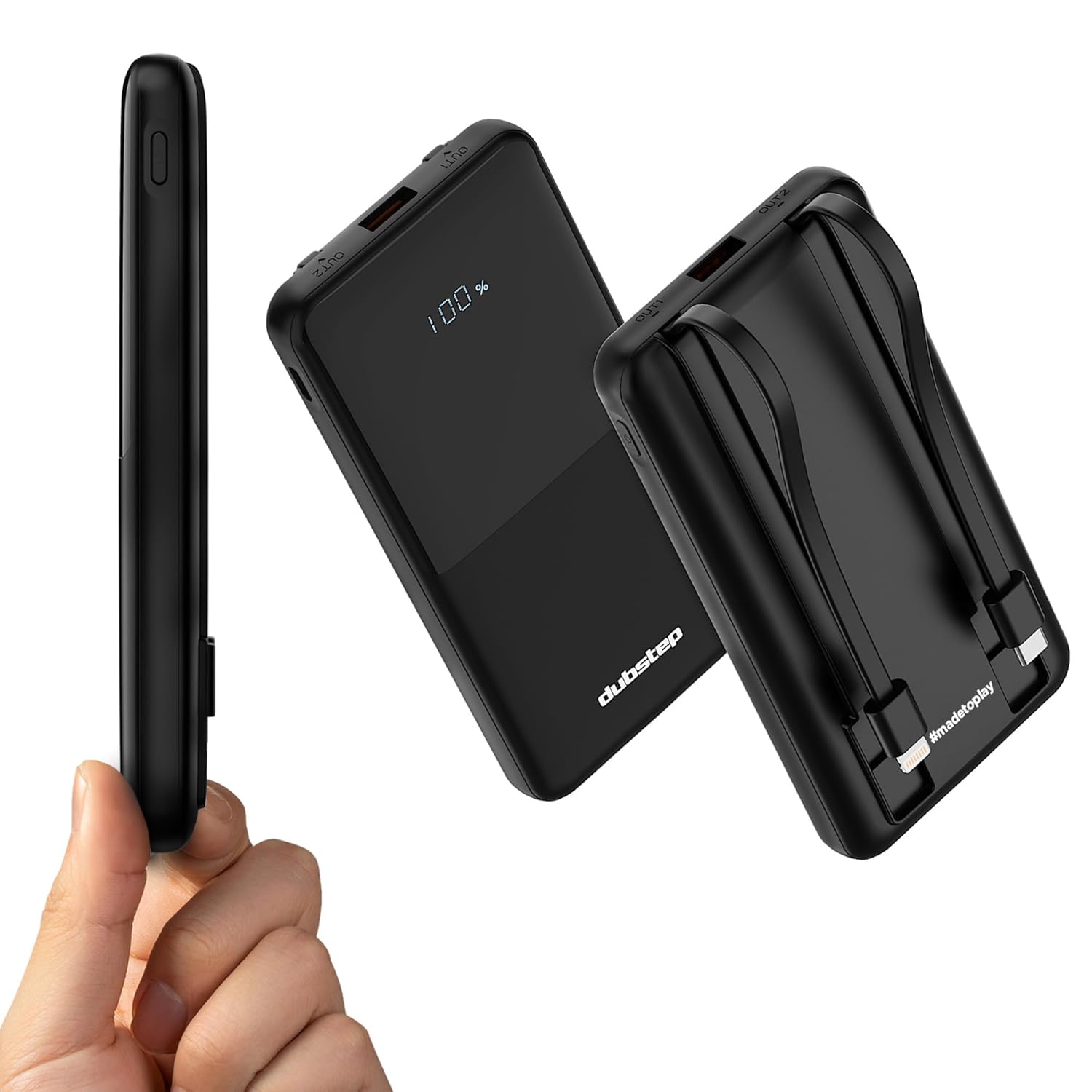
Image: The Dubstep Powerblitz X3 power bank displaying "100%" on its digital screen, highlighting its sleek black design.
2. Package Contents
Verify that all items are present in the package:
- Dubstep Powerblitz X3 10000mAh Power Bank (1U)
- User Manual (this document)

Image: The Dubstep Powerblitz X3 power bank next to its retail packaging and a small instruction card.
3. Product Features
- High Capacity: 10000mAh battery for multiple device charges.
- Built-in Cables: Integrated Type-C and Type-L cables for convenience.
- Multiple Outputs: USB-A (22.5W), Type-C (20W max), and Type-L (15W max) ports.
- Superfast Charging: 22.5W Power Delivery and Powerblitz technology.
- Digital Display: LED screen shows precise battery percentage.
- Safety Protection: Overheat, overcharge, and short circuit protection.

Image: Diagram illustrating the 10000mAh capacity, built-in Type-C and Type-L cables, and multiple safety layers of the power bank.

Image: Close-up view of the power bank showing the digital display, USB-A 22.5W output, Type-C 20W max output, and Type-L 15W max output ports/cables.
4. Setup
4.1 Initial Charge
Before first use, fully charge the Powerblitz X3 power bank. Connect the power bank to a compatible USB wall charger (not included) using the built-in Type-C cable or an external USB-C cable via the Type-C input/output port. The digital display will show the charging progress.
4.2 Checking Battery Level
Press the power button once to activate the digital LED display, which will show the current battery percentage. The display will turn off automatically after a few seconds of inactivity.
5. Operation
5.1 Charging the Power Bank
- Connect the power bank to a power source (e.g., wall adapter, computer USB port) using the built-in Type-C cable or an external USB-C cable plugged into the Type-C input/output port.
- The digital display will illuminate and show the battery percentage increasing as it charges.
- Once the display shows "100%", the power bank is fully charged. Disconnect it from the power source.

Image: A smartphone connected to the Dubstep Powerblitz X3 power bank via a cable, indicating charging in progress.
5.2 Charging Your Devices
The Powerblitz X3 can charge up to four devices simultaneously.
- Connect your device to the power bank using one of the following methods:
- Built-in Type-C cable: For devices with a Type-C charging port.
- Built-in Type-L cable: For devices with a Type-L (Lightning) charging port.
- USB-A port: Use your device's standard USB-A charging cable.
- Type-C input/output port: Use your device's USB-C to USB-C charging cable.
- The power bank will automatically begin charging your device. If it does not, press the power button once.
- The digital display will show the remaining battery percentage of the power bank.
- Disconnect your device once it is fully charged or when you wish to stop charging.

Image: The Dubstep Powerblitz X3 power bank simultaneously charging a tablet, two smartphones, and a smartwatch using its various output options.
6. Safety Information
To ensure safe operation and prolong the life of your power bank, please observe the following safety guidelines:
- Do not expose the power bank to extreme temperatures (hot or cold), direct sunlight, or high humidity.
- Do not disassemble, modify, or attempt to repair the device. This will void the warranty and may cause damage or injury.
- Keep the power bank away from water and other liquids.
- Avoid dropping or subjecting the power bank to strong impacts.
- Use only compatible charging cables and adapters.
- Keep out of reach of children.
- Dispose of the power bank responsibly according to local regulations. Do not dispose of it in household waste.

Image: An exploded view diagram of the Dubstep Powerblitz X3 power bank highlighting its internal safety features, including overheat, overcharge, and short circuit protection.
7. Maintenance
- Clean the power bank with a soft, dry cloth. Do not use harsh chemicals or abrasive materials.
- Store the power bank in a cool, dry place when not in use.
- For optimal battery life, fully charge the power bank at least once every three months if stored for extended periods.
8. Troubleshooting
| Problem | Possible Cause | Solution |
|---|---|---|
| Power bank not charging |
|
|
| Device not charging from power bank |
|
|
| Slow charging |
|
|
| Digital display not working |
|
|
9. Specifications
| Model Name | Powerblitz X3 |
| Model Number | NPB10 |
| Battery Capacity | 10000mAh |
| Battery Cell Composition | Lithium Polymer |
| Max Output Power | 22.5W |
| Input Port | USB Type-C |
| Output Ports | USB-A (22.5W), Type-C (20W max), Type-L (15W max) |
| Built-in Cables | Type-C, Type-L |
| Special Features | Digital Display, Fast Charging, Over Charging Protection, Built-in Cables |
| Dimensions (L x W x Th) | 14.9L x 6.6W x 2.5Th Centimeters |
| Weight | 220 Grams |
| Color | Black |
| Country of Origin | India |
10. Warranty and Support
10.1 Warranty Information
The Dubstep Powerblitz X3 comes with a 6 Months Manufacturer Warranty from the date of purchase. This warranty covers manufacturing defects. It does not cover damage caused by misuse, accidents, unauthorized modifications, or normal wear and tear.
10.2 Customer Support
For warranty claims, technical assistance, or any product-related inquiries, please contact Dubstep customer support:
- Phone: +918826257630
- Email: hello@Dubstepworld.com
- Manufacturer: Nuworld Retail Private Limited, plot No.17-18, Pole No.9, PO Dhoolsiras, Dwarka, Sector-28, New Delhi - 110077
- Official Website: www.dubstepworld.com