
Introduction
This manual provides detailed instructions for setting up, operating, maintaining, and troubleshooting your Nothing Phone 4a 5G. Designed for optimal performance and user experience, this device features a powerful Snapdragon 7s Gen 4 processor, a vibrant 6.78-inch AMOLED display, and an advanced 50MP triple camera system. Please read this manual thoroughly to ensure proper use and to maximize the capabilities of your smartphone.
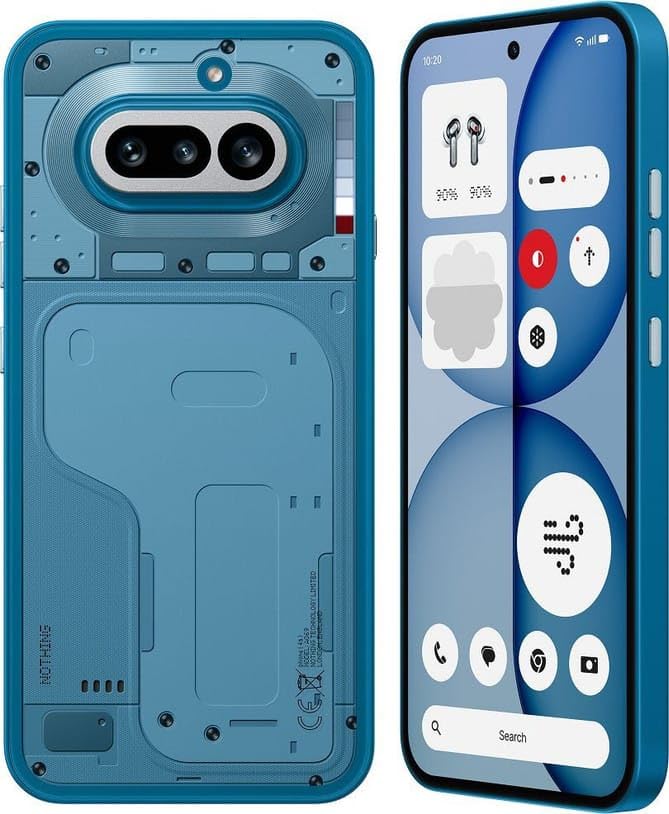
Image: The Nothing Phone 4a 5G in Blue, showcasing its sleek design.
1. Setup
1.1 Unboxing and Package Contents
Carefully unpack your Nothing Phone 4a 5G. Verify that all items are present in the box:
- Nothing Phone 4a 5G Handset
- Nothing Cable (USB Type-C to Type-C)
- Phone Case (pre-applied)
- Screen Protector (pre-applied)
- SIM Tray Ejector Tool
- Safety Information and Warranty Card
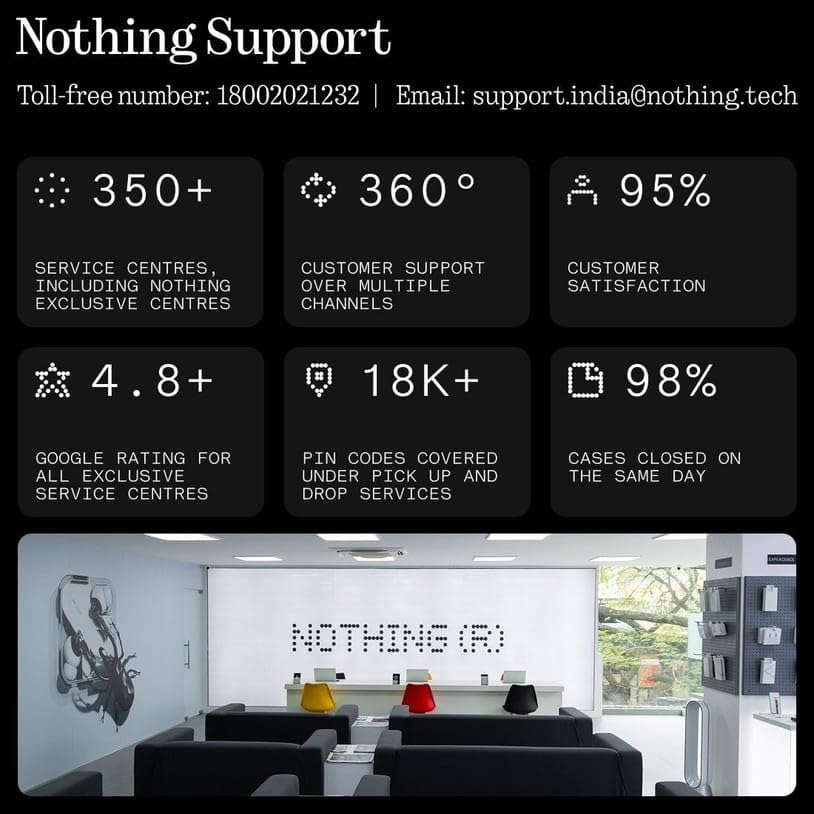
Image: The Nothing Phone 4a 5G, its transparent case, USB-C cable, SIM ejector tool, and documentation laid out.
1.2 Inserting the SIM Card
- Locate the SIM card tray on the side of your phone.
- Insert the SIM ejector tool into the small hole next to the tray and press gently until the tray pops out.
- Place your Nano-SIM card(s) into the tray with the gold contacts facing down. The Nothing Phone 4a 5G supports Dual SIM.
- Carefully reinsert the SIM tray into the phone.
1.3 Initial Charging and Power On
Before first use, it is recommended to fully charge your device. The phone supports 50W wired fast charging.
- Connect the USB Type-C cable to the phone's charging port and to a compatible 50W power adapter (sold separately).
- Press and hold the power button on the side of the phone until the Nothing logo appears to power on the device.
- Follow the on-screen instructions to complete the initial setup, including language selection, Wi-Fi connection, and Google account setup.
2. Operating the Device
2.1 Basic Navigation and Interface
Your Nothing Phone 4a 5G runs on Nothing OS 4.1, based on Android 16, offering a clean and intuitive user experience. Navigation can be done using gestures or traditional on-screen buttons, configurable in settings. The phone also features Essential Space to help organize thoughts and inspirations, and is AI powered with built-in Google Gemini and ChatGPT integration.
2.2 Glyph Interface
The Glyph Interface features 63 mini-LEDs with 6 individually addressable zones on the back of the phone. These lights provide visual cues for notifications, charging status, and other functions, allowing you to stay updated at a glance.
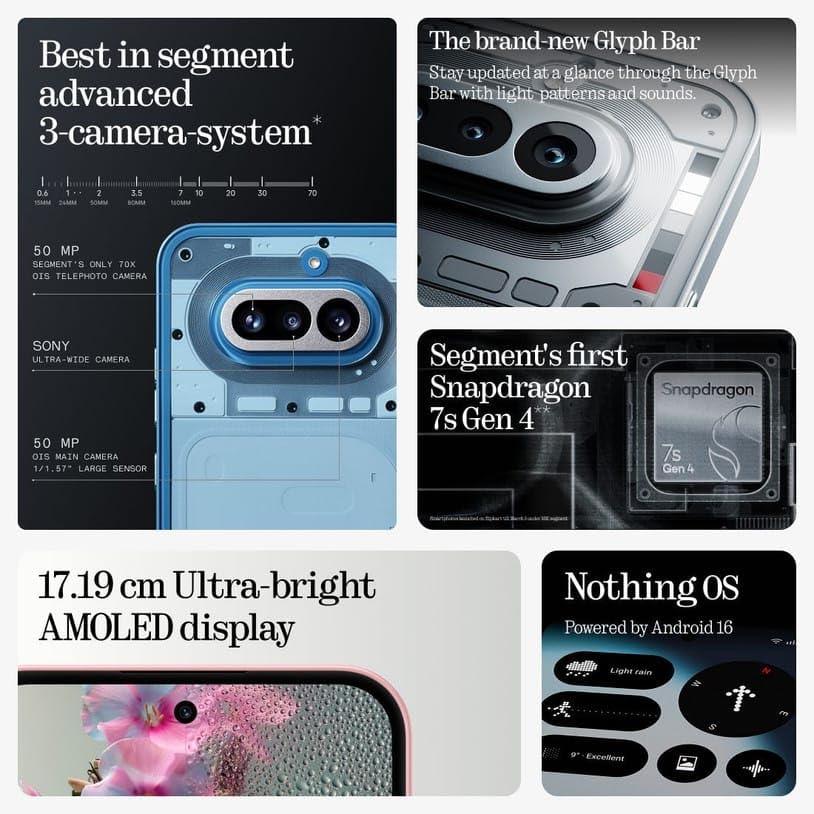
Image: A detailed view of the Glyph Bar on the Nothing Phone 4a 5G, highlighting its light patterns.
2.3 Security Features
The device includes an in-display optical fingerprint sensor and face unlock for secure and convenient access. These can be configured in the Security settings.
3. Camera Features
The Nothing Phone 4a 5G is equipped with an advanced triple rear camera system and a high-resolution front camera.
Image: An exploded view highlighting the 50MP main camera with OIS, 50MP periscope telephoto camera with OIS and 3.5x optical zoom, and the ultra-wide camera.
3.1 Rear Camera System
- 50MP Main Camera: Features Optical Image Stabilization (OIS) for clear, steady shots.
- 50MP Periscope Telephoto Camera: Includes OIS and 3.5x optical zoom for detailed distant subjects.
- 8MP Ultrawide Camera: For capturing broader scenes.
Supported features include 4K video recording, Ultra XDR, panorama, Dolby Vision HDR, gyro-EIS, and OIS for stable video and photography.
3.2 Front Camera
The 32MP front camera is designed for high-quality selfies and video calls, capable of capturing wider groups.

Image: A visual representation of the 32MP front camera's ability to capture wider scenes.
3.3 Shooting Modes
The camera offers various shooting modes for both front and rear cameras:
- Front: Night, Portrait, Photo, Video, Micro Movie, Dual View, Live Photo.
- Rear: Night, Portrait, Photo, Video, Micro Movie, 50MP, Panorama, Ultra HD Document, Slo-mo, Time-lapse, Supermoon, Pro Mode, Food, Dual View, Live Photo, Underwater Photography.
4. Display and Performance
4.1 Display
Experience immersive visuals on the large 6.78-inch AMOLED display with a resolution of 1224 x 2720 pixels. It features a 120Hz refresh rate for smooth scrolling, HDR10+ support for vibrant colors, 2160Hz PWM dimming, and up to 4500 nits peak brightness. The display is protected by Corning Gorilla Glass 7i.
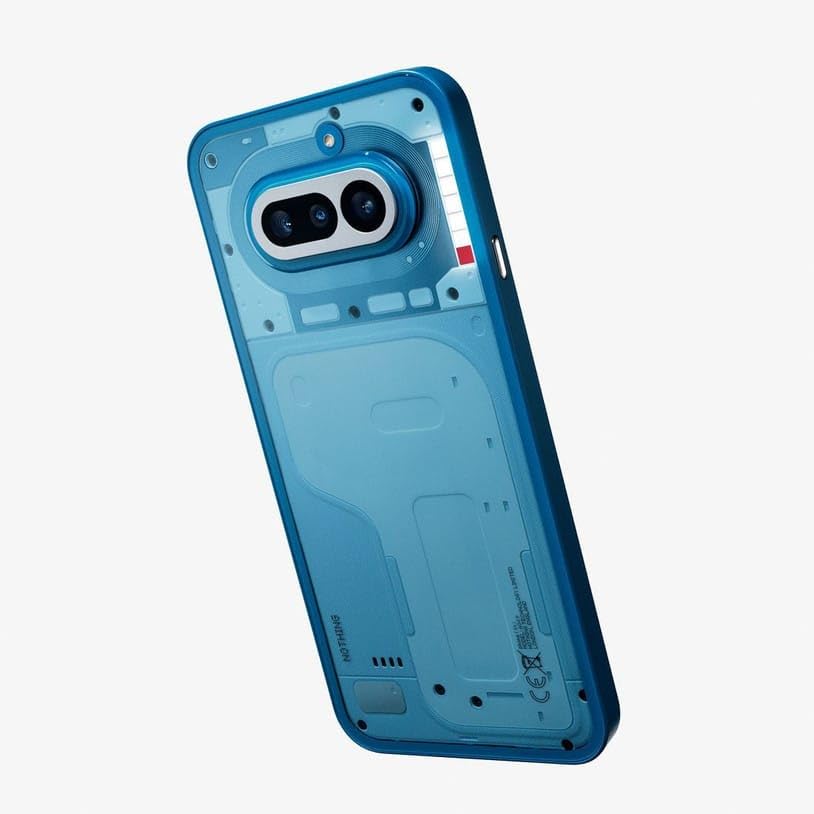
Image: The 17.19 cm Ultra-bright AMOLED display of the Nothing Phone 4a 5G, demonstrating its visual quality.
4.2 Performance
The Nothing Phone 4a 5G is powered by the Qualcomm Snapdragon 7s Gen 4 processor with an octa-core CPU and Adreno 810 GPU, ensuring responsive performance for multitasking, gaming, and demanding applications. It comes with 8GB or 12GB RAM and up to 256GB UFS 3.1 internal storage.
5. Battery and Charging
The device is equipped with a 5400mAh Lithium-Ion battery, providing extended usage time. It supports 50W wired fast charging, allowing for quick power-ups.
- Charging Time: Up to 50% in approximately 22 minutes, and 100% in about 64 minutes with a compatible 50W charger.
- Average Battery Life: Up to 45 hours of talk time.
6. Connectivity
The Nothing Phone 4a 5G offers comprehensive connectivity options:
- Cellular: 5G, 4G LTE, 3G, 2G (Unlocked for All Carriers).
- Wireless: Wi-Fi 6, Bluetooth 5.4, NFC.
- Port: USB Type-C for charging and OTG support.
- Navigation: GPS, BeiDou, GLONASS, Galileo, QZSS.
7. Maintenance
7.1 Dust and Water Resistance
The device features an IP64 rating for dust and water resistance. This means it is protected against dust ingress and splashing water from any direction. However, it is not designed for submersion in water. Avoid exposing the phone to excessive moisture or liquids.
7.2 Cleaning Your Device
To clean your phone, use a soft, lint-free cloth. Avoid using abrasive materials, solvents, or aerosol sprays. For stubborn smudges, slightly dampen the cloth with water or a screen cleaner specifically designed for electronics.
7.3 Software Updates
Nothing OS 4.1, powered by Android 16, supports up to 3 major Android upgrades and 6 years of security patches. Regularly check for and install software updates to ensure optimal performance, security, and access to new features. You can check for updates in the phone's Settings menu.
8. Troubleshooting
If you encounter issues with your Nothing Phone 4a 5G, try the following common troubleshooting steps:
- Device Unresponsive: Press and hold the power button for about 10-15 seconds to force a restart.
- App Crashing: Clear the cache and data for the problematic app in Settings > Apps. If the issue persists, uninstall and reinstall the app.
- Battery Drain: Check battery usage in Settings to identify power-hungry apps. Reduce screen brightness, disable unnecessary features like GPS or Bluetooth when not in use, and ensure apps are updated.
- Connectivity Issues: Toggle Wi-Fi or cellular data off and on. Restart your router for Wi-Fi issues. For cellular problems, ensure your SIM card is properly inserted and contact your service provider if necessary.
- Slow Performance: Close background apps, clear storage space, and restart the device. Consider a factory reset as a last resort (back up your data first).
For more complex issues, refer to the support section or contact customer service.
9. Specifications
| Brand | Nothing |
| Model | Phone 4a 5G |
| Operating System | Nothing OS 4.1 Powered by Android 16 |
| Processor | Qualcomm Snapdragon 7s Gen 4 |
| RAM | 8 GB (available in 8GB/12GB variants) |
| Storage | 256 GB (available in 128GB/256GB variants), UFS 3.1 |
| Display | 6.78-inch AMOLED, 1224 x 2720 Pixels, 120Hz Refresh Rate, HDR10+, 4500 nits peak brightness, Corning Gorilla Glass 7i |
| Rear Camera | 50MP Main (OIS) + 50MP Periscope Telephoto (OIS, 3.5x Optical Zoom) + 8MP Ultrawide |
| Front Camera | 32 MP |
| Battery Capacity | 5400 mAh Lithium-Ion |
| Charging | 50W Wired Fast Charging |
| Connectivity | 5G, Wi-Fi 6, Bluetooth 5.4, NFC, USB Type-C |
| SIM Card | Dual Nano SIM |
| Biometric Security | In-display Optical Fingerprint Sensor, Face Unlock |
| Water Resistance | IP64 Dust and Water Resistant |
| Dimensions | 16.2 x 7.6 x 0.9 Centimeters |
| Weight | 204 Grams |
| Box Contents | Handset, Nothing Cable (c-c), Phone Case (pre-applied), Screen protector (pre-applied), SIM tray ejector tool, Safety information and warranty card |
10. Warranty Information
Your Nothing Phone 4a 5G comes with a 1-year manufacturer warranty for the handset in India. In-box accessories such as the data cable, phone case, and screen protector are covered for 6 months from the date of purchase. A valid invoice is required for warranty claims. Exclusions may apply as per Nothing India's warranty terms. Please refer to the included warranty card for full details.
11. Support Information
For technical assistance, service, or inquiries regarding your Nothing Phone 4a 5G, please contact Nothing Support:
- Toll-free number: 18002021232
- Email: support.india@nothing.tech
Nothing offers over 350 service centers, including exclusive centers, with 360-degree customer support and a 95% customer satisfaction rate. Many cases are closed on the same day, and pick-up and drop services cover over 18,000 pin codes.
Manufacturer: Padget Electronics
Importer/Packer: Nothing Technology India Pvt. Ltd., Bengaluru, Karnataka, India


