
Introduction
Thank you for choosing the LONTEK SF20 3-in-1 Foldable Treadmill. This manual provides essential information for the safe and effective use of your new fitness equipment. The SF20 is designed for versatile workouts, offering walking, jogging, and running modes with a manual incline system up to 15%. Its compact, foldable design makes it suitable for both home and office environments.
Safety Information
Before operating the treadmill, please read and understand all safety instructions. Failure to follow these instructions may result in injury or damage to the product.
- Always consult with a physician before starting any new exercise program.
- Place the treadmill on a flat, stable surface with adequate clearance around it.
- Keep children and pets away from the treadmill during operation.
- Use the safety key at all times. Attach the clip to your clothing before starting your workout.
- Wear appropriate athletic footwear.
- Do not use the treadmill if it is damaged or malfunctioning.
- Maximum user weight capacity is 300 lbs.
Setup
The LONTEK SF20 treadmill features a foldable design for easy setup and storage. Follow these steps for initial assembly and incline adjustment:
- Unfolding the Treadmill: Carefully unfold the treadmill from its compact storage position. Ensure all locking mechanisms are securely engaged before use.
- Adjusting the Handles: The handles can be adjusted by turning the easy-to-use knobs. Loosen the knobs, adjust the handles to your desired position, and then tighten the knobs to secure them.
- Setting the Incline: The treadmill offers a multi-stage manual incline from 0% to 14%. To adjust the incline, locate the adjustment points at the rear of the treadmill. You can use the included accessory to boost the incline to a steeper 14% gradient. Ensure the treadmill is stable after adjusting the incline.
- Leveling the Treadmill: If your floor is uneven, use the adjustable feet at the bottom of the treadmill to ensure it is stable and flat on the surface.


Operating Instructions
The SF20 treadmill offers multiple modes and a user-friendly control console to track your progress.
- Power On/Off: Connect the power cord and press the power button on the console to turn the treadmill on or off.
- Safety Key: Always attach the safety key to your clothing and place it on the designated spot on the console before starting. Removing the safety key will immediately stop the treadmill.
- Starting a Workout: Press the 'Start' button to begin. The belt will start moving at a low speed.
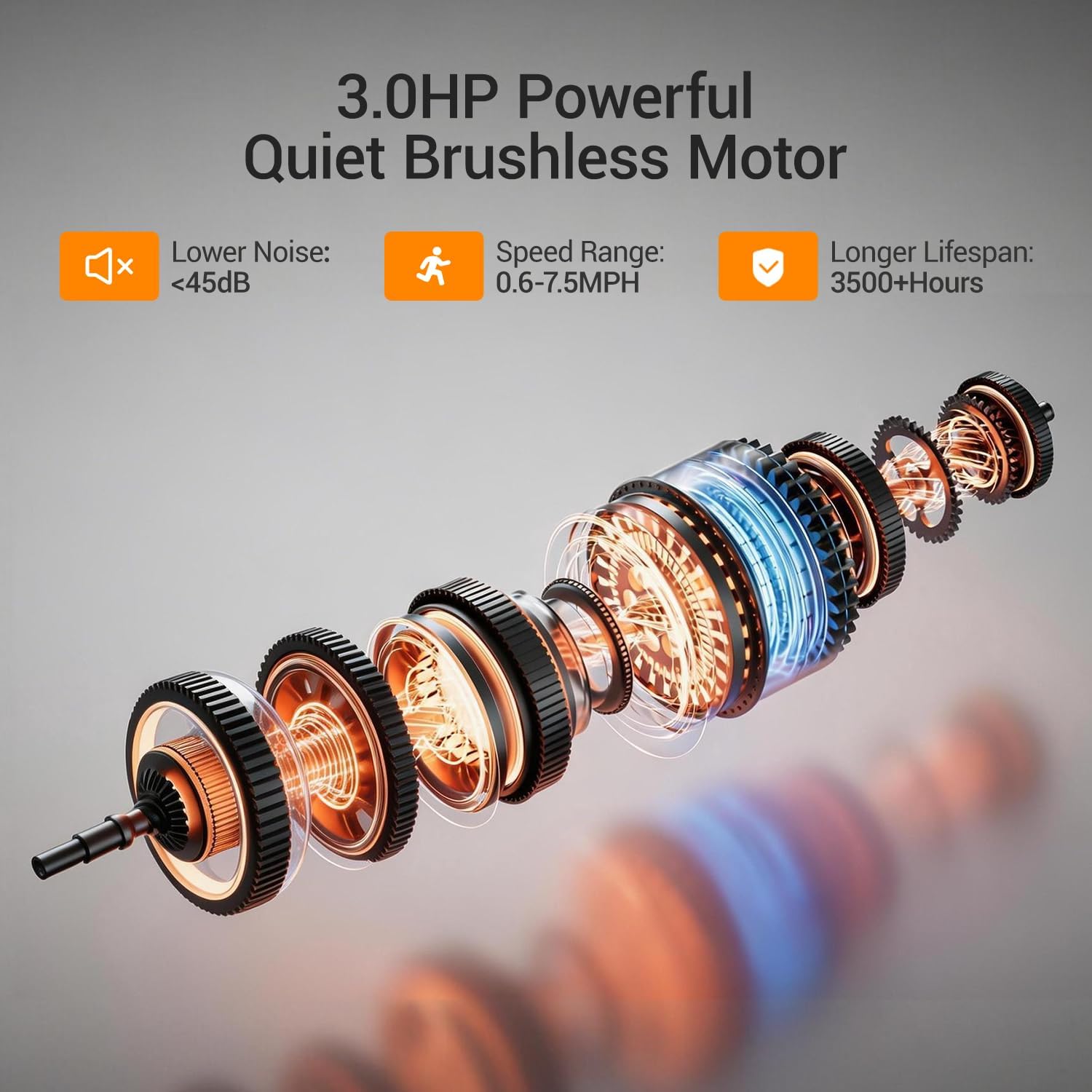
- Adjusting Speed: Use the '+' and '-' buttons to increase or decrease the speed. Quick speed buttons (e.g., '3/6') allow for instant changes to preset speeds. The treadmill supports speeds from 0.6 to 7.5 MPH.
- Workout Modes: The treadmill supports walking (0.6-2.5 MPH), jogging (2.5-5 MPH), and running (5-7.5 MPH) modes. You can select different programs and settings using the 'P/M' button.
- Monitoring Progress: The three-screen display shows time, speed, distance, and calories burned.
- Stopping a Workout: Press the 'Stop' button or pull the safety key to stop the treadmill.


Maintenance
Regular maintenance ensures the longevity and optimal performance of your treadmill.
- Cleaning: Wipe down the treadmill with a damp cloth after each use to remove sweat and dust. Do not use abrasive cleaners.
- Belt Lubrication: Periodically lubricate the running belt according to the instructions provided in the separate lubrication guide (if applicable) or as recommended by the manufacturer.
- Belt Alignment: If the running belt shifts to one side, adjust it using the provided tools and following the instructions on the warning stickers or in the detailed manual.
- Motor Care: The 3.0HP brushless motor is designed for quiet operation and a long lifespan (3500+ hours). Keep the motor area free from dust and debris.

Troubleshooting
If you encounter issues with your LONTEK SF20 treadmill, refer to the following common problems and solutions:
| Problem | Possible Cause | Solution |
|---|---|---|
| Treadmill does not start | Power cord not connected, safety key not in place, power switch off. | Ensure power cord is securely plugged in, safety key is correctly positioned, and power switch is on. |
| Belt stops unexpectedly | Safety key dislodged, motor overload. | Re-attach safety key. If motor overload, reduce speed or incline and try again. |
| Unusual noise during operation | Loose parts, belt misalignment, lack of lubrication. | Check for and tighten any loose parts. Adjust belt alignment as per instructions. Lubricate the running belt. |
| Error Codes (e.g., E04, E07) | System malfunction, sensor issue. | Turn off the treadmill, unplug it for 5 minutes, then plug it back in and restart. If the error persists, contact customer support. |
Specifications
Key technical specifications for the LONTEK SF20 3-in-1 Foldable Treadmill:
- Model Name: SF20
- Brand: LONTEK
- Color: Dark Black
- Product Dimensions: 47.2"D x 5.5"W x 24.6"H
- Material: Metal
- Maximum Speed: 7 Miles per Hour
- Special Feature: Foldable
- Target Audience: Adult
- Maximum Horsepower: 3 Horsepower
- Maximum Incline Percentage: 15% (Manual)
- Power Source: Corded Electric
- Included Components: Tool Kit
- Metrics Measured: Speed, Time, Distance, Calories
- Maximum Weight Recommendation: 300 Pounds


Warranty
The LONTEK SF20 3-in-1 Foldable Treadmill comes with a 1-Year Warranty. This warranty covers manufacturing defects and ensures the product is free from defects in material and workmanship under normal use and service. Please retain your proof of purchase for warranty claims. For specific terms and conditions, refer to the warranty card included with your product or contact customer support.
Support
For any questions, technical assistance, or warranty claims, please contact LONTEK customer support. You can find contact information on the official LONTEK website or through the retailer where you purchased the product.
Please have your model number (SF20) and proof of purchase ready when contacting support to ensure efficient service.


