
1. Setup
1.1 Unboxing and Package Contents
Carefully remove the television and all components from the packaging. Ensure all items listed below are present.
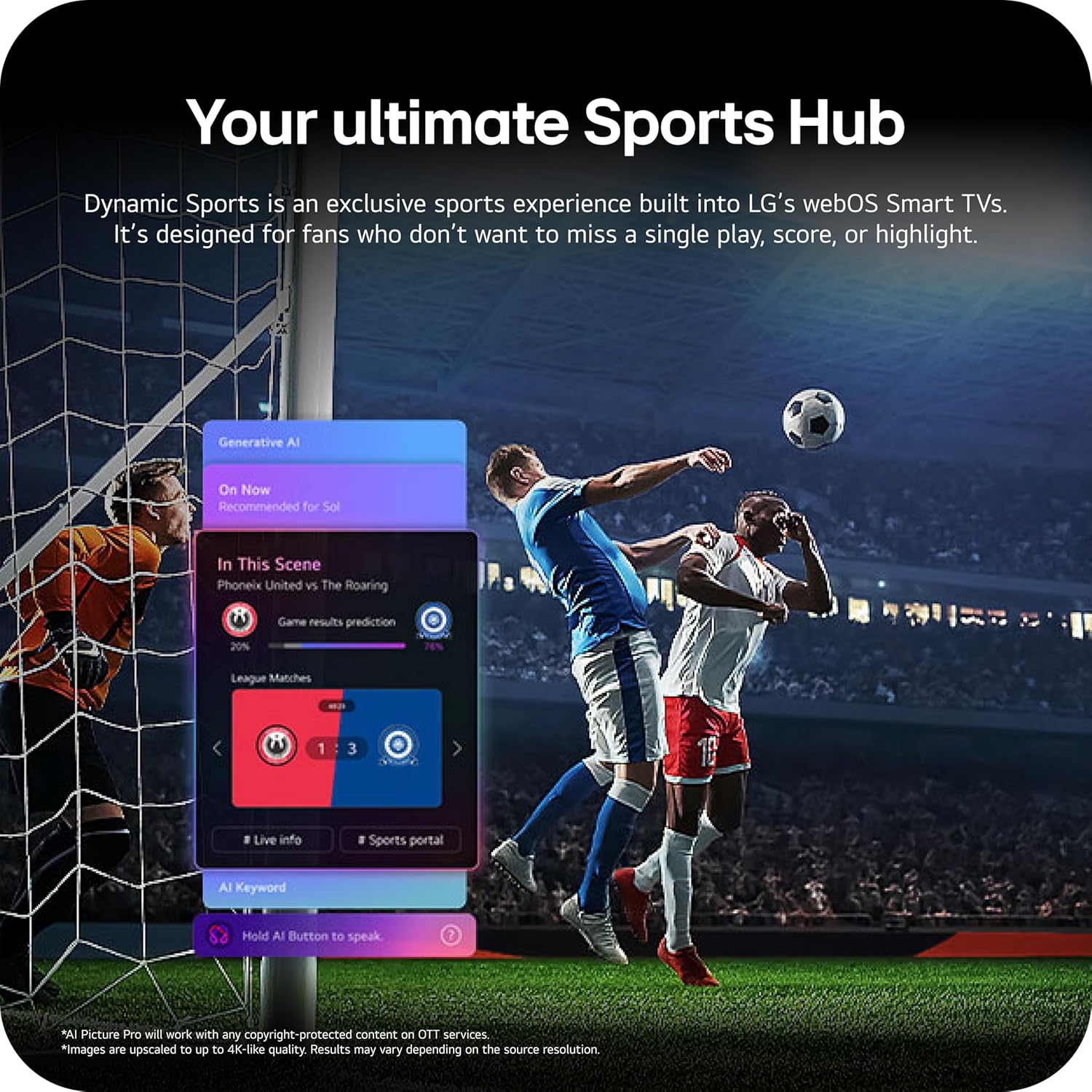
Image: The LG 65-inch OLED TV showing its dimensions with and without the stand, and a list of included accessories such as the Magic Remote, batteries, power cable, stand, and quick start guide.
Included Components:
- LG 65-Inch Class OLED evo AI 4K C6 Series Smart TV
- Magic Remote
- Remote Control Batteries (2 AAA)
- Power Cable
- Stand
- User Manual (this document)
1.2 Physical Installation
The LG OLED65C6PUA can be installed using the included stand or mounted on a wall. Refer to the separate Installation Manual (PDF) for detailed wall mounting instructions.
Stand Installation:
- Place the TV screen-down on a soft, flat surface to prevent damage.
- Attach the stand to the designated area on the bottom of the TV using the provided screws. Ensure it is securely fastened.
- Carefully lift the TV and place it on a stable, level surface.
Dimensions:
- TV Dimensions with Stand (WxHxD): 56.7" x 34.6" x 9.1"
- TV Dimensions without Stand (WxHxD): 56.7" x 32.5" x 1.8"
- Stand Footprint: 18.5"
1.3 Connectivity
Connect your external devices to the appropriate ports on the rear and side of the television.

Image: The back panel of the LG OLED TV, displaying multiple HDMI ports, USB ports, Ethernet port, and antenna input for connecting various devices.
- HDMI Ports (4): Connect Blu-ray players, gaming consoles, soundbars, and other HDMI-enabled devices.
- USB Ports (2): Connect USB storage devices for media playback or software updates.
- Ethernet (LAN) Port: For wired internet connection.
- Antenna/Cable Input: Connect an antenna or cable TV signal.
- Optical Digital Audio Out (S/PDIF): For connecting to external audio systems.
1.4 Initial Power On and Network Setup
- Plug the power cable into the TV and then into a wall outlet.
- Press the power button on the remote control or the TV.
- Follow the on-screen instructions to complete the initial setup, including language selection, time zone, and network connection (Wi-Fi or Ethernet).
- An LG account may be required to access network-based smart services.
2. Operating Instructions
2.1 Magic Remote Control
The Magic Remote allows for intuitive control of your TV with point, click, scroll, and voice commands.

Image: The LG Magic Remote, featuring a central scroll wheel, directional buttons, and dedicated buttons for various functions and streaming services.
- Power Button: Turns the TV on or off.
- Number Buttons: Direct channel access.
- Volume Up/Down: Adjusts volume.
- Channel Up/Down: Changes channels.
- Home Button: Accesses the webOS Smart TV home screen.
- Pointer/Scroll Wheel: Navigates menus and selects items.
- Voice Command Button: Activates intelligent voice recognition.
2.2 webOS Smart TV Platform (AI Hub)
The webOS 2026 platform provides access to streaming services, apps, and AI-powered features.

Image: A visual representation of the LG webOS Smart TV interface, highlighting AI features like Multi AI Search, AI Concierge, AI Voice ID, AI Picture Wizard, AI Chatbot, and AI Sound Wizard, all accessible via the remote's AI button.
- AI Hub: Press the AI button on your remote to access personalized recommendations and AI features.
- Streaming Services: Access popular apps like Netflix, Disney+, Prime Video, Apple TV, and YouTube.
- LG Channels: Enjoy over 400 free channels and 10,000+ movies & shows on-demand.
- Multi AI Search: Powered by Google Gemini & Microsoft Copilot for broader, more relevant search results.
2.3 Picture and Sound Settings
Optimize your viewing and listening experience with advanced picture and sound technologies.

Image: A split screen on an LG OLED TV illustrating the difference between an anti-glare matte display and a Perfect Black & Perfect Color display, emphasizing the deep blacks and vibrant colors achieved by OLED technology.
- Brightness Booster: Enhances visuals for brighter, more vivid detail, powered by the α11 AI Processor Gen 3.
- Perfect Black and Perfect Color: Over 8.3 million self-lit pixels deliver infinite contrast and accurate colors.
- Dolby Vision, HDR10, HLG: Supports multiple HDR formats for enhanced contrast and color.
- Filmmaker Mode: Preserves the director's original vision by disabling motion smoothing and other post-processing.
- Dolby Atmos: Provides immersive, multi-dimensional sound.
- AI Picture & AI Sound: AI-assisted deep learning analyzes content to optimize picture and sound settings.
2.4 Gaming Features
Experience responsive and fluid gameplay with dedicated gaming enhancements.

Image: A dynamic image of a race car on a track, overlaid with logos for 165Hz refresh rate, NVIDIA G-Sync, and AMD FreeSync Premium, indicating the TV's advanced gaming capabilities.
- 165Hz Refresh Rate: Provides ultra-smooth motion for gaming (up to 165Hz for PC gaming).
- 0.1ms Response Time: Minimizes input lag for quick reactions.
- NVIDIA G-Sync & AMD FreeSync Premium: Reduces screen tearing and stuttering for compatible graphics cards.
- Four HDMI 2.1 Inputs: Supports high bandwidth features required for next-gen gaming.
2.5 Dynamic Sports Hub
Access an exclusive sports experience built into LG's webOS Smart TVs.

Image: A soccer match displayed on an LG webOS Smart TV, with an overlay showing the 'Dynamic Sports Hub' interface, offering game results predictions, live info, and a sports portal.
The Dynamic Sports Hub is designed for fans to track scores, highlights, and relevant information without missing live action.
3. Maintenance
3.1 OLED Care
The OLED Care feature helps protect your OLED display and maintain picture quality over time.

Image: A simple graphic displaying the 'OLED Care' logo with the LG brand, indicating a feature designed for display maintenance.
Access OLED Care settings through the TV menu to manage features like Pixel Cleaning and Screen Shift, which help prevent image retention.
3.2 Cleaning the TV
- Always unplug the TV before cleaning.
- Use a soft, dry microfiber cloth to gently wipe the screen and cabinet.
- For stubborn marks, lightly dampen the cloth with water or a specialized screen cleaner (ensure it is safe for OLED displays). Do not spray liquid directly onto the screen.
- Avoid using abrasive cleaners, waxes, or solvents.
4. Troubleshooting
This section provides solutions to common issues you might encounter.
4.1 No Power / TV Not Turning On
- Ensure the power cable is securely plugged into both the TV and a working wall outlet.
- Check if the wall outlet is receiving power by plugging in another device.
- Try pressing the power button on the TV itself, not just the remote.
4.2 No Picture or Distorted Picture
- Verify that the correct input source is selected (e.g., HDMI 1, HDMI 2).
- Check all cable connections between the TV and external devices (HDMI, antenna, etc.). Ensure they are firmly seated.
- If using an antenna, check its connection and position.
- Restart the connected device (e.g., cable box, gaming console).
4.3 Remote Control Not Working
- Replace the batteries in the Magic Remote (requires 2 AAA batteries).
- Ensure there are no obstructions between the remote and the TV.
- Re-pair the Magic Remote if it has become disconnected. Point the remote at the TV and press the Wheel (OK) button.
4.4 No Sound or Low Sound
- Check the TV volume and ensure it is not muted.
- If using external audio devices (soundbar, receiver), ensure they are powered on and correctly connected.
- Check the audio output settings in the TV menu to ensure the correct output is selected (e.g., TV Speaker, Optical Out).
4.5 Network Connection Issues
- For Wi-Fi, ensure the router is on and within range. Try restarting the router.
- For wired connection, ensure the Ethernet cable is securely connected to both the TV and the router.
- Check network settings in the TV menu to ensure correct configuration.
5. Specifications
| Feature | Specification |
|---|---|
| Model Name | LGOLED65C6PUA |
| Model Number | OLED65C6PUA |
| Screen Size | 65 inches |
| Display Technology | OLED |
| Resolution | 4K (3840 x 2160) |
| Refresh Rate | 120 Hz (Native), up to 165Hz for PC gaming |
| Processor | α11 AI Processor 4K Gen3 (Dual AI Engine) |
| HDR Format Supported | Dolby Vision, HDR10, HLG |
| Response Time | 0.1 milliseconds |
| Operating System | webOS 2026 |
| Connectivity Technology | Bluetooth (v5.3), Ethernet, HDMI, USB, Wi-Fi |
| Total HDMI Ports | 4 (HDMI 2.1) |
| Total USB Ports | 2 (USB 2.0) |
| Audio Output | Optical (S/PDIF) |
| Speaker Description | Dolby Atmos (2.2 Channel) |
| Special Features | AMD FreeSync, Built-In Speaker, Chromecast, Intelligent Voice Recognition, NVIDIA G-Sync |
| Power Supply | 120 volts |
| Item Weight (without stand) | 36.6 pounds |
| Item Dimensions (with stand) | 9.1"D x 56.7"W x 34.6"H |
| VESA Mount Standard | 300 x 200 mm |
6. Warranty and Support
6.1 Product Warranty
This LG OLED TV (Model OLED65C6PUA) comes with a 1 Year Parts and Labor Limited Warranty from the date of purchase. Please retain your proof of purchase for warranty claims.
6.2 Additional Protection Plans
Extended protection plans may be available for purchase separately:
- 4-Year Protection Plan: Provides coverage for 48 months.
- Complete Protect: A monthly subscription plan covering eligible past and future purchases.
For details on coverage and terms, please refer to the respective plan documentation or contact the provider.
6.3 Customer Support
For technical assistance, troubleshooting beyond this manual, or warranty service, please contact LG Customer Support. You can find contact information on the official LG website or in the Quick Start Guide included with your TV.
You can also refer to the official User Manual (PDF) and Installation Manual (PDF) for more detailed information.


