
1. Introduction
Thank you for choosing the ZAFRO Smart Inverter Portable Air Conditioner. This manual provides essential information for the safe and efficient operation, installation, and maintenance of your new appliance. Please read it thoroughly before use and keep it for future reference.
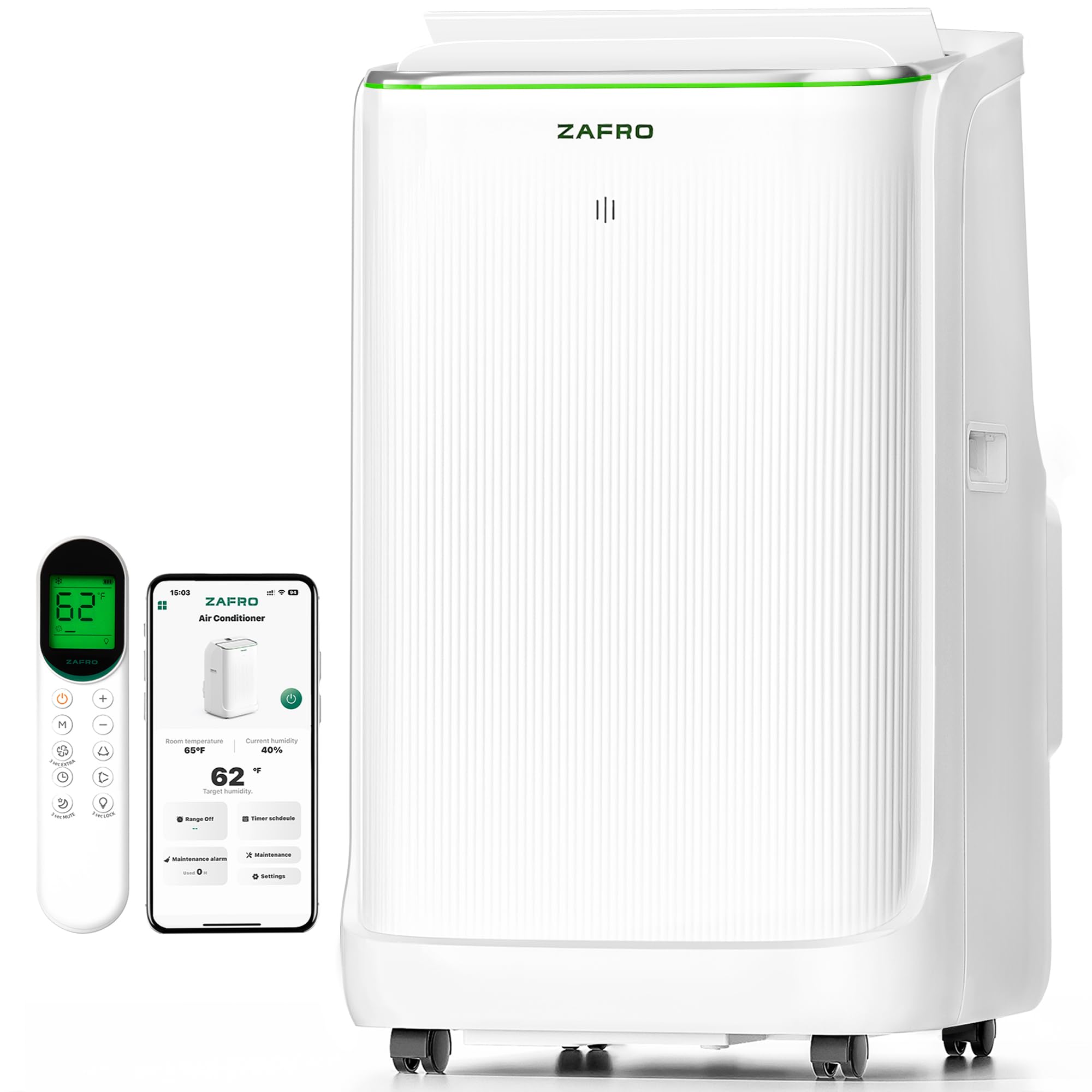
Image: The ZAFRO Smart Inverter Portable Air Conditioner, a sleek white unit designed for efficient cooling.
2. Safety Instructions
Always follow basic safety precautions when using electrical appliances to reduce the risk of fire, electric shock, or injury.
- Read all instructions before using the appliance.
- Ensure the power supply matches the voltage specified on the unit's rating label.
- Do not operate the unit with a damaged cord or plug.
- Keep the unit away from heat sources, direct sunlight, and flammable materials.
- Do not block air inlets or outlets.
- Always unplug the unit before cleaning or servicing.
- This appliance is not intended for use by persons (including children) with reduced physical, sensory or mental capabilities, or lack of experience and knowledge, unless they have been given supervision or instruction concerning use of the appliance by a person responsible for their safety.
3. Product Overview
3.1. Key Features
- Powerful Inverter Cooling: 14000 BTU (10000 BTU SACC) with dual hose system for rapid and even cooling.
- Energy Saving: Smart inverter technology (CEER 11.8) for optimal energy efficiency and stable temperature control.
- 72-Hour Drainage-Free Cooling: Self-evaporating condensate system reduces the need for manual draining in most conditions.
- Ultra-Quiet Operation: Operates at as low as 42 decibels, ideal for peaceful environments.
- Smart Control: Full control via ZAFRO app, remote control, or touch panel. Compatible with Google Home.
- Six Versatile Modes: Cool, Dry, Fan, Sleep, Extra, and Eco modes for customized comfort.
- Four-Way Oscillation: Directs airflow both vertically and horizontally for consistent air circulation.
3.2. Included Components
- Air exhaust hose (x2)
- Drainage hose (x1)
- Window panel (x5)
- Bracket (x1)
- Remote control (x1)
- Remote control bracket (x1)
- Sealing foam (x4)
- Butterfly bolts (x5)
- User Manual (x1)
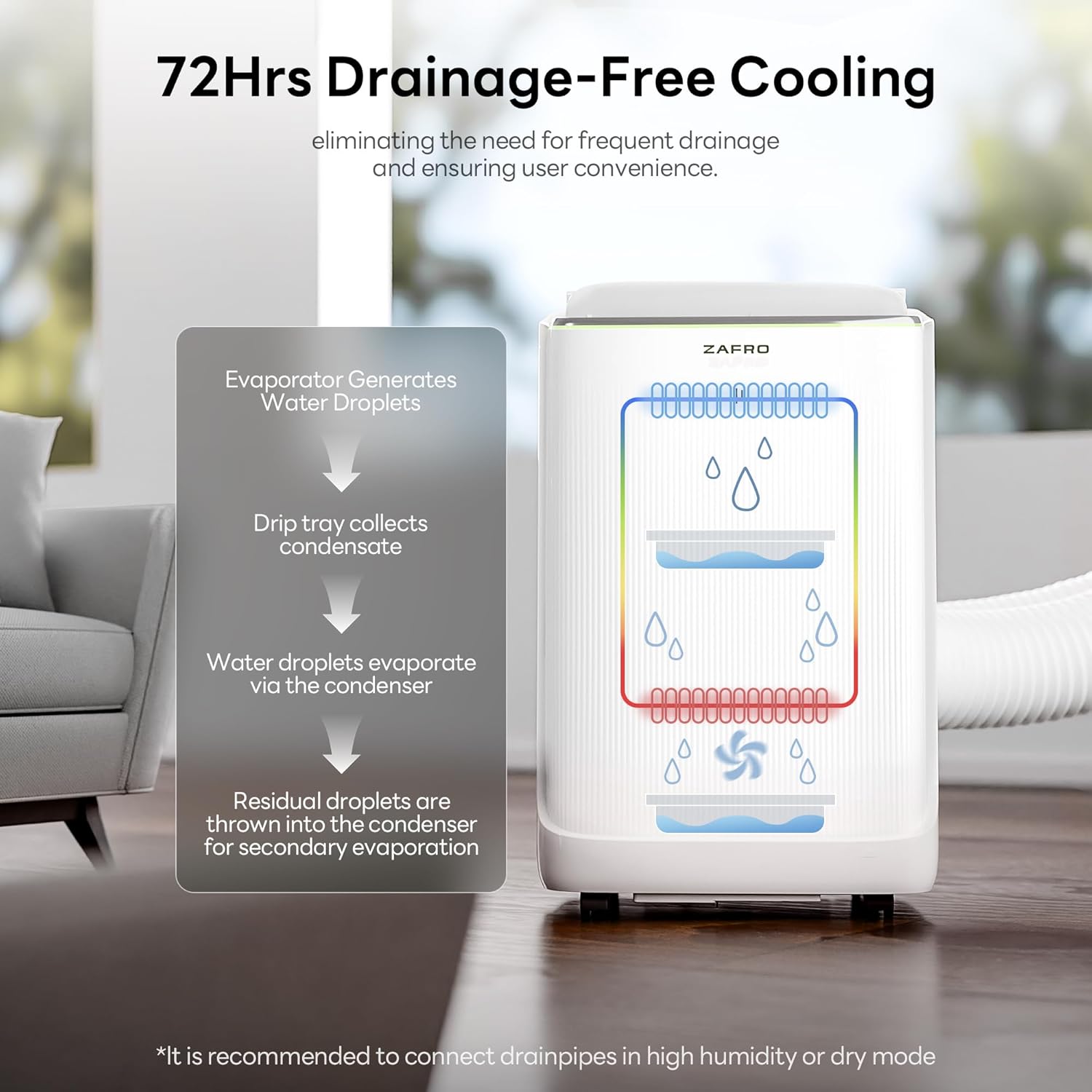
Image: Close-up of the ZAFRO portable AC's digital display and touch control panel.

Image: An illustration highlighting the digital panel, recessed handle, 360° casters, removable filter, smart app, remote control, remote storage, auto swing, and 24-hour timer.
4. Setup & Installation
Proper installation is crucial for optimal performance. Follow these steps carefully.
4.1. Window Panel Installation
- Measure Your Window: Determine the length of your window opening (vertical or horizontal) to select the appropriate window panels.
- Assemble Panels: Connect the selected window panels using the provided butterfly bolts and brackets. Ensure the air outlets are not covered.
- Apply Sealing Foam: Cut the non-adhesive sealing foam to match the dimensions of your window and place it at the bottom. Use adhesive sealing foam for any remaining gaps to improve room sealing.
- Install Panels: Place the assembled window panels into the window opening and adjust to fit. Fasten them securely with butterfly bolts.
- Connect Exhaust Hoses: Align and install the air exhaust hose assembly into the window panel, pressing the latch to lock it. Attach the other end of the air exhaust hose onto the portable air conditioner, aligning with the mounting port and clamping tightly.

Image: A guide illustrating how to measure your window for correct panel selection.

Image: Step-by-step visual guide for assembling the window panels.

Image: Instructions for applying sealing foam to ensure an airtight installation.

Image: Visual guide for placing and securing the window panels.

Image: Steps for connecting the exhaust hoses to the window panel and the unit.
4.2. Installation Video Guide
Video: A quick installation guide for the ZAFRO Portable Air Conditioners, demonstrating the setup process.
5. Operating Instructions
Your ZAFRO portable AC offers multiple modes and control options for personalized comfort.
5.1. Control Methods
- Touch Panel: Use the intuitive digital display on top of the unit for direct control.
- Remote Control: Adjust settings from a distance with the included remote.
- ZAFRO App: Connect to the smart ZAFRO app for full control, scheduling, and monitoring from anywhere. Compatible with Google Home.

Image: The ZAFRO app interface on a smartphone, demonstrating smart control capabilities.
5.2. Operating Modes

Image: An overview of the six operating modes available on the ZAFRO portable AC.
- Cool Mode: Provides powerful cooling to reach your desired temperature (down to 61°F).
- Dry Mode: Functions as a dehumidifier to reduce room humidity.
- Fan Mode: Circulates air without cooling, with multiple fan speed levels.
- Sleep Mode: Adjusts compressor frequency and fan speed for ultra-quiet operation and stable temperature during rest.
- Extra Mode: Locks temperature at 61°F and runs at full power for instant relief in extreme heat.
- Eco Mode: Optimizes energy consumption for efficient cooling.
5.3. Additional Functions
- 24-Hour Timer: Set specific on/off times to match your daily routine.
- Auto Swing: Activates four-way oscillation for widespread air distribution.
- Power-Off Memory: The unit remembers your last settings after a power interruption.
Video: A promotional video showcasing the ZAFRO inverter portable AC as an ideal choice for families, highlighting its features and benefits.
6. Maintenance
Regular maintenance ensures the longevity and efficiency of your air conditioner.
6.1. Filter Cleaning
- The unit features a removable filter. Check the filter-clean reminders for optimal performance.
- Regularly clean the air filter to prevent dust buildup and maintain airflow. Refer to the full user manual for detailed cleaning instructions.
6.2. Drainage
The self-evaporating system handles most moisture. However, in environments with humidity above 90% or when using Dry mode, manual drainage may be required.
- Connect the provided drainage hose to the unit's drain port.
- Direct the hose to a suitable drainage area (e.g., a bucket or floor drain).

Image: An illustration explaining the 72-hour drainage-free cooling mechanism.
7. Troubleshooting
If you encounter issues with your ZAFRO portable AC, refer to the following common problems and solutions. For more detailed troubleshooting, consult the full user manual.
| Problem | Possible Cause | Solution |
|---|---|---|
| Unit does not turn on | No power, power cord unplugged, circuit breaker tripped. | Check power connection, reset circuit breaker. |
| Insufficient cooling | Dirty air filter, blocked air inlets/outlets, room too large, windows/doors open. | Clean filter, clear blockages, ensure proper room size, close windows/doors. |
| Unit is noisy | Unit not on a flat surface, fan speed too high. | Place on a stable, flat surface. Reduce fan speed. |
| Water leakage | Drainage hose not properly connected, unit operating in high humidity without continuous drainage. | Ensure drainage hose is secure. Activate continuous drainage in high humidity. |
8. Specifications
| Feature | Detail |
|---|---|
| Brand | ZAFRO |
| Model Number | YAC-10CPD/PLRBpSG |
| Cooling Power | 14000 British Thermal Units (10000 BTU SACC) |
| Noise Level | 42 Decibels |
| Product Dimensions | 14.25"D x 16.54"W x 27.2"H |
| Item Weight | 54 Pounds |
| Voltage | 115 Volts |
| Wattage | 1250 watts |
| Refrigerant | R-32 |
| Floor Area Coverage | 550 Square Feet |
| Control Method | App, Remote, Touch |
| Special Features | Fast Cooling, Energy Saving, Remote Controlled, 4 Way Swing, Dehumidifier, Adjustable Humidistat, Inverter Compressor, Child Lock, Filter Light Reminder, Silent Mode, Sleep Mode, WiFi Enabled, 72Hrs Drainage-free, Ultra Quiet 42dB, 6 Modes: Cool, Dry, Fan, Sleep, Extra, Eco Modes |
9. Warranty and Support
Your ZAFRO Smart Inverter Portable Air Conditioner comes with a 1-Year Manufacturer Warranty.
For any questions or support needs, please contact ZAFRO Customer Care. We are committed to providing quality appliances and will reply within 24 hours.