
Product Overview
The VALINIRT 660FP-F23 Fireproof Safe is designed to protect your valuables with advanced security features and robust construction. This manual provides essential information for the safe's proper installation, operation, and maintenance.
- Heavy-Duty Fireproof Construction: Built with anti-theft solid steel and a 16 mm heat-resistant fireboard. Features five 20 mm diameter solid steel locking bolts. Compliant with UL 72 standards, offering up to 30 minutes of fire resistance at 1200°F.
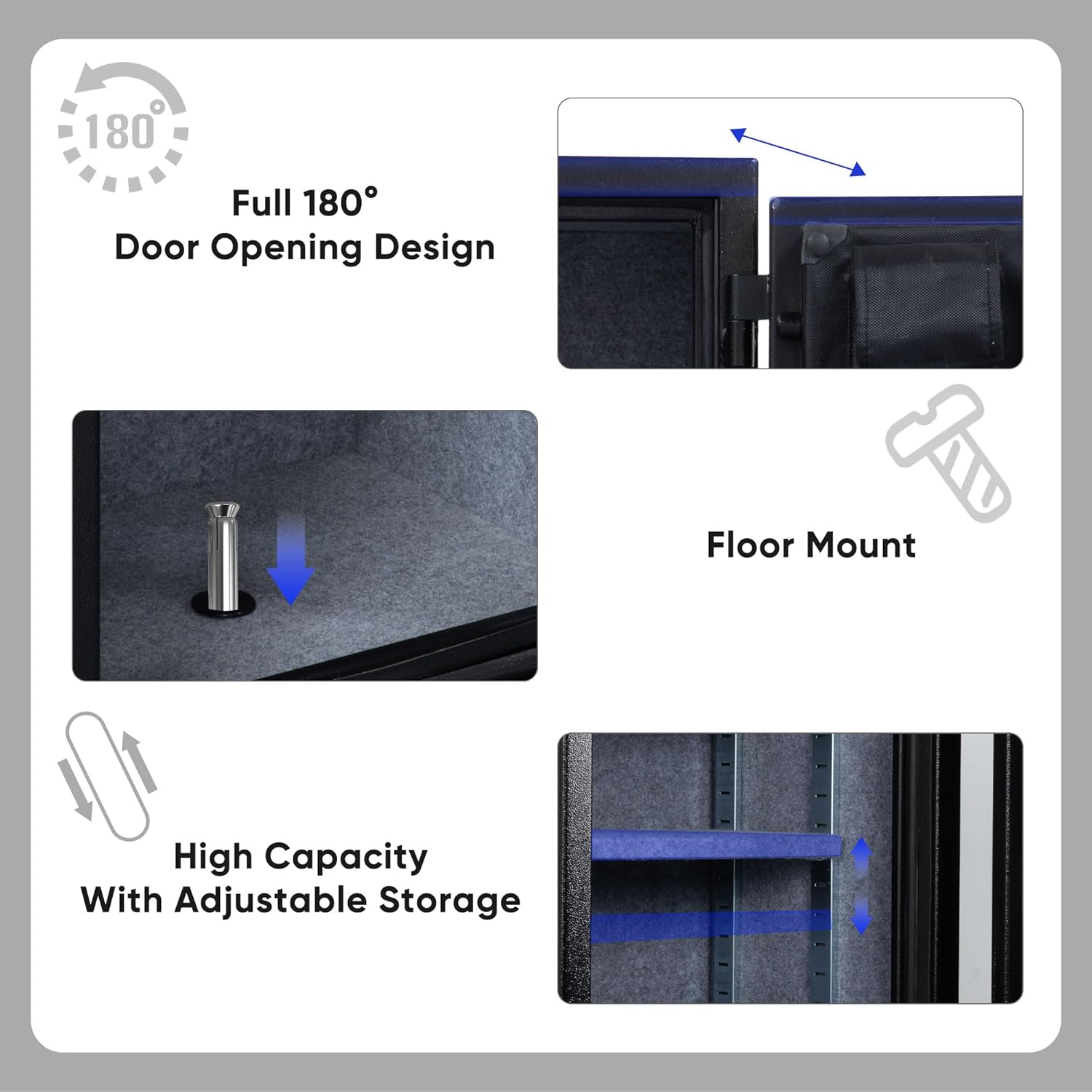
- High Capacity & Adjustable Interior: Offers a 2.5 cu ft capacity with interior dimensions of 26 × 17 × 14 inches (H × W × D). Includes 2 fully adjustable shelves with 16 height levels for flexible storage.
- Triple-Access Security: Features a fingerprint keypad for electronic entry, a programmable keypad for digital codes, and a backup key for manual unlocking.
- Anti-Tamper Alert & Silent Mode: Equipped with a vibration-activated alarm that locks the keypad and fingerprint scanner if triggered. An error indicator with a beep signals incorrect entries. After 5 failed attempts, the alarm sounds for 1 minute. Silent Mode allows for discreet, sound-free entry.

Initial Setup
1. Unpacking and Initial Opening
Upon receiving your safe, follow these steps to open it for the first time and install batteries.
- Remove the cover from the keypad by pressing the tab and turning the cover.
- Insert the backup key into the keyhole and turn it 1/4 turn until it stops to unlock the safe.
- Rotate the handle to open the door.
Video 1: Demonstrates the initial opening process of the safe using the backup key. (0:00 - 0:10)
2. Battery Installation
The safe requires 4 AA batteries for the electronic keypad and fingerprint scanner to function.
- Keep the safe door open.
- Locate the battery compartment on the inside of the door and remove its cover.
- Install 4 AA batteries into the battery compartment, ensuring correct polarity (+/-).
- Replace the battery compartment cover.
Video 2: Illustrates the steps for installing 4 AA batteries into the safe's battery compartment. (0:10 - 0:42)
Operating Instructions
1. Setting the Password
The initial password is '1234'. It is recommended to change this immediately for security.
- With the safe door open, enter the initial password '1234' on the keypad and press '#'. The safe will unlock.
- Locate the red reset button on the inside edge of the safe door. Press it until you hear a beep.
- On the keypad, enter your new 3-8 digit password. Press '#' to confirm.
- Re-enter your new password and press '#' again to confirm. A successful setup will be indicated by a confirmation sound.
Video 3: Guides through the process of setting a new password for the safe. (0:42 - 1:15)
2. Fingerprint Registration
You can register up to 20 unique fingerprints for quick access.
- With the safe door open, press the red reset button on the inside edge of the door until you hear a beep.
- Place your finger on the fingerprint collector. When you hear a short beep, remove your finger. Repeat this process 3 times for successful registration.
- After successful registration, you can open the safe using your registered fingerprint.
Video 4: Demonstrates how to register a fingerprint for biometric access to the safe. (1:15 - 1:42)
3. Opening the Safe
To open the safe, use one of the following methods:
- Using Password: Enter your 3-8 digit password on the keypad, then press '#'. Rotate the handle to open.
- Using Fingerprint: Place your registered finger on the fingerprint scanner. Rotate the handle to open.
- Using Backup Key: Remove the keypad cover, insert the key, turn 1/4 turn, and rotate the handle to open.
4. Closing and Locking the Safe
To secure the safe:
- Close the safe door firmly.
- Rotate the handle to the locked position. The safe will automatically lock.
Maintenance
Regular maintenance ensures the longevity and reliable operation of your VALINIRT safe.
- Battery Replacement: Replace all 4 AA batteries annually or when the low battery indicator appears. Always use new, high-quality alkaline batteries.
- Cleaning: Wipe the exterior and interior surfaces with a soft, dry cloth. Avoid abrasive cleaners or solvents that could damage the finish or electronic components.
- Key Storage: Store backup keys in a secure location outside the safe, accessible only to authorized individuals. Do not store them inside the safe.
- Door Mechanism: Periodically check the door hinges and locking bolts for any obstructions or signs of wear. Ensure smooth operation.
Troubleshooting
Refer to the following table for common issues and their solutions.
| Problem | Possible Cause | Solution |
|---|---|---|
| Safe does not open with password/fingerprint. | Low batteries; incorrect password/fingerprint; electronic malfunction. | Replace batteries; re-enter password carefully; re-register fingerprint; use backup key. |
| Alarm sounds unexpectedly. | Vibration detected; multiple incorrect entries. | Ensure safe is on a stable surface; avoid tampering; enter correct code to disarm. |
| Keypad is unresponsive. | Dead batteries; alarm activated (keypad locked). | Replace batteries; wait for alarm to reset or use backup key. |
| Door does not close or lock properly. | Obstruction; locking bolts misaligned. | Check for items blocking the door; ensure locking bolts retract fully before closing. |
If issues persist, please contact customer support.
Product Specifications
| Feature | Detail |
|---|---|
| Brand | VALINIRT |
| Model Number | 660FP-F23 |
| Product Dimensions (D x W x H) | 14"D x 17"W x 26"H |
| Internal Capacity | 2.5 cubic feet (3.58 cubic feet listed in specifications, using 2.5 cu ft from feature bullets for consistency with product title) |
| Lock Type | Electronic Combination Lock (Fingerprint & Keypad) |
| Color | Black |
| Material | Alloy Steel |
| Fire Resistance | UL 72 compliant, 30 minutes at 1200°F |
| Special Features | Alarm System, Anti-Theft, Fireproof, Removable Shelf |
| Mounting Type | Floor Mount |
| Item Weight | 90 Pounds |



Important Safety Information
- Always store backup keys in a secure, separate location away from the safe and out of reach of children.
- Do not store the safe's keys or combination inside the safe itself.
- Ensure the safe is securely mounted to the floor or wall to prevent unauthorized removal.
- Keep the safe door closed and locked when not in use to maintain security.
- Avoid exposing the safe to extreme temperatures or humidity, which could affect electronic components.
Warranty and Support
Your VALINIRT safe comes with a manufacturer's warranty. Please refer to the warranty card included in your package for specific terms and conditions.
For any questions, technical assistance, or support, please contact our customer service team. We are committed to providing prompt and helpful assistance.
Contact information can typically be found on the VALINIRT official website or through your purchase platform.