
Introduction
Welcome to the world of Tamagotchi Nano Pompompurin! This virtual pet device allows you to care for your Tamagotchi character with the help of Pompompurin. Your care will influence how your character grows and develops. This manual provides essential information for setup, operation, maintenance, and troubleshooting to ensure an enjoyable experience.
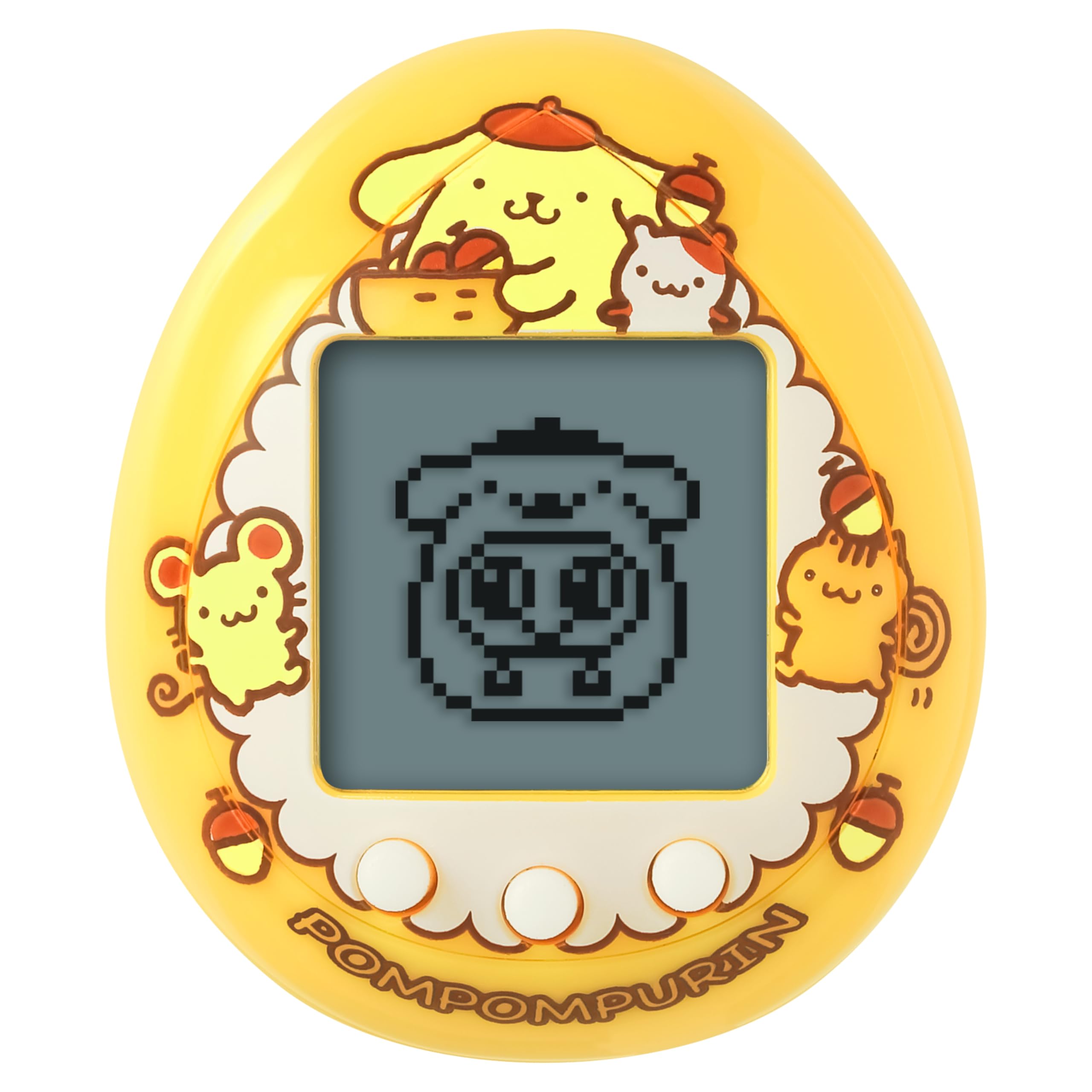
Image: The Tamagotchi Nano Pompompurin Caramel Pudding device, featuring a yellow casing with Pompompurin and friends artwork, and a small digital screen.
What's in the Box
- Tamagotchi Nano Pompompurin Device (Caramel Pudding color)
- 2 x LR44 Batteries (pre-installed)

Image: The Tamagotchi Nano Pompompurin device shown in its retail packaging, which features colorful Pompompurin artwork.
Setup
1. Initial Activation
- Pull the plastic tab from the battery compartment at the back of the device to activate the pre-installed batteries.
- The Tamagotchi character will appear on the screen.
- Set the current time and date using the device buttons. Refer to the "Operating" section for button functions.
2. Battery Installation/Replacement
Your Tamagotchi Nano uses two LR44 batteries. When the screen dims or the device becomes unresponsive, it's time to replace the batteries.
- Locate the battery compartment on the back of the device.
- Using a small screwdriver (not included), carefully open the battery compartment cover.
- Remove the old LR44 batteries.
- Insert two new LR44 batteries, ensuring correct polarity (+/-).
- Replace the battery compartment cover and secure it with the screw.
- Reset the time and date after battery replacement.
Operating Instructions
The Tamagotchi Nano Pompompurin device features three control buttons, typically labeled A, B, and C (or similar icons). These buttons are used to navigate menus, select actions, and confirm choices.
1. Basic Care
- Feeding: Your Tamagotchi character will indicate when it is hungry. Select the food icon to offer snacks like pudding or milk, often with Pompompurin's help.
- Cleaning: When your character makes a mess, a cleaning icon will appear. Select this option to clean up and maintain a healthy environment.
- Attention: Your character may call for attention for various reasons. Respond promptly to its needs to ensure proper growth.
2. Growth and Evolution
The way you care for your Tamagotchi character will determine its growth and the adult form it evolves into. Consistent and attentive care is key to raising a happy and healthy character. Pompompurin may reward good care with special presents.
3. Mini-Games
Engage with your Tamagotchi character by playing mini-games. The device includes three charming games:
- DANCING: A rhythm-based game.
- ACORN PICKING: A timing or collection game.
- COOKING: A sequence or matching game.
Mastering these games can unlock special animations, adding to the interactive experience.
Maintenance
1. Cleaning the Device
- Use a soft, dry cloth to gently wipe the device.
- Do not use abrasive cleaners, solvents, or harsh chemicals, as these can damage the casing or screen.
- Avoid exposing the device to excessive moisture.
2. Storage
When not in use for extended periods, store the device in a cool, dry place away from direct sunlight and extreme temperatures. Consider removing batteries if storing for several months to prevent leakage.
Troubleshooting
- Device Not Turning On: Ensure the plastic tab has been removed from the battery compartment. Check if the LR44 batteries are correctly installed with the correct polarity. Replace batteries if they are depleted.
- Screen is Dim or Unresponsive: This often indicates low battery power. Replace the LR44 batteries.
- Buttons Not Responding: Ensure the device is not in a paused state (if applicable). Try replacing the batteries. If the issue persists, contact customer support.
- Character Not Growing: Review the "Operating Instructions" to ensure you are providing consistent care, feeding, and attention to your Tamagotchi character.
Specifications
| Feature | Detail |
|---|---|
| Model Number | T15054 |
| Brand | Tamagotchi |
| Color | Caramel Pudding |
| Dimensions (L x W x H) | 0.98" x 1.18" x 1.57" (2.49 cm x 3.00 cm x 3.99 cm) |
| Power Source | Battery Powered |
| Batteries Required | 2 x LR44 (included) |
| Display Type | LCD |
| Controller Type | Button Control |
| Material | ABS, PVC, Silicone |
| Age Range | 8+ years |
| Manufacturer | Bandai Namco Toys and Collectibles America |
Warranty and Support
For warranty information, technical support, or inquiries regarding your Tamagotchi Nano Pompompurin device, please contact the manufacturer, Bandai Namco Toys and Collectibles America, directly. Refer to their official website or product packaging for contact details.
Please retain your purchase receipt for warranty purposes.


