
1. Introduction
Thank you for purchasing the HOMCOM Ergonomic Office Chair. This manual provides essential information for the safe assembly, operation, and maintenance of your new chair. Please read these instructions carefully before use and retain them for future reference.
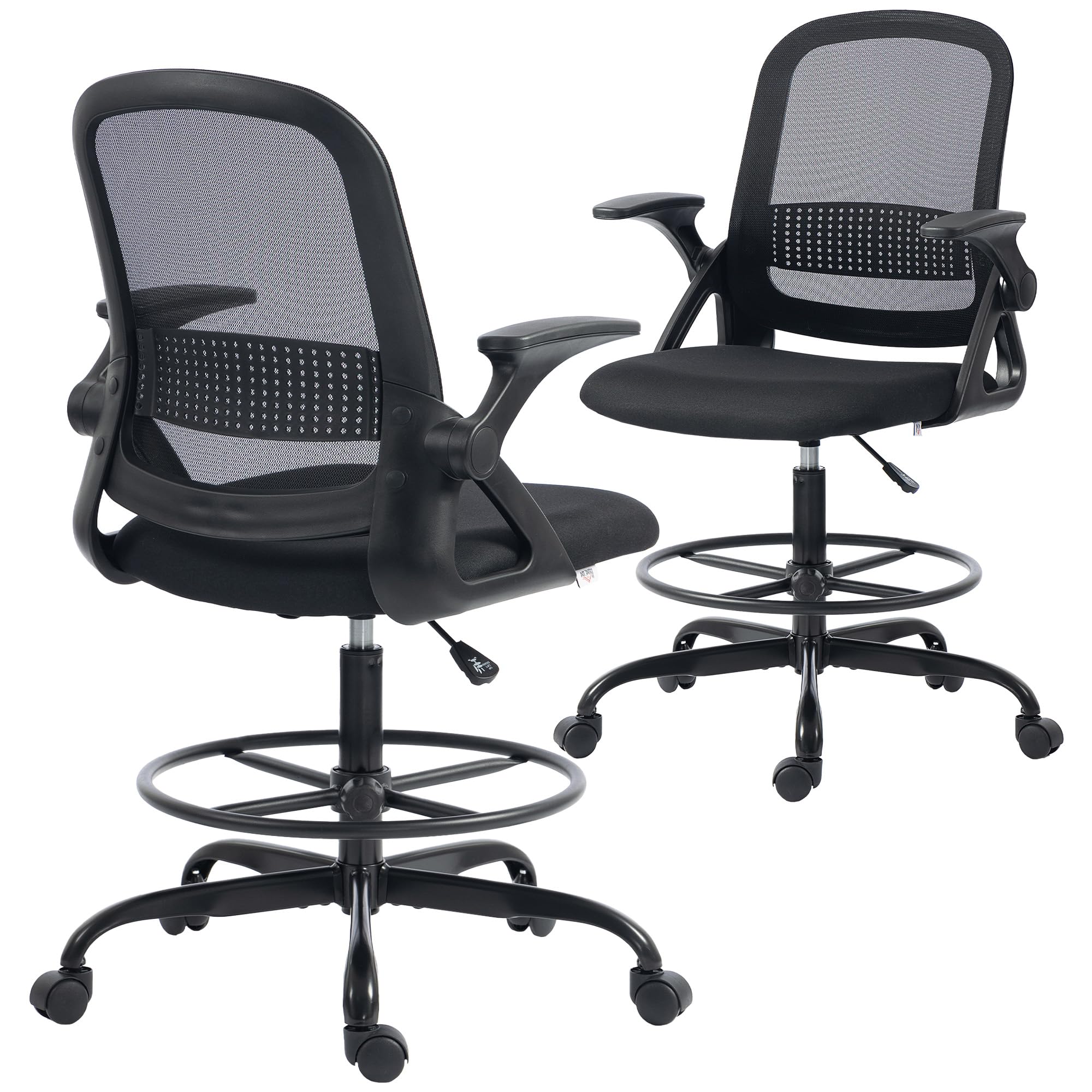
Image 1.1: The HOMCOM Ergonomic Office Chair in a typical office environment.
2. Safety Information
- Ensure all components are present and undamaged before assembly. Do not use if any parts are missing or faulty.
- Assemble the chair on a soft, clean surface to prevent scratches.
- Do not overtighten screws during assembly to avoid damaging threads.
- This chair is designed for indoor use only.
- The maximum weight capacity for this chair is 120 kg (265 lbs). Do not exceed this limit.
- Keep children away from the assembly area. Small parts can be a choking hazard.
- Regularly check all bolts and screws to ensure they remain tight.
3. Package Contents
Verify that all parts listed below are included in your package. If any parts are missing, please contact customer support.
- Backrest
- Seat
- Armrests (2)
- Gas Lift Cylinder
- Base with Casters (5)
- Footrest Ring
- Mechanism Plate
- Hardware Pack (screws, washers, Allen key)

Image 3.1: Example of included components (actual components may vary slightly).
4. Setup and Assembly
Assembly is required for this chair. Follow the steps below carefully. It is recommended to have a second person assist with assembly.
- Attach Casters to Base: Insert the five casters into the holes at the end of each leg of the chair base. Push firmly until they click into place.
- Install Gas Lift: Place the gas lift cylinder into the center hole of the assembled base.
- Assemble Footrest Ring: Slide the footrest ring over the gas lift cylinder and secure it at the desired height using the provided knob or lever.
- Attach Mechanism Plate to Seat: Align the mechanism plate with the screw holes on the underside of the seat. Ensure the front of the mechanism faces the front of the seat. Secure with screws.
- Connect Backrest to Seat: Attach the backrest to the seat using the designated screws.
- Install Armrests: Attach the armrests to both the seat and backrest using the provided screws. Ensure they are securely fastened.
- Place Assembled Top onto Gas Lift: Carefully place the assembled seat and backrest onto the gas lift cylinder, ensuring it is centered and stable.
For detailed visual instructions, refer to the assembly manual included in the packaging.
5. Operating Instructions
Your HOMCOM Ergonomic Office Chair offers several adjustable features for optimal comfort and posture.
5.1. Seat Height Adjustment
To adjust the seat height (range: 55-76 cm), locate the lever under the seat on the right side. While seated, pull the lever up to lower the seat. To raise the seat, stand up slightly and pull the lever up. Release the lever at the desired height.

Image 5.1: Demonstrating the adjustable seat height and footrest for sit-stand flexibility.
5.2. Footrest Ring Adjustment
The footrest ring can be adjusted from 21 to 38 cm to support your legs and relieve fatigue during prolonged sitting or standing. Loosen the knob on the footrest ring, slide it to your preferred height, and then tighten the knob securely.
5.3. Flip-Up Armrests
The armrests can be flipped up to allow the chair to slide further under a desk, saving space. Simply lift the armrests upwards until they lock into the vertical position. To return them to the horizontal position, pull them down.

Image 5.2: The chair with armrests flipped up, allowing it to be stored under a desk.
5.4. Ergonomic Support
The chair features a curved backrest and lumbar support designed to promote correct posture and provide lasting comfort. The mesh backrest and padded seat ensure effective air circulation, keeping you cool.

Image 5.3: The ergonomic design provides support for the back, lumbar region, and hips.

Image 5.4: The breathable mesh backrest promotes air circulation for comfort.
6. Maintenance
- Cleaning: Wipe the chair with a damp cloth. Avoid using harsh chemicals or abrasive cleaners, as they may damage the materials.
- Inspection: Periodically check all screws, bolts, and connections to ensure they are tight. Retighten if necessary.
- Casters: Keep casters clean from hair and debris to ensure smooth mobility.
- Gas Lift: Do not attempt to disassemble the gas lift cylinder. It contains pressurized gas.
7. Troubleshooting
- Chair Squeaks: Check and tighten all screws and bolts. A small amount of silicone spray on moving parts (avoiding the gas lift) may help.
- Chair Does Not Adjust Height: Ensure the gas lift lever is fully engaged. If the issue persists, the gas lift cylinder may need replacement. Contact customer support.
- Casters Not Rolling Smoothly: Remove any hair or debris from the caster wheels. If damaged, casters can be replaced.
- Chair Feels Unstable: Verify that all assembly steps were followed correctly and all fasteners are tight. Ensure the chair is on a flat, hard surface.
8. Specifications
| Feature | Specification |
|---|---|
| Model Number | 921-945V00BK |
| Brand | HOMCOM |
| Color | Black |
| Overall Dimensions (L x D x H) | 58L x 63D x 105-126H cm |
| Seat Dimensions (L x D x H) | 50L x 51D x 55-76H cm |
| Seat Height Range | 55-76 cm |
| Footrest Ring Adjustment Range | 21-38 cm |
| Backrest Interior Height | 56 cm |
| Backrest Width | 43 cm |
| Armrest Height | 23 cm |
| Weight Capacity | 120 kg |
| Item Weight | 11.7 kg |
| Main Materials | Polyester (seat), Metal (frame), Polyurethane |
| Assembly Required | Yes |
| Recommended Use | Computer, Study, Office |
| Country of Origin | China |

Image 8.1: Detailed dimensions of the HOMCOM Ergonomic Office Chair.
9. Warranty and Support
For warranty information or customer support, please refer to the documentation provided with your purchase or contact the retailer. Manufacturer: Aosom Italy.


