
Introduction
Welcome to the DreamQuest Mini PC Pro N95 user manual. This document provides essential information for setting up, operating, maintaining, and troubleshooting your new mini desktop computer. The DreamQuest Mini PC Pro N95 is a compact and powerful system featuring an Intel 12th Gen N95 processor, Windows 11 Pro, 12GB DDR5 RAM, and a 1TB M.2 SSD, designed for home office, entertainment, and various computing tasks.

Image: Overview of the DreamQuest Mini PC Pro N95 highlighting key features like Windows 11 Pro, Intel N95 processor, 1TB SSD, 12GB DDR5 RAM, USB 3.2, WiFi 6, BT 5.3, Smart Fan, and Customer Support.
Setup Guide
Follow these steps to set up your DreamQuest Mini PC Pro N95:
- Connect Peripherals: Connect your monitor(s) to the HDMI ports. This Mini PC supports up to three 4K 60FPS displays. Connect your keyboard and mouse to the available USB 3.2 ports.
- Network Connection: For wired internet, connect an Ethernet cable to one of the Gigabit LAN ports. For wireless internet, the device supports WiFi 6.
- Power Connection: Connect the power adapter to the DC input port on the Mini PC, then plug the adapter into a power outlet.
- Power On: Press the power button located on the device. The system will boot up.
- Initial Windows 11 Pro Setup: Follow the on-screen instructions to complete the Windows 11 Pro setup, including language, region, network connection, and user account creation.
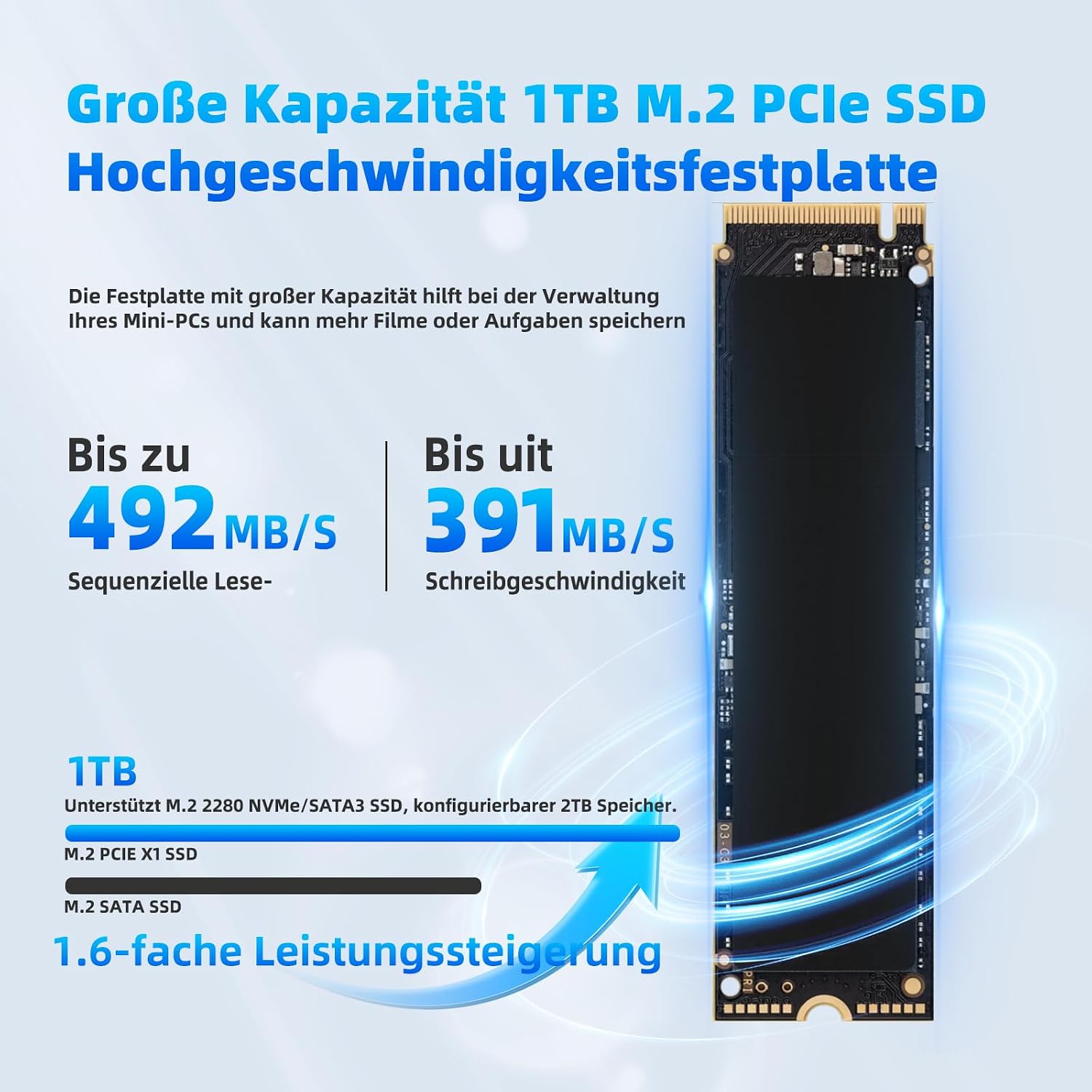
Image: Rear view of the DreamQuest Mini PC Pro N95 showing the various ports including DC input, USB 3.2, Gigabit Ethernet, HDMI, and audio input/output.

Image: The DreamQuest Mini PC Pro N95 connected to three monitors, demonstrating its triple 4K 60FPS display support for enhanced productivity.
Operating Instructions
Your DreamQuest Mini PC Pro N95 comes pre-installed with Windows 11 Pro, offering a robust and user-friendly operating environment. Here are some operational highlights:
- Performance: The Intel 12th Gen N95 processor (up to 3.4 GHz) combined with 12GB DDR5 RAM ensures smooth performance for multitasking, office applications, 4K video playback, and light creative tasks.
- Connectivity: Utilize WiFi 6 for high-speed wireless internet and Bluetooth 5.3 for connecting wireless peripherals like headphones and speakers. The multiple USB 3.2 ports allow for fast data transfer with external devices.
- Display: Enjoy crisp 4K resolution at 60FPS across up to three displays, ideal for immersive viewing or extended workspaces.
- Advanced Features: The Mini PC supports Wake On LAN, RTC Wake, and Auto Boot, allowing for flexible power management and remote access capabilities. BIOS configuration is also accessible for advanced users.
Maintenance
Proper maintenance ensures the longevity and optimal performance of your Mini PC:
- Cleaning: Regularly clean the exterior of the Mini PC with a soft, dry cloth. Ensure ventilation openings are free from dust to maintain efficient cooling. Avoid using liquid cleaners directly on the device.
- Software Updates: Keep your Windows 11 Pro operating system and drivers updated. Access Windows Update through the system settings to install the latest security patches and performance enhancements.
- Storage Expansion: The Mini PC comes with a 1TB M.2 SSD. You can expand storage by replacing the existing M.2 SSD or by adding a 2.5-inch SATA SSD (not included) for up to a total of 2TB. Refer to a qualified technician for hardware upgrades.
- Cooling System: The integrated smart fan system helps maintain optimal operating temperatures. Ensure the Mini PC is placed in a well-ventilated area to prevent overheating.

Image: Internal view of the DreamQuest Mini PC Pro N95 highlighting the super quiet smart fan designed for efficient CPU cooling and excellent heat dissipation.
Troubleshooting
If you encounter issues with your DreamQuest Mini PC Pro N95, consider the following common troubleshooting steps:
- No Power: Ensure the power adapter is securely connected to both the Mini PC and a working power outlet. Try a different outlet if necessary.
- No Display: Verify that your monitor is powered on and correctly connected to the Mini PC's HDMI port. Try a different HDMI cable or monitor if available. Ensure the correct input source is selected on your monitor.
- No Internet Connection: For wired connections, check the Ethernet cable and router. For wireless, ensure WiFi is enabled in Windows settings and you are connected to the correct network with the correct password.
- Slow Performance: Close unnecessary applications. Check for background processes consuming high resources using Task Manager. Ensure Windows and drivers are up to date. Consider running a disk cleanup.
- Peripheral Issues: If a keyboard, mouse, or other USB device is not working, try connecting it to a different USB port. Ensure drivers are installed if required.
- System Freezes/Crashes: Perform a hard reboot by holding the power button until the device turns off, then power it back on. If issues persist, consider checking system logs or performing a system restore.
Specifications
Detailed technical specifications for the DreamQuest Mini PC Pro N95:
| Feature | Specification |
|---|---|
| Brand | DreamQuest |
| Model Name | DreamQuest Pro |
| Operating System | Windows 11 Pro |
| CPU Model | Intel Celeron N95 (12th Gen Alder Lake) |
| CPU Speed | Up to 3.4 GHz |
| RAM | 12 GB DDR5 RAM (4800 MHz) |
| Storage | 1 TB M.2 SSD (Expandable up to 2TB with 2.5" SATA SSD) |
| Graphics | Intel HD Graphics (Integrated) |
| Video Output | 3 x HDMI ports (Supports 4K 60FPS, Triple Display) |
| USB Ports | 4 x USB 3.2 |
| Network | 2 x Gigabit Ethernet, WiFi 6 (802.11a/b/g/n/ac) |
| Bluetooth | Bluetooth 5.3 |
| Audio | 1 x Audio Input/Output |
| Power Consumption | 15 Watts |
| Dimensions | 5.45 x 5.45 x 1.45 inches (approx. 13.8 x 13.8 x 3.7 cm) |
| Weight | Approx. 500 grams |
| Features | VESA Mountable, Card Reader, Wake On LAN, RTC Wake, Auto Boot |

Image: Size comparison illustrating the compact dimensions of the DreamQuest Mini PC Pro N95 relative to a mobile phone and a traditional desktop PC.
Warranty and Support
DreamQuest Mini PCs are backed by a comprehensive warranty. For warranty service or technical support, please follow these steps:
- Log in to your Amazon account.
- Navigate to "My Orders".
- Locate the order ID for your DreamQuest Mini PC.
- Click on "Contact Seller" to reach DreamQuest customer support.
Our support team is available to assist you with any questions or issues you may encounter.


