
1. Introduction
Thank you for choosing the OWAAE Dehumidifier Model TZ-C4S. This device is designed to effectively reduce excess moisture in your indoor spaces, helping to create a more comfortable and healthier environment. Please read this manual thoroughly before operating the unit to ensure proper use, maintenance, and safety.

Image 1.1: The OWAAE Dehumidifier effectively reduces humidity, as shown by the 'Before 80%' and 'After 45%' indicators, covering an area of 1000 sq.ft.
2. Safety Instructions
To prevent injury to the user or others and property damage, the following instructions must be followed. Incorrect operation due to ignoring instructions may cause harm or damage.
- Always place the dehumidifier on a stable, level surface to prevent tipping.
- Ensure adequate ventilation around the unit. Do not block the air inlet or outlet. Maintain at least 8 inches (20 cm) of space from walls or other objects.
- Do not operate the unit near water sources such as bathtubs, showers, or swimming pools to avoid electrical shock.
- Unplug the dehumidifier from the power outlet before cleaning, performing maintenance, or when not in use for extended periods.
- Do not operate the unit if the power cord or plug is damaged. Contact customer support for assistance.
- Keep the appliance out of reach of children and pets.
- Do not insert fingers or foreign objects into the air inlet or outlet.
- Use only the power adapter provided with the unit.
3. Product Overview
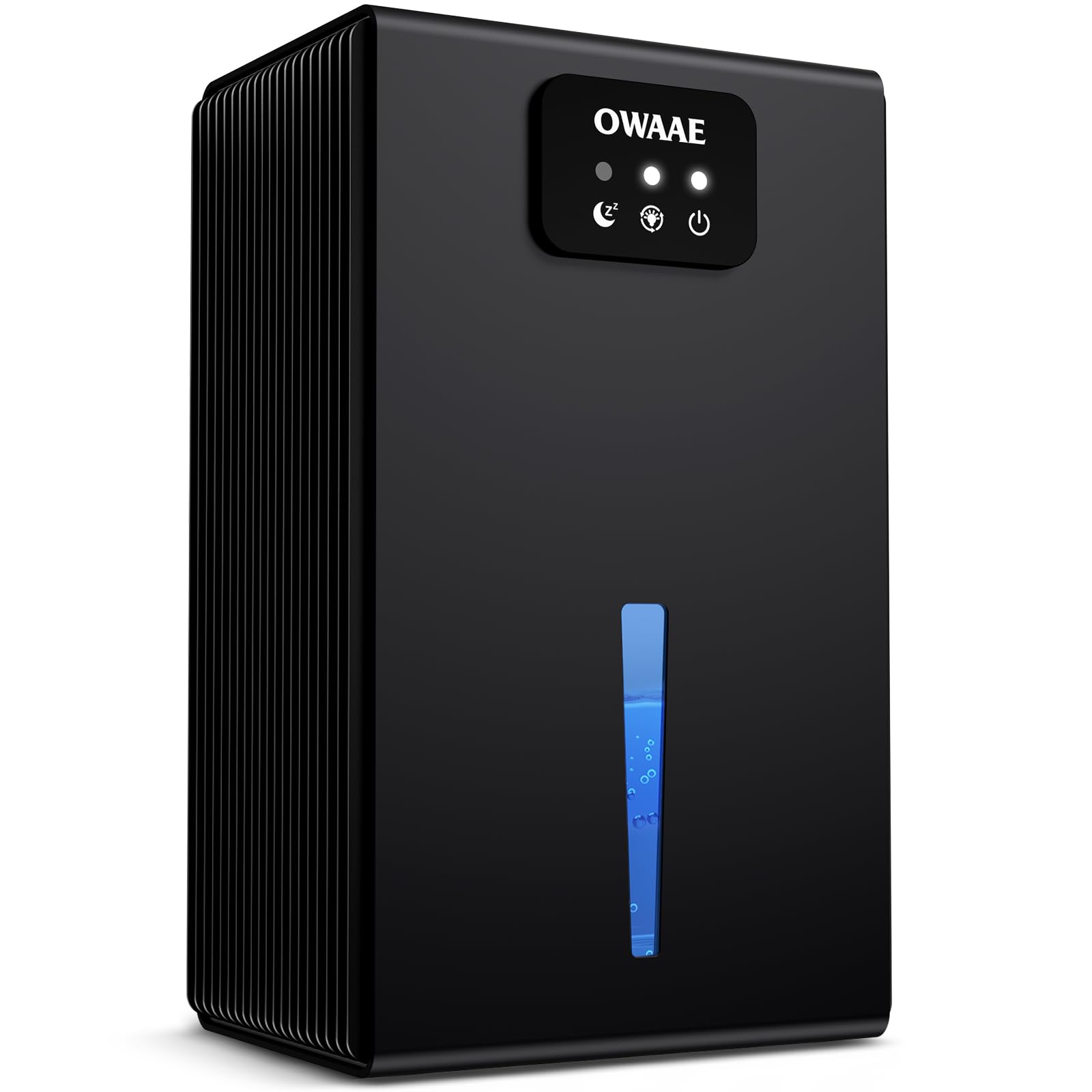
The OWAAE Dehumidifier TZ-C4S features a compact design with intuitive controls and efficient moisture removal capabilities.

Image 3.1: The dehumidifier features easy water tank removal and simple, user-friendly controls for convenient operation.
Key Components:
- Control Panel: Located on the top front, with touch buttons for power, sleep mode, and LED light control.
- Water Tank: Removable 95oz (2.8L) capacity tank at the bottom front for collecting condensed water.
- Water Level Window: A transparent strip on the front to monitor the water level in the tank.
- Air Inlet/Outlet: Grilles on the sides and back for air circulation.
- Power Port: Located at the back for connecting the power adapter.
4. Setup
- Unpacking: Carefully remove the dehumidifier from its packaging. Retain the packaging for future storage or transport.
- Placement: Place the unit upright on a firm, level surface in the desired location. Ensure there is at least 8 inches (20 cm) of clear space around all sides for proper airflow. The dehumidifier is suitable for various spaces including bedrooms, bathrooms, basements, closets, and RVs.
- Power Connection: Connect the power adapter to the power port on the back of the unit, then plug the adapter into a standard electrical outlet.

Image 4.1: The OWAAE Dehumidifier is versatile and can be used in various indoor environments such as living rooms, bedrooms, bathrooms, basements, closets, garages, RVs, and laundry rooms.
5. Operating Instructions
Power On/Off
- Press the Power button (
 ) on the control panel to turn the unit on or off. The indicator light will illuminate when the unit is on.
Sleep Mode
- Press the Sleep Mode button () to activate sleep mode. In this mode, the dehumidifier operates at a reduced noise level (under 30 dB) and indicator lights dim or turn off to ensure a quiet environment for sleep.

Image 5.1: The dehumidifier offers quiet operation with a sleep mode running at approximately 25dB, ensuring minimal disturbance.
7-Color LED Ambient Light
- Press the Light button () to cycle through the 7-color LED ambient light options. You can choose to cycle colors, lock in a favorite color, or turn the light off completely.

Image 5.2: The unit features a 7-color LED ambient light, allowing users to cycle through colors, lock a specific color, or turn the light off.
Automatic Shut-Off and Water Tank
- The dehumidifier is equipped with an automatic shut-off feature. When the 95oz water tank is full or improperly positioned, the unit will automatically stop operation, and an indicator light will illuminate to prevent overflow.
- To empty the water tank, gently pull it out from the front of the unit. Dispose of the collected water, then slide the tank back into place until it clicks securely.
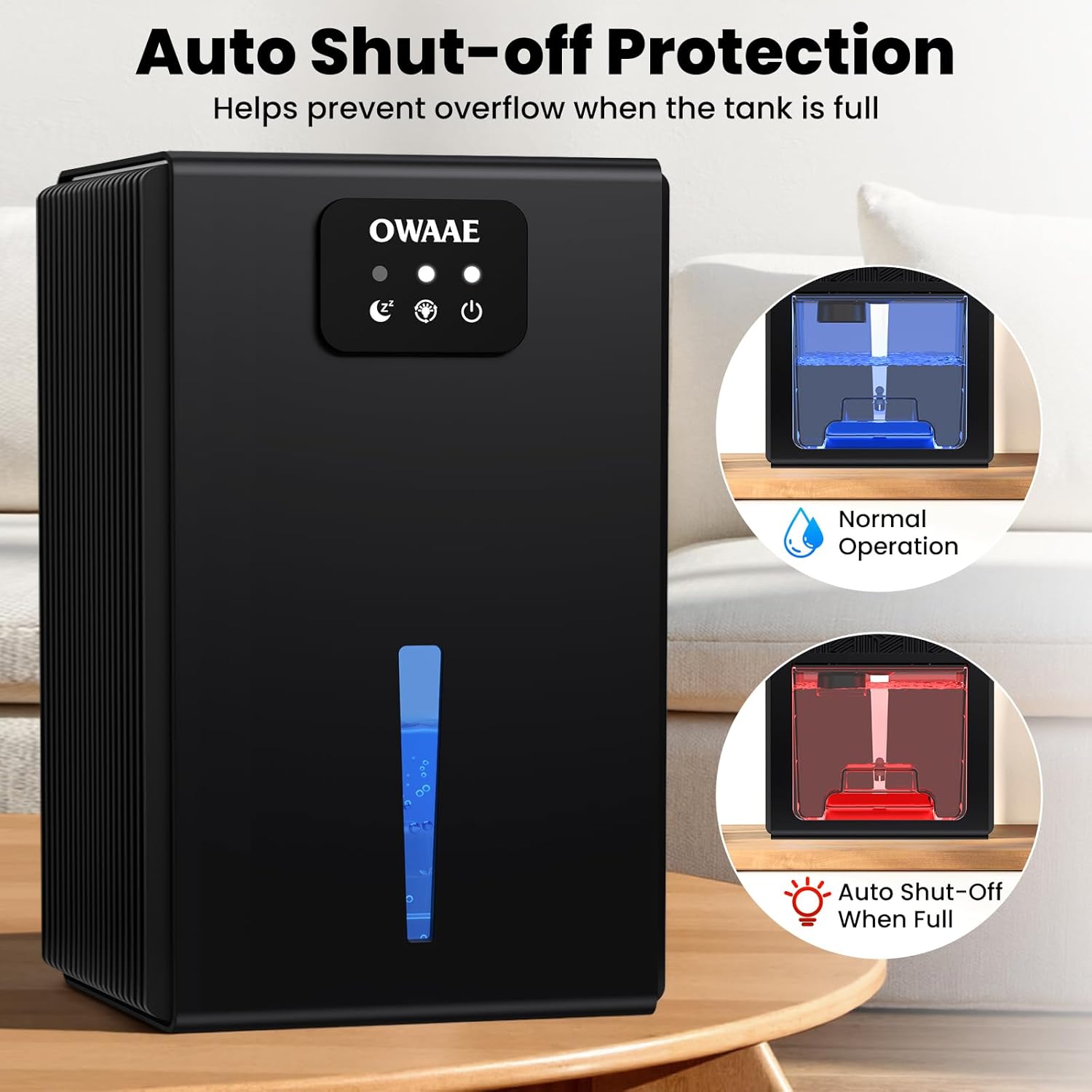
Image 5.3: The dehumidifier automatically shuts off when the water tank is full, indicated by a red light, preventing spills.
Video 5.4: This video demonstrates the OWAAE Dehumidifier's operation and how it efficiently dries your home. (Source: Merchant Video)
6. Maintenance
Regular maintenance ensures optimal performance and extends the lifespan of your dehumidifier.
Emptying the Water Tank
- Empty the water tank regularly, especially when the auto shut-off indicator is active.
- Clean the water tank with mild soap and water every few weeks to prevent mold and mildew growth. Rinse thoroughly before reinserting.
Cleaning the Exterior
- Wipe the exterior of the unit with a soft, damp cloth. Do not use abrasive cleaners or solvents.
Cleaning Air Inlets and Outlets
- Periodically check the air inlets and outlets for dust or debris. Use a soft brush or vacuum cleaner attachment to gently remove any blockages.
7. Troubleshooting
If you encounter issues with your dehumidifier, refer to the following common problems and solutions:
| Problem | Possible Cause | Solution |
|---|---|---|
| Unit does not turn on | No power supply; Water tank not properly inserted. | Check power cord connection; Ensure water tank is securely in place. |
| No water collected | Ambient humidity is too low; Air inlets/outlets are blocked. | The unit may not collect water if humidity is below 40%; Clear any obstructions from air vents. |
| Unit is noisy | Unit not on a stable surface; Fan obstruction. | Place on a flat, stable surface; Check for and remove any foreign objects near the fan. |
| Water tank full indicator is on, but tank is not full | Water tank not properly seated. | Remove and reinsert the water tank, ensuring it is securely in place. |
If the problem persists after trying these solutions, please contact customer support.
8. Specifications
| Feature | Specification |
|---|---|
| Brand | OWAAE |
| Model Name | TZ-C4S |
| Floor Area Coverage | Up to 1000 sq.ft |
| Color | Black |
| Special Feature | Quiet Operation, 7-Color LED Light, Auto Shut-Off |
| Water Tank Capacity | 95 Fluid Ounces (approx. 2.8 Liters) |
| Product Dimensions (D x W x H) | 8" x 13" x 5" |
| Operation Mode | Automatic |
| Included Components | Dehumidifier Unit, User Manual |
9. Warranty & Support
OWAAE products are manufactured to high-quality standards. For information regarding warranty coverage, please refer to the warranty card included with your purchase or visit the official OWAAE website.
For technical support, troubleshooting assistance, or any questions about your OWAAE Dehumidifier TZ-C4S, please contact our customer service team. Contact details can typically be found in the warranty information or on the OWAAE brand website.