
1. Introduction
The PUPKIDS GPS Dog Collar Fence System is a wireless containment solution designed to keep your dog within a designated outdoor area. It utilizes advanced GPS and GSNS dual-satellite positioning for accurate boundary definition. This system offers adjustable boundary ranges and multiple warning modes to ensure your pet's safety and training effectiveness.
Key Features:
- Dual-Constellation Positioning: Employs GPS and GSNS satellites for precise location tracking.
- Wide Boundary Range: Adjustable radius from 33 to 9,999 yards, suitable for large outdoor spaces.
- Three Adjustable Warning Modes: Provides progressive alerts to guide your dog back into the safe zone.
- Rechargeable & IPX7 Waterproof: Durable design for various weather conditions and extended use.
- Suitable for Medium to Large Dogs: Designed for dogs weighing 20-140 lbs with neck sizes 12-25 inches.
2. Safety Information
Please read and understand all safety instructions before using the PUPKIDS GPS Dog Collar Fence System to ensure the well-being of your pet.
- Outdoor Use Only: This collar is designed exclusively for outdoor use where it can receive clear satellite signals. It will not function reliably indoors or under heavy shelter.
- Dog Size and Weight: Recommended for dogs weighing 20-140 lbs with neck sizes between 12-25 inches. Not suitable for small dogs under 20 lbs.
- Collar Fit: Ensure the collar fits snugly but comfortably. The contact points must touch the dog's skin to be effective. Avoid leaving the collar on for more than 12 consecutive hours to prevent skin irritation.
- Supervision: Always supervise your dog during the initial training phase and periodically thereafter to ensure proper system function and your dog's safety.
- Minimum Boundary: The system requires a minimum radius of 33 yards (99 feet) for proper operation. Ensure your intended containment area meets this requirement.
- Not for Aggressive Dogs: Do not use this product on aggressive, sick, or injured dogs. Consult a veterinarian or certified trainer if you have concerns about your dog's temperament.
3. Package Contents
Verify that all items are present in your package:
- GPS Dog Collar Fence (1)
- Contact Points (4 - two short, two long)
- Silicone Caps (4)
- Test Light (1)
- Charging Cable (1)
- User Manual (1)
- Packaging Box (1)

Image: Contents of the PUPKIDS GPS Dog Collar Fence System package, including the collar, contact points, silicone caps, test light, charging cable, and user manual.
4. Setup
4.1 Charging the Collar
Before first use, fully charge the collar. The collar features a 1000 mAh rechargeable battery, providing up to 24 hours of continuous use after a 2-hour charge.
- Connect the charging cable to the collar's charging port.
- Plug the other end of the cable into a standard USB power adapter (not included).
- The charging indicator on the collar will show charging status. Once fully charged, the indicator will change (refer to collar display for specific indication).

Image: Illustration of the collar being charged, highlighting its 1000 mAh battery, 2-hour charging time, and 24-hour working time.
4.2 Fitting the Collar
Proper fit is crucial for the collar's effectiveness and your dog's comfort. The collar is adjustable for neck sizes 12-25 inches and is suitable for dogs 20-140 lbs.
- Choose the appropriate contact points (short for thin coats, long for thick coats) and attach them to the collar. Place silicone caps over the contact points for added comfort and protection.
- Place the collar around your dog's neck, ensuring the contact points are positioned underneath the neck and make direct contact with the skin.
- Adjust the strap so that it is snug but not too tight. You should be able to fit two fingers comfortably between the strap and your dog's neck.
- Trim any excess strap length if necessary.

Image: Visual guide for fitting the adjustable collar, showing suitable dog sizes (20-140 lbs) and neck circumference (12-25 inches), along with different contact points and silicone caps.
4.3 Initial Setup Steps
Follow these steps to set up your wireless fence system:

Image: Overview of the setup process, illustrating turning on the device, moving to the center point, setting the center, setting the radius, and selecting a mode.
- Turn On and Search for Satellite Signals: Press and hold the power button to turn on the device. The collar will automatically begin searching for GPS satellite signals. Ensure you are in an open outdoor area for optimal signal acquisition.
- Move to the Center Point: Once satellite signals are successfully acquired, carry the collar to the desired center point of your dog's safe zone. This should be a location where you want your dog to primarily stay.
- Set the Center Point: Follow the instructions below to confirm the center point.
- Set the Radius: Adjust the desired safe radius distance for your fence.
- Select a Mode: Choose the appropriate warning mode for your dog.
4.4 How to Set the Center Point
After the receiver successfully searches for GPS signals:
- Hold the M button for 3 seconds. The TFT display will show the 'Center Reset' interface.
- Press the Up or Down button to choose 'YES' and then press the Power button to confirm.
- When the display flashes with one beep and the distance number flashes, it indicates that the center point setup has been completed.

Image: Step-by-step visual guide on how to set the center point for the GPS dog fence system using the collar's buttons and display.
4.5 How to Set the Safe Radius Distance
After completing the center point setting:
- Press the M button to go into the functional interface.
- Press the Up or Down button to choose the radius setting icon.
- Press the M button to go into the safe radius distance interface.
- Press the Up or Down button to change the safe radius distance from 30 yards to 9999 yards.
- Hold the M button for 3 seconds to confirm and exit the safe radius distance interface.

Image: Step-by-step visual guide on how to set the safe radius distance for the GPS dog fence system, showing button presses and display changes.
4.6 How to Choose the Stimulation Mode
The system offers three adjustable warning modes. Choose the mode that best suits your dog's temperament and training needs.
- Press the M button to go into the functional interface.
- Press the Up or Down button to choose the mode setting icon.
- Press the M button to go into the mode setting interface.
- Press the Up or Down button to choose the desired mode.
- Hold the M button for 3 seconds to confirm and exit the mode setting interface.

Image: Step-by-step visual guide on how to select the stimulation mode for the GPS dog fence system, showing button presses and display options.
5. Operating Instructions
5.1 Understanding Warning Modes
The system employs a progressive warning system as your dog approaches the set boundary:
- Low Warning Area: As your dog approaches the border, the collar will emit an audible alarm.
- Border Zone: If your dog continues towards or enters the border zone, the collar will trigger a stronger alert (e.g., vibration or static correction, depending on the selected mode) to encourage them to return.
- The alert will automatically stop once your dog returns to the safe zone.

Image: Diagram illustrating how warning intensity increases as the dog moves from the safe zone towards the border zone and high warning area.
5.2 Training Your Dog
Effective training is essential for your dog to understand the boundaries. Start with short training sessions and positive reinforcement.
- Introduce the Boundary: Walk your dog on a leash around the perimeter of the safe zone. When the collar emits a warning, gently guide your dog back into the safe zone.
- Positive Reinforcement: Praise and reward your dog when they respond correctly to the warnings and stay within the safe zone.
- Consistency: Consistent training over several days will help your dog learn and respect the boundaries.
5.3 Outdoor Use Only
This GPS fence system relies on clear satellite signals. It is designed for outdoor use without overhead obstructions like roofs or dense tree cover. Performance may be affected by buildings, dense foliage, or adverse weather conditions.
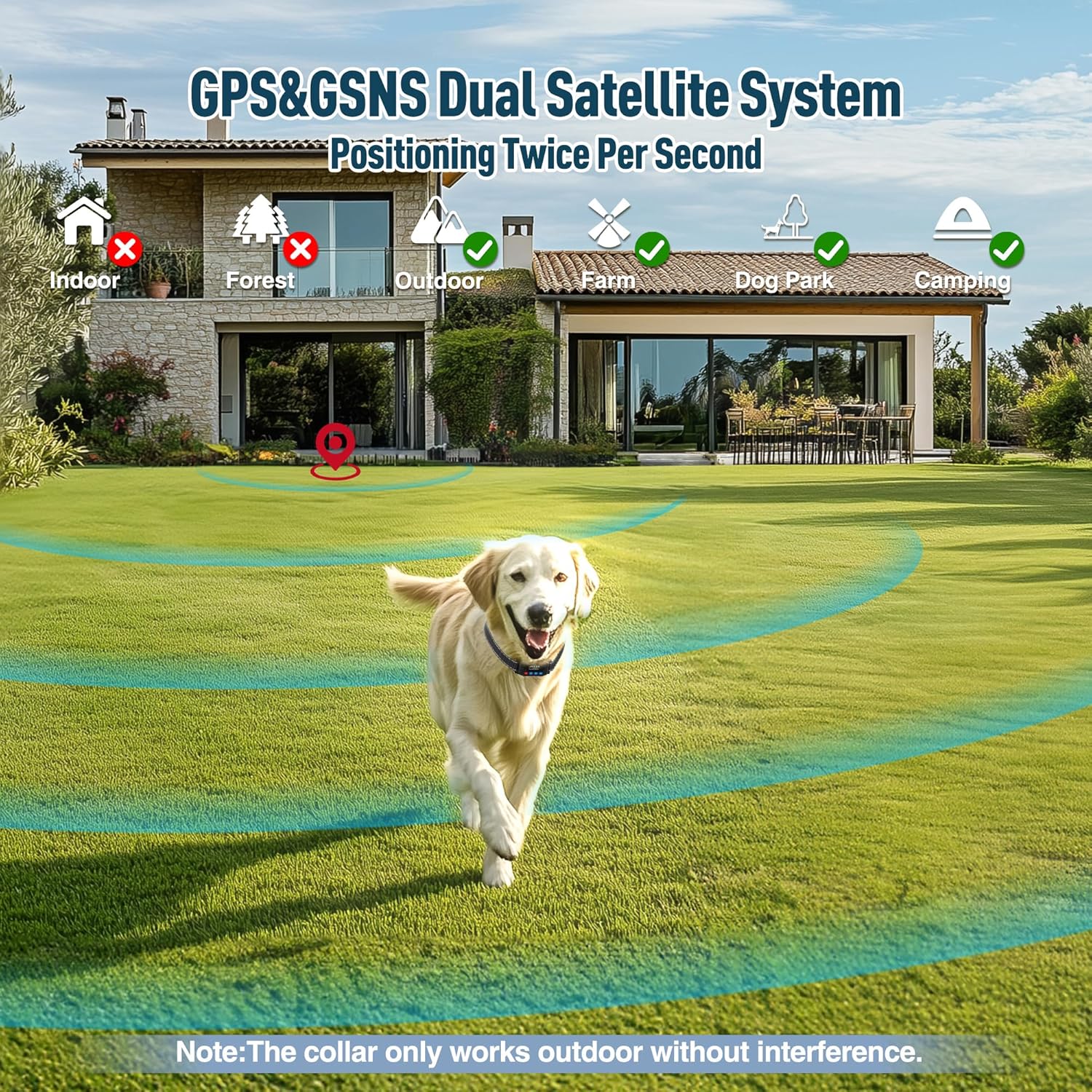
Image: Illustration showing the GPS&GSNS dual satellite system and indicating that the collar works best outdoors, not indoors or in dense forests.
6. Maintenance
Regular maintenance ensures the longevity and optimal performance of your GPS dog collar fence system.
- Cleaning the Collar: Periodically clean the collar strap and the device with a damp cloth. Avoid using harsh chemicals or abrasive cleaners. Ensure the charging port cover is securely closed before cleaning to maintain its IPX7 waterproof rating.
- Charging: Fully charge the collar regularly, especially if it will be stored for an extended period. Do not overcharge.
- Contact Points: Inspect the contact points regularly for wear or corrosion. Ensure they are clean and free of debris to maintain good contact with your dog's skin. Replace if necessary.
- Storage: When not in use, store the collar in a cool, dry place away from direct sunlight and extreme temperatures.
7. Troubleshooting
If you encounter issues with your PUPKIDS GPS Dog Collar Fence System, refer to the following troubleshooting guide:
| Problem | Possible Cause | Solution |
|---|---|---|
| Collar not turning on or holding charge. | Low battery; faulty charging cable/adapter; charging port issue. | Ensure collar is fully charged (approx. 2 hours). Try a different USB charging cable or adapter. Clean the charging port. |
| Inaccurate boundary or inconsistent warnings. | Poor satellite signal; indoor use; obstructions (trees, buildings); incorrect center point setting. | Ensure use in an open outdoor area with clear sky view. Re-set the center point in the desired location. Avoid using near large structures. |
| Collar beeps/buzzes/corrects randomly when dog is in safe zone. | Temporary loss of satellite signal; interference; system malfunction. | Move to a more open area. Power cycle the collar (turn off and on). Re-set the center point and radius. If problem persists, contact customer support. |
| No correction or warning when dog crosses boundary. | Low battery; improper collar fit; contact points not touching skin; incorrect mode setting. | Check battery level. Adjust collar for snug fit, ensuring contact points touch skin. Verify the selected warning mode is active. Use the test light to confirm functionality. |
| Collar display is blank or unresponsive. | Low battery; system crash. | Charge the collar. If still unresponsive, try a hard reset (if applicable, refer to specific device instructions or contact support). |
8. Specifications
| Feature | Detail |
|---|---|
| Model Name | GPS Dog Collar Fence System |
| Brand | PUPKIDS |
| ASIN | B0GR4YM9J7 |
| Positioning System | GPS & GSNS Dual-Satellite |
| Boundary Radius | Adjustable from 33 to 9,999 yards (Min. 33 yards / 99 feet) |
| Warning Modes | 3 adjustable modes (e.g., sound, vibration, static correction) |
| Waterproof Rating | IPX7 |
| Battery Capacity | 1000 mAh |
| Charging Time | Approx. 2 hours |
| Working Time | Up to 24 hours (continuous use) |
| Recommended Dog Weight | 20-140 lbs |
| Neck Size Compatibility | 12-25 inches |
| Item Weight | 7.8 ounces |
| Item Package Dimensions | 7.17 x 3.43 x 1.54 inches |
9. Warranty
This PUPKIDS GPS Dog Collar Fence System comes with a 12-month warranty from the date of purchase. This warranty covers manufacturing defects and malfunctions under normal use. It does not cover damage caused by misuse, accidents, unauthorized modifications, or normal wear and tear.
Please retain your proof of purchase for warranty claims.
10. Customer Support
If you have any questions, concerns, or require assistance with your PUPKIDS GPS Dog Collar Fence System, please contact our customer support team. Refer to the product packaging or the retailer's website for specific contact information.
Our team is dedicated to providing prompt and helpful assistance to ensure your satisfaction.