
1. Safety Information
Please read and understand all safety instructions before assembly and use of the Rolanstar Bed Frame. Failure to follow these instructions may result in injury or product damage.
- Do not exceed the maximum weight recommendation of 1200 pounds.
- Always follow the assembly instructions carefully to prevent instability or collapse.
- Be cautious of sharp edges and heavy components during assembly and use.
- Keep all small parts and packaging materials away from children.
- Ensure all connections are secure before placing a mattress on the frame.
2. Product Overview
The Rolanstar Full Size Bed Frame is designed for comfort and functionality, featuring an upholstered headboard, integrated charging station, and customizable LED lighting. It includes four large capacity storage drawers and a sturdy metal slat system, eliminating the need for a box spring.

Image 2.1: Rolanstar Full Size Bed Frame with LED lights and storage drawers.
Key Features:
- RGB LED Light Headboard: Features 12 scene modes, 3 speed levels, and 3 brightness modes, controlled conveniently from the headboard.
- Integrated Charging Station: Includes 2 USB ports and 1 Type-C port for charging mobile devices.
- Multi-Function Storage Headboard: A shelf for small items like phones, glasses, and books.
- Four Sliding Storage Drawers: Ample space for bedding, accessories, and clothing.
- Upholstered Design: Skin-friendly, breathable, and wear-resistant linen fabric upholstery.
- Stable Structure: Solid stainless steel frame and bolt-free quick-lock assembly system for durability and noise-free use.
- No Box Spring Needed: Heavy-duty metal slats provide direct mattress support.
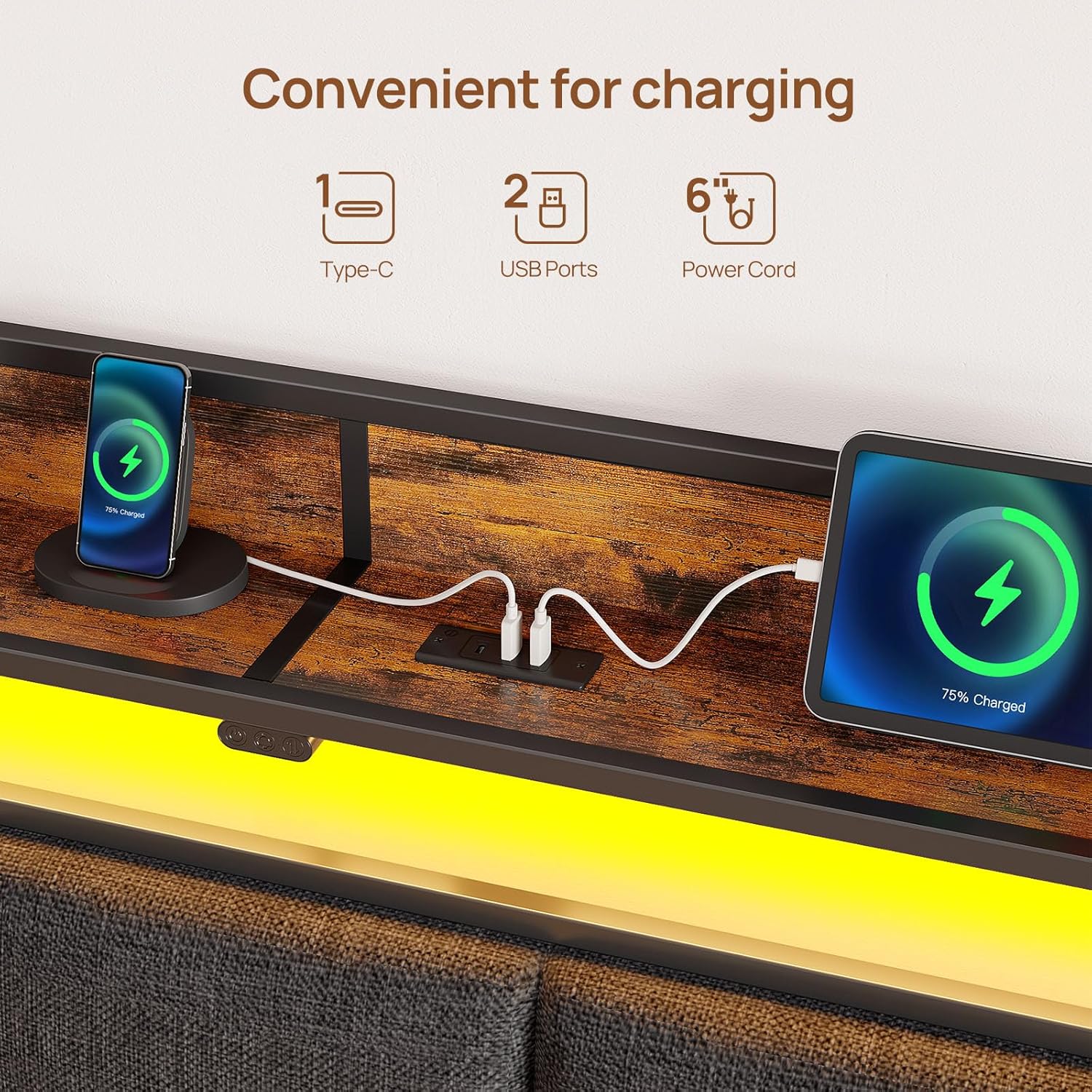
Image 2.2: Detailed product dimensions for the Full Size Bed Frame.
3. Components List
Before beginning assembly, ensure all components are present and undamaged. Refer to the included instruction manual for a detailed list of parts and hardware.
- Headboard (with integrated LED strip light and USB charging station)
- Bed Frame Side Rails
- Center Support Beam
- Metal Slats
- Support Legs
- 4 x Storage Drawers (with wheels and locking mechanism)
- Assembly Hardware (screws, bolts, Allen wrench, etc.)
- Instruction Manual
4. Setup and Assembly
Assembly of the Rolanstar Bed Frame is designed to be straightforward. It is recommended to have two people for assembly. Please follow the step-by-step instructions provided in the separate assembly manual included with your product.
General Assembly Tips:
- Clear a spacious area for assembly.
- Lay out all components and hardware, verifying against the parts list.
- Do not fully tighten screws until all parts are loosely assembled, then tighten securely.
- The metal slats utilize a bolt-free quick-lock assembly system for easier installation.

Image 4.1: Illustration of the bolt-free quick-lock assembly system for metal slats.

Image 4.2: Illustration of storage drawer assembly.
Video 4.1: Official product video demonstrating the bed frame with charging station and drawers. This video provides a visual overview of the assembled product and its features.
5. Operating Instructions
5.1. LED Lights Operation
The headboard features an integrated RGB LED light strip. The controller is located on the headboard for easy access.
- Power Button: Press to turn the LED lights on or off.
- Mode Button: Cycle through 12 different scene modes, offering various color patterns and effects.
- Brightness/Speed Buttons: Adjust the brightness of the lights or the speed of dynamic modes (3 levels each).

Image 5.1: Headboard with LED lights illuminated.

Image 5.2: Close-up of the LED light controller.
5.2. Charging Station Usage
The headboard includes a built-in power strip with 2 USB ports and 1 Type-C port for convenient charging of your electronic devices.
- Connect your device's charging cable to the appropriate USB or Type-C port.
- Ensure the bed frame is connected to a power outlet for the charging station to function.

Image 5.3: Close-up of the charging station on the headboard.

Image 5.4: Illustration of devices charging via the headboard's ports.
5.3. Storage Drawers
The bed frame includes four large capacity sliding drawers for under-bed storage.
- To open, gently pull the drawer outwards.
- To close, push the drawer back into place. Some drawers may have a latching mechanism to keep them securely under the bed.
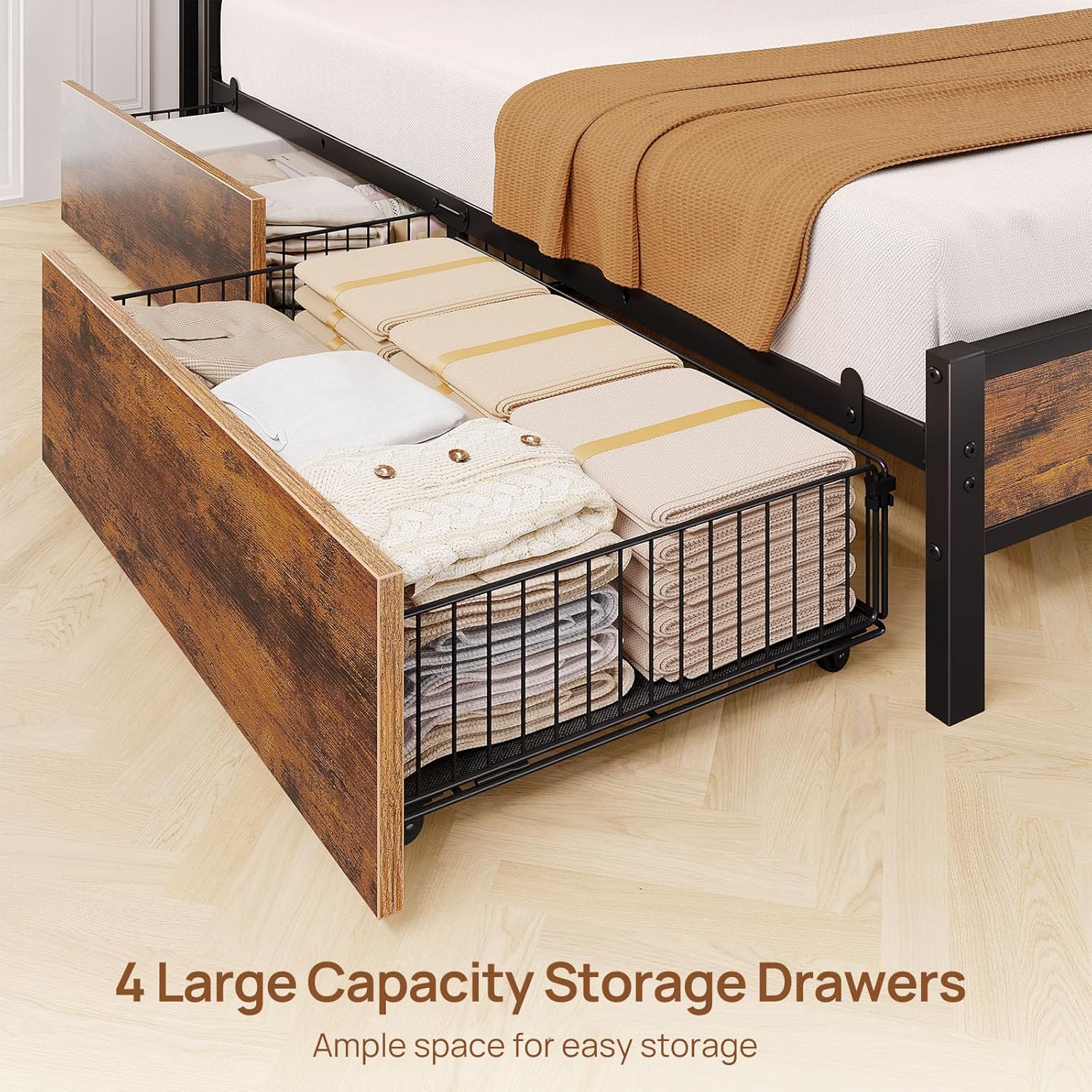
Image 5.5: Open storage drawers under the bed frame.
6. Maintenance
Proper maintenance ensures the longevity and appearance of your Rolanstar Bed Frame.
- Cleaning: Wipe the frame surfaces with a damp cloth, then immediately wipe dry with a dry cloth. Avoid harsh chemicals or abrasive cleaners.
- Upholstery Care: For the upholstered headboard, spot clean with a mild fabric cleaner if necessary. Test on an inconspicuous area first.
- Hardware Check: Periodically check all bolts and screws to ensure they remain tight. Re-tighten if necessary to maintain stability.
- Drawer Maintenance: Keep drawer tracks clean and free of debris to ensure smooth operation.
7. Troubleshooting
This section addresses common issues you might encounter with your bed frame.
7.1. LED Lights Not Working
- Check Power: Ensure the bed frame's power cord is securely plugged into a functional wall outlet.
- Controller Connection: Verify that the LED light controller is properly connected to the light strip and power source.
- Remote Battery: If using a remote (not explicitly mentioned but common), check its battery.
7.2. Charging Station Not Functioning
- Power Connection: Confirm the bed frame is plugged into a live power outlet.
- Device Cable: Test with a different charging cable and device to rule out cable or device issues.
- Overload: Avoid connecting too many high-power devices simultaneously, which could trip an internal safety switch.
7.3. Drawers Not Sliding Smoothly or Latching
- Obstructions: Check for any items or debris obstructing the drawer wheels or tracks.
- Alignment: Ensure the drawers are correctly aligned within their designated slots.
- Mattress Interference: If the mattress is too thick or positioned incorrectly, it might interfere with drawer operation. Adjust mattress placement if needed.
- Wheel Damage: Inspect drawer wheels for damage. If a wheel is broken, contact customer support for replacement.
7.4. Squeaking or Instability
- Tighten Hardware: Re-check and tighten all assembly bolts and screws.
- Level Surface: Ensure the bed frame is on a flat, level surface. Uneven flooring can cause stress on the frame.
- Slat Placement: Verify that all metal slats are correctly seated and secured in their positions.
8. Specifications
| Feature | Detail |
|---|---|
| Brand | Rolanstar |
| Model Number | BF013-V3N-CYW-F-RR (hq-chj013-12) |
| Size | Full |
| Material | Engineered Wood, Metal |
| Product Dimensions (L x W x H) | 82.3" x 54.1" x 39.3" |
| Item Weight | 86.2 pounds |
| Maximum Weight Recommendation | 1200 pounds |
| Number of Drawers | 4 |
| Special Features | Charging Station (2 USB, 1 Type-C), LED Lighting (RGB, 12 modes, 3 speed, 3 brightness), Upholstered Headboard, Storage Headboard, No Box Spring Needed |
| Included Components | Headboard, Instruction, LED Strip Light, USB Charging Station |
| Care Instructions | Wipe with Damp Cloth, Wipe with Dry Cloth |
9. Warranty and Support
Rolanstar is committed to providing quality products and customer satisfaction. For any questions, concerns, or assistance with your bed frame, please contact Rolanstar customer service.
Please refer to your purchase documentation or the official Rolanstar website for specific warranty details and contact information.
When contacting support, please have your model number (BF013-V3N-CYW-F-RR) and proof of purchase readily available.