
1. Introduction
Thank you for choosing the FLEXISPOT Sentinel Ergonomic Gaming Chair. This manual provides detailed instructions for assembly, operation, maintenance, and troubleshooting to ensure optimal performance and longevity of your chair. Please read this manual thoroughly before use and retain it for future reference.
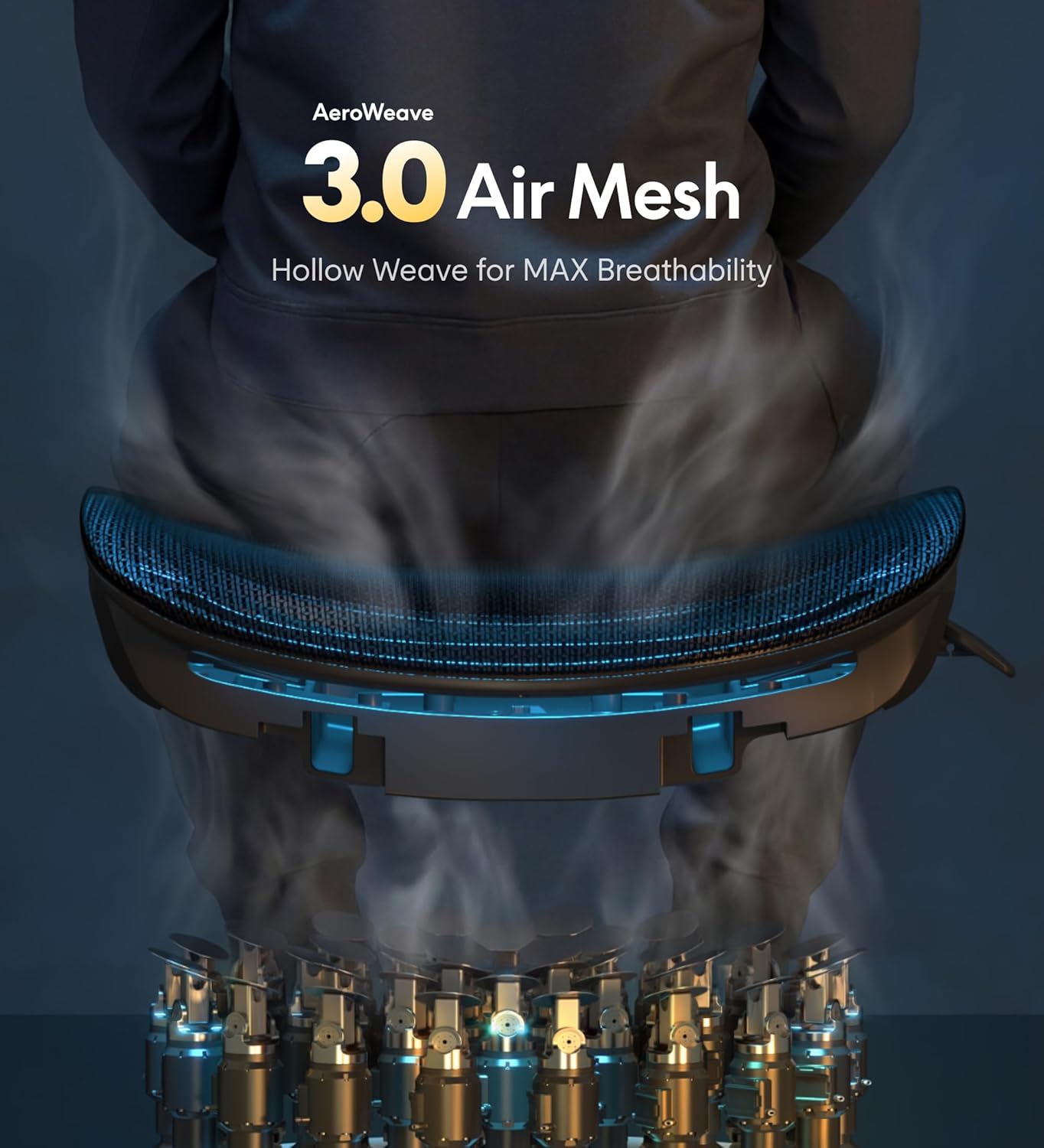
The Sentinel chair is designed for comfort and support during long hours of sitting, featuring adaptive dual-wing lumbar support, adjustable armrests, dynamic recline, and a breathable mesh seat.
2. Safety Information
- Ensure all components are securely fastened before use.
- Do not stand on the chair or use it as a step stool.
- Avoid placing heavy objects on the chair that exceed the maximum weight recommendation of 400 pounds.
- Keep children and pets away from the chair during assembly.
- Use the chair on a flat, stable surface.
- Do not expose the chair to direct sunlight or extreme temperatures.
- Regularly inspect the chair for loose parts or damage. Discontinue use if any damage is found.
3. Package Contents
Before beginning assembly, verify that all parts are present and undamaged. If any parts are missing or damaged, please contact customer support.
- Armrests (2)
- Headrest (1)
- Wheels (5)
- Lumbar support components (2)
- Seat assembly (1)
- User manual (1)
- Assembly tools (1 set)
- Chair back (1)
- Gas lift (1)
- Chair base (1)
4. Assembly Instructions
Follow these steps carefully to assemble your FLEXISPOT Sentinel Ergonomic Gaming Chair. It is recommended to assemble the chair on a soft, clean surface to prevent scratches.
- Attach Wheels to Base: Insert the five wheels into the holes on the chair base until they click into place.
- Insert Gas Lift: Place the gas lift into the center hole of the chair base.
- Attach Seat to Gas Lift: Carefully place the seat assembly onto the gas lift. Ensure it is centered and stable.
- Connect Chair Back: Secure the chair back to the seat assembly using the provided screws and tools. Ensure a firm connection.
- Install Armrests: Attach the armrests to the designated slots on the seat and backrest, tightening all screws.
- Mount Headrest: Slide the headrest into the top of the chair back.
For a visual guide on the chair's features and adjustments, please refer to the video below:
Official FlexiSpot video demonstrating the Sentinel chair's features and adjustments. This video provides a quick overview of the chair's capabilities.
5. Operating Instructions
The FLEXISPOT Sentinel chair offers multiple adjustment options to customize your seating experience.
5.1. Height Adjustment
To adjust the chair height, locate the lever under the right side of the seat. Pull the lever up while seated to lower the chair, or pull it up while standing to raise the chair. Release the lever at your desired height.
5.2. Recline and Tilt Function
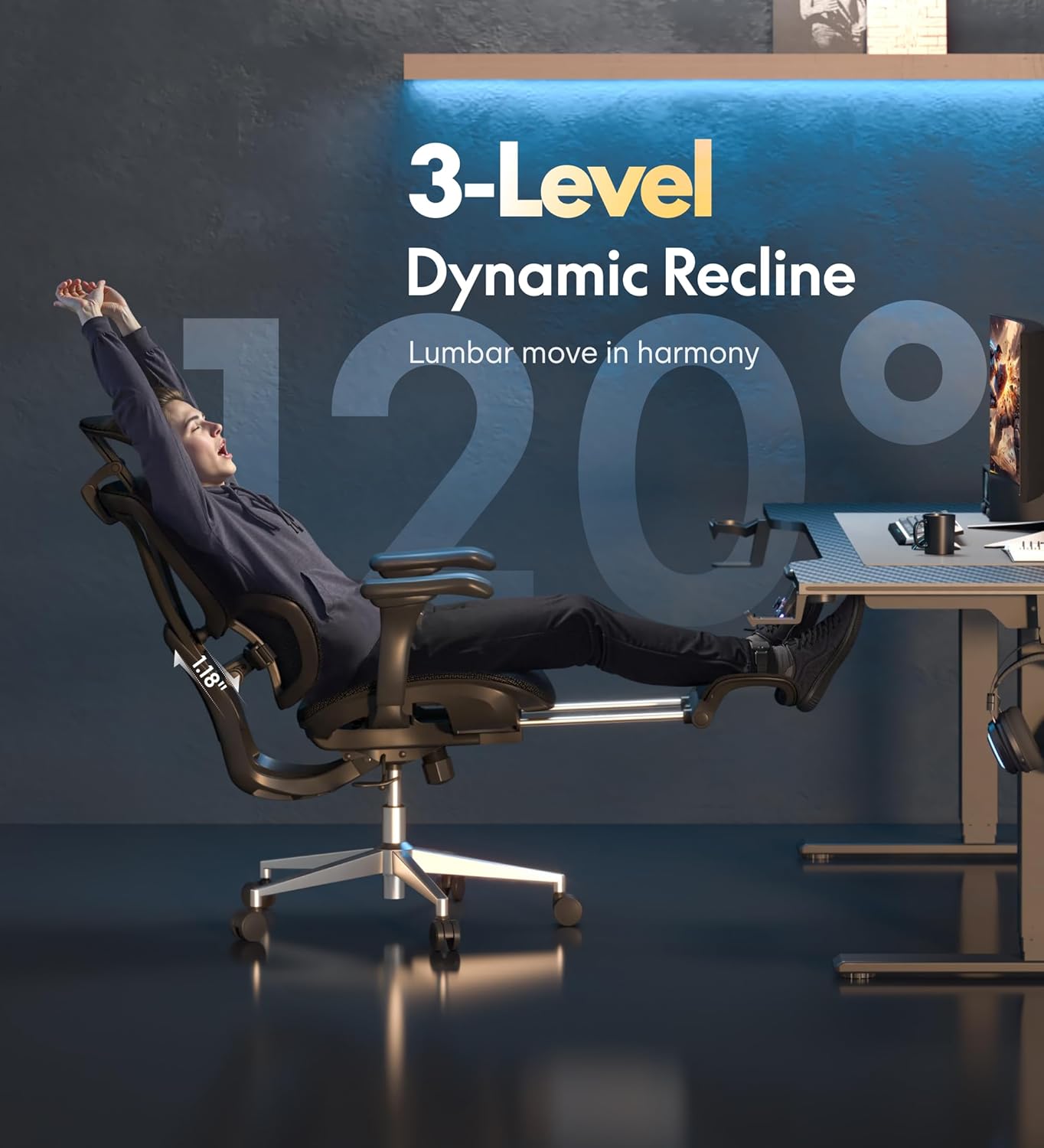
The chair features a dynamic recline with multiple lockable positions. To recline, pull the recline lever (typically on the left side under the seat) and lean back. Release the lever to lock the position. The upper back and lumbar support move together to maintain ergonomic support.

This image illustrates the 3-level dynamic recline feature, showing how the chair can be adjusted to a comfortable reclined position up to 120 degrees, with the lumbar support moving in harmony.
5.3. Adjustable Armrests
The armrests are engineered for multidirectional adjustment. Use the buttons or levers on the armrests to adjust their height, depth, and angle. This allows for optimal support during typing, reclining, or focused tasks, reducing shoulder strain.

This image highlights the 3D adjustable armrests, demonstrating their flexible movement for personalized arm support.
5.4. Adaptive Dual-Wing Lumbar Support
The dual-piece lumbar system automatically adapts to your movement, providing continuous contact and balanced support for your lower back. No manual adjustment is typically needed for this adaptive feature.
This image illustrates the dual-wing dynamic lumbar support, which wraps and adapts to the user's movement for continuous back support.
5.5. Adjustable Backrest
The backrest features a 3-level dynamic adjustment, allowing for precision lift up to 1.57 inches. Use the control mechanism (often a lever or knob on the side of the backrest) to set your preferred backrest height.

This image demonstrates the 3-level dynamic backrest, which offers a precision lift of up to 1.57 inches for customized back support.
5.6. Ergonomic Headrest
The 3D ergonomic headrest moves with you and supports naturally. Adjust its height and angle to comfortably support your head and neck.

This image details the 3D ergonomic headrest, which moves with the user to provide natural and adaptive support.
5.7. Integrated Footrest
The chair includes an integrated footrest for added comfort during recline. Pull out the footrest from under the seat and extend it to support your legs. Push it back in when not in use.
This image showcases the integrated footrest, extended for use, along with the chair's durable metal base.
6. Maintenance
Proper care will extend the life of your FLEXISPOT Sentinel chair.
- Cleaning: For the mesh and fabric components, dry clean only. For plastic and metal parts, wipe with a soft, damp cloth and mild detergent. Avoid abrasive cleaners.
- Inspection: Periodically check all screws and bolts to ensure they are tight. Re-tighten if necessary.
- Casters: Keep the casters clean from hair and debris to ensure smooth movement.
7. Troubleshooting
If you encounter issues with your chair, refer to the following common problems and solutions:
| Problem | Possible Cause | Solution |
|---|---|---|
| Chair is unstable or wobbly | Loose screws or bolts; uneven floor surface. | Check and tighten all assembly screws. Ensure the chair is on a flat surface. |
| Height adjustment not working | Gas lift malfunction; lever mechanism obstruction. | Ensure the lever is fully engaged. Check for any obstructions. If the gas lift is faulty, contact customer support. |
| Chair makes creaking noises | Loose connections; friction between parts. | Tighten all screws. Apply a small amount of silicone lubricant to moving parts if necessary, avoiding fabric. |
| Armrests rotate or feel flimsy | Armrest locking mechanism not engaged or damaged. | Ensure armrest adjustment levers are locked. If persistent, contact customer support. |
| Casters not rolling smoothly | Debris caught in wheels; damaged casters. | Clean wheels of any hair or debris. Replace damaged casters if necessary. |
8. Specifications
Detailed specifications for the FLEXISPOT Sentinel Ergonomic Gaming Chair:
- Brand: FLEXISPOT
- Model Name: Sentinel
- Color: Charcoal
- Material: Nylon (Frame), Mesh (Seat, Backrest)
- Product Dimensions (D x W x H): 28.74" x 28.74" x 54.92"
- Item Weight: 42 pounds
- Maximum Weight Recommendation: 400 pounds
- Seat Depth: 17.32 inches
- Arm Style: 3D Armrests
- Furniture Base Movement: Swivel
- Additional Features: Adjustable Headrest, Adjustable Height, Ergonomic Design, Adjustable Armrest, Adjustable Lumbar Support, Tilt, Back Support, Adjustable Recliner, Integrated Footrest.

This diagram provides a comprehensive overview of the chair's dimensions, including height, width, and depth, to help users understand its physical footprint and fit.
9. Warranty and Support
FLEXISPOT stands behind the quality of its products. For specific warranty details, including coverage period and terms, please refer to the warranty card included with your purchase or visit the official FLEXISPOT website.
If you require technical assistance, have questions about assembly, or need to report a defect, please contact FLEXISPOT customer support through their official channels. Have your model name (Sentinel) and purchase information ready when contacting support.