
1. Introduction
The Retekess TT042 Bone Conduction Headphones utilize bone conduction technology to transmit sound, providing a comfortable listening experience without inserting anything into the ears. This device offers sound amplification and external audio input capabilities, making it versatile for various applications such as guided tours, language translation, and personal communication. Its open-ear design ensures comfort and hygiene, while the long-lasting battery supports extended use.
2. Product Features
- Bone Conduction Technology: Transmits sound through bones, offering a comfortable, open-ear experience with low distortion for clear, natural audio.
- Dual-Mode Listening: Features a sound pickup amplification mode for personal voices and a line-in input mode for external audio sources, ensuring diverse audio performance.
- Comfortable & Hygienic Design: The non-in-ear design ensures comfort and hygiene, as sound is transmitted through bones, making it easy to clean and maintain.
- Long Battery Life: Equipped with a 200 mAh built-in battery, providing up to 8 hours of continuous use on a single charge.
- Clear Indicator Light: An LED indicator shows the device's power and charging status.
- High Compatibility: Compatible with various Retekess devices including T130, T130S, T130P, T130U, TT116, TT122, TT125, TT127 via a 3.5mm to Type-C audio cable.
3. Package Contents
Please check the package for the following items:

Image: The package includes the TT042 headset, a USB to Type-C charging cable, a Type-C to 3.5mm audio cable, and a user manual.
- Retekess TT042 Headset x 1
- USB to Type-C Charging Cable x 1
- Type-C to 3.5mm Audio Cable x 1
- User Manual x 1
4. Setup
4.1 Initial Charging
Before first use, fully charge the headphones. Connect the USB to Type-C charging cable to the headset's Type-C port and a power source. The indicator light will be red during charging and turn off when fully charged.

Image: A close-up of the Retekess TT042 headset showing the Type-C charging port and a charging cable connected, indicating the device is being charged.
4.2 Wearing the Headset
Place the bone conduction transducers on your cheekbones, just in front of your ears. The band should rest comfortably around the back of your head. Adjust for a secure and comfortable fit.
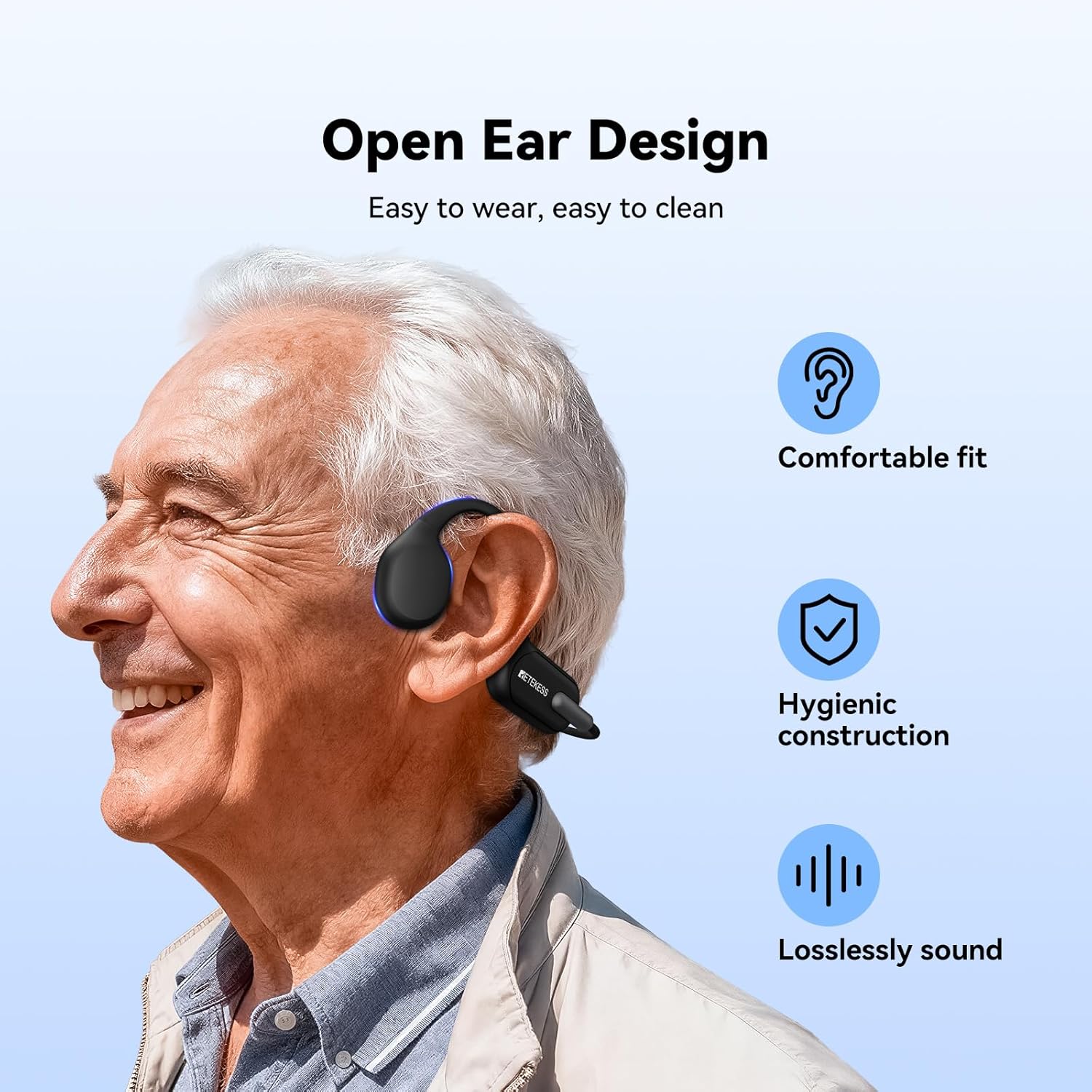
Image: A person wearing the Retekess TT042 bone conduction headphones, demonstrating the open-ear design and comfortable fit on the cheekbones.
5. Operating Instructions
5.1 Power On/Off
- Power On: Press and hold the power button until the blue indicator light flashes.
- Power Off: Press and hold the power button until the indicator light turns off.
5.2 Mode Switching
The TT042 offers two listening modes:
- Ambient Sound Amplification Mode: Captures and amplifies surrounding sounds.
- Receiver Signal Amplification Mode: For receiving audio from external sources via the 3.5mm audio cable.
To switch between modes, briefly press the power/mode button.

Image: A person wearing the TT042 headphones, illustrating the Ambient Sound Amplification Mode, which enhances surrounding sounds for clearer personal voice reception.

Image: A person wearing the TT042 headphones connected to an external receiver via a cable, demonstrating the Receiver Signal Amplification Mode for external audio sources.
5.3 Volume Control
The headset features 6 levels of volume control. Use the volume buttons (+/-) on the device to adjust the audio level to your preference.
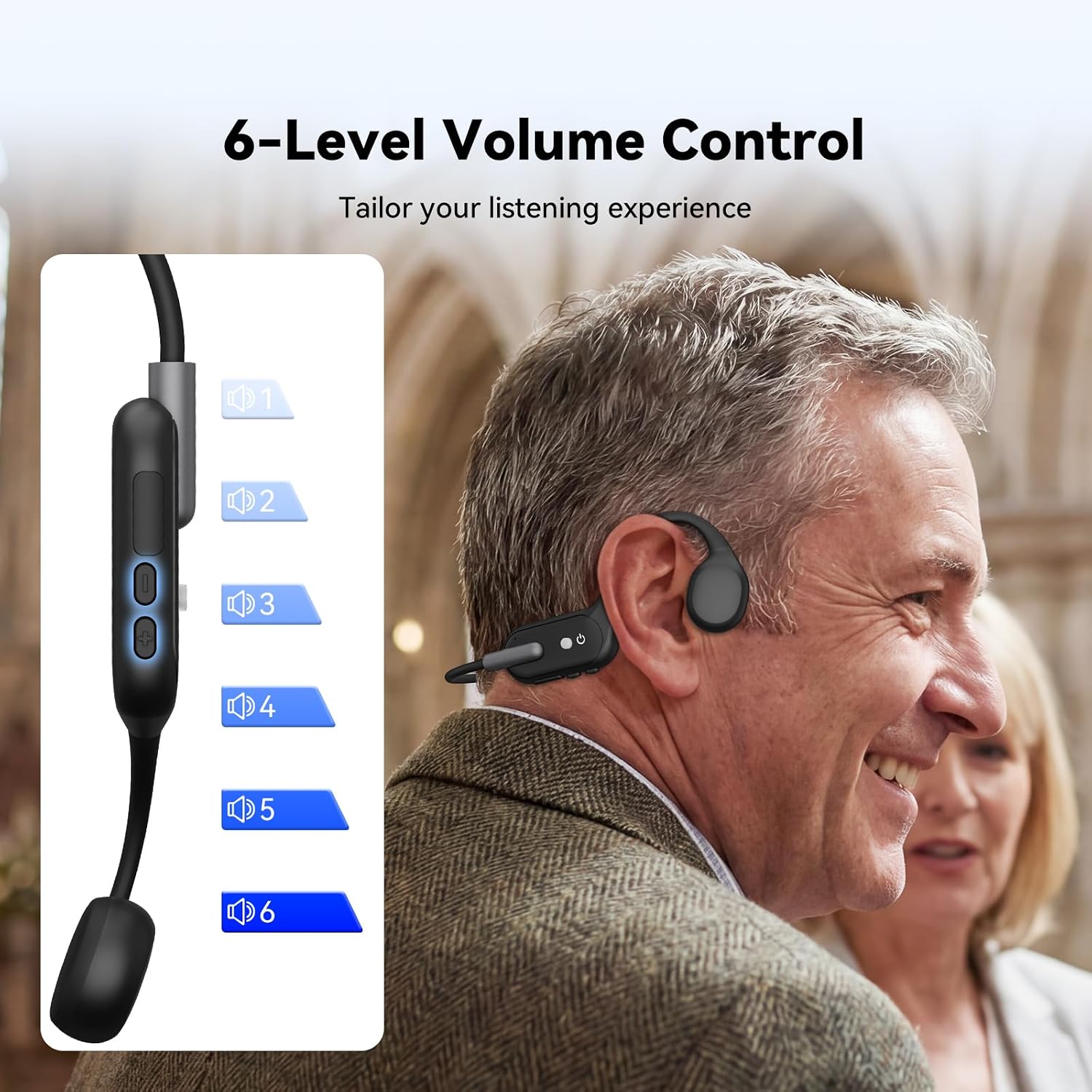
Image: A close-up of the Retekess TT042 headset's control panel, highlighting the volume buttons and illustrating the 6-level volume adjustment feature.
5.4 Indicator Light Status
The LED indicator provides information about the device's status:
- Red (Solid): Charging.
- Red (Flashing): Battery level below 20%.
- Blue (Flashing): Device is powered on.
- Light Off: Battery is full or device is powered off.

Image: A detailed view of the Retekess TT042 headset's indicator light, showing different light colors and their corresponding statuses (charging, low battery, power on, off/full battery).
6. Maintenance
To ensure the longevity and hygiene of your Retekess TT042 headphones:
- Cleaning: Regularly wipe the headset with a soft, dry cloth. For stubborn dirt, a slightly damp cloth can be used. Avoid using harsh chemicals or abrasive materials.
- Storage: Store the headset in a cool, dry place away from direct sunlight and extreme temperatures.
- Battery Care: To preserve battery life, avoid fully discharging the battery frequently. Charge the device when the low battery indicator appears.

Image: A hand cleaning the black Retekess TT042 bone conduction headphones with a white cloth, emphasizing the ease of cleaning due to its open-ear design.
7. Troubleshooting
If you encounter issues with your Retekess TT042 headphones, refer to the following common solutions:
- No Sound:
- Ensure the device is powered on and fully charged.
- Check the volume level and increase it if necessary.
- Verify that the correct listening mode is selected (Ambient Sound or Receiver Signal).
- If using the line-in mode, ensure the audio cable is securely connected to both the headset and the external audio source.
- Poor Sound Quality:
- Adjust the position of the transducers on your cheekbones for optimal sound transmission.
- Ensure the headset is clean and free from obstructions.
- If using line-in, check the audio source for quality issues.
- Device Not Turning On:
- Charge the device for at least 30 minutes. The red indicator light should appear.
- Ensure the charging cable and power source are functional.
8. Specifications
| Model Number | TT042 |
| Brand | Retekess |
| Battery | 1 Lithium Polymer (included) |
| Battery Capacity | 200 mAh (Built-in) |
| Battery Life | Up to 8 hours of continuous use |
| Charging Time | Approximately 2.5 hours |
| Dimensions | 15 x 12 x 5.2 cm |
| Weight | 110 g |
| Connectivity Technology | Wired (via 3.5mm Jack) |
| Headphone Jack | 3.5 mm Jack |
| Impedance | 20 Ohms |
| Noise Control | Passive Noise Cancellation |
| Compatible Devices | T130, T130S, T130P, T130U, TT116, TT122, TT125, TT127 |
9. Warranty and Support
Retekess offers a 3-year warranty for this product and a 30-day return policy without requiring a specific reason. Beyond the warranty period, maintenance services are still available, though corresponding costs may apply to the buyer.
For any inquiries or support needs, please contact Retekess directly through Amazon. Our customer service team aims to respond within 12 hours to assist you with any issues or questions you may have.