
1. Product Overview
The Riuiio G01PRO Electric Scooter is designed for efficient and comfortable urban commuting. It features a powerful motor, advanced suspension, and smart connectivity for an enhanced riding experience.
Key Features:
- Upgraded Dual Suspension: Experience 40% better shock absorption with advanced front hydraulic and rear spring suspension. This system is engineered to provide a smooth ride over various terrains, reducing vibrations for rider comfort.
- 350W Motor & 19MPH Max Speed: The powerful 350W brushless motor allows for easy ascent of 15° inclines and reaches a maximum speed of 19 MPH. With a range of up to 21 miles (34 km) per charge, it is suitable for daily commutes and short-distance travel.
- Quad Safety Protection: Equipped with a dual braking system (drum brake + EABS anti-lock), a triple lighting system (20-lux headlight, brake taillight, and side reflectors), and an IP54 waterproof rating, ensuring safe operation in various conditions.
- Smart App Connectivity: Control your scooter via the Tuya Smart App. Features include switching riding modes (Eco, City, Sport), real-time GPS tracking, anti-theft alarms, and firmware updates (OTA). Cruise control is also available for a consistent riding speed.
- All-Terrain 8.5" Solid Tires: Puncture-proof honeycomb solid tires are designed for durability and performance on gravel, grass, and cracked sidewalks. The NASA-grade aluminum alloy frame provides corrosion resistance and supports riders up to 220 lbs.
- Compact 3-Second Foldable Design: The scooter can be folded and stored in approximately 3 seconds. When folded, it measures 42 x 16 x 18 inches and weighs 31 lbs, making it convenient for transport and storage in urban environments.
2. Setup and Assembly
Your Riuiio G01PRO Electric Scooter comes partially assembled. Follow these steps to complete the setup:
- Unboxing: Carefully remove all components from the packaging. Ensure all parts listed in the packing list are present.
- Handlebar Installation:
a. Lift the stem of the scooter to an upright position until it locks securely.
b. Attach the handlebars to the top of the stem. Align the connectors and secure them with the provided screws and tools. Ensure all screws are tightened firmly.
- Initial Charge: Before first use, fully charge the scooter's battery.
a. Locate the charging port, usually on the side or underside of the deck, and open its protective cover.
b. Connect the charger to the scooter and then plug it into a standard power outlet. The indicator light on the charger will typically change color (e.g., red to green) when fully charged. Charging time is approximately 5 hours.
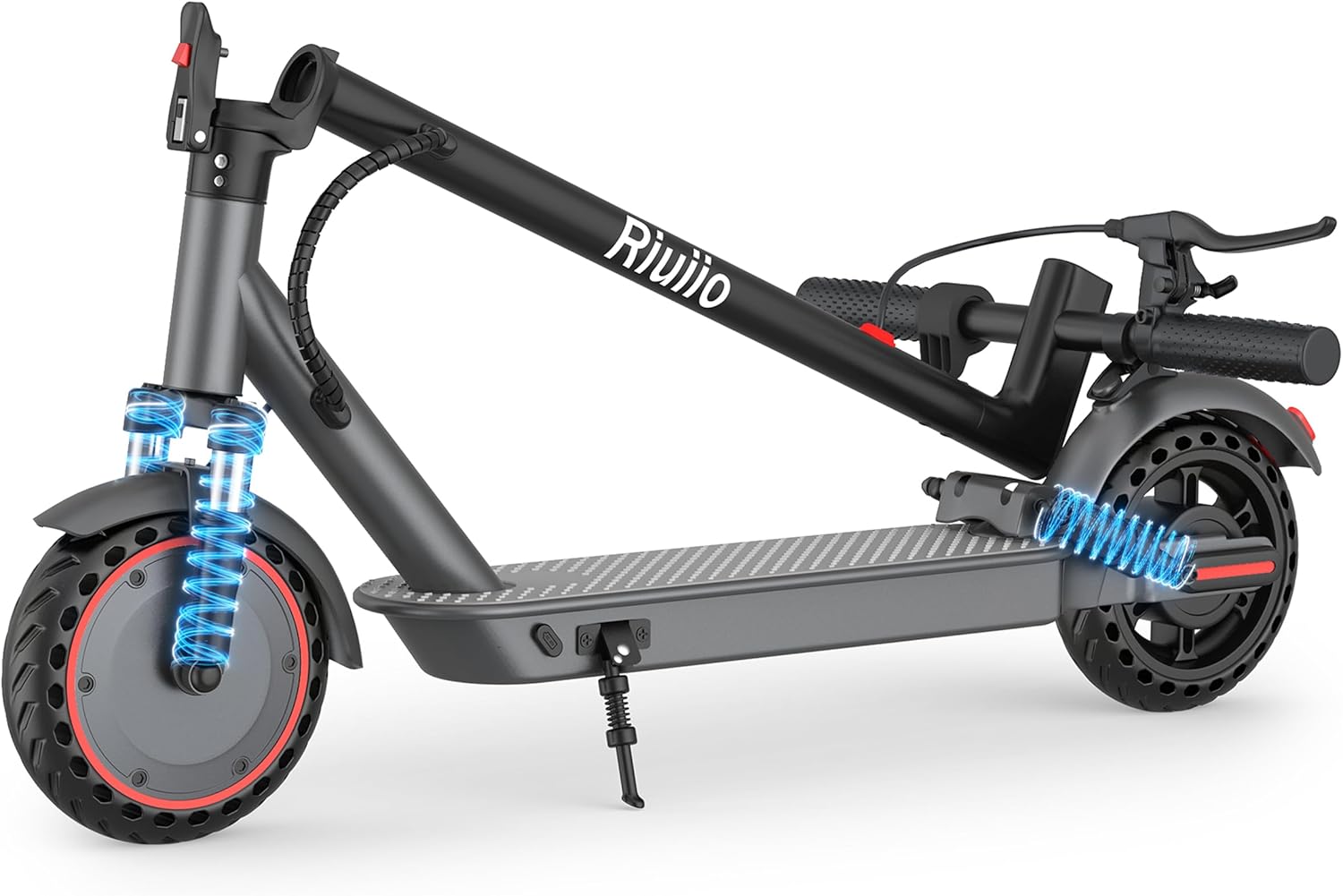
Image: The Riuiio G01PRO Electric Scooter in its folded, compact state, highlighting the general area where the charging port is located.
- Phone Holder Installation (Optional): If included, attach the phone holder to the handlebar according to its specific instructions. Ensure it is securely mounted and does not obstruct controls.
3. Operating Instructions
Power On/Off:
- To power on, press and hold the power button on the display for a few seconds.
- To power off, press and hold the power button again until the display turns off.
Riding Modes:
The scooter offers three riding modes to suit different preferences and conditions:
- Eco Mode (9 MPH): For maximum range and energy efficiency.
- City Mode (12 MPH): A balanced mode for everyday commuting.
- Sport Mode (19 MPH): For higher speeds and performance.
Switch between modes by pressing the power button briefly while the scooter is on.

Image: Illustration of the three distinct riding modes available on the Riuiio G01PRO Electric Scooter.
Smart App Control (Tuya Smart App):
Download the Tuya Smart App from your smartphone's app store to unlock additional features:
- Connect: Pair your scooter via Bluetooth.
- Riding Modes: Easily switch between Eco, City, and Sport modes.
- GPS Tracking: Monitor your real-time location and route history.
- Anti-Theft Alarm: Activate an alarm for added security.
- Firmware Updates: Receive Over-The-Air (OTA) updates for improved performance and features.
- Cruise Control: Enable or disable cruise control for a consistent speed.
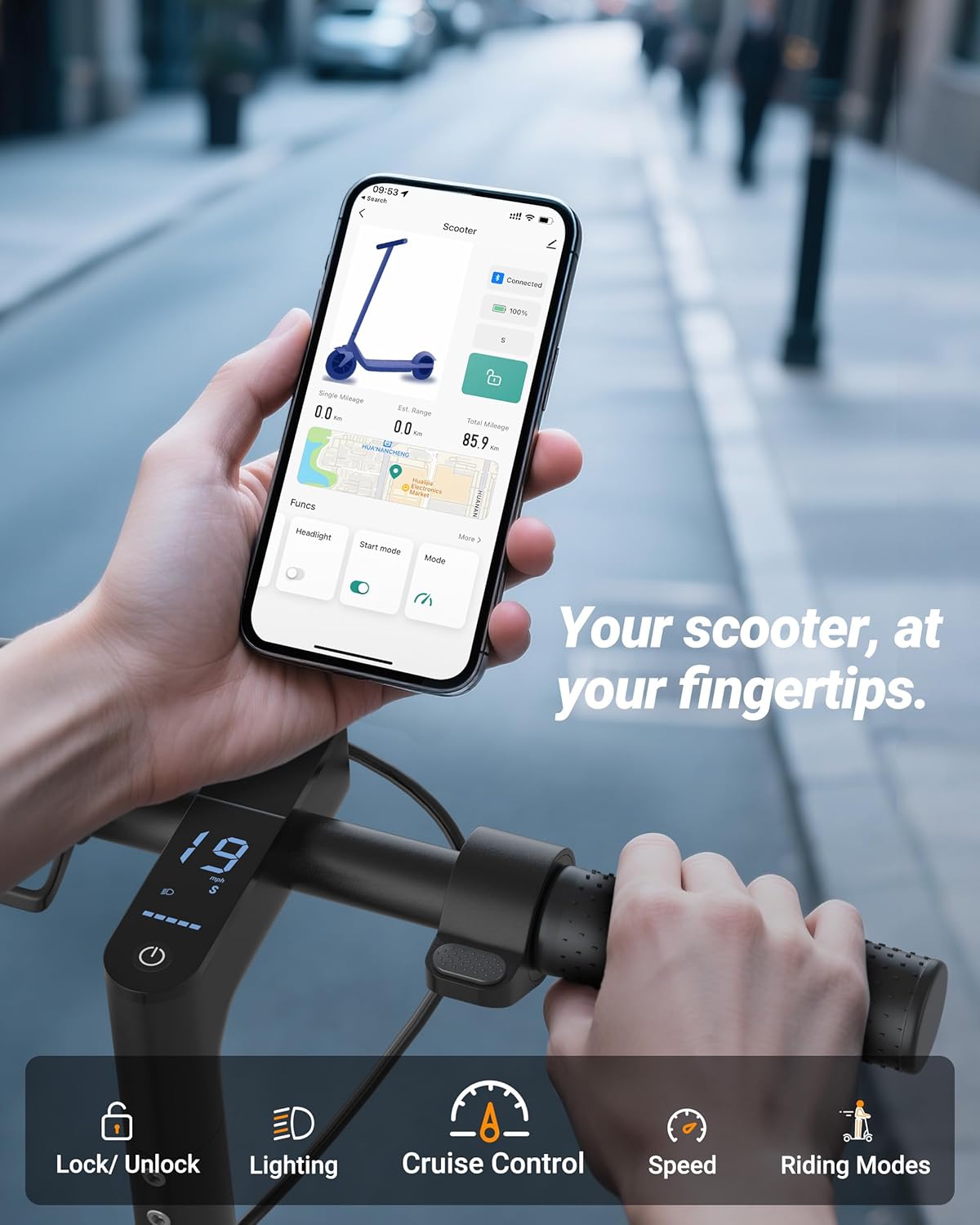
Image: Smartphone displaying the Tuya Smart App interface for controlling the Riuiio G01PRO Electric Scooter.
Braking System:
The scooter is equipped with a dual braking system for reliable stopping power:
- Drum Brake: Located on the front wheel, activated by the left brake lever.
- EABS Anti-lock Brake: An electronic braking system for enhanced control and safety.

Image: Visual representation of the dual braking system and integrated lighting on the scooter.
Lighting System:
Ensure visibility and safety with the integrated lighting:
- 20-lux Headlight: Provides illumination for night riding.
- Brake Taillight: Illuminates when braking to alert others.
- Side Reflectors: Enhance side visibility.

Image: The scooter's LCD display, which includes controls for the automatic light feature.
4. Maintenance
Regular maintenance ensures the longevity and optimal performance of your scooter.
- Charging: Always use the original charger. Avoid overcharging and completely draining the battery. Store the scooter with a partial charge if not used for extended periods.
- Tires: The scooter is equipped with solid, puncture-proof tires, reducing the need for frequent checks. However, inspect them periodically for any signs of wear or damage.
- Cleaning: Wipe down the scooter with a damp cloth. Avoid using high-pressure water jets or harsh chemicals, especially near electronic components. Ensure the charging port cover is closed during cleaning.
- Storage: When not in use, store the scooter in a cool, dry place away from direct sunlight and extreme temperatures. Utilize its foldable design for compact storage.
- Brakes: Periodically check the brake levers and cables for proper function and adjustment. Ensure the braking system responds effectively.
5. Troubleshooting
If you encounter issues with your Riuiio G01PRO Electric Scooter, consider the following common solutions:
- Scooter Not Turning On:
a. Ensure the battery is charged. Connect the charger and check the indicator light.
b. Press and hold the power button firmly for several seconds.
- Loss of Power/Reduced Range:
a. Fully charge the battery. Battery performance can decrease in cold weather.
b. Check for excessive load or riding on steep inclines, which can reduce range.
- App Connectivity Issues:
a. Ensure Bluetooth is enabled on your smartphone and the app is updated to the latest version.
b. Restart both the scooter and your smartphone, then attempt to reconnect.
- Unusual Noises:
a. Inspect wheels and brakes for any obstructions or loose components.
b. Check suspension components for proper seating and lubrication.
- Fault Detection System: The Tuya Smart App includes a fault detection system that can help identify specific problems. Consult the app for diagnostic information.
If problems persist, please contact Riuiio customer support for assistance.
6. Specifications
| Feature | Specification |
|---|---|
| Brand | Riuiio |
| Model Name | G01PRO |
| Motor Power | 350W (500W Peak) |
| Max Speed | 19 MPH (30.5 km/h) |
| Max Range | 21 Miles (34 km) |
| Battery | 37V/7.8Ah Lithium Battery |
| Charging Time | 5 Hours |
| Tire Type | 8.5 Inch Solid Tires |
| Suspension Type | Dual Suspension (Front Hydraulic, Rear Spring) |
| Brake Style | Front Drum Brake, Rear EABS Anti-lock Brake |
| Frame Material | Aluminum Alloy |
| Weight Limit | 220 Pounds (100 kg) |
| Foldable Design | Yes, 3-second folding |
| Waterproof Rating | IP54 |
| Special Features | Digital Display, App Control, Cruise Control, Headlight, Taillight, Side Reflectors |
| Recommended Age Range | 15-60 years |
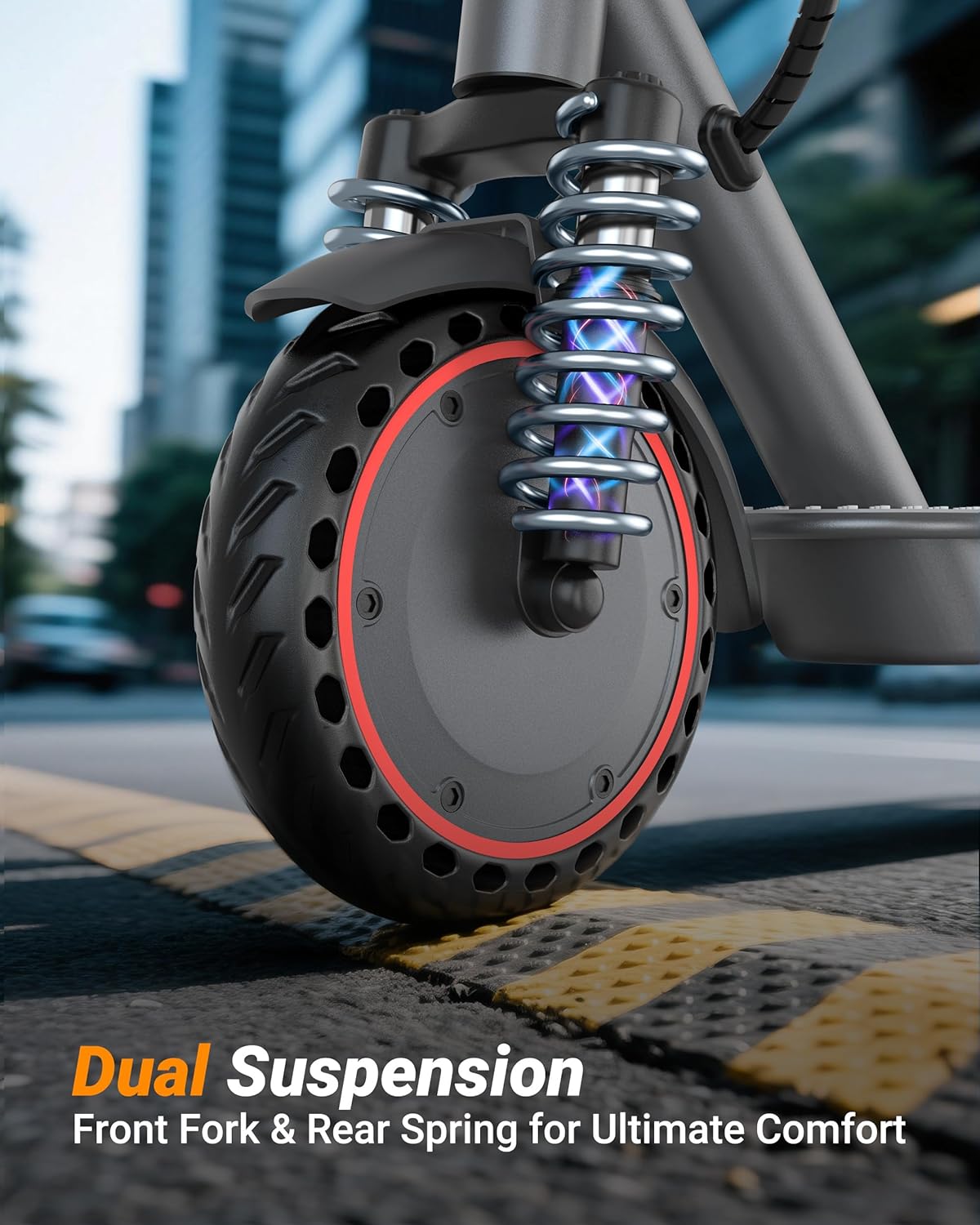
Image: Close-up of the Riuiio G01PRO Electric Scooter's front wheel and dual suspension system.
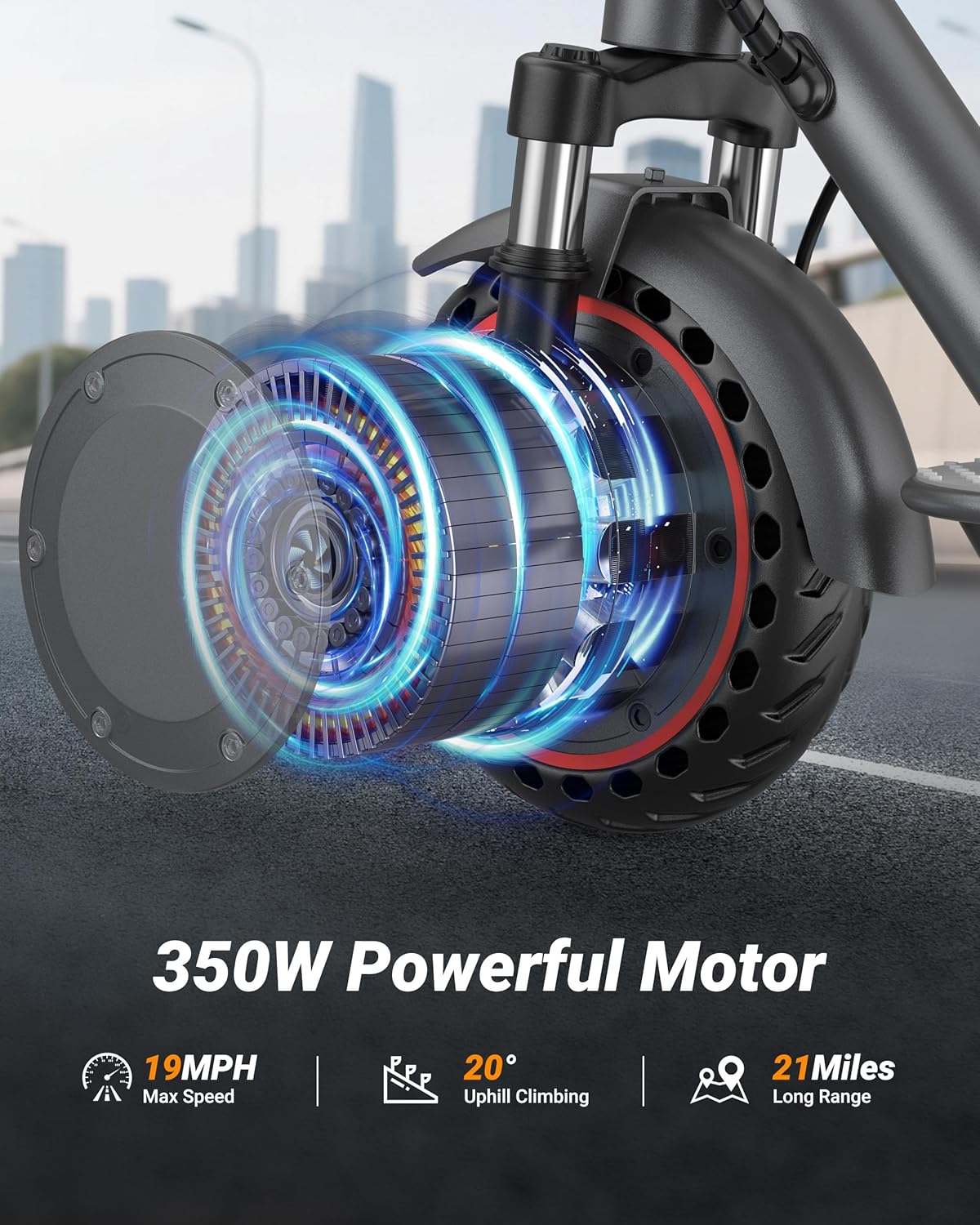
Image: Detailed view of the 350W motor integrated into the rear wheel of the Riuiio G01PRO Electric Scooter.
7. Warranty and Support
The Riuiio G01PRO Electric Scooter comes with a limited warranty to cover manufacturing defects.
- Warranty Period: 1 Year Limited Warranty.
- Included Components: The product package includes the electric scooter, toolkits, and this user manual.
For warranty claims, technical support, or any questions regarding your scooter, please contact Riuiio customer service through the retailer where you purchased the product or visit the official Riuiio website for contact information.