
1. Important Safety Information
Please read this entire manual carefully before operating the treadmill. Keep this manual for future reference.
- Always place the treadmill on a flat, stable surface.
- Ensure adequate clear space around the treadmill (at least 2 meters behind and 0.6 meters on each side).
- Keep children and pets away from the treadmill during operation.
- Use the safety key at all times. Attach the clip to your clothing before starting your workout. In case of an emergency, pulling the safety key will immediately stop the treadmill.
- Do not exceed the maximum user weight capacity of 350 pounds (158 kg).
- Unplug the treadmill from the power outlet when not in use, before cleaning, and before performing any maintenance.
- Wear appropriate athletic footwear and clothing.
- Consult a physician before starting any exercise program.
2. Package Contents
Verify that all items are present in the package:
- Trisomy Foldable Treadmill (Main Unit)
- User Manual
- Quick Installation Guide
- Remote Control
- Safety Key
- Pad Holder
- L-shaped Wrench
- Power Cord
- Lubricant
- Magnetic Sticker

Figure 2.1: All included components of the Trisomy Foldable Treadmill.
3. Setup
The Trisomy Foldable Treadmill is 95% pre-assembled for quick and easy setup. No complicated tools are required.
- Unboxing: Carefully remove the treadmill from its packaging. It is lightweight (approximately 47 lbs / 21 kg) and features built-in wheels for easy movement.
- Placement: Place the treadmill on a level surface, ensuring sufficient clearance around the unit.
- Unfolding the Handlebar (if applicable): If using in running mode, raise the handlebar to the upright position. Secure it firmly. For walking pad mode, the handlebar can remain folded down.
- Power Connection: Plug the power cord into a grounded electrical outlet.
- Safety Key: Attach the safety key to the designated slot on the console. The treadmill will not operate without the safety key in place.
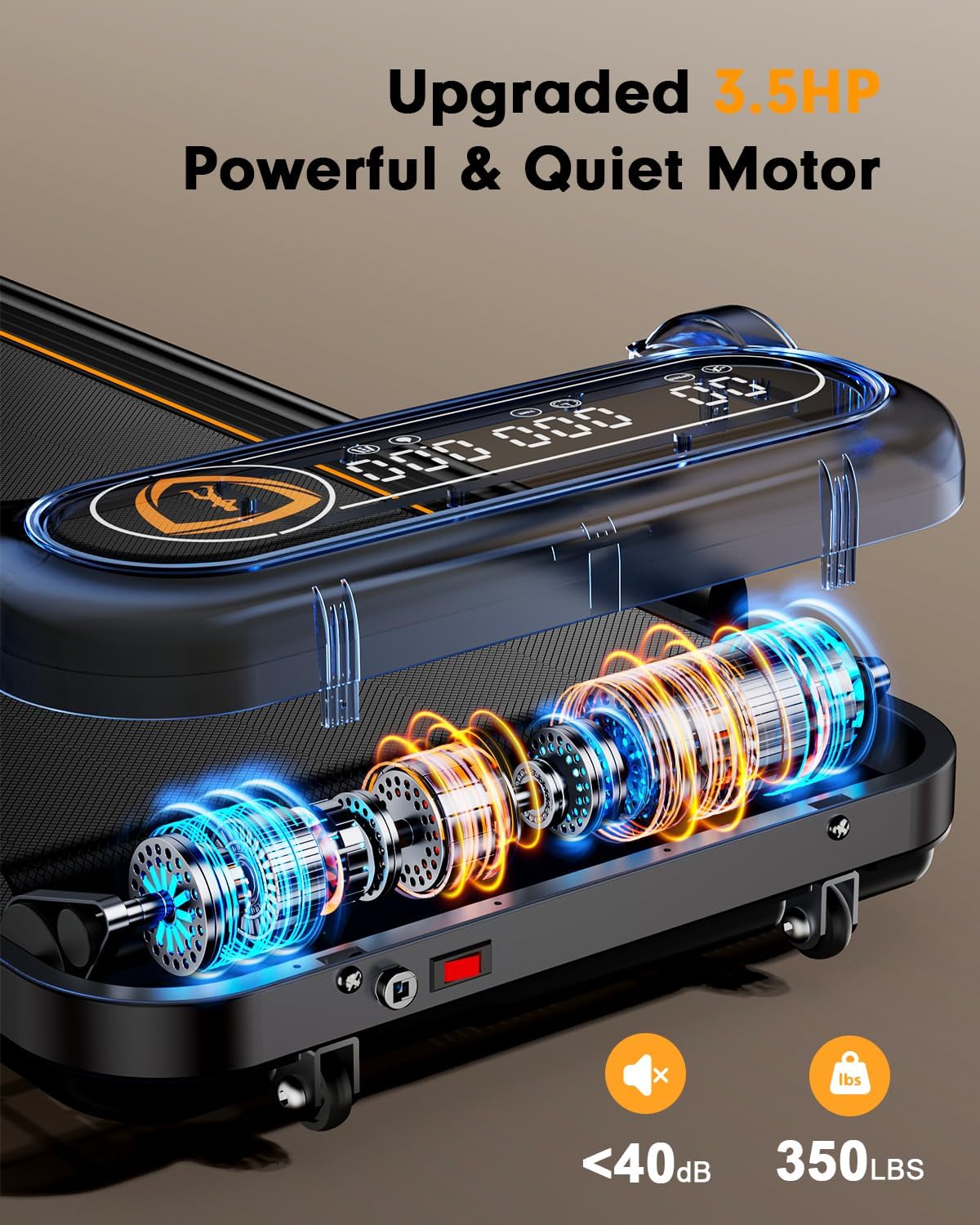
Figure 3.1: The treadmill's folding mechanism for space-saving storage.

Figure 3.2: Handlebar positions for walking (folded) and running (raised).
4. Operating Instructions
The treadmill offers multiple control methods and exercise modes.
4.1 Control Methods
- Remote Control: Use the included handheld remote to power on/off, adjust speed, and switch between modes.
- Smart App Control: Download the companion fitness app to monitor speed, calories, time, and distance. Customize workouts and adjust incline remotely via your smartphone.
- On-board Display: The transparent LED display provides real-time workout metrics.

Figure 4.1: Overview of the treadmill's display and control options.
4.2 Exercise Modes and Speed
- Walking Pad Mode (Handlebar Folded): Speed range from 0.6 to 4 MPH. Ideal for under-desk use or light walking.
- Treadmill Mode (Handlebar Raised): Speed range from 0.6 to 6 MPH. Suitable for jogging and running.
- Incline Feature: The treadmill offers up to 10% incline for a more challenging workout. This can be adjusted via the remote control or the companion app.

Figure 4.2: The treadmill's incline feature for enhanced workouts.
4.3 Display Metrics
The ultra-clear transparent LED display shows the following metrics:
- Speed (MPH)
- Time (Duration of workout)
- Distance (Miles)
- Calories Burned
5. Maintenance
Regular maintenance ensures the longevity and optimal performance of your treadmill.
5.1 Lubrication
Lubricate the running belt regularly for smoother operation and to extend treadmill life. Use the provided lubricant.
- Lift the edge of the running belt.
- Apply a small amount of lubricant evenly under the belt.
- Run the treadmill at a low speed for a few minutes to distribute the lubricant.
Figure 5.1: Applying lubricant to the running belt.
5.2 Running Belt Adjustment
If the running belt drifts to one side or feels loose, it may need adjustment.
- If the belt drifts right, tighten the right screw slightly or loosen the left.
- If the belt drifts left, tighten the left screw slightly or loosen the right.
- The self-centering function corrects slight belt misalignment via no-load low-speed operation.
Figure 5.2: Adjusting the running belt with the provided L-shaped wrench.
6. Troubleshooting
If you encounter issues with your treadmill, try the following:
- Treadmill not starting: Ensure the power cord is securely plugged in and the safety key is correctly placed on the console. Check the power switch.
- Belt slipping: The running belt may need adjustment (refer to Section 5.2) or lubrication (refer to Section 5.1).
- Unusual noises: Stop the treadmill immediately. Inspect for any foreign objects under the belt or loose components. If the noise persists, contact customer support.
- Display not working: Check power connections and ensure the safety key is in place. If the issue continues, contact customer support.
7. Specifications
| Feature | Detail |
|---|---|
| Brand | Trisomy |
| Model Name | SD-380GM |
| Color | Black |
| Product Dimensions (D x W x H) | 44"D x 23.4"W x 39"H |
| Material | Alloy Steel |
| Maximum Speed | 6 Miles per Hour |
| Maximum Horsepower | 3.5 HP |
| Special Feature | Foldable |
| Maximum Weight Recommendation | 350 Pounds |
| Running Belt Dimensions | 36" x 15" (6-layer non-slip surface) |
| Shock Absorption | 4 advanced shock absorbers (30% joint impact reduction) |
8. Warranty and Support
The Trisomy Foldable Treadmill Model SD-380GM comes with a 1-year warranty.
For any questions, technical support, or warranty claims, please contact the seller or manufacturer directly. Refer to your purchase documentation for specific contact information.
Figure 8.1: Customer support information.