
Introduction
Thank you for choosing the Antarctic Star 8000 BTU Portable Air Conditioner. This manual provides important information for the proper installation, operation, and maintenance of your unit. Please read it thoroughly before use and keep it for future reference.
This 5-in-1 multifunction unit offers Cooling, Dehumidifier, Fan, Sleep, and Timer Modes, designed to cool rooms up to 350 sq. ft. It features an adjustable temperature range (61°F–90°F), 2-speed fan, auto swing, child lock, and quiet operation.
Important Safety Information
Please observe all safety precautions to reduce the risk of fire, electric shock, or injury. Keep this manual accessible for quick reference.
- Always plug the unit into a grounded 3-prong outlet.
- Do not operate the unit with a damaged power cord or plug.
- Do not block air vents.
- Ensure the unit is placed on a flat, stable surface.
- Unplug the unit before cleaning or servicing.
- Do not use chemical solvents to clean the unit.
- Keep children and pets away from the unit during operation.
- If the unit has been tilted, allow it to stand upright for at least 24 hours before plugging it in to allow the refrigerant to settle.
What's in the Box
Verify that all components are present upon unpacking:
- 1 x Portable Air Conditioner
- 1 x User Manual
- 1 x Remote Control
- 1 x Installation Kit (Window Kit, Butterfly Nut, Hose Connector, Window Kit Adapter, Exhaust Hose, Drain Hose)

Image: All components included in the package, such as the portable AC unit, exhaust hose, window kit, drain hose, remote control, and butterfly nut.
Setup and Installation
Follow these steps for proper installation of your portable air conditioner.
1. Unit Placement
- Place the unit on a flat, stable surface.
- Ensure there is at least 28 inches of space from the window and the exhaust hose is not bent more than 35 degrees to ensure proper airflow.
- The unit is equipped with 360° swivel casters and built-in handles for easy movement between rooms.
Video: Demonstrates the portability of the Antarctic Star AC unit with its wheels and handles.
2. Window Kit Installation
- Connect the hose connector to one end of the exhaust hose.
- Connect the window kit adapter to the other end of the exhaust hose.
- Extend the adjustable window kit to fit your window opening. The kit includes panels A (25.59"), B (25.59"), and C (13.78") to accommodate window widths up to 49.21".
- Connect the exhaust hose to the window kit and secure with the butterfly nut.
- Close the window to secure the kit. Seal any gaps with duct tape for maximum efficiency.
- Attach the hose connector to the unit's exhaust air outlet.

Image: Visual instructions for connecting the exhaust hose to the unit and the window kit.

Image: Detailed steps for window kit installation, including sealing gaps for efficiency.

Image: Guide for selecting appropriate window panels (A, B, C) based on window width for proper installation.
Operating Instructions
Your portable AC unit can be controlled via the LED digital panel on the unit or the included remote control.
Control Panel and Remote

Image: Digital control panel and remote control for easy operation.

Image: Features such as remote control, 24-hour timer, LED display, hidden handles, rolling casters, and adjustable fan blades.
- Power Button: Turns the unit On/Off.
- Mode Button: Cycles through Cool, Dehumidifier, Fan, and Sleep modes.
- Up/Down Buttons: Adjusts temperature (61°F–90°F) or timer settings.
- Speed Button: Selects fan speed (Low/High).
- Timer Button: Sets the 24-hour On/Off timer.
- Sleep Button: Activates Sleep Mode for quieter, energy-saving operation.
- Child Lock Button: Prevents accidental changes to settings.
- Auto Swing: Adjustable louvers direct airflow.
Operating Modes

Image: Overview of the 4 modes (Cool, Dehumidifier, Fan, Sleep) and 2 fan speeds (Low, High).
- Cool Mode: Provides powerful cooling for rooms up to 350 sq. ft. Adjust temperature using Up/Down buttons.
- Dehumidifier Mode: Removes excess moisture from the air. Connect the included drain hose for continuous operation.
- Fan Mode: Circulates air without cooling. Select fan speed as desired.
- Sleep Mode: Maintains an optimal sleeping temperature for up to 8 hours with ultra-quiet operation (as low as 50 dB).
- Timer Mode: Program the unit to turn on or off automatically within a 24-hour period.
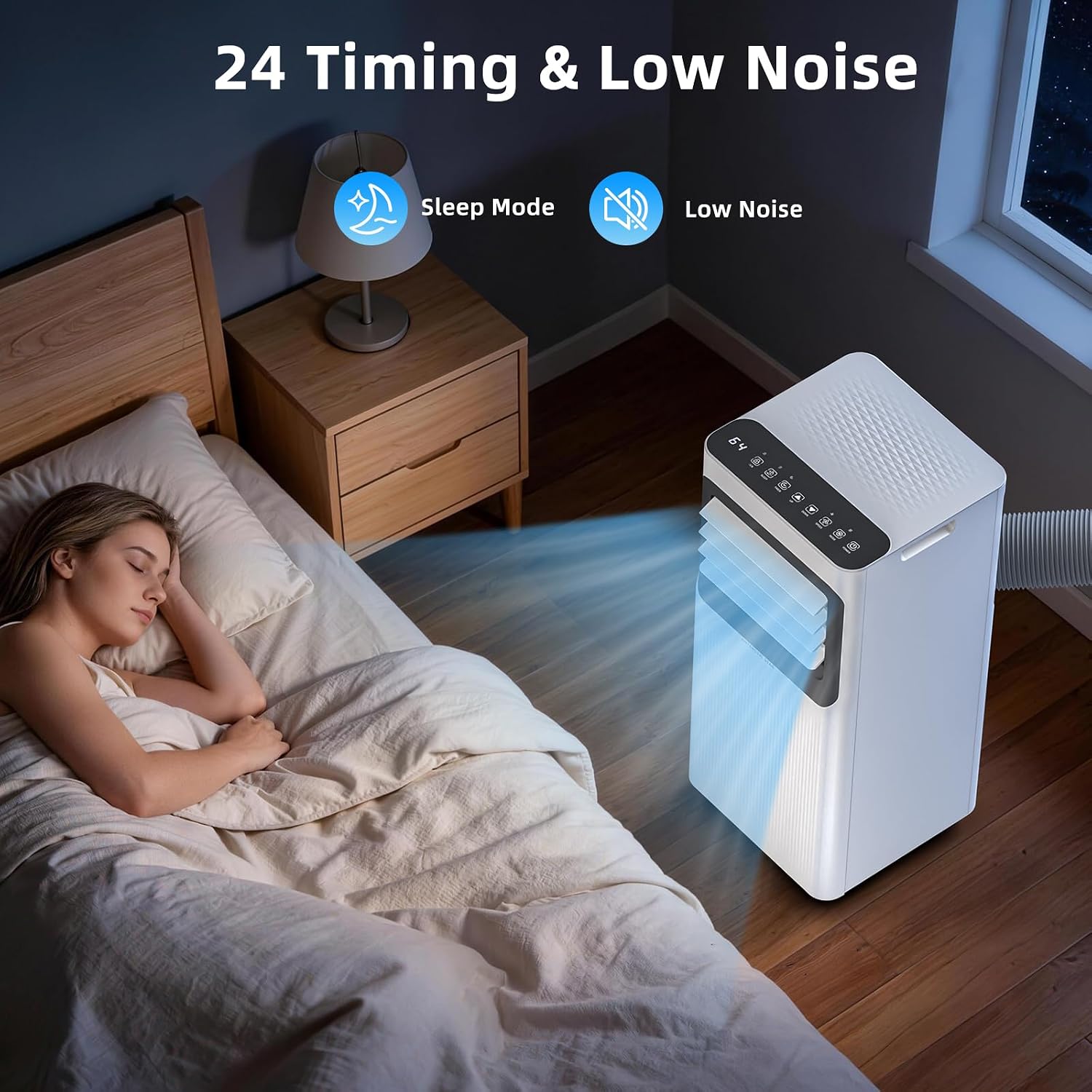
Image: Unit operating in Sleep Mode, emphasizing low noise for peaceful sleep.
Maintenance
Regular maintenance ensures optimal performance and extends the lifespan of your air conditioner.
Filter Cleaning
- The air filter is removable and washable.
- Clean the air filter regularly (every two weeks or as needed) to maintain cooling efficiency.
- To clean, remove the filter, wash with mild detergent and warm water, rinse thoroughly, and allow to air dry completely before reinstalling.

Image: Removable and washable air filter for easy maintenance.
Draining
- The unit features a self-evaporating system, which typically handles condensation in Cool mode.
- In high humidity conditions or Dehumidifier mode, connect the included drain hose for continuous drainage to prevent the "Waterfull Alert".
- If the "Waterfull Alert" indicator illuminates, the internal water tank is full and needs to be drained. Turn off the unit, remove the drain plug, and allow water to drain into a suitable container.
Troubleshooting
Before contacting customer support, refer to the following table for common issues and solutions.
| Problem | Possible Cause | Solution |
|---|---|---|
| Unit does not turn on. | No power, power cord damaged, circuit breaker tripped. | Check power connection, inspect cord, reset breaker. |
| Unit does not cool effectively. | Dirty air filter, blocked air intake/outlet, room too large, windows/doors open, exhaust hose improperly installed. | Clean filter, clear obstructions, ensure proper room size, close openings, check exhaust hose for kinks or leaks. |
| "Waterfull Alert" indicator is on. | Internal water tank is full. | Drain the unit using the drain hose. |
| Unit is noisy. | Unit not on a level surface, fan speed too high, normal operating sounds. | Ensure unit is level, reduce fan speed, some noise is normal during operation. |
| Remote control not working. | Batteries dead or incorrectly inserted, obstruction between remote and unit. | Replace batteries, ensure clear line of sight to the unit's receiver. |
Specifications
| Feature | Detail |
|---|---|
| Brand | Antarctic Star |
| Model Name | OL-A016TE05N3 |
| Cooling Power | 8000 British Thermal Units |
| Coverage Area | Up to 350 sq. ft. |
| Product Dimensions (D x W x H) | 11.02"D x 11.81"W x 27.17"H |
| Item Weight | 52.6 Pounds |
| Voltage | 110 Volts |
| Wattage | 780 watts |
| Noise Level | 50 Decibels |
| Control Method | Remote, Touch |
| Operating Modes | Cool, Dehumidifier, Fan, Sleep, Timer |
| Annual Energy Consumption | 590.25 Kilowatt Hours Per Year |
Warranty Information
This Antarctic Star Portable Air Conditioner comes with a one-year warranty from the date of purchase. Please retain your proof of purchase for warranty claims. The warranty covers defects in materials and workmanship under normal use.
For detailed warranty terms and conditions, please refer to the official Antarctic Star website or contact customer support.
Customer Support
If you encounter any issues not covered in the troubleshooting section or require further assistance, please contact Antarctic Star customer support. Contact information can typically be found on the product packaging, the official brand website, or your purchase documentation.
When contacting support, please have your model number (OL-A016TE05N3) and purchase date ready.


