
1. Introduction
Thank you for choosing the ZAFRO 10000 BTU Portable Air Conditioner. This unit is designed to provide efficient cooling, dehumidification, and fan functions for your indoor spaces. Please read this manual thoroughly before installation and operation to ensure proper use and maintenance. Keep this manual for future reference.
2. Safety Information
To reduce the risk of fire, electric shock, or injury, always follow basic safety precautions when operating this appliance:
- Ensure the power supply matches the voltage requirements specified on the unit's label.
- Do not operate the unit with a damaged cord or plug.
- Do not block air outlets or inlets. Maintain at least 12 inches (30 cm) clearance from walls and furniture.
- Do not insert fingers or objects into the air outlet grille.
- Always unplug the unit before cleaning or servicing.
- Do not use the unit in wet environments such as bathrooms or laundry rooms.
- Keep the unit on a flat, stable surface to prevent tipping.
- This appliance is not intended for use by persons (including children) with reduced physical, sensory or mental capabilities, or lack of experience and knowledge, unless they have been given supervision or instruction concerning use of the appliance by a person responsible for their safety.
3. Product Overview
The ZAFRO Portable Air Conditioner is a versatile 3-in-1 unit offering cooling, fan, and dehumidification modes. It features smart control options, quiet operation, and a self-evaporating system for convenience.
Key Features:
- 3-in-1 Functionality: Cooling, Fan, and Dehumidifier modes.
- Powerful Cooling: 10,000 BTU (6,000 BTU SACC) suitable for areas up to 250 sq. ft.
- Smart Control: Operate via ZAFRO app, Amazon Alexa, Google Home, or included remote control.
- Quiet Operation: Operates at a low noise level of 47 dB, ideal for bedrooms and living rooms.
- 24-Hour Timer: Program on/off times for energy efficiency and convenience.
- Self-Evaporating System: Reduces the need for frequent manual drainage under normal humidity conditions.
- Portable Design: Compact unit with built-in handles and 360° caster wheels for easy movement.
- Front Air Outlet: Delivers direct and powerful cooling airflow.
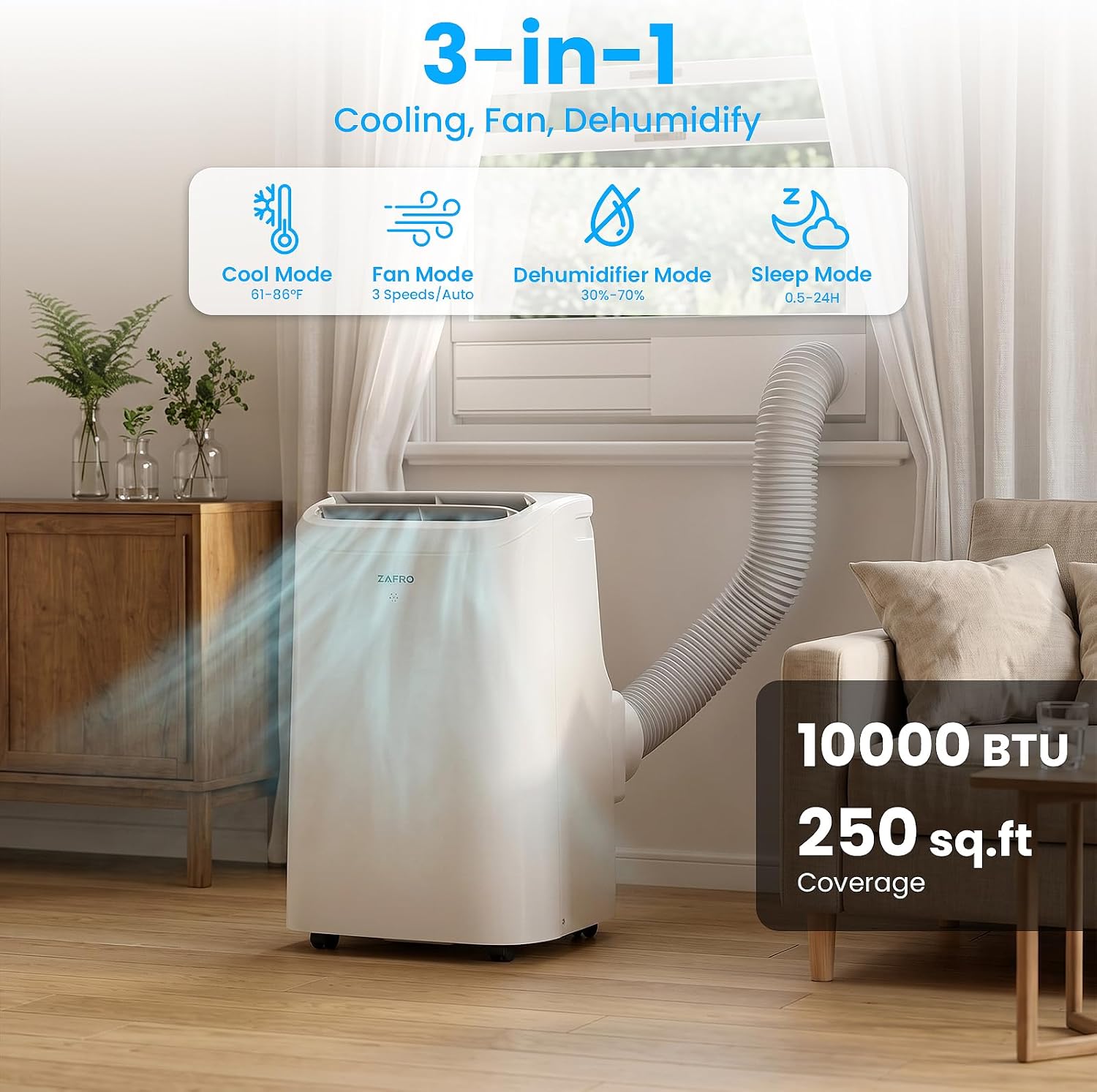
Figure 3.1: Unit displaying 3-in-1 modes and coverage area.
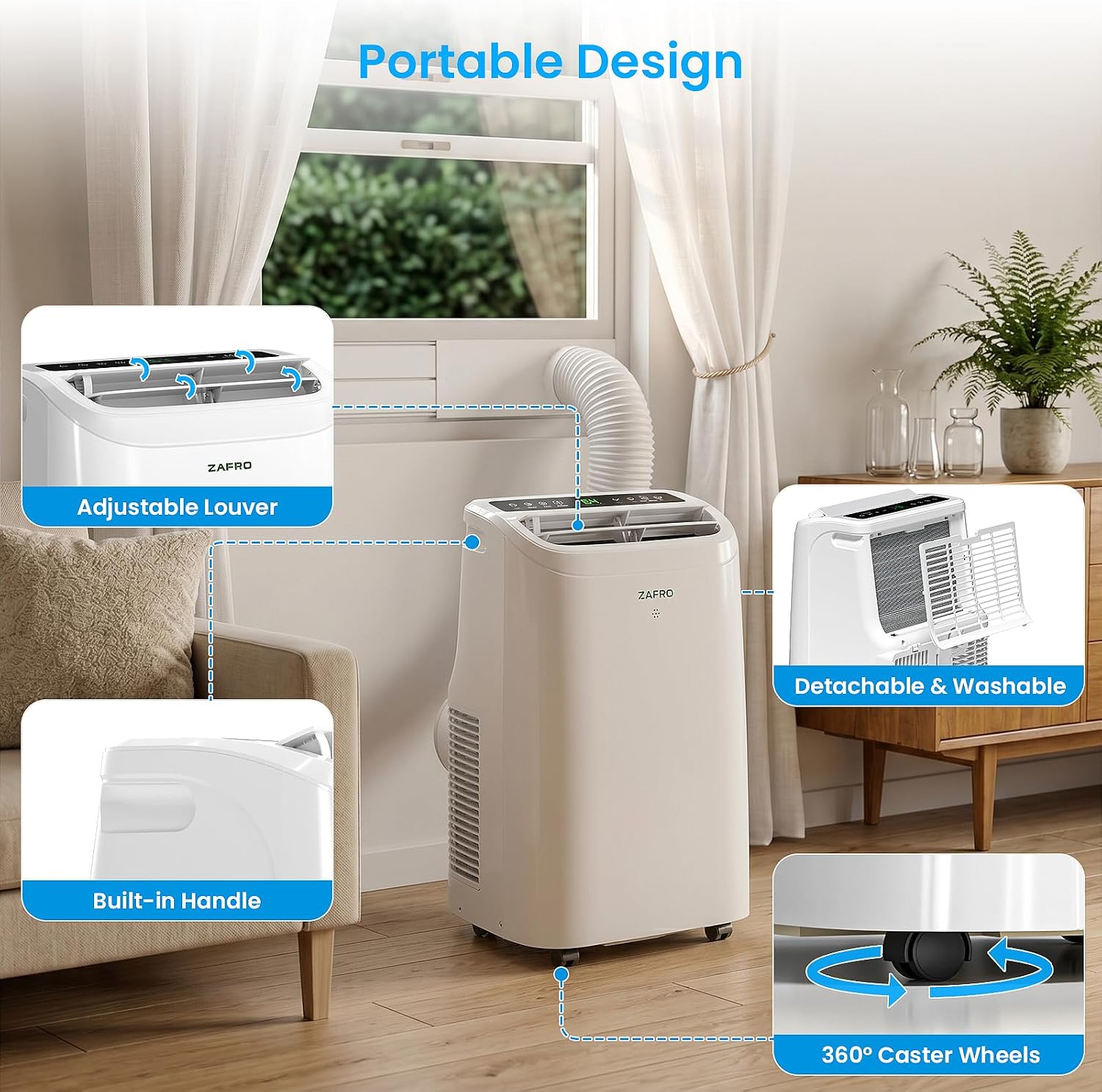
Figure 3.2: Portable design features including adjustable louver, handle, wheels, and filter.
4. Setup and Installation
The ZAFRO Portable Air Conditioner is designed for easy, tool-free installation. Follow these steps to set up your unit:
4.1 Unpacking
- Carefully remove the unit and all accessories from the packaging.
- Allow the unit to stand upright for at least 24 hours before operation if it was not stored upright.
- Verify all included components: Air conditioner machine, Remote control, Air exhaust hose, Window panel, Drainage hose, Sealing foam, Window kit, User manual.
4.2 Window Kit Installation
The universal adjustable window kit is compatible with both double/single-hung and sliding windows.
- Assemble the window panel using the adjustable sections to fit your window opening. The kit supports window sizes from 20.47" to 69.29".
- Insert the exhaust hose into the window panel adapter and then connect the other end to the exhaust outlet on the back of the air conditioner unit.
- Secure the window panel in the open window, ensuring a tight seal with the provided sealing foam to prevent air leakage.
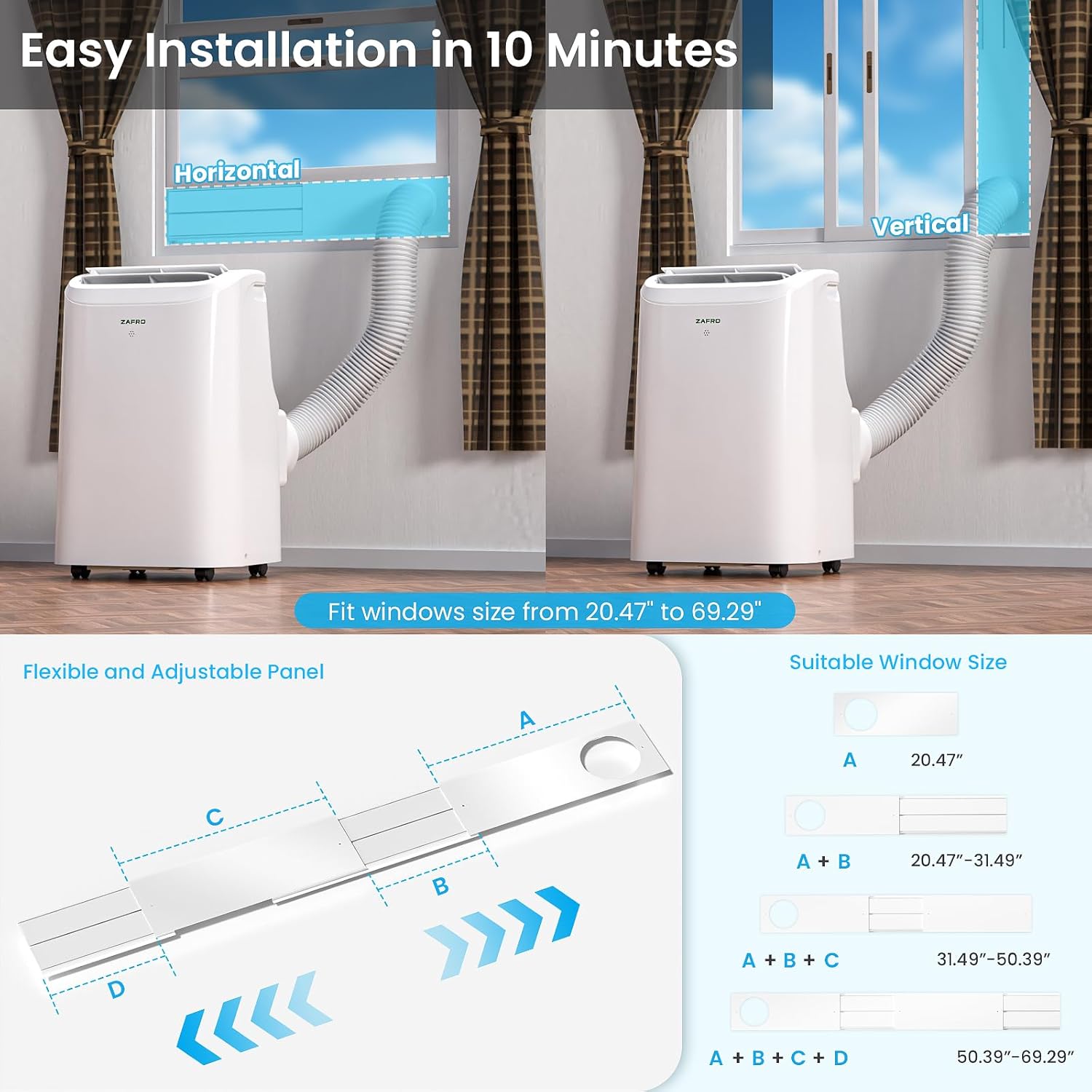
Figure 4.1: Window kit installation for horizontal and vertical windows.
5. Operating Instructions
Your ZAFRO Portable Air Conditioner can be controlled via the LED touch panel, remote control, or the ZAFRO smartphone application.
5.1 Control Panel Overview

Figure 5.1: LED Touch Panel and Remote Control functions.
5.2 Basic Operation
- Power On/Off: Press the On/Off button on the control panel or remote.
- Mode Selection: Press the Mode button to cycle through Cooling, Fan, Dehumidifier, and Sleep modes.
- Temperature Adjustment: In Cooling mode, use the + and - buttons to set the desired temperature between 61°F (16°C) and 86°F (30°C).
- Fan Speed: Press the Fan Speed button to select Low, Mid, High, or Auto fan speeds.
- Timer Function: Press the Timer button to set the desired operating duration (0.5-24 hours) for automatic shut-off or turn-on.
- Sleep Mode: Press the Sleep button to activate sleep mode, which reduces noise and gradually adjusts temperature for comfortable rest.
- Swing Function: Press the Swing button to activate or deactivate the automatic louver swing.
5.3 Smart Control (App/Voice)
The unit supports control via the ZAFRO app, Amazon Alexa, and Google Home.
- Wi-Fi Reset: To connect to the app, hold the Mode button for 3 seconds to reset Wi-Fi.
- App Download: Download the ZAFRO app from your smartphone's app store.
- Pairing: Follow the in-app instructions to pair your device.
- Voice Control: Once paired with the app, link your ZAFRO account to Amazon Alexa or Google Home for voice commands.

Figure 5.2: ZAFRO App interface for intelligent control.
6. Maintenance
Regular maintenance ensures optimal performance and longevity of your ZAFRO Portable Air Conditioner.
6.1 Filter Cleaning
The unit features an easily detachable and washable filter. A "Filth Blockage Intelligent Reminder" will alert you when cleaning is recommended.
- Unplug the air conditioner from the power outlet.
- Remove the filter from its housing.
- Wash the filter with warm, soapy water. Rinse thoroughly.
- Allow the filter to air dry completely before reinstalling.
- After cleaning, you may need to reset the cleaning reminder via the app or control panel if applicable.

Figure 6.1: Filth Blockage Intelligent Reminder.
6.2 Drainage
This unit features an advanced self-evaporating system that typically eliminates the need for manual drainage by dispersing condensate water onto the condenser. However, in conditions of high humidity or when operating in Dehumidifier mode, manual drainage may be required.
- If the water tank becomes full, the unit will stop operating and display an error code (e.g., "FL").
- To drain, place a suitable container under the drainage outlet at the back of the unit.
- Remove the drain plug and allow the water to flow out.
- Replace the drain plug securely once drainage is complete.

Figure 6.2: Zero-Drain Technology and drainage requirements.
7. Troubleshooting
Before contacting customer support, please refer to the following troubleshooting guide for common issues:
| Problem | Possible Cause | Solution |
|---|---|---|
| Unit does not turn on | No power supply; Power cord not plugged in; Fuse blown/Circuit breaker tripped. | Check power outlet; Ensure plug is fully inserted; Reset circuit breaker or replace fuse. |
| Unit cools insufficiently | Window kit not properly sealed; Room too large; Air filter dirty; Exhaust hose blocked or bent; Doors/windows open. | Ensure window kit is sealed; Use in recommended room size (up to 250 sq. ft.); Clean air filter; Straighten exhaust hose; Close all doors and windows. |
| Unit is noisy | Unit not on a flat surface; Air filter dirty; Fan speed too high. | Place unit on a flat, stable surface; Clean air filter; Reduce fan speed. |
| Water leakage | Drain plug not secured; Unit tilted; Drainage hose (if used) not properly connected. | Ensure drain plug is tightly closed; Place unit on a level surface; Check drainage hose connection. |
| Error code displayed (e.g., "FL") | Water tank full. | Drain the water tank as per Maintenance section. |
8. Specifications
Detailed technical specifications for the ZAFRO Portable Air Conditioner Model YAC-06CPD/PL7:
| Feature | Specification |
|---|---|
| Brand | ZAFRO |
| Model Number | YAC-06CPD/PL7 |
| Cooling Power | 10000 BTU (6000 BTU SACC) |
| Capacity | 1 tons |
| Product Dimensions (D x W x H) | 12.99" x 14.80" x 23.23" |
| Item Weight | 52 pounds |
| Voltage | 115 volts |
| Wattage | 900 watts |
| Noise Level | 47 dB |
| Floor Area Coverage | 300 square feet (recommended) |
| Control Method | Touch, Remote Control, App Control |
| Special Features | Child Lock, Dehumidifier, Fast Cooling, Remote Controlled, Sleep Mode |
| Installation Type | Window (with included kit) |
| Compressor Type | Rotary Scroll |
| Annual Energy Consumption | 675 kilowatt hours per year |

Figure 8.1: Product Dimensions.
9. Warranty and Support
9.1 Warranty Information
The ZAFRO Portable Air Conditioner comes with a 1-Year Warranty from the date of purchase. This warranty covers manufacturing defects and malfunctions under normal use. It does not cover damage caused by misuse, accident, unauthorized modification, or improper installation.
9.2 Customer Support
For technical assistance, warranty claims, or any questions regarding your ZAFRO Portable Air Conditioner, please contact our customer support team:
- Manufacturer: ZAFRO
- Website: Visit the ZAFRO Store on Amazon
- Please have your model number (YAC-06CPD/PL7) and purchase date ready when contacting support.


