
1. Introduction
Thank you for choosing DALI SONIK 3 Premium Passive Hi-Fi Bookshelf Speakers. These speakers are engineered to deliver high-fidelity audio with crisp highs, detailed mids, and robust bass. Designed for versatile placement, the SONIK 3 speakers integrate seamlessly into various listening environments, providing a balanced and consistent sound experience.
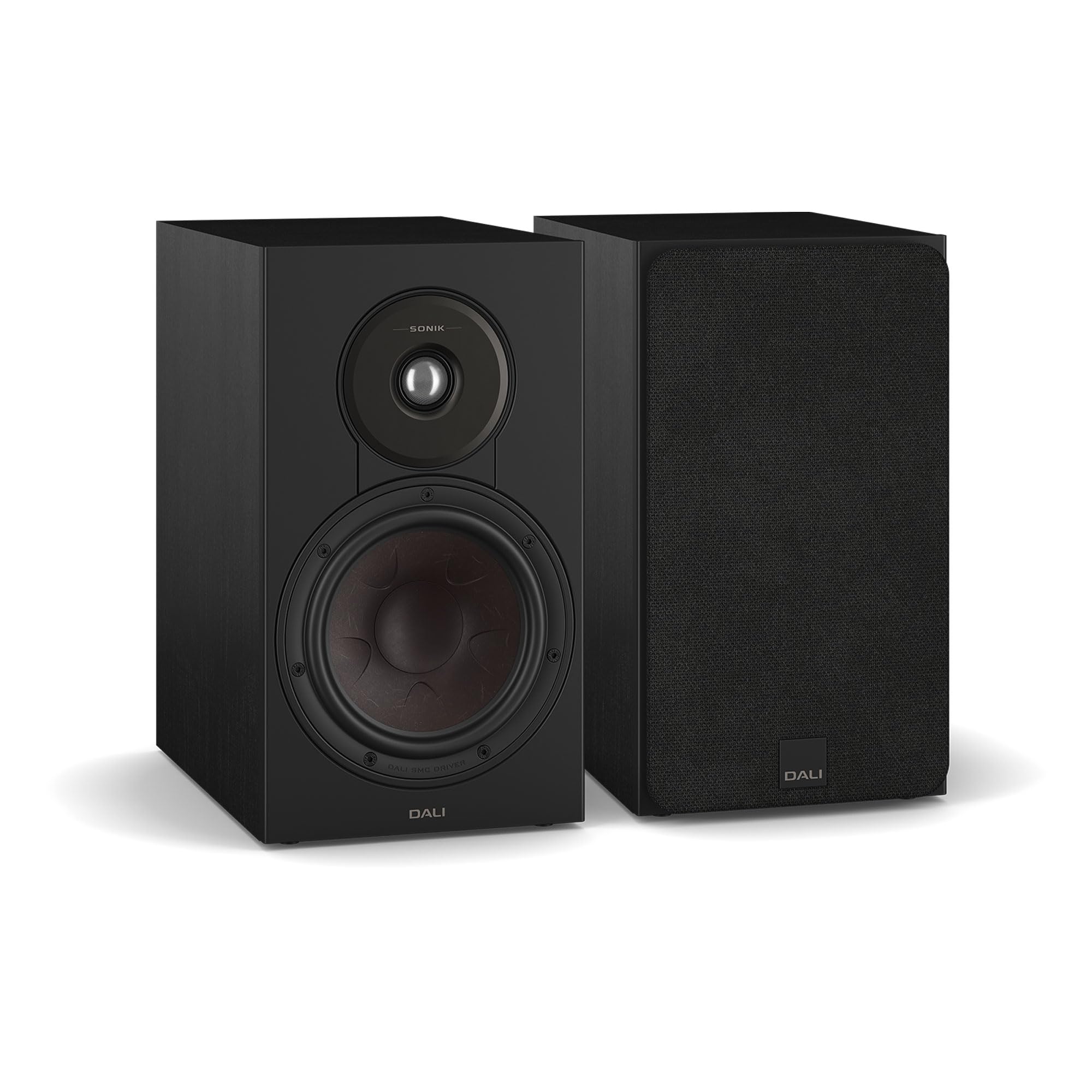
Image: Pair of DALI SONIK 3 Bookshelf Speakers with grilles on, black finish. This image shows the DALI SONIK 3 bookshelf speakers in a black finish, with their protective grilles attached. The speakers are designed for high-fidelity audio reproduction.
2. Safety Information
Please read all safety instructions before operating your DALI SONIK 3 speakers. Retain this manual for future reference.
- Ventilation: Ensure adequate ventilation around the speakers. Do not block any ventilation openings.
- Heat: Do not place speakers near heat sources such as radiators, heat registers, stoves, or other apparatus that produce heat.
- Moisture: Do not expose speakers to dripping or splashing liquids. Do not place objects filled with liquids, such as vases, on the speakers.
- Cleaning: Clean only with a dry cloth.
- Placement: Place speakers on a stable surface to prevent them from falling.
- Servicing: Do not attempt to service this product yourself. Refer all servicing to qualified service personnel.
3. What's in the Box
Upon unpacking your DALI SONIK 3 speakers, please verify that all components are present:
- DALI SONIK 3 Bookshelf Speakers (Pair)
- User Manual
4. Product Overview
The DALI SONIK 3 speakers feature a 2-way design, incorporating a 7-inch Clarity Cone woofer and a 1.1-inch soft dome tweeter. The robust cabinet construction and advanced driver technology ensure accurate sound reproduction.

Image: Front view of DALI SONIK 3 Bookshelf Speakers without grilles, revealing the woofer and tweeter. A close-up view of the DALI SONIK 3 speakers with their grilles removed, showcasing the 7-inch Clarity Cone woofer and the 1.1-inch soft dome tweeter. The drivers are precisely engineered for optimal sound delivery.
Key Components:
- 7-inch Clarity Cone Woofer: Provides superior rigidity, damping, and resonance control for articulate mids and confident bass.
- 1.1-inch Soft Dome Tweeter: Delivers extended highs with smooth, low-distortion detail.
- Speaker Terminals: Located on the rear panel for connecting to an amplifier.

Image: Close-up of the DALI SONIK 3's 7-inch Clarity Cone woofer. A detailed view of the 7-inch Clarity Cone woofer, featuring its unique design for superior rigidity, damping, and resonance control, contributing to articulate mid-range and confident bass.
5. Setup
5.1 Speaker Placement
Optimal speaker placement is crucial for achieving the best sound quality. The DALI SONIK 3 speakers are designed for flexible placement on stands, shelves, or within furniture. Consider the following guidelines:
- Distance from Walls: Placing speakers too close to walls can overemphasize bass. Experiment with distances to find the best balance.
- Stereo Imaging: Position the speakers equidistant from your primary listening position to create a balanced stereo image.
- Height: Ideally, the tweeters should be at ear level when you are seated in your listening position.
- Toe-in: Slightly angling the speakers inward towards the listening position (toe-in) can improve focus and detail.

Image: DALI SONIK 3 speakers placed on stands in a living room setting, demonstrating optimal placement. This image illustrates a recommended placement for the DALI SONIK 3 speakers on dedicated stands within a living room environment, highlighting their aesthetic integration and potential for wide sound dispersion.
5.2 Connecting to an Amplifier
The DALI SONIK 3 are passive speakers and require an external amplifier or receiver. Follow these steps to connect your speakers:
- Ensure your amplifier/receiver is turned off and unplugged from the power outlet.
- Use high-quality speaker cables. Strip approximately 1/2 inch (12mm) of insulation from the ends of the speaker wires.
- Connect the positive (+) terminal (usually red) on the amplifier to the positive (+) terminal on the speaker.
- Connect the negative (-) terminal (usually black) on the amplifier to the negative (-) terminal on the speaker.
- Ensure that the polarity is consistent for both speakers (e.g., red to red, black to black). Incorrect polarity will result in poor sound quality and imaging.
- Securely tighten all connections to prevent loose contacts.
6. Operating Instructions
Once the speakers are properly connected to your amplifier/receiver, you can begin enjoying your audio:
- Plug in and turn on your amplifier/receiver.
- Select the desired audio source on your amplifier.
- Start playing audio at a low volume level.
- Gradually increase the volume to your preferred listening level.
- Avoid excessively high volumes that may cause distortion or damage to the speakers or your hearing.
7. Maintenance
To ensure the longevity and optimal performance of your DALI SONIK 3 speakers, follow these maintenance guidelines:
- Cleaning: Use a soft, dry, lint-free cloth to wipe the cabinet surfaces. Avoid using abrasive cleaners, solvents, or chemical sprays.
- Grilles: The speaker grilles can be carefully removed for cleaning or for a different aesthetic. Clean grilles with a soft brush or a vacuum cleaner on a low setting.
- Dust: Regularly dust the speaker drivers and cabinet to prevent dust buildup, which can affect sound quality and appearance.
- Environment: Keep speakers away from direct sunlight, extreme temperatures, and high humidity.
8. Troubleshooting
If you encounter issues with your DALI SONIK 3 speakers, refer to the following common problems and solutions:
| Problem | Possible Cause | Solution |
|---|---|---|
| No sound from one or both speakers | Loose speaker cable connections; Amplifier input not selected; Amplifier turned off or in standby. | Check all speaker cable connections at both the speaker and amplifier; Ensure correct input is selected on amplifier; Verify amplifier is powered on. |
| Distorted or unclear sound | Incorrect speaker polarity; Damaged speaker cable; Overdriven amplifier; Speaker placement issues. | Check speaker cable polarity (red to red, black to black); Inspect speaker cables for damage; Reduce amplifier volume; Adjust speaker placement. |
| Humming or buzzing noise | Ground loop issue; Interference from other electronics; Loose connections. | Ensure all components are plugged into the same power strip; Move speakers away from other electronic devices; Check all cable connections. |
If the problem persists after attempting these solutions, please contact DALI customer support.
9. Specifications
Detailed technical specifications for the DALI SONIK 3 Bookshelf Speakers:
| Feature | Specification |
|---|---|
| Brand | DALI |
| Model Name | SONIK 3 |
| Speaker Type | Bookshelf |
| Connectivity Technology | Wire |
| Speaker Maximum Output Power | 100 watts |
| Speaker Size | 7 inches (Woofer) |
| Audio Driver Type | Dynamic Driver |
| Item Dimensions (D x W x H) | 12.1"D x 7.8"W x 13.7"H |
| Mounting Type | Shelf Mount |
| Color | Black |
| Unit Count | 1 Count (per speaker, sold as pair) |
| Manufacturer | DALI |
10. Warranty Information
The DALI SONIK 3 speakers come with a 1-Year Warranty from the date of purchase. This warranty covers manufacturing defects and workmanship under normal use. Please retain your proof of purchase for warranty claims. The warranty does not cover damage caused by misuse, accidents, unauthorized modifications, or improper installation.
11. Support
For further assistance, technical support, or warranty inquiries, please visit the official DALI website or contact your authorized DALI dealer. You can also find more information and resources on the DALI Store on Amazon.


