
1. Introduction
This manual provides essential information for the safe installation, operation, and maintenance of your AQUASTRONG 16in Sand Filter Pump. This pump is designed for above-ground pools up to 16,000 gallons, offering efficient water circulation and filtration with a 3/4 HP motor and a 6-way valve.
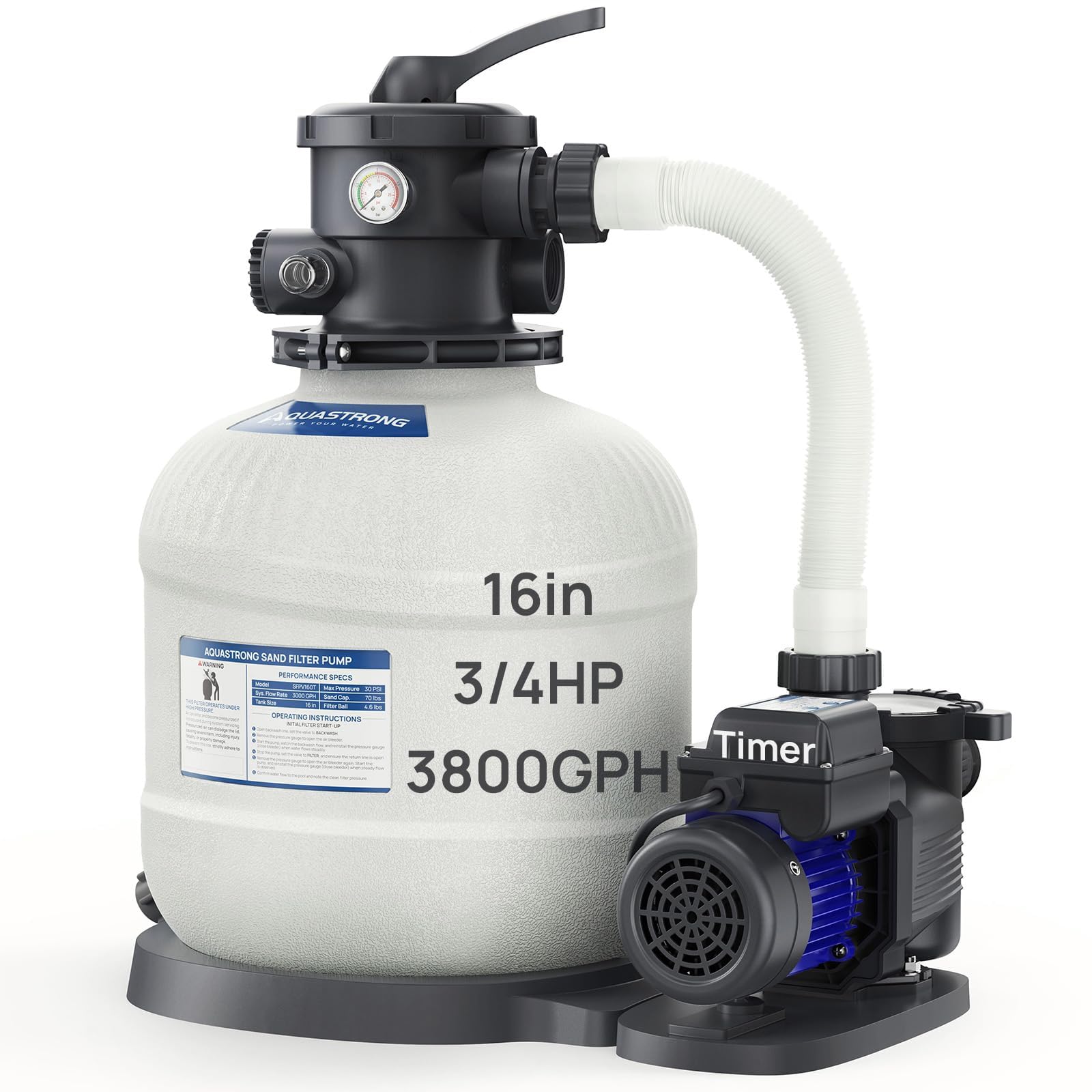
Figure 1: AQUASTRONG 16in Sand Filter Pump with Timer.
2. Safety Information
Read all instructions carefully before installation and operation. Failure to follow these instructions can result in serious injury or property damage.
- Always disconnect power before servicing the pump or filter.
- Ensure the pump is installed on a level, solid surface, protected from direct sunlight and moisture.
- Do not operate the pump if the power cord is damaged. Contact qualified personnel for repair.
- Keep children away from the pump and filter system during operation.
- Ensure all connections are secure and leak-free to prevent water damage or electrical hazards.
- STOP PUMP BEFORE SWITCHING VALVE POSITION to prevent damage to the multi-port valve.
3. Package Contents
Verify that all components are present and undamaged:
- Sand Filter Tank (16-inch)
- Pump Motor (3/4 HP)
- 6-Way Multi-Port Valve
- Pressure Gauge
- Hose Adapters (three 1.5-inch and 1.25-inch with clamps)
- 1.5-inch Adapter Conversion Kit (five pieces)
- Connecting Hoses
- Base Plate
- Instruction Manual
4. Specifications
| Feature | Specification |
|---|---|
| Brand | AQUASTRONG |
| Model Number | SFPV160T |
| Horsepower | 0.75 HP |
| Pump Flow Rate | 3800 GPH |
| System Flow Rate | 3000 GPH |
| Filter Tank Size | 16 inches |
| Max Pool Capacity | Up to 16,000 Gallons |
| Sand Capacity | Up to 100 lbs |
| Filter Ball Capacity | Up to 4.5 lbs |
| Material | Polypropylene (PP), Stainless Steel |
| Power Source | Corded Electric |

Figure 2: Product dimensions and key specifications.
5. Setup and Installation
Follow these steps for proper installation of your sand filter pump:
- Secure the Pump on the Base: Place the filter tank and pump securely on the provided base plate.
- Add Filter Media: Carefully add up to 100 lbs of filter sand or 4.5 lbs of filter balls into the tank. Ensure the standpipe is centered and protected during this process.
- Install the Multi-Port Valve: Attach the 6-way valve to the top of the filter tank, ensuring a tight seal. Connect the pump to the valve using the provided short hose.
- Connect Hoses to Pool: Use the appropriate 1.5-inch or 1.25-inch hose adapters and clamps to connect the filter system to your above-ground pool's inlet and outlet ports. Ensure all connections are secure and leak-free.

Figure 3: Visual guide for the 4-step installation process.

Figure 4: Illustration of two common hose connection methods for above-ground pools.
For a visual guide on installation, please refer to the official product video:
Video 1: Official AQUASTRONG 16 Inch Sand Filter Pump Installation and Overview. This video demonstrates the setup and features of the sand filter pump.
6. Operating Instructions
6.1. 6-Way Multi-Port Valve Functions
The multi-port valve allows you to control the water flow for various pool maintenance tasks. Always turn off the pump before changing the valve position.
- FILTER: Standard operation for daily pool filtration. Water flows through the sand, trapping debris, and returns clean to the pool.
- BACKWASH: Reverses water flow through the filter to clean the sand bed. Dirty water is directed to waste.
- RINSE: Used after backwashing to flush out any remaining dirty water from the valve and pipes before returning to filter mode.
- WASTE: Bypasses the filter and sends water directly out to waste. Useful for lowering pool water level or vacuuming heavy debris directly to waste.
- RECIRCULATE: Bypasses the filter and circulates water directly back to the pool. Useful for mixing chemicals without filtering.
- CLOSED: Shuts off all flow to the filter. Use this setting only when the pump is off and for servicing the pump or filter.
Figure 5: Diagram illustrating the functions of the 6-way multi-port valve.
6.2. Programmable Timer
The built-in 24-hour programmable timer allows for automated filtration cycles, helping to maintain water clarity and save energy.
- Setting Duration: Press the 'TIMER' button to select one of 9 adjustable timer settings (2-24 hours). This sets the duration the pump will run from the moment you activate it.
- Enabling Schedule: Press the 'ON/OFF' button to activate the selected schedule. The pump will start automatically at the same time daily for the set duration.

Figure 6: Instructions for setting the 24-hour programmable timer.
6.3. Pressure Gauge
Monitor the pressure gauge regularly. An increase in pressure indicates that the filter media is becoming dirty and requires cleaning (backwashing).

Figure 7: Close-up of the pressure gauge for monitoring filter performance.
7. Maintenance
Regular maintenance ensures optimal performance and longevity of your sand filter pump.
7.1. Backwashing and Rinsing
When the pressure gauge reads 8-10 PSI above its clean starting pressure, it's time to backwash:
- Turn off the pump.
- Set the 6-way valve to 'BACKWASH'.
- Turn on the pump and run until the water in the sight glass (if present) runs clear (typically 1-2 minutes).
- Turn off the pump.
- Set the 6-way valve to 'RINSE'.
- Turn on the pump and run for 30-60 seconds to flush the system.
- Turn off the pump.
- Set the 6-way valve back to 'FILTER'.
- Turn on the pump to resume normal filtration.
7.2. Cleaning the Detachable Basket
The pump features a detachable basket designed to capture larger debris before it reaches the filter. Regularly check and clean this basket to prevent clogs and maintain pump efficiency.
- Turn off the pump and close any necessary valves to prevent water flow.
- Remove the pump basket lid.
- Lift out the basket and empty any collected debris.
- Rinse the basket thoroughly with water.
- Replace the basket and secure the lid, ensuring a proper seal.

Figure 8: Detachable basket for easy debris removal.
8. Troubleshooting
This section addresses common issues you might encounter with your AQUASTRONG sand filter pump.
| Problem | Possible Cause | Solution |
|---|---|---|
| Low water flow | Clogged pump basket or filter media; air in the system; closed valves. | Clean pump basket; backwash/rinse filter; check for air leaks; ensure all valves are open. |
| Water not clearing | Insufficient filtration time; dirty filter media; improper chemical balance. | Increase filtration time; backwash/rinse filter; test and adjust pool chemicals. |
| Pump not starting | No power; faulty timer; motor issue. | Check power supply and circuit breaker; verify timer settings; contact customer support if motor fails. |
| Water leaking from connections | Loose connections; worn O-rings/gaskets; damaged hoses. | Tighten all connections; inspect and replace O-rings/gaskets; replace damaged hoses. |
If you encounter issues not listed here or if solutions do not resolve the problem, please contact AQUASTRONG customer support.
9. Warranty and Support
The AQUASTRONG 16in Sand Filter Pump comes with a 2-year warranty. Registering your product may provide an additional year of warranty coverage and a free replacement, totaling 3 years. For warranty claims, technical assistance, or replacement parts, please contact AQUASTRONG customer support. Keep your purchase receipt as proof of purchase.


