
1. Introduction
Thank you for purchasing the OEARE Portable Air Conditioner. This 3-in-1 unit functions as an air conditioner (with water and ice packs), a humidifier (with water), and a cooling fan. Designed for efficiency and quiet operation, it provides customizable cooling and humidification for your home environment. This manual provides essential information for safe operation, setup, maintenance, and troubleshooting.
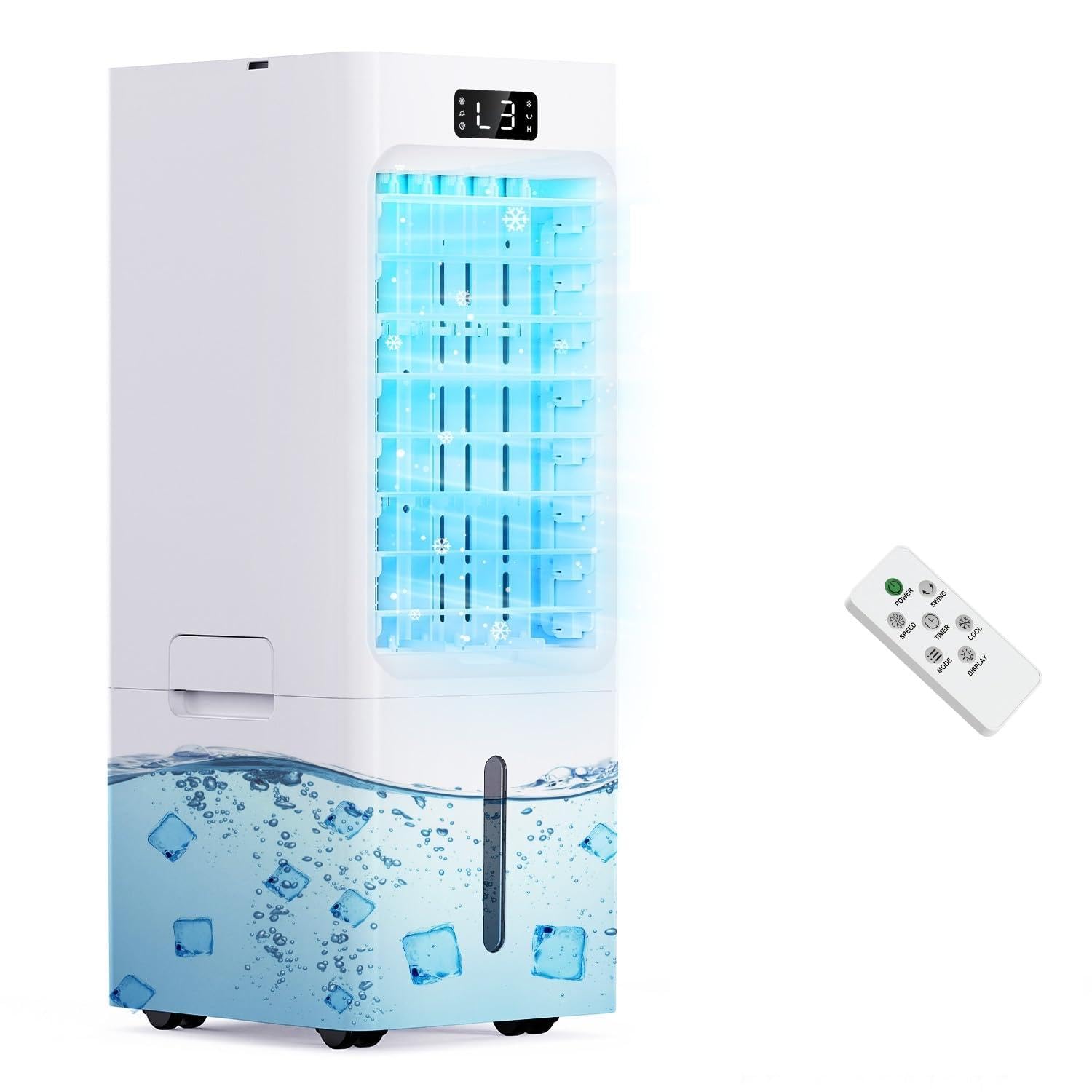
Image 1.1: The OEARE Portable Air Conditioner unit.
2. Safety Information
Please read all safety instructions carefully before using this appliance and keep this manual for future reference. Improper operation may cause damage to the product or personal injury.
- Ensure the power supply voltage matches the rating label on the appliance.
- Do not immerse the appliance, power cord, or plug in water or other liquids.
- Unplug the appliance from the power outlet when not in use, before cleaning, or before moving.
- Keep the appliance out of reach of children and pets.
- Do not block air inlets or outlets. Ensure adequate space around the unit for proper airflow.
- Use only clean water in the water tank. Do not add any chemicals or additives other than specified ice packs.
- Do not operate the appliance if the power cord or plug is damaged, or if the appliance malfunctions or has been damaged in any manner.
- Place the appliance on a stable, level surface to prevent tipping.
3. Package Contents
Verify that all items are present in the package:
- OEARE Portable Air Conditioner Unit
- Remote Control (x1)
- Ice Packs (x4)
- User Manual (x1)
4. Product Overview
The OEARE Portable Air Conditioner is designed for versatile cooling and air treatment. It features a 3-in-1 design, offering fan, humidification, and cooling functions. The unit is equipped with a user-friendly control panel and a remote control for convenient operation.
4.1. 3-in-1 Functionality
This appliance can operate in three distinct modes:
- Normal Fan: Operates as a standard fan without water.
- Humidifier: Adds moisture to the air when water is present in the tank.
- Air Cooler: Provides enhanced cooling when water and ice packs are used.

Image 4.1: The 3-in-1 functionality of the air conditioner.
4.2. Control Panel and Remote Control
The unit can be operated via the intuitive top control panel or the included remote control. The front display shows the current operating status.

Image 4.2: Control panel and remote control for the unit.
4.3. Water Tank and Ice Packs
The unit features a 6-liter dual water tank structure (upper and lower) and comes with four ice packs for enhanced cooling. The bottom tank is removable for easy cleaning.

Image 4.3: Filling the 6L water tank and using ice packs.
4.4. Mobility and Dimensions
Equipped with four casters and a built-in handle, the unit is easy to move between rooms. No installation, windows, or hoses are required.

Image 4.4: Dimensions of the OEARE Portable Air Conditioner.
5. Setup
Follow these steps to set up your portable air conditioner for first use:
- Unpack: Carefully remove the unit and all accessories from the packaging.
- Placement: Place the unit on a firm, level surface. Ensure there is adequate space around the unit for proper air circulation.
- Prepare Ice Packs: Place the included ice packs in a freezer until they are completely frozen.
- Add Ice Packs: Once frozen, place the ice packs into the bottom water tank.
- Fill Water Tank: Open the lid on the top of the unit and slowly pour clean water into the top water tank. Do not exceed the 'MAX' fill line. Adding water too quickly may cause overflow.
- Connect Power: Plug the power cord into a standard 120V electrical outlet.

Image 5.1: Steps for activating the cooling function with ice packs and water.
6. Operating Instructions
Operate your OEARE Portable Air Conditioner using either the control panel on the unit or the remote control.
6.1. Power On/Off
- Press the Power button on the control panel or remote control to turn the unit on or off.
6.2. Adjusting Wind Speed
The unit offers 3 wind speeds: Low, Medium, and High.
- Press the Speed button repeatedly to cycle through the available wind speeds.
6.3. Selecting Modes
Choose from 4 wind feeling modes: Normal, Natural, Sleep, and Cooling.
- Press the Mode button repeatedly to select your desired mode.
- Normal Mode: Provides a continuous strong wind.
- Natural Mode: Simulates a gentle, varying breeze.
- Sleep Mode: Operates quietly for undisturbed rest.
- Cooling Mode: Delivers cool air, especially effective with water and ice packs.

Image 6.1: Available modes and wind speeds.
6.4. Timer Function
Set the unit to automatically shut off after a specified period, up to 12 hours.
- Press the Timer button to set the desired operating duration.
6.5. Display Control
To turn off the front display for undisturbed sleep:
- Press and hold the Fan button on the unit, or briefly press the Display button on the remote control.
6.6. Official Product Videos
Video 6.2: Demonstrates the general operation and remote control usage of the portable air conditioner, including changing speeds.
Video 6.3: Highlights the LED display and the 12-hour auto timer function of the unit.
7. Maintenance
Regular maintenance ensures optimal performance and longevity of your air conditioner.
7.1. Cleaning the Water Tank
The bottom water tank is removable for easy cleaning.
- Unplug the unit from the power outlet.
- Carefully remove the bottom water tank.
- Empty any remaining water.
- Clean the tank with a soft cloth and mild detergent. Rinse thoroughly with clean water.
- Allow the tank to air dry completely before reinserting it into the unit.
7.2. General Cleaning
- Wipe the exterior of the unit with a soft, damp cloth. Do not use abrasive cleaners or solvents.
- Ensure air inlets and outlets are free from dust and obstructions.
8. Troubleshooting
If you encounter issues with your OEARE Portable Air Conditioner, refer to the following common problems and solutions:
| Problem | Possible Cause | Solution |
|---|---|---|
| Unit does not turn on | No power supply; Power button not pressed | Check power cord connection; Ensure outlet is functional; Press Power button. |
| Weak or no airflow | Air inlets/outlets blocked; Water tank empty (for cooling/humidifying) | Clear any obstructions; Refill water tank. |
| Not cooling effectively | Water tank empty; Ice packs not frozen or used; High room humidity | Ensure water tank is filled; Use frozen ice packs; Evaporative coolers are less effective in high humidity. |
| Unusual noise | Unit not on a level surface; Internal component issue | Place on a stable, level surface; If noise persists, contact customer support. |
If the problem persists after attempting these solutions, please contact customer support.
9. Specifications
Technical specifications for the OEARE Portable Air Conditioner:
| Feature | Specification |
|---|---|
| Brand | OEARE |
| Model | B0GQH3WD66 |
| Mounting Type | Freestanding |
| Colour | White |
| Controls Type | Remote Control and Touch |
| Recommended Uses | Home cooling |
| Wattage | 50 watts |
| Noise Level | 35 Decibels |
| Number Of Speeds | 3 |
| Voltage | 120 Volts |
| Operation Mode | Automatic |
| Item Dimensions (D x W x H) | 59.5D x 25W x 21H Centimetres |
| Water Tank Capacity | 6000ML (6 Liters) |
| Timer | 12-Hour |
| Included Components | Remote Control X1, Ice Packs X4, User Manual X1 |
10. Warranty and Support
For warranty information or technical support, please refer to the contact details provided with your purchase documentation or visit the official OEARE website. Keep your purchase receipt as proof of purchase for any warranty claims.