
1. Introduction
Thank you for choosing the Garvee 18000 BTU 21 SEER2 Ductless Mini Split AC & Heat Pump. This system provides efficient cooling and heating for spaces up to 1000 sq.ft, featuring WiFi control, Alexa compatibility, and a 230V energy-efficient inverter system. This manual provides essential information for safe installation, operation, and maintenance of your unit.
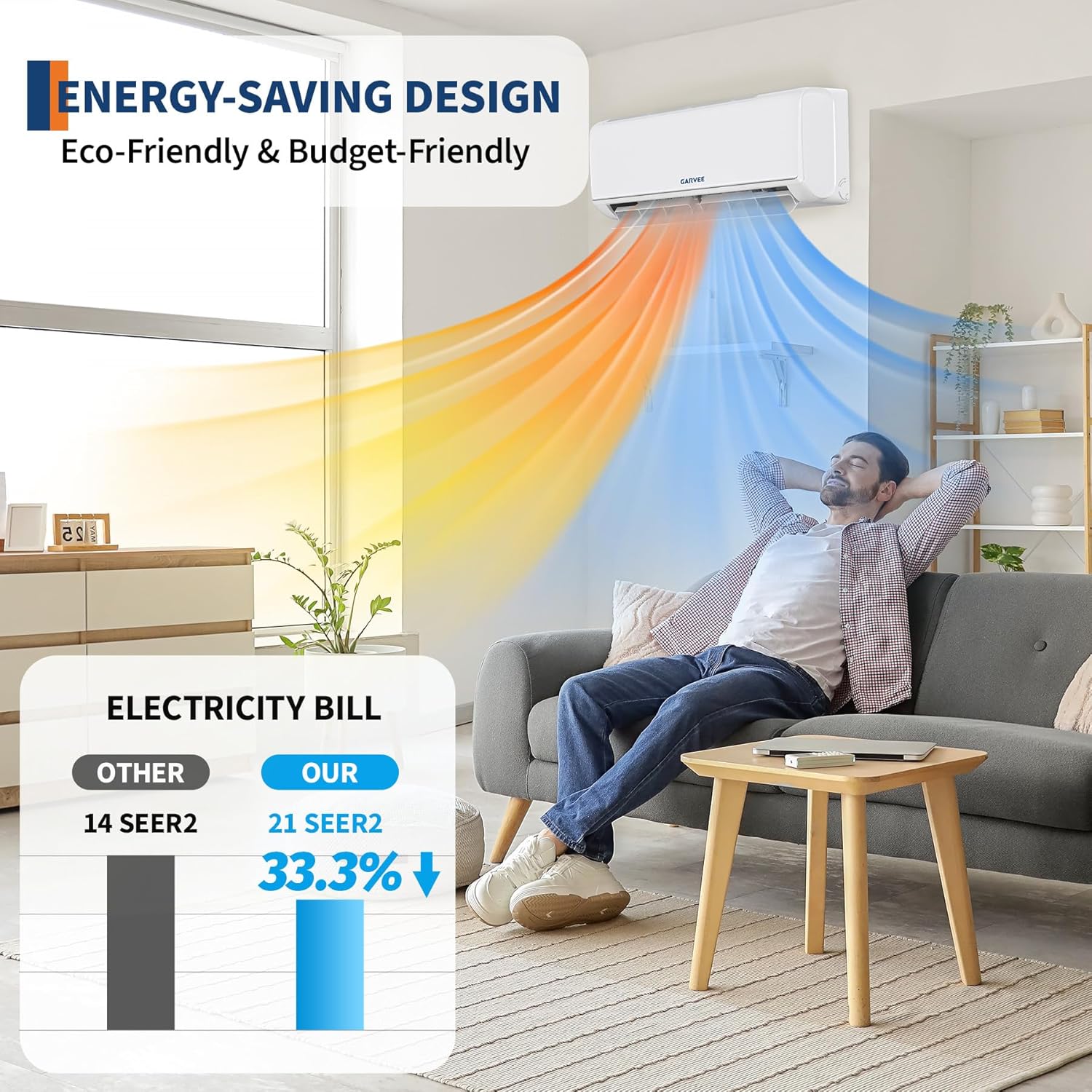
Figure 1.1: Garvee Mini Split AC unit demonstrating energy-saving operation.
2. Safety Information
Please read all safety warnings and instructions carefully before installing or operating this appliance. Failure to follow these instructions may result in electric shock, fire, property damage, or personal injury.
- This unit operates on 230V. Ensure proper electrical wiring and grounding.
- Installation must be performed by qualified personnel in accordance with all local and national electrical codes.
- Do not insert fingers or objects into the air inlet/outlet.
- Keep the unit away from flammable gases or combustible materials.
- Always disconnect power before cleaning or performing maintenance.
3. Setup
3.1 Unpacking and Components
Your Garvee Mini Split system is shipped in two separate packages. Ensure all components are present before beginning installation.

Figure 3.1: Contents of the two shipping boxes, including the indoor unit, outdoor unit, and installation kit.
Box 1 includes: Indoor Unit, 6.5 Ft Drain pipe, User manual, Remote Control, 14.7Ft Indoor-outdoor connection cable, Warranty card, 2*AAA batteries.
Box 2 includes: Outdoor Unit, 13Ft connection air pipe, 5.9Ft communication wire, Tape, 13Ft connection liquid pipe, Plastic zip tie.
3.2 WiFi Connection Guide
For detailed instructions on connecting your Garvee Mini Split AC to WiFi for smart control via your smartphone, Alexa, or Google Home, please refer to the official video guide below. This video demonstrates the process of adding your device using either the 'Add category' or 'Nearby equipment' methods.
Video 3.1: Official guide on how to connect your Garvee Mini Split AC to WiFi for smart control.
4. Operating Instructions
Your Garvee Mini Split AC offers versatile climate control with multiple modes and smart features.
4.1 Control Options
- Remote Control: Use the included physical remote for direct operation.
- Smartphone App: Manage the unit remotely via WIFI through your smartphone (iOS and Android compatible).
- Voice Control: Seamless integration with Alexa and Google Home for voice-activated adjustments.

Figure 4.1: Smart control options via smartphone app and voice assistants.
4.2 Operating Modes
The unit features 7 operating modes for various climate needs:
- Auto Mode: Automatically selects the appropriate mode based on ambient temperature.
- Cooling Mode: Provides stable, energy-saving cooling. Effective even at 133°F.
- Heating Mode: Delivers reliable heating. Effective even at -42.8°F.
- Dry Mode: Dehumidifies the air.
- Fan Mode: Circulates air without cooling or heating.
- ECO Mode: Optimizes energy consumption for reduced utility costs.
- Sleep Mode: Operates at a low noise level (down to 28 dBa) for undisturbed rest.

Figure 4.2: Unit's performance in cooling and heating across extreme temperatures.
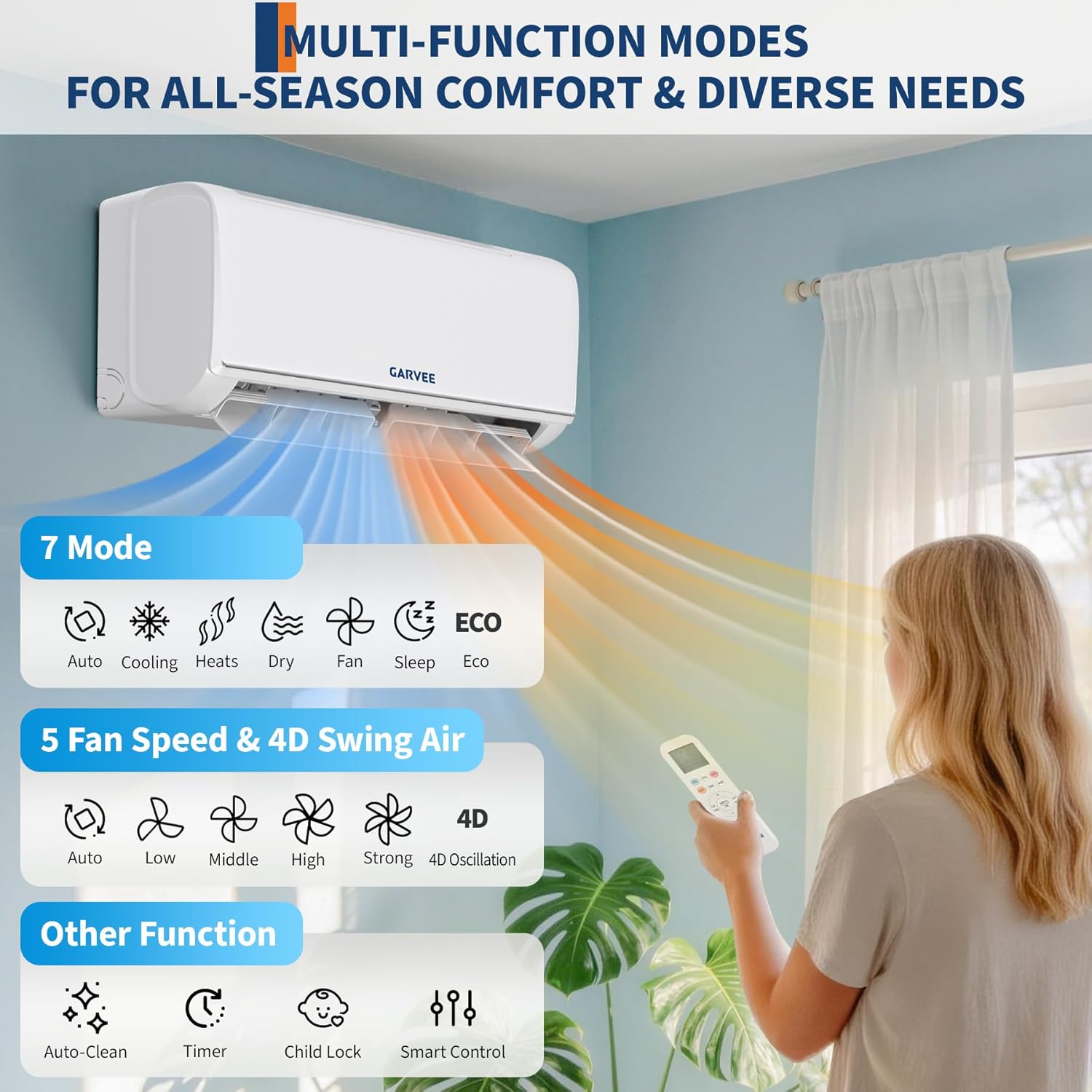
Figure 4.3: Overview of multi-function modes and features.
4.3 Additional Features
- 4D Air Flow: Up-down and left-right swing for uniform temperature distribution.
- 24-Hour Timer: Schedule operation for convenience.
- Multiple Fan Speeds: Adjust airflow intensity.
- Turbo Function: For rapid cooling or heating.

Figure 4.4: Quiet operation in Sleep Mode for peaceful comfort.
5. Maintenance
Regular maintenance ensures optimal performance and longevity of your Garvee Mini Split AC.
5.1 High-Temperature Auto Clean
The indoor unit is equipped with 133°F high-temperature self-cleaning technology. This function effectively eliminates dust and moisture buildup, contributing to cleaner air and healthier living environment.
5.2 Removable and Washable Filter
The unit features a detachable and reusable filter for easy manual cleaning. Regularly clean the filter to maintain consistent air quality and efficient operation.

Figure 5.1: The 133°F high-temperature self-cleaning process.
6. Troubleshooting
If you encounter issues with your unit, please refer to the following common troubleshooting steps before contacting support.
- Unit not turning on: Check power supply, circuit breaker, and ensure the remote control batteries are functional.
- Insufficient cooling/heating: Verify the selected mode and temperature settings. Ensure air filters are clean and not obstructed. Check for any blockages in the outdoor unit.
- Unusual noises: Minor noises during operation are normal. If loud or unusual noises occur, check for loose parts or obstructions.
- WiFi connection issues: Refer to the WiFi connection guide (Section 3.2) and ensure your router is functioning correctly and within range.
- Water leakage: Check the drain pipe for blockages or improper installation.
For persistent issues, please contact customer support.
7. Specifications
Key technical specifications for the Garvee 18000 BTU 21 SEER2 Ductless Mini Split AC & Heat Pump:

Figure 7.1: Dimensions and key specifications of the Garvee Mini Split AC unit.
| Feature | Specification |
|---|---|
| Brand | Garvee |
| Cooling Power | 18000 British Thermal Units |
| Heating Power | 18000 British Thermal Units |
| Seasonal Energy Efficiency Ratio (SEER2) | 21 |
| Voltage | 230V |
| Noise Level | 42 Decibels (28 dBa in Sleep Mode) |
| Coverage Area | Up to 1000 Sq.Ft |
| Product Dimensions (Outdoor Unit) | 40"D x 15.67"W x 38"H |
| Control Method | Remote, Voice, App Control |
| Refrigerant Type | R32 (Pre-charged) |
8. Warranty
The Garvee 18000 BTU 21 SEER2 Ductless Mini Split AC & Heat Pump comes with a two-year warranty. Please refer to the warranty card included in your package for specific terms and conditions. Keep your proof of purchase for warranty claims.
9. Support
For technical assistance, troubleshooting beyond this manual, or warranty inquiries, please contact Garvee customer support. Contact information can typically be found on the manufacturer's website or in the included documentation.