
1. Introduction
This manual provides detailed instructions for the assembly, operation, and maintenance of your Lvifur Corner Display Cabinet with RGB Lights. Please read this manual thoroughly before installation and use to ensure proper function and safety.
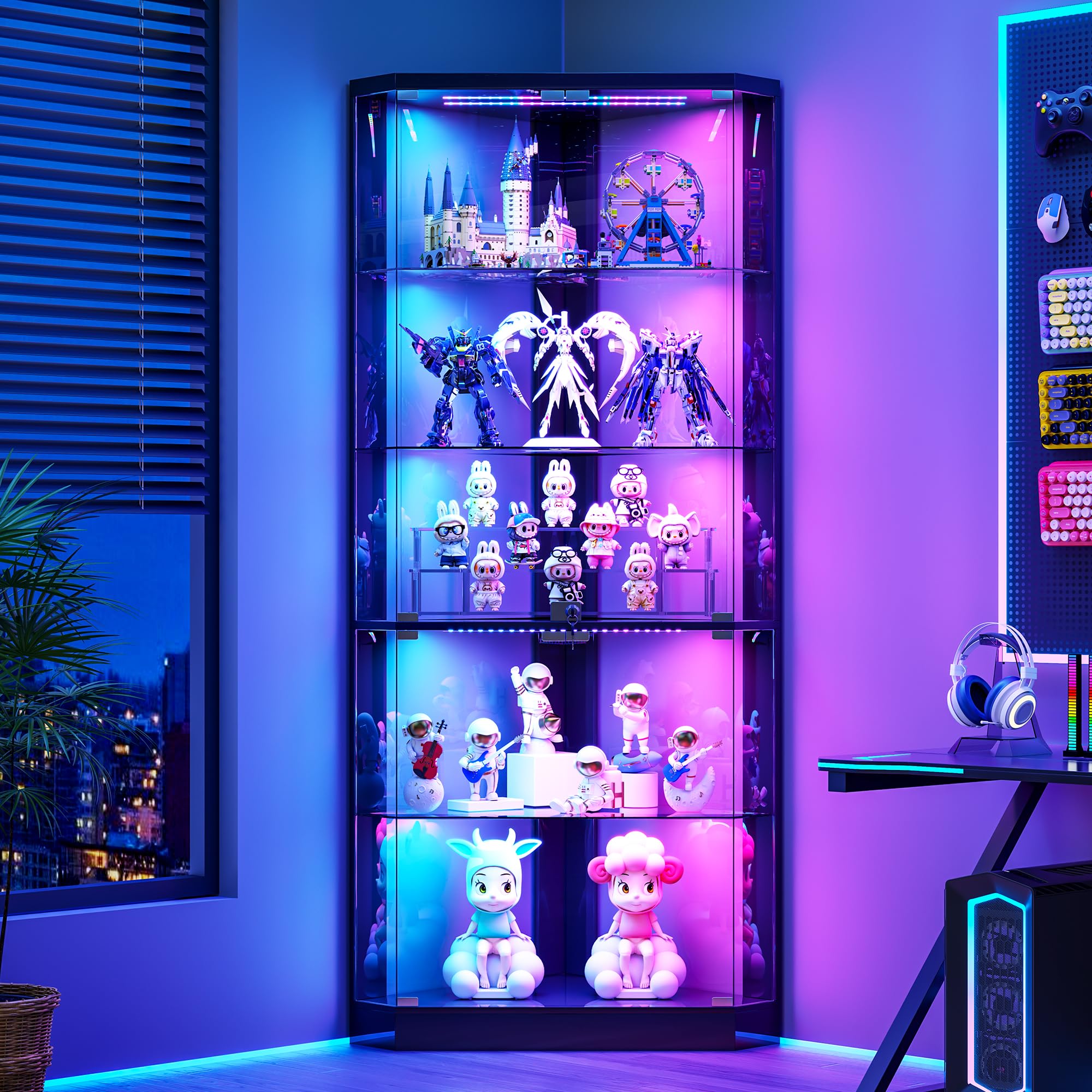
Figure 1: Lvifur Corner Display Cabinet with RGB Lights.
2. Safety Information
- Ensure all parts are present and undamaged before assembly. Contact customer support for missing or damaged parts.
- Assembly should be performed on a soft, clean surface to prevent scratches.
- It is recommended to follow each step in the instructions carefully.
- The cabinet features a lockable design for security. Keep the key in a safe place away from children.
- The glass doors are high-definition and explosion-proof, but handle with care during assembly and use.
- The cabinet frame is made of FSC-certified wood.
3. Package Contents
Verify all components are included in the package before beginning assembly. Refer to the provided accessories list in the physical manual for detailed part identification.
Video 1: Unboxing and overview of the Lvifur Corner Display Cabinet components, including the instruction manual and various screws and accessories. The video highlights the included spare parts and cable management clips.
4. Assembly Instructions
The cabinet is designed for straightforward assembly. Follow the step-by-step instructions provided in the included manual. All parts and accessories are labeled to assist with identification.
Video 2: Step-by-step animation demonstrating the assembly process of the corner display cabinet, including attaching the base, side panels, shelves, and doors. This video provides a visual guide to complement the written instructions.
Key Assembly Tips:
- Identify all screws and hardware using the accessories list before starting.
- Ensure all connections are secure but do not overtighten screws to avoid damaging materials.
- The glass partitions are removable and can be inserted according to actual needs.
5. Operating Instructions
RGB Lighting System:
The display cabinet is equipped with an RGB lighting system offering 7 static light colors and 5 dynamic dancing light modes. The lighting is controlled via a touch-sensitive panel.
- Changing Color Mode: Touch the switch on the control panel to cycle through the available color modes.
- Adjusting Brightness: Long press the touch switch to adjust the brightness level.
- Human Body Sensing Function: Activate this function via the control panel. The lights will automatically turn on when you approach the cabinet (within approximately 1 meter) and turn off after 30 seconds of inactivity. This feature can be toggled on or off.

Figure 2: Illustration of 5 dynamic lighting modes and 7 static lighting options, along with brightness adjustment via long press.

Figure 3: Depiction of the smart human induction feature, where lights automatically activate upon approach.
Video 3: Demonstration of the RGB lighting features, including cycling through various colors and dynamic modes, and the human body induction sensor that activates the lights upon detecting movement.
Lockable Pop-Up Glass Doors:
The cabinet features handleless pop-up glass doors with a locking mechanism.
- Opening Doors: Gently press the glass door to activate the pop-up mechanism, then pull to open.
- Closing Doors: Push the door firmly until it clicks into place.
- Locking Mechanism: Use the provided key to lock the doors, securing your displayed items.

Figure 4: Visual guide on how to open the push-to-open glass doors.

Figure 5: Close-up of the lockable design for child safety and the removable glass partitions.
6. Maintenance
- Clean glass surfaces with a soft, lint-free cloth and a glass cleaner. Avoid abrasive cleaners.
- Wipe wooden or engineered wood surfaces with a damp cloth and mild detergent, then dry thoroughly.
- Regularly check all screws and connections to ensure they remain tight.
- Avoid exposing the cabinet to direct sunlight or extreme temperature changes to prevent material degradation.
7. Specifications
| Feature | Detail |
|---|---|
| Brand | Lvifur |
| Model | B0GQGFV7J8 |
| Product Dimensions | 18"D x 25"W x 69"H (45.7cm D x 63.5cm W x 175.3cm H) |
| Material | Glass door, High-definition acrylic back panel, Engineered wood (FSC-certified) |
| Tiers | 5 |
| Lighting | RGB Lights (7 static, 5 dynamic modes), Human body sensor |
| Doors | Lockable Pop-Up Glass Doors |
| Special Features | Corner design, Push switch, Movable glass partitions |

Figure 6: Detailed product dimensions and individual shelf weight capacities.
8. Support
If you encounter any issues with missing items or damaged parts, please click the "Contact Seller" option on the purchase platform to receive assistance. Ensure you have your order details ready for a quicker resolution.