
1. Introduction
This manual provides essential information for the proper use, maintenance, and care of your LS2 Centric Full Face Motorcycle Helmet with the integrated Midland Spectrum Bluetooth Headset. Please read this manual thoroughly before using your helmet to ensure maximum safety and optimal performance.
The LS2 Centric helmet is designed for urban commuters and touring riders, featuring a Kinetic Polymer Alloy (KPA) shell for lightweight durability and impact protection. It meets DOT FMVSS 218 safety standards. The pre-installed Midland Spectrum Bluetooth headset offers 4-rider intercom capability, AI noise cancellation, and premium RCF audio for enhanced communication during rides.
2. Safety Information
WARNING: No helmet can protect the wearer against all foreseeable impacts. For maximum protection, the helmet must fit properly and be securely fastened. Always ride within your limits and wear appropriate protective gear.
- Always ensure the chin strap is securely fastened before riding.
- Never modify your helmet in any way, as this can compromise its protective capabilities.
- Avoid exposing the helmet to petroleum products or cleaning agents, as they can damage the shell and internal components.
- Replace your helmet after any significant impact, even if visible damage is not apparent.
- The helmet is designed for motorcycle use only.
3. Components Overview
Familiarize yourself with the main components of your LS2 Centric helmet and Midland Spectrum Bluetooth headset.
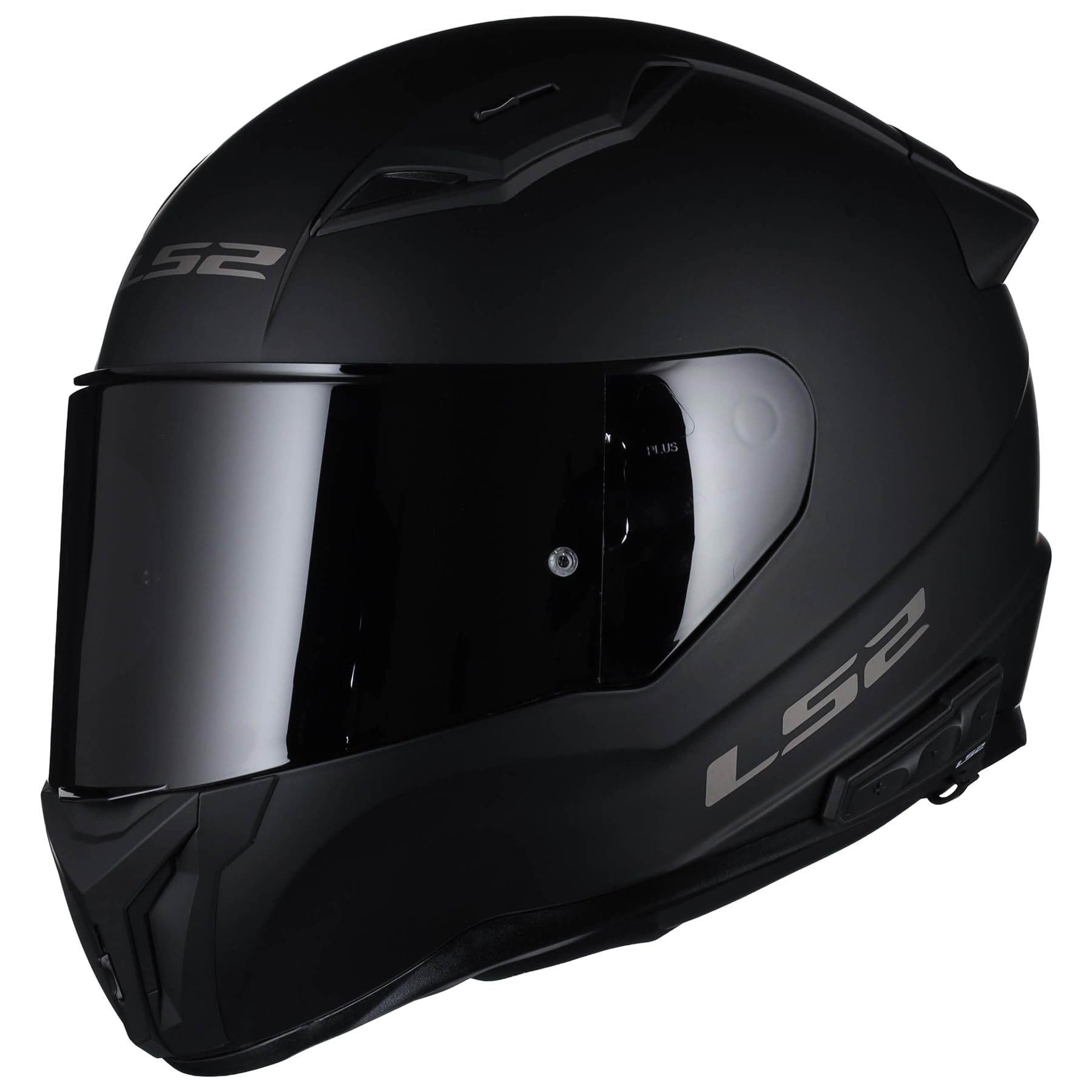
Figure 1: Side view of the LS2 Centric Full Face Motorcycle Helmet with integrated Midland Spectrum Bluetooth headset.
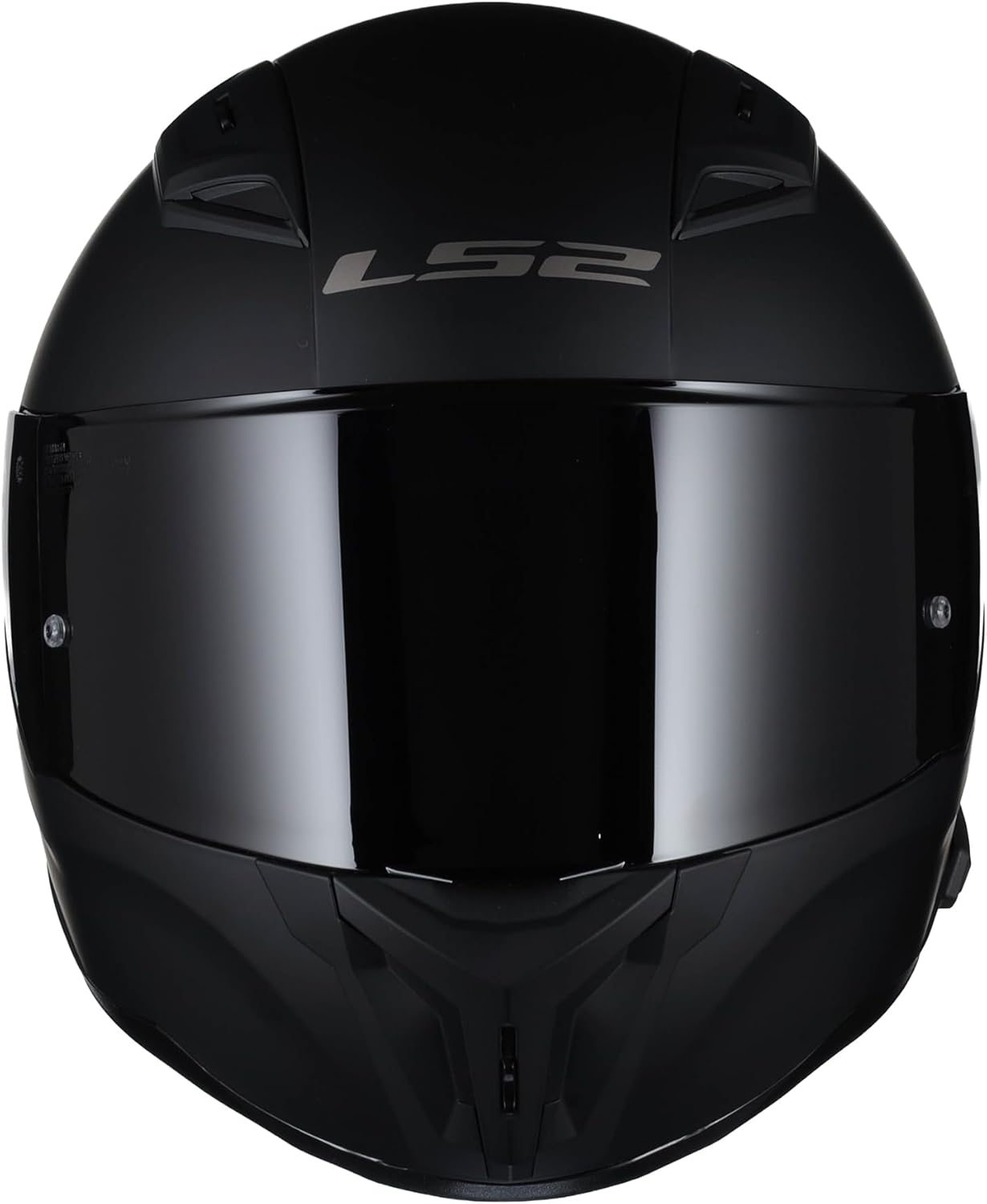
Figure 2: Front view of the LS2 Centric Full Face Motorcycle Helmet, showing the main visor.

Figure 3: Rear view of the LS2 Centric Full Face Motorcycle Helmet, displaying DOT and ECE certifications.
Helmet Features:
- KPA Shell: Kinetic Polymer Alloy construction for lightweight durability.
- AREM Rotational Energy Management System: Enhances impact protection.
- Quick-Change Shield System: Tool-less visor replacement.
- 3D Laser-Cut Comfort Padding: Removable and washable interior for a precise fit.
- Ventilation System: Adjustable intake and exhaust vents for airflow.
Midland Spectrum Bluetooth Headset Features:
- 4-Rider Intercom Capability
- AI Noise Cancellation
- Premium RCF Audio
- Waterproof Construction
4. Setup
4.1 Helmet Fitting
A properly fitting helmet is crucial for safety. Follow these steps to ensure a correct fit:
- Try on the helmet: The helmet should feel snug all around your head, with no pressure points.
- Check for movement: With the chin strap unfastened, try to rotate the helmet from side to side and front to back. There should be minimal movement.
- Chin strap test: Fasten the chin strap securely. Try to pull the helmet off your head from the rear. If it comes off, it is too large.
- Cheek pads: Your cheeks should be compressed slightly by the cheek pads.
4.2 Shield Installation and Removal
The LS2 Centric features a quick-change shield system for easy visor replacement. Refer to the specific instructions provided with your helmet for detailed steps, as the mechanism may vary slightly. Generally, shields can be removed by pressing a release lever on each side and reinstalled by aligning the pivots and snapping them into place.
Your helmet includes either a photochromic, dark smoke, or silver iridium shield depending on the version purchased. Ensure the shield is clean and free of obstructions before installation.
4.3 Midland Spectrum Bluetooth Headset Initial Setup
The Midland Spectrum Bluetooth headset is pre-installed. Before first use, ensure it is fully charged.
- Charging: Connect the provided USB charging cable to the headset's charging port and a suitable USB power source. The indicator light will show charging status (e.g., red for charging, blue for fully charged).
- Power On/Off: Press and hold the main button on the headset for approximately 3 seconds to power it on or off.
- Pairing with a Mobile Device:
- With the headset off, press and hold the main button for about 5-7 seconds until the indicator light flashes rapidly (usually blue/red alternating), indicating pairing mode.
- On your mobile device, go to Bluetooth settings and search for new devices.
- Select "Midland Spectrum" from the list. If prompted for a PIN, enter "0000".
- Once paired, the indicator light will change (e.g., slow blue flashes).
- Intercom Pairing: For multi-rider intercom, refer to the dedicated Midland Spectrum user guide for specific pairing procedures with other Midland Spectrum units.
5. Operating Instructions
5.1 Wearing the Helmet
- Hold the helmet by the chin straps and pull them apart to widen the opening.
- Place the helmet on your head, ensuring it sits level and covers your forehead.
- Fasten the chin strap securely. The strap should be snug under your chin, allowing only one finger to fit between the strap and your chin.
- Adjust the shield to your desired position (open, closed, or partially open).
5.2 Ventilation System
The LS2 Centric helmet features adjustable vents to control airflow. Locate the front and top vents and slide or click them open or closed as needed to manage internal temperature and reduce fogging.
5.3 Midland Spectrum Bluetooth Headset Operation
Once paired, the Midland Spectrum headset allows for various functions:
- Phone Calls: Answer/end calls by pressing the main button. Voice commands may also be supported (refer to Midland guide).
- Music Playback: Play/pause music by pressing the main button. Use volume buttons (if present) to adjust audio levels.
- Intercom: Initiate or end intercom conversations with other paired riders using the dedicated intercom button or sequence (refer to Midland guide).
- Volume Control: Use the designated volume up/down buttons on the headset.
For detailed operation of all Bluetooth functions, including advanced intercom features and settings, please consult the full Midland Spectrum Bluetooth Headset user manual.
6. Maintenance
6.1 Helmet Exterior Cleaning
Clean the helmet shell with a soft cloth, warm water, and mild soap. Avoid abrasive cleaners or solvents, as they can damage the finish and shell material. Rinse thoroughly and air dry.
6.2 Interior Liner Cleaning
The 3D laser-cut comfort padding is removable and washable. Gently remove the cheek pads and headliner. Hand wash with mild soap and water, or machine wash on a delicate cycle in a laundry bag. Air dry completely before reinstallation.
6.3 Visor/Shield Care
Clean the visor with a soft, damp cloth and mild soap. Do not use abrasive materials or chemical cleaners. For stubborn dirt, soak the shield in warm water before gently wiping. Allow to air dry. Avoid wiping a dry shield, as this can cause scratches.
6.4 Midland Spectrum Bluetooth Headset Care
Wipe the headset unit with a damp cloth. Ensure the charging port cover is securely closed to maintain its waterproof rating. Do not submerge the unit. Keep the charging contacts clean and dry.
7. Troubleshooting
7.1 Helmet Related Issues
- Helmet feels too tight/loose: Re-check fitting instructions. Ensure correct size.
- Visor fogging: Ensure vents are open. Consider an anti-fog insert if available for your shield type.
- Excessive wind noise: Ensure shield is fully closed and chin strap is snug. Check for proper fit.
7.2 Midland Spectrum Bluetooth Headset Issues
- Headset not powering on: Ensure it is fully charged.
- Cannot pair with phone: Ensure headset is in pairing mode (rapid flashing light). Turn off and on your phone's Bluetooth.
- No audio/low volume: Check volume levels on both headset and phone. Ensure headset is properly connected.
- Intercom not connecting: Ensure all units are within range and correctly paired according to the Midland Spectrum user guide.
- Poor audio quality/static: Check for interference from other electronic devices. Ensure units are within optimal range for intercom.
For more detailed troubleshooting of the Midland Spectrum Bluetooth Headset, refer to its dedicated user manual or the Midland support website.
8. Specifications
| Feature | Specification |
|---|---|
| Model Number | 810-1111-SPECB |
| Shell Material | KPA (Kinetic Polymer Alloy) |
| Safety Standards | DOT FMVSS 218, ECE 22.06 |
| Item Weight | Approximately 6 Pounds |
| Included Components | Helmet, Midland Spectrum Bluetooth Headset |
| Bluetooth Intercom | 4-Rider Capability |
| Shield Type | Optically correct Class A polycarbonate, Quick-Change System |
| Interior Padding | 3D Laser-Cut, Removable, Washable |
9. Warranty and Support
9.1 Warranty Information
Your LS2 Centric Helmet comes with a 2 Year Manufacturer Warranty. This warranty covers defects in materials and workmanship under normal use. It does not cover damage caused by misuse, accidents, modifications, or normal wear and tear. Please retain your proof of purchase for warranty claims.
9.2 Customer Support
For technical assistance, warranty claims, or general inquiries regarding your LS2 Centric Helmet, please contact LS2 Helmets customer service. For support related to the Midland Spectrum Bluetooth Headset, please refer to Midland's official support channels.
You can often find contact information and FAQs on the official LS2 Helmets website or the Midland website.

