
Important Safety Instructions
Read all instructions thoroughly before installing and operating your air conditioner. Keep this manual for future reference. The manufacturer is not responsible for any damage caused by improper installation or operation.
Electrical Safety
- Ensure the unit is connected to a properly grounded 3-prong outlet. Do not remove the grounding prong.
- Do not use extension cords or adapter plugs with this unit.
- Do not operate the air conditioner if the power cord or plug is damaged. Contact qualified service personnel for replacement.
- Always unplug the unit before cleaning or servicing.
Installation Safety
- Install the unit securely according to the installation instructions to prevent it from falling.
- Ensure the window opening meets the specified dimensions for proper fit.
- Do not block the air intake or exhaust vents of the unit.
Operation Safety
- Keep children and pets away from the unit during operation.
- Do not insert fingers or objects into the air discharge area.
- Do not attempt to repair or modify the unit yourself. Refer all servicing to qualified personnel.
Product Overview
The ZAFRO 14,000 BTU Window Air Conditioner is designed to provide cooling, dehumidification, and air circulation for rooms up to 700 sq. ft. This unit features multiple operating modes, a remote control, and an easy-to-clean filter.
Key Features
- Cooling Capacity: 14,000 BTU, suitable for areas up to 700 sq. ft.
- 3-in-1 Functionality: Offers Cool, Dehumidifier (Dry), and Fan modes.
- Adjustable Airflow: Features 4-way adjustable air slats to direct airflow.
- Energy-Saving Modes: Includes ECO mode for reduced power consumption and a Sleep mode for comfortable overnight operation.
- Convenient Control: Operates via an intuitive control panel or a digital remote control.
- Programmable Timer: A 24-hour timer allows for automated cooling schedules.
- Quiet Operation: Designed for low-noise performance, operating as low as 50dB.

Image: The ZAFRO 14,000 BTU Window Air Conditioner installed in a window, demonstrating its cooling effect in a living room setting. The image highlights the unit's ability to cool up to 700 sq. ft. with adjustable louvers.
Package Contents
Verify that all components are present before beginning installation:
- Window Air Conditioner Unit
- Remote Control
- Top Rail (with sponge)
- Lock Frame (x2)
- Filler Panels (x2)
- Sash Lock (two holes)
- Window Sash Seal (sponge)
- Foam Top Window Gasket
- Insulation Strip (x2)
- 3/8" Screws
- 1/2" Screws
- 3/4" Screws
- Batteries for Remote

Image: A visual representation of all components included in the ZAFRO window air conditioner's installation kit, alongside the main unit and remote control.
Installation Guide
This section provides step-by-step instructions for installing your ZAFRO window air conditioner. Ensure you have all package contents and necessary tools before starting.
Before Installation
- Window Requirements: The unit is designed for standard double-hung windows with a width range of 26 to 36 inches.
- Clearance: Maintain a minimum ground clearance of 16 inches for optimal performance and safety.
- Tools Needed: Phillips head screwdriver, measuring tape, and a drill (optional for pilot holes).

Image: Diagram illustrating the dimensions of the ZAFRO window air conditioner (15.16"D x 21.5"W x 19.76"H) and the compatible window width range of 26-36 inches, along with a minimum ground clearance of 16 inches.
Step-by-Step Installation
- Prepare the Window: Open the window sash and clean the window sill area.
- Attach Top Rail: Slide the top rail (with sponge) into the groove on the top of the air conditioner unit. Secure it with the provided screws.
- Install Filler Panels: Slide the left and right filler panels into the side channels of the unit.
- Place AC Unit in Window: Carefully lift the air conditioner and place it on the window sill, centering it in the window opening. Close the window sash down onto the top rail of the unit.
- Extend Filler Panels: Pull out the filler panels to fill the window opening on both sides. Secure them to the window frame with the appropriate screws.
- Secure with Lock Frames: Attach the lock frames to the window sill and the bottom of the unit, securing with screws to prevent movement.
- Install Sash Lock: Install the sash lock to secure the window sash to the window frame, preventing the window from being opened from the outside.
- Apply Seals: Apply the window sash seal (sponge) and foam top window gasket to seal any gaps and improve insulation. Install insulation strips as needed.
- Final Check: Ensure the unit is level or slightly tilted outwards to allow for proper condensate drainage. Plug the unit into a grounded electrical outlet.
Operating Instructions
Familiarize yourself with the control panel and remote control to effectively operate your air conditioner.
Control Panel and Remote Control
The unit can be controlled using the buttons on the front panel or the included digital remote control. The remote control offers full functionality from a distance.

Image: The ZAFRO window air conditioner's control panel and its remote control, displaying icons for Cool, Dry, Fan, Sleep, Eco, and Auto modes, along with fan speeds, temperature range, and timer function.
Operating Modes
- Cool Mode: Provides rapid cooling. Set your desired temperature between 61°F and 88°F using the Up/Down arrows. The unit will cycle on and off to maintain this temperature.
- Dry Mode (Dehumidifier): Reduces humidity in the room. This mode can remove up to 105 pints of moisture per day. The fan speed is automatically controlled in this mode.
- Fan Mode: Circulates air without cooling. Select from High, Medium, or Low fan speeds to suit your preference.
- Auto Mode: The unit automatically selects the appropriate operating mode (Cool or Fan) and fan speed based on the current room temperature to maintain a comfortable environment.
- ECO Mode: An energy-saving feature. In this mode, the unit will cycle the compressor on and off to maintain the set temperature, reducing power consumption.
- Sleep Mode: Designed for quiet, comfortable overnight operation. The set temperature will gradually increase by a few degrees over several hours to prevent overcooling during sleep.

Image: A visual representation of the 3-in-1 functionality: Cool Mode for rapid cooling, Fan Mode for air circulation, and Dry Mode for removing up to 105 pints of moisture per day.
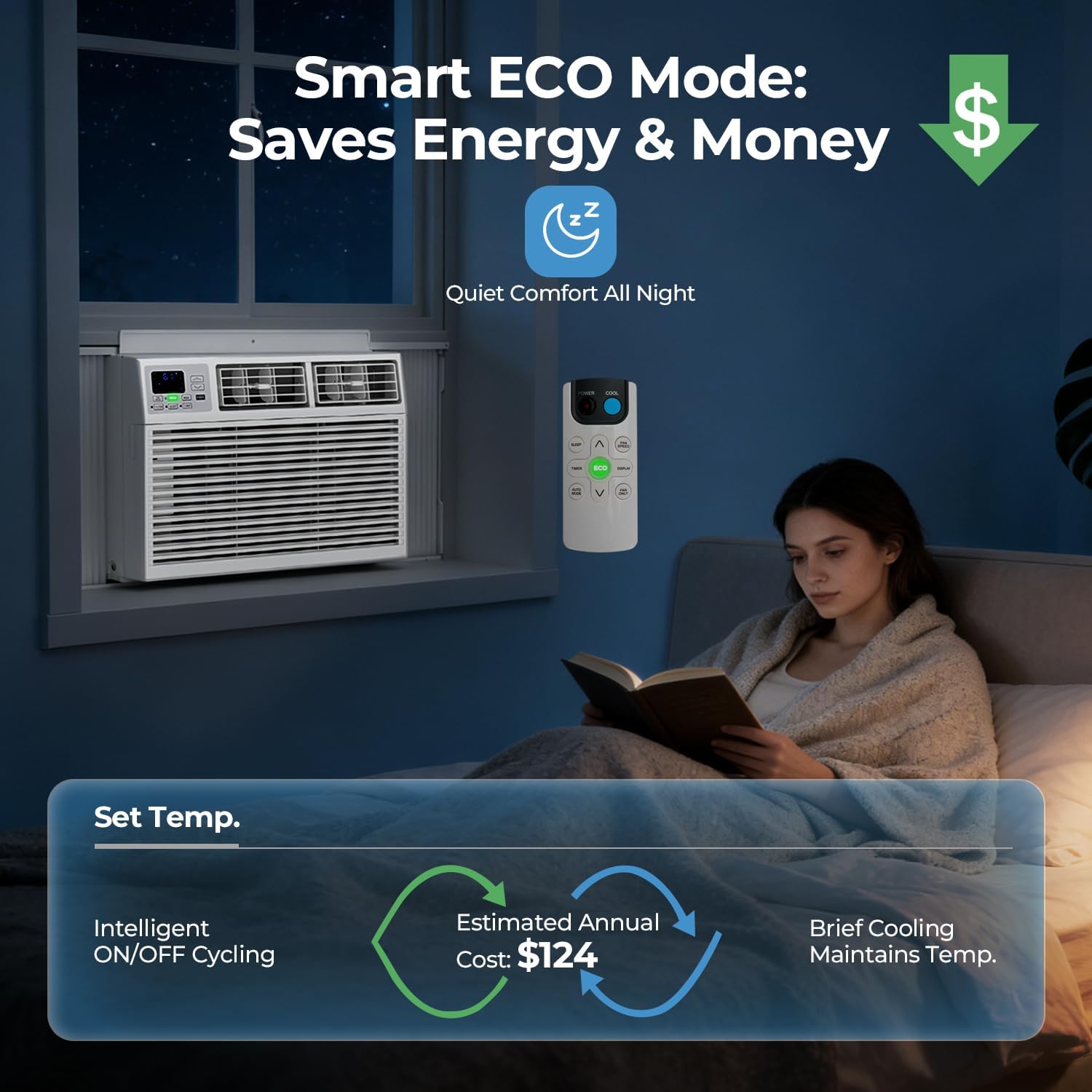
Image: The ZAFRO AC unit operating in Smart ECO Mode, illustrating how it saves energy and money through intelligent ON/OFF cycling to maintain temperature, providing quiet comfort throughout the night.
Setting Temperature and Timer
- Temperature Setting: In Cool mode, use the Up/Down arrows on the control panel or remote to set your desired temperature between 61°F and 88°F.
- Timer Function: Press the Timer button to program the unit to automatically turn ON or OFF after a set period. Adjust the time from 0.5 to 24 hours using the Up/Down arrows.
Care and Maintenance
Regular cleaning and maintenance ensure optimal performance and longevity of your air conditioner.
Cleaning the Air Filter
The air filter should be cleaned approximately every two weeks, or more frequently depending on usage and air quality.
- Unplug the air conditioner from the power outlet.
- Open the front panel and carefully slide out the air filter.
- Wash the filter with warm, soapy water. Rinse thoroughly.
- Allow the filter to air dry completely before reinserting it into the unit. Do not use hot water or harsh cleaning agents.
General Cleaning
- Unplug the unit before cleaning.
- Wipe the exterior casing with a soft, damp cloth. Do not use abrasive cleaners, waxes, or polishes.
- Ensure no water enters the electrical components.
Seasonal Storage
- At the end of the cooling season, unplug the unit and clean the air filter.
- Ensure the unit is completely dry before storage.
- Cover the unit with a plastic sheet or cloth to protect it from dust.
- Store the unit in a cool, dry place.
Troubleshooting
Before contacting customer support, refer to the following troubleshooting guide for common issues.
| Problem | Possible Cause | Solution |
|---|---|---|
| Unit does not turn on. | No power supply. Power cord not fully plugged in. Circuit breaker tripped. Timer function is active. | Check if the unit is plugged into a live outlet. Ensure the power cord is securely connected. Reset the circuit breaker. Deactivate the timer function. |
| Unit does not cool sufficiently. | Air filter is dirty. Temperature setting is too high. Window/door is open. Room size exceeds capacity. Air intake/exhaust blocked. | Clean the air filter. Lower the set temperature. Close all windows and doors. Ensure unit is appropriate for room size. Clear any obstructions from vents. |
| Water dripping outside. | Normal during high humidity. | This is normal. Ensure the unit is slightly tilted outwards for proper drainage. |
| Unit is noisy. | Loose parts. Improper installation. Fan obstruction. | Check for and tighten any loose screws. Ensure the unit is securely installed and level. Inspect for any foreign objects obstructing the fan. |
Specifications
Technical details for the ZAFRO 14,000 BTU Window Air Conditioner.
| Brand | ZAFRO |
| Model Name | TWAC-14CRA1/K8U |
| Cooling Power | 14,000 British Thermal Units (BTU) |
| Coverage Area | Up to 700 sq. ft. |
| Dehumidification Capacity | 105 pints/day |
| Product Dimensions (D x W x H) | 15.16"D x 21.5"W x 19.76"H |
| Item Weight | 69.5 Pounds |
| Voltage | 115 Volts (AC) |
| Wattage | 1270 watts |
| Noise Level | 55 Decibels |
| Temperature Range | 61-88°F |
| Controller Type | Button Control, Remote Control |
| Installation Type | Window |
| Special Features | 4 Way Swing, Dehumidifier, Fast Cooling, Sleep Mode |
| Included Components | Installation Kit, Remote |
Warranty and Customer Support
Warranty Information
This ZAFRO air conditioner comes with a 1 Year Manufacturer Warranty from the date of purchase. Please retain your proof of purchase for warranty claims. The warranty covers defects in materials and workmanship under normal use.
Customer Support
For technical assistance, warranty service, or general inquiries, please contact ZAFRO customer support. Refer to the official ZAFRO website or your purchase documentation for the most current contact information.
Manufacturer: ZAFRO


