
Introduction
Thank you for choosing the DREO TurboCool 516S Table Fan. This manual provides important information regarding the safe operation, installation, maintenance, and troubleshooting of your new fan. Please read it thoroughly before use and retain it for future reference.
Important Safety Instructions
When using electrical appliances, basic precautions should always be followed to reduce the risk of fire, electric shock, and injury to persons, including the following:
- Read all instructions before using this fan.
- This appliance has a polarized plug (one blade is wider than the other). To reduce the risk of electric shock, this plug is intended to fit into a polarized outlet only one way. If the plug does not fit fully into the outlet, reverse the plug. If it still does not fit, contact a qualified electrician. Do not attempt to defeat this safety feature.
- Do not leave the fan unattended when it is connected to an electrical outlet.
- Unplug the fan from the outlet when not in use, when moving it from one location to another, and before cleaning.
- Do not operate any fan with a damaged cord or plug. Discard fan or return to an authorized service facility for examination and/or repair.
- Do not run cord under carpeting. Do not cover cord with throw rugs, runners, or similar coverings. Do not route cord under furniture or appliances. Arrange cord away from traffic area and where it will not be tripped over.
- Do not insert or allow fingers or foreign objects to enter any ventilation or exhaust opening as this may cause an electric shock or fire, or damage the fan.
- Do not block air intakes or exhaust in any manner. Do not use on any soft surface, like a bed, where openings may become blocked.
- Always place the fan on a stable, flat, and level surface to prevent it from tipping over.
- This fan is not intended for use in wet or damp locations. Do not use near water, such as a bathtub, washbowl, laundry tub, swimming pool, or in a wet basement.
- This appliance is for household use only.
Package Contents
- 1 × DREO Table Fan (DR-HEC006S)
- 1 × Remote Control
- 1 × User Manual
Product Overview
The DREO TurboCool 516S is a versatile table fan designed to provide cooling, misting, and humidification. It features a compact design, quiet operation, and smart control options.

Image: Front view of the DREO TurboCool 516S Table Fan, showcasing its compact design and misting outlet.
Control Panel
The fan features an intuitive control panel located on the front of the base. It includes buttons for power, speed, mode selection, oscillation, timer, and misting functions. An LED display shows current settings.
Remote Control
The included remote control allows for convenient operation from a distance. Ensure the remote has working batteries and is pointed towards the fan's receiver.
Setup
Unpacking
- Carefully remove the fan and all accessories from the packaging.
- Place the fan on a stable, flat, and dry surface.
- Ensure there are no obstructions around the fan's air intake and exhaust.
Filling the Water Tank
The DREO TurboCool 516S features a 1.3L water tank for extended misting and humidification. For optimal performance, use room temperature water.

Image: Visual guide showing how to detach the water tank, fill it with room temperature water, and reattach it to the fan base.
- Detach the water tank: Gently pull the water tank upwards from the fan base.
- Fill with room temperature water: Open the tank cap and fill the tank with clean, room temperature water. Do not overfill.
- Attach the tank back in place: Securely place the filled water tank back onto the fan base, ensuring it clicks into position.
Operating Instructions
The DREO TurboCool 516S offers multiple modes and settings for personalized comfort.

Image: The DREO TurboCool 516S fan demonstrating its 3-in-1 climate control capabilities: Misting Cooler (2 modes), Humidifier (3 levels), and Fan (6 speeds).
Power On/Off
- Press the Power Button on the control panel or remote to turn the fan on or off.
Fan Speed Settings
The fan features 6 speed settings to adjust airflow intensity.
- Press the Speed Button repeatedly to cycle through the 6 fan speeds.
Misting and Humidification
Utilize the ultrasonic misting feature for enhanced cooling and humidification without wetting your surroundings.

Image: The DREO TurboCool 516S fan emitting an ultrafine mist, highlighting its 11 µm mist particle size and 250 mL/h maximum mist output.
- Press the Mist Button to activate or adjust the misting level (2 modes for misting cooler, 3 levels for humidifier).
- Ensure the water tank is filled for misting functions to operate.
Oscillation
The fan offers wide-angle oscillation to distribute air throughout the room.

Image: The DREO TurboCool 516S fan demonstrating its 150° horizontal oscillation and 30° vertical tilt capabilities for comprehensive air distribution.
- Press the Oscillation Button to activate or deactivate horizontal oscillation (up to 150°).
- Manually adjust the fan head for a 30° vertical tilt.
Timer Function
Set the fan to automatically turn off after a specified period.
- Press the Timer Button to set the desired operating duration. The timer can be set for up to 12 hours.
Smart Control (App, Voice)
Control your fan remotely using the DREO app or voice commands with compatible smart assistants.
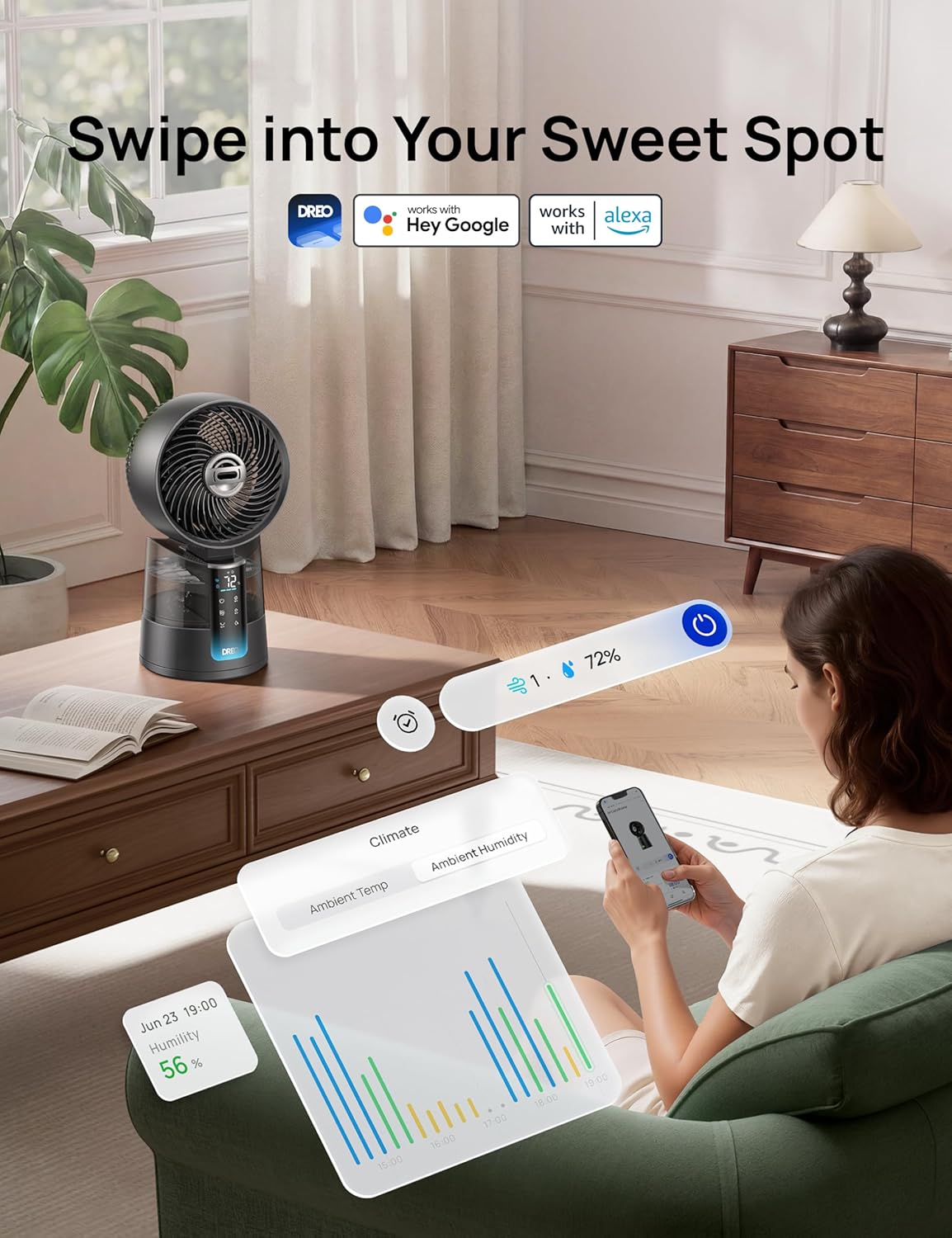
Image: A person interacting with the DREO app on a smartphone to control the DREO TurboCool 516S fan, showing compatibility with Hey Google and Alexa.
- Download the DREO app from your smartphone's app store.
- Follow the in-app instructions to pair your fan.
- Once paired, you can control all fan functions, set schedules, and monitor ambient conditions.
- For voice control, link your DREO account with Google Assistant or Amazon Alexa through their respective apps.
Maintenance
Regular cleaning and maintenance will ensure the longevity and optimal performance of your DREO TurboCool 516S fan.
Cleaning the Fan
- Always unplug the fan before cleaning.
- Use a soft, damp cloth to wipe the exterior surfaces of the fan.
- For the fan blades and grille, use a vacuum cleaner with a brush attachment or compressed air to remove dust.
- Do not use abrasive cleaners or solvents, as they may damage the fan's surface.
Cleaning the Water Tank
- Detach the water tank as described in the Setup section.
- Rinse the tank thoroughly with clean water. For stubborn deposits, use a soft brush and a mild detergent.
- Ensure the tank is completely dry before reattaching it to prevent mold or mildew growth.
- It is recommended to clean the water tank weekly, especially if using the misting function frequently.
Troubleshooting
If you encounter any issues with your DREO TurboCool 516S fan, please refer to the following common problems and solutions:
| Problem | Possible Cause | Solution |
|---|---|---|
| Fan does not turn on. | No power supply. Power button not pressed. | Ensure the power cord is securely plugged into a working outlet. Press the power button on the fan or remote. |
| No mist is being produced. | Water tank is empty. Misting function not activated. Ultrasonic atomizer is dirty. | Refill the water tank. Press the mist button to activate. Clean the ultrasonic atomizer according to maintenance instructions. |
| Fan is noisy. | Fan blades are dirty. Fan is not on a stable surface. | Clean the fan blades. Place the fan on a flat, stable surface. |
| Remote control not working. | Batteries are dead or incorrectly inserted. Obstruction between remote and fan. | Replace batteries and ensure correct polarity. Remove any obstructions and point remote directly at the fan. |
Specifications
| Feature | Specification |
|---|---|
| Brand | DREO |
| Model Number | DR-HEC006S |
| Color | Grey |
| Electric Fan Design | Table Fan |
| Power Source | Corded Electric |
| Product Dimensions (D x W x H) | 20.1 x 21.9 x 40 cm |
| Special Features | App Operable, Portable, Quiet Operation, Remote Controlled, Timer |
| Control Type | App Control, Voice Control, Remote Control, Touch |
| Number of Speeds | 6 |
| Noise Level | 20 Decibels |
| Power | 60 Watts |
| Airflow | 870 Cubic Meters per Hour |
| Speed | 2460 RPM |
| Water Tank Capacity | 1.3 Liters |
| Max Runtime (Misting) | 12 Hours |
| Horizontal Oscillation | Up to 150° |
| Vertical Tilt | 30° |
| Material | Plastic |
| Country of Origin | China |
Warranty and Support
DREO products come with a manufacturer's warranty. For detailed warranty information, please refer to the warranty card included in your package or visit the official DREO website. If you have any questions, require technical support, or need assistance with your product, please contact DREO customer service. Contact information can typically be found on the DREO website or on the product packaging.


