
Introduction
This manual provides detailed instructions for the proper use and maintenance of your SCHNEIDER Digital Bathroom Scale. Designed for precision and durability, this scale features advanced SaluOptim Technology for accurate measurements up to 450 lbs (204 kg) with 0.05 lb (0.02 kg) accuracy. Its large LED display and tempered glass platform ensure a clear, stable, and safe weighing experience for all family members, including babies and pets.

Image: The scale's large 11.8 x 11.8 inch platform, designed for comfortable standing.
Important Safety Information
- Always place the scale on a hard, flat surface. Using it on soft surfaces like carpet can affect accuracy.
- The scale's surface is made of tempered glass. While durable, avoid dropping heavy objects on it or subjecting it to strong impacts, as this may cause damage or injury.
- Keep the scale dry. Avoid exposure to water or excessive moisture.
- Do not use abrasive cleaners. Clean the scale with a damp cloth and mild detergent.
- This scale is intended for household use only.
- Do not disassemble or attempt to repair the scale yourself. This will void the warranty and may cause malfunction.
- Keep batteries out of reach of children.
Package Contents
Please check the package to ensure all items are present:
- 1 x SCHNEIDER Digital Bathroom Scale
- 4 x AAA Batteries
- 1 x User Manual (this document)
Setup
- Install Batteries: Open the battery compartment on the underside of the scale. Insert the 4 AAA batteries, ensuring correct polarity (+/-). Close the compartment securely.
- Placement: Place the scale on a hard, flat, and stable surface. Avoid carpets, rugs, or uneven flooring, as these can affect measurement accuracy.
- Initial Calibration: For the first use or after moving the scale, gently press down on the center of the scale with your foot until the display lights up and shows "0.0" or "0.00". This calibrates the scale. Remove your foot and wait for the display to turn off. The scale is now ready for use.

Image: Underside of the scale, illustrating the battery compartment and anti-slip pads for stable placement.
Operating Instructions
1. General Weighing
- Ensure the scale is on a hard, flat surface.
- Step onto the scale barefoot and stand still. The scale will automatically turn on.
- Your weight will be displayed on the large LED screen. Wait for the reading to stabilize.
- Step off the scale. The display will hold the reading for a few seconds before turning off automatically.

Image: A user standing on the scale, demonstrating the clear LED display of weight.
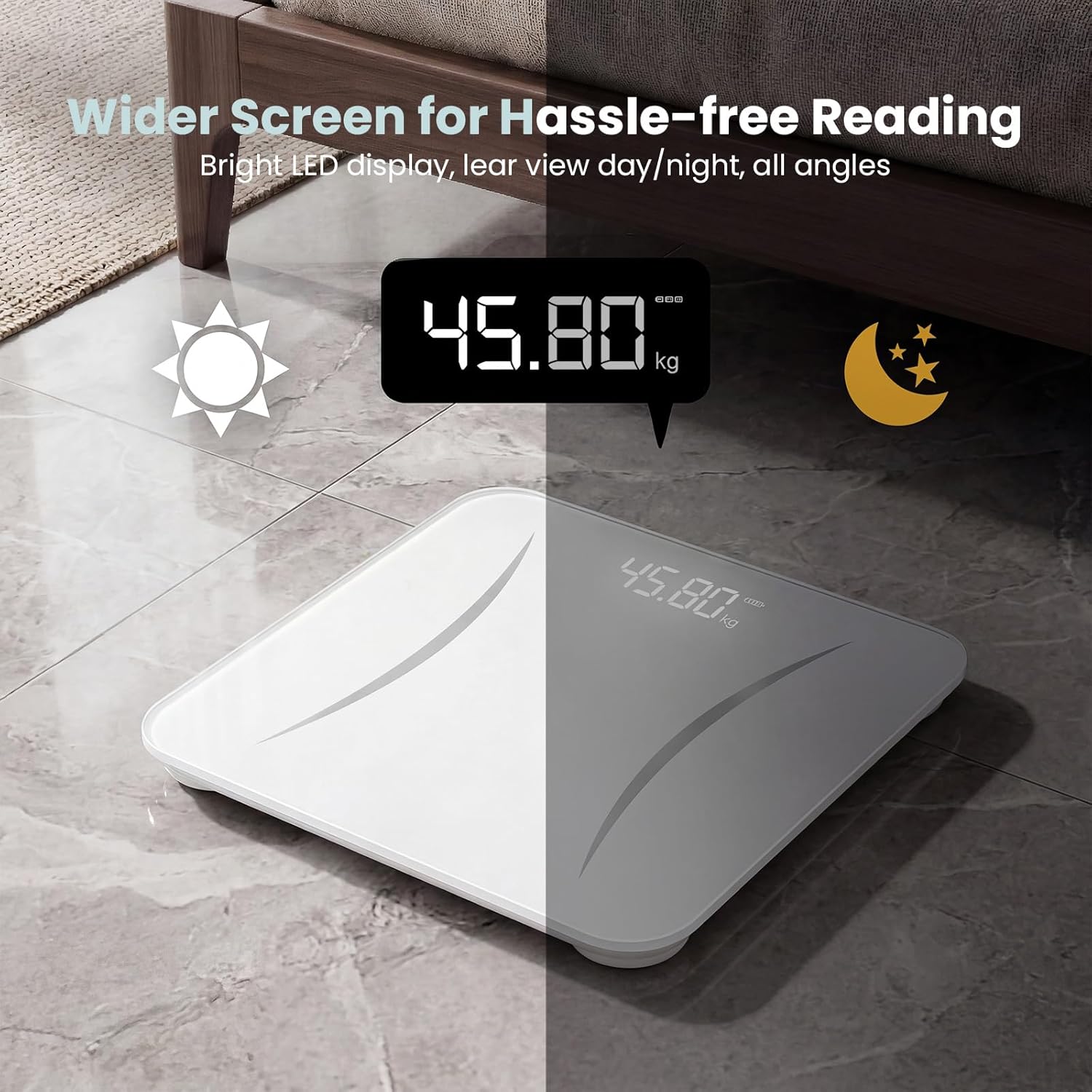
Image: The scale's LED display, highlighting its visibility in various lighting conditions.
2. Unit Conversion (lb/kg)
The scale allows you to switch between pounds (lb) and kilograms (kg).
- Locate the unit conversion button on the underside of the scale, usually near the battery compartment.
- Press the button to toggle between "lb" and "kg". The selected unit will be displayed on the screen.

Image: Details of the scale, including the unit conversion button, anti-slip pads, and tempered glass surface.
3. Family Mode (Baby/Pet Weighing)
The patented Famicare Tech allows for precise weighing of babies and pets. This mode calculates the weight of a baby or pet by subtracting the parent's or owner's weight.
- First, weigh yourself normally and note your weight.
- Step off the scale.
- Step back on the scale while holding your baby or pet.
- The scale will display the combined weight. The scale's internal logic will then calculate and display the baby's or pet's weight by subtracting your previously recorded weight.
- Ensure the baby or pet is held steadily to get an accurate reading.
Maintenance and Care
- Cleaning: Wipe the scale surface with a soft, damp cloth and a mild detergent. Do not use harsh chemicals or abrasive cleaners.
- Storage: Store the scale in a cool, dry place. Avoid extreme temperatures.
- Battery Replacement: If the display shows "Lo", it indicates low battery. Replace all 4 AAA batteries simultaneously to ensure optimal performance.
- Avoid Overload: Do not exceed the maximum weight capacity of 450 lbs (204 kg) to prevent damage to the scale.
Troubleshooting
| Problem | Possible Cause | Solution |
|---|---|---|
| "Lo" displayed | Low battery. | Replace all 4 AAA batteries. |
| "Err" displayed | Scale overloaded (exceeded 450 lbs / 204 kg). | Step off the scale immediately. The scale may be damaged if continuously overloaded. |
| Inaccurate readings |
|
|
| Scale does not turn on |
|
|
Specifications
| Brand | Schneider |
| Model Number | SCHNEIDER-TZC |
| Maximum Weight Capacity | 450 lbs (204 kg) |
| Readout Accuracy | 0.05 lbs (0.02 kg) |
| Display Type | Large LED Display |
| Platform Material | 6mm Tempered Glass, ABS Plastic Base |
| Platform Dimensions | 11.8 x 11.8 inches (30 x 30 cm) |
| Power Source | 4 x AAA Batteries (included) |
| Battery Life | Approximately 18 months |
| Special Features | SaluOptim Technology, Famicare Tech (Family Mode), Anti-slip pads, Auto-on/off |

Image: Internal construction of the scale, highlighting the tempered glass and G-sensors for accuracy.
Warranty Information
SCHNEIDER products are manufactured to the highest quality standards. For specific warranty details regarding your Digital Bathroom Scale, please refer to the warranty card included in your product packaging or visit the official SCHNEIDER website. Keep your purchase receipt as proof of purchase for any warranty claims.
Customer Support
If you have any questions, concerns, or require assistance with your SCHNEIDER Digital Bathroom Scale, please contact our customer support team. Contact information can typically be found on our official website or on the product packaging.
For the most up-to-date support information, please visit: www.schneider.com/support