
Introduction
The Langsdom BE17 Bone Conduction Headphones are designed for active lifestyles, offering an open-ear listening experience. This manual provides detailed instructions for the proper use, setup, and maintenance of your headphones to ensure optimal performance and longevity.
Key features include IPX8 waterproofing, 32GB built-in memory for music storage, Bluetooth 5.4 connectivity, and up to 10 hours of playtime. The lightweight and durable titanium alloy construction ensures a comfortable and secure fit for various activities.
What's in the Box
- Langsdom BE17 Bone Conduction Headphones
- Magnetic Charging Cable (also functions as a data cable)
Product Overview
The Langsdom BE17 headphones feature an ergonomic design with controls integrated into the frame. The bone conduction transducers rest on your cheekbones, leaving your ears open.

Image: Overview of the Langsdom BE17 headphones, highlighting their lightweight and flexible structure.
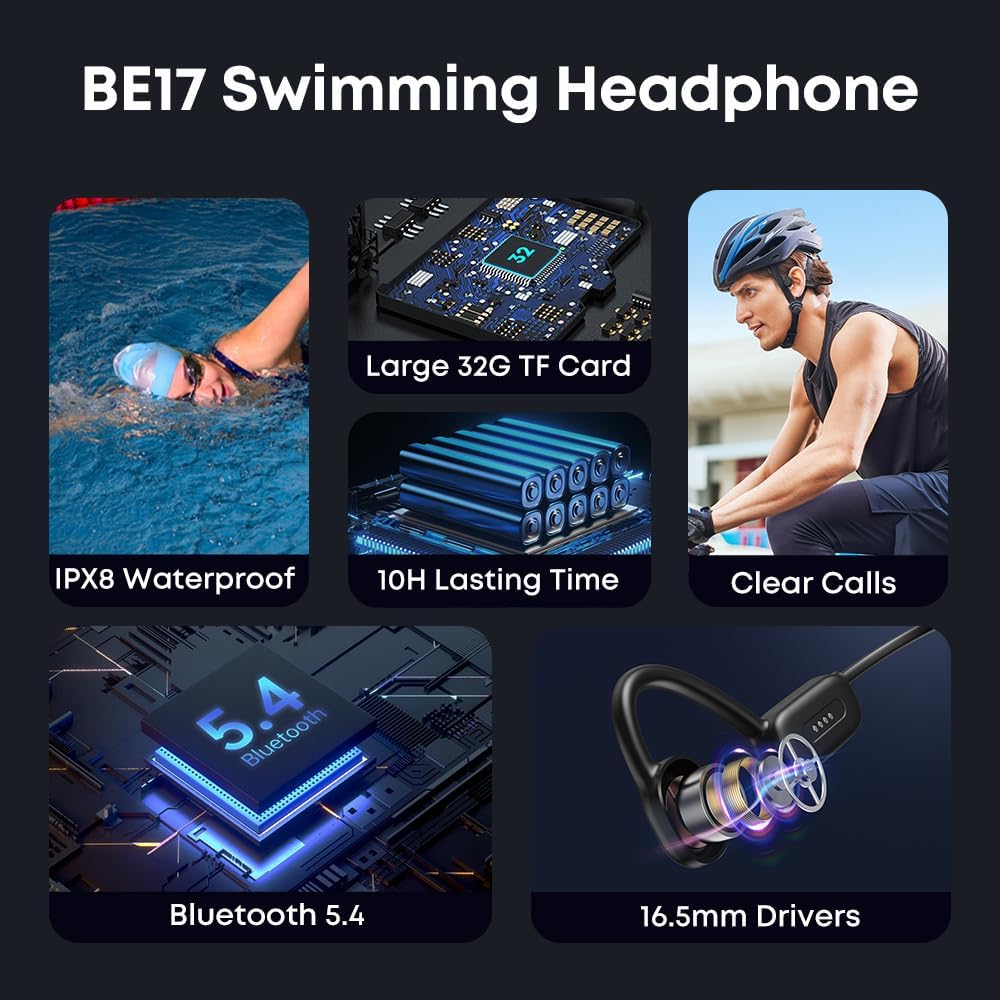
Image: Visual representation of the BE17's core features, including its waterproof rating, memory, battery life, and connectivity.
Setup
1. Charging the Headphones
Before first use, fully charge your headphones.
- Connect the magnetic charging cable to the charging port on the headphones.
- Connect the other end of the cable to a USB power adapter (not included) or a computer's USB port.
- The LED indicator will show charging status (e.g., red for charging, blue for fully charged).
- A full charge takes approximately 2 hours and provides up to 10 hours of playtime.
2. Power On/Off
- To Power On: Press and hold the Power button for approximately 3 seconds until the LED indicator flashes.
- To Power Off: Press and hold the Power button for approximately 5 seconds until the LED indicator turns off.
3. Bluetooth Pairing
The headphones use Bluetooth 5.4 for stable wireless connection.
- Ensure the headphones are powered off.
- Press and hold the Power button for about 5-7 seconds until the LED indicator flashes red and blue alternately, indicating pairing mode.
- On your device (smartphone, tablet), enable Bluetooth and search for available devices.
- Select "Langsdom BE17" from the list.
- Once connected, the LED indicator will flash blue periodically.
Note: The headphones support simultaneous connection to two devices. To switch between devices, disconnect from the first device, then connect to the second. To reconnect to the first device, turn on its Bluetooth and select "Langsdom BE17".

Image: Instructions for connecting and seamlessly switching between two Bluetooth-enabled devices.
4. Using Built-in 32GB Memory (MP3 Mode)
The headphones have 32GB of built-in memory, allowing you to store music directly and listen without a connected device.
- Transferring Music: Connect the magnetic charging cable to the headphones and then to a computer. The headphones will appear as a removable disk. Drag and drop your music files (MP3, WMA, WAV, APE, FLAC formats are supported) into the headphone's storage.
- Switching to MP3 Mode: While the headphones are on, press the Mode button (refer to product diagram for location) to switch between Bluetooth mode and MP3 player mode.

Image: Illustration of the 32GB built-in memory feature, allowing music playback without a phone.
Operating Instructions
Basic Controls
The headphones feature intuitive button controls for various functions. (Specific button functions may vary slightly; refer to the product diagram for exact button layout).
- Power Button: Long press to power on/off, short press for play/pause (in Bluetooth mode) or to switch modes (in MP3 mode).
- Volume Up (+): Short press to increase volume, long press for next track.
- Volume Down (-): Short press to decrease volume, long press for previous track.
- Multi-function Button (if present): Answer/end calls, activate voice assistant.
Call Handling
- Answer/End Call: Short press the Multi-function button.
- Reject Call: Long press the Multi-function button.
Waterproof Usage (IPX8)
The Langsdom BE17 headphones are IPX8 waterproof, making them suitable for swimming and other water sports.
- Ensure the charging port is clean and dry before and after water exposure.
- For best performance in water, use the built-in MP3 player mode as Bluetooth connectivity can be limited underwater.
- Rinse with fresh water after use in chlorinated or saltwater.

Image: The headphones being used by a swimmer, highlighting their IPX8 waterproof design for aquatic activities.

Image: Examples of sports activities like swimming, running, cycling, and tennis where the headphones can be used.
Maintenance
- Cleaning: Wipe the headphones with a soft, damp cloth. Do not use harsh chemicals or abrasive cleaners.
- Drying: After water exposure, ensure the headphones are completely dry, especially the charging contacts, before charging or connecting to a computer.
- Storage: Store the headphones in a cool, dry place away from direct sunlight and extreme temperatures.
- Charging Port: Keep the magnetic charging contacts clean and free of debris to ensure proper charging and data transfer.
Troubleshooting
- Headphones not powering on:
Ensure the headphones are fully charged. Connect to the magnetic charging cable and check the LED indicator.
- Cannot pair via Bluetooth:
Ensure the headphones are in pairing mode (LED flashing red and blue). Turn off and on Bluetooth on your device. Try forgetting "Langsdom BE17" from your device's Bluetooth list and re-pairing.
- No sound from headphones:
Check the volume level on both the headphones and your connected device. Ensure the headphones are correctly connected via Bluetooth or are in MP3 mode if playing from internal memory. Verify audio files on internal memory are supported formats (MP3, WMA, WAV, APE, FLAC).
- Charging issues:
Ensure the magnetic charging cable is securely connected to both the headphones and the power source. Check if the charging contacts are clean and free of corrosion or debris. Try a different USB port or power adapter.
- Music transfer issues:
Ensure the magnetic cable is properly connected and recognized by your computer as a removable disk. Check if the music files are in supported formats.
Specifications
| Feature | Detail |
|---|---|
| Model | BE17 |
| Brand | Langsdom |
| Ear Placement | Open Ear |
| Form Factor | Open-ear |
| Impedance | 8 Ohms |
| Built-In Memory | 32GB (Supports MP3, WMA, WAV, APE, FLAC) |
| Material | Titanium Alloy |
| Water Resistance Level | IPX8 Waterproof |
| Connectivity Technology | Bluetooth V5.4 |
| Battery Charge Time | 2 Hours |
| Battery Average Life | 10 Hours |
| Control Type | Button Control |
| Audio Driver Type | Bone Conduction Driver |
| Compatible Devices | Cellphones, Tablets |
Warranty & Support
The Langsdom BE17 Bone Conduction Headphones come with a 1-year warranty from the date of purchase. This warranty covers manufacturing defects. It does not cover damage caused by misuse, accidents, unauthorized modifications, or normal wear and tear.
For warranty claims or technical support, please contact Langsdom customer service through the retailer where the product was purchased or visit the official Langsdom website for contact information.


