
1. Introduction
Thank you for choosing the SONGMICS Silent Table Fan XFC001B1EU. This manual provides essential information for the safe and efficient operation of your new fan. Please read it thoroughly before use and retain it for future reference.
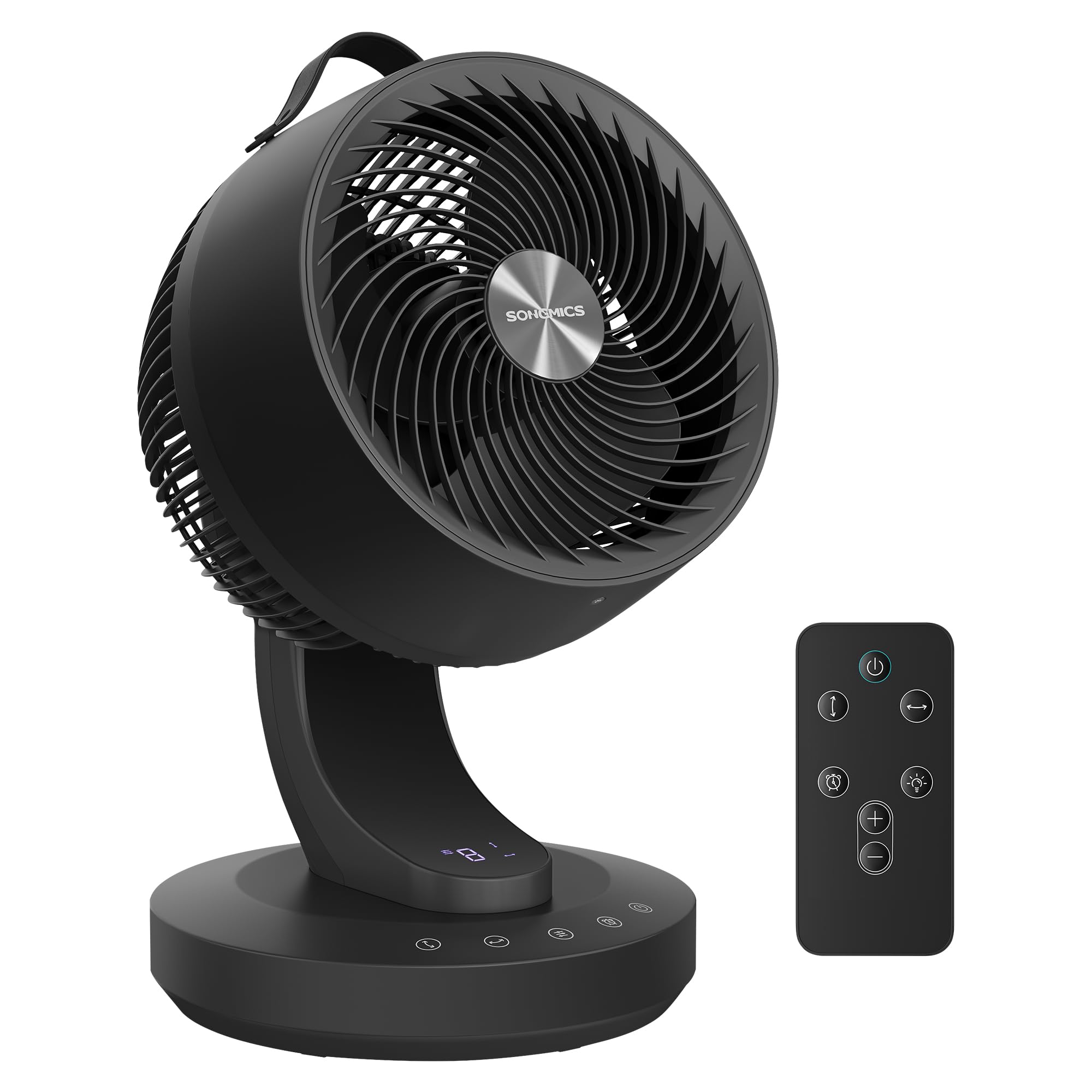
This table fan is designed to provide powerful yet quiet air circulation, featuring 8 speed settings, 70° horizontal and vertical oscillation, a smart 12-hour timer, and convenient remote control. Its compact design makes it suitable for various indoor environments.
The SONGMICS Silent Table Fan XFC001B1EU, in black ink, is designed for efficient air circulation. This image shows the fan on a wooden table in a modern living room setting, highlighting its compact size and aesthetic appeal. It features a maximum air speed of 6.9 m/s and moves 25,113.6 m³ of air daily.
2. Safety Instructions
To reduce the risk of fire, electric shock, or injury, please observe the following safety precautions:
- Always ensure the fan is placed on a stable, flat surface.
- Do not insert fingers or any objects into the grille when the fan is operating.
- Keep the fan away from water or other liquids. Do not use it in wet environments.
- Unplug the fan from the power outlet before cleaning or performing any maintenance.
- Do not operate the fan with a damaged cord or plug. Contact customer support for repairs.
- This appliance is not intended for use by persons (including children) with reduced physical, sensory, or mental capabilities, or lack of experience and knowledge, unless they have been given supervision or instruction concerning use of the appliance by a person responsible for their safety.
- Children should be supervised to ensure that they do not play with the appliance.
- Do not block air openings.
3. Package Contents
Please check the package contents upon receipt. If any items are missing or damaged, contact customer support.
- 1 x SONGMICS Silent Table Fan XFC001B1EU
- 1 x Remote Control
- 1 x User Manual
4. Product Diagram
Familiarize yourself with the different parts of your fan.

An exploded view reveals the key components contributing to the fan's energy efficiency and silent operation. It features a high-efficiency copper motor, bionic blades designed for reduced noise, and a spiral front grille for optimized airflow. This design ensures both concentrated and dispersed airflow options.
- Front Grille: Protects the blades and directs airflow.
- Fan Blades: Bionic design for efficient and quiet air movement.
- Motor: High-efficiency copper motor for durability and performance.
- Control Panel: Touch-sensitive buttons for operation.
- Base: Provides stability for the fan.
- Power Cord: Connects the fan to an electrical outlet.
5. Setup
Your SONGMICS Silent Table Fan comes pre-assembled. Follow these steps for initial setup:
- Placement: Place the fan on a firm, level surface. Ensure there is adequate space around the fan for proper air circulation.
- Power Connection: Insert the power plug into a standard electrical outlet.
- Initial Check: Before turning on, ensure the front and rear grilles are securely in place and there are no obstructions.
6. Operating Instructions
The fan can be operated using the touch control panel on the base or the included remote control.
6.1 Control Panel

This image details the integrated safety features and control panel buttons. The display turns off after 30 seconds of inactivity, and the fan automatically shuts off if unused for 24 hours. Buttons include vertical oscillation, horizontal oscillation, speed selection, timer, and power on/off.
- Power Button (O/I): Press to turn the fan ON or OFF.
- Speed Selection Button (+/-): Press to cycle through 8 fan speeds. The current speed will be displayed on the LED screen.
- Horizontal Oscillation Button (↔): Press to activate or deactivate 70° horizontal oscillation.
- Vertical Oscillation Button (↕): Press to activate or deactivate 70° vertical oscillation.
- Timer Button (⏰): Press to set the timer for automatic shut-off, from 1 to 12 hours. Each press increases the timer by 1 hour.
6.2 Remote Control
The remote control allows for convenient operation from a distance. Ensure the remote is pointed towards the fan's receiver.

The remote control for the fan is shown on a desk, emphasizing its user-friendly design. It allows for convenient adjustment of modes and control settings from a distance, providing total control at your fingertips.
- The remote control features buttons corresponding to the functions on the control panel (Power, Speed, Horizontal Oscillation, Vertical Oscillation, Timer).
- Install 2 AAA batteries (not included) into the remote control, observing polarity.
6.3 Key Features
- 8 Customizable Air Speeds: Adjust from a gentle breeze to intense cooling.
- 360° Airflow: Enjoy uniform cooling with 70° horizontal and 70° vertical oscillation, distributing air evenly throughout the room.
- Ultra-Quiet Operation: Operates at only 20 dB at minimum speed, ideal for bedrooms, offices, or studies.
- Smart 12-Hour Timer: Program delayed power-on or automatic shut-off for energy saving.
- Year-Round Use: Efficiently circulates air to distribute heat in winter and enhance cooling in summer.

This image illustrates the fan's ability to rapidly circulate air throughout a room. It highlights the automatic 70° horizontal and 70° vertical oscillation features, ensuring comprehensive air distribution. The blue lines represent the widespread airflow.

The fan is shown in a bedroom next to a bed, emphasizing its ultra-quiet operation. At its minimum speed, the noise level is only 20 dB, making it suitable for sleeping or concentrating. For comparison, a silent library is 48 dB and normal conversation is 60 dB.

This image demonstrates the fan's versatility for year-round use. In winter, it helps distribute warm air from a fireplace, while in summer, it enhances cooling from an air conditioner, ensuring uniform temperature distribution.
7. Maintenance
Regular cleaning and maintenance will ensure optimal performance and extend the lifespan of your fan.
- Cleaning the Exterior: Wipe the exterior surfaces with a soft, damp cloth. Do not use abrasive cleaners or solvents.
- Cleaning the Grilles: Use a vacuum cleaner with a brush attachment or a soft brush to remove dust from the front and rear grilles.
- Storage: When not in use for extended periods, unplug the fan, clean it, and store it in a cool, dry place, preferably in its original packaging.
- Do Not Disassemble: Do not attempt to disassemble the fan for internal cleaning or repair. This may void the warranty and pose a safety risk.
8. Troubleshooting
If you encounter issues with your fan, refer to the following common problems and solutions:
| Problem | Possible Cause | Solution |
|---|---|---|
| Fan does not turn on. | No power supply. Power button not pressed. | Ensure the power cord is securely plugged into a working outlet. Press the power button on the control panel or remote. |
| Weak airflow. | Low speed setting. Grilles are blocked by dust. | Increase the fan speed. Clean the grilles as described in the Maintenance section. |
| Oscillation not working. | Oscillation function is off. | Press the horizontal or vertical oscillation button to activate. |
| Remote control not working. | Batteries are dead or incorrectly inserted. Obstruction between remote and fan. | Replace batteries and ensure correct polarity. Remove any obstructions and point the remote directly at the fan. |
If the problem persists after trying these solutions, please contact SONGMICS customer support.
9. Specifications
| Feature | Specification |
|---|---|
| Brand | SONGMICS |
| Model Number | XFC001B1EU |
| Color | Black Ink |
| Electric Fan Design | Table Fan |
| Product Dimensions (D x W x H) | 25 x 26 x 38.4 cm |
| Item Weight | 2.3 kg |
| Material | PP Plastic, Steel |
| Number of Speeds | 8 |
| Noise Level | 20 dB (minimum) |
| Airflow Capacity | 25,113.6 m³ per day |
| Special Features | Timer, Remote Control, 8 Speeds, 360° Airflow |
| Control Method | Remote Control, Touch Panel |
| Indoor/Outdoor Use | Indoor |
| UPC | 194343600543 |
| ASIN | B0GQ3KCBTM |
| Country of Origin | China |
10. Warranty and Support
For warranty information or technical support, please refer to the documentation included with your purchase or contact SONGMICS customer service directly. Keep your purchase receipt as proof of purchase.
Customer Service Contact: Please visit the official SONGMICS website or refer to your purchase platform for contact details.


