
Introduction
The EvoSpark 7-in-1 4D PRO Vibration Plate is designed to provide a comprehensive whole-body vibration exercise experience. Featuring a 900W triple motor system, it offers various vibration modes including Linear Vibration, Horizontal Oscillation, and Pulses, along with four combination modes. This device is equipped with 199 adjustable speeds, 9 LED light effects, and a robust design to support up to 550 lbs.
Safety Information
- Consult a physician before starting any new exercise program, especially if you have pre-existing medical conditions.
- Ensure the vibration plate is placed on a stable, level surface.
- Do not use the machine if you are pregnant, have a pacemaker, or suffer from severe heart conditions, epilepsy, or acute thrombosis.
- Keep children and pets away from the machine during operation.
- Do not exceed the maximum weight capacity of 550 lbs.
- Always hold onto the resistance bands or a stable support if you feel unsteady.
- Unplug the machine when not in use and before cleaning.
Package Contents
Verify that all items listed below are included in your package:
- EvoSpark 7-in-1 4D PRO Vibration Plate
- Remote Control
- Power Cord
- Resistance Bands (5 levels)
- User Manual
- 2 Pull Ropes (resistance bands with handles)
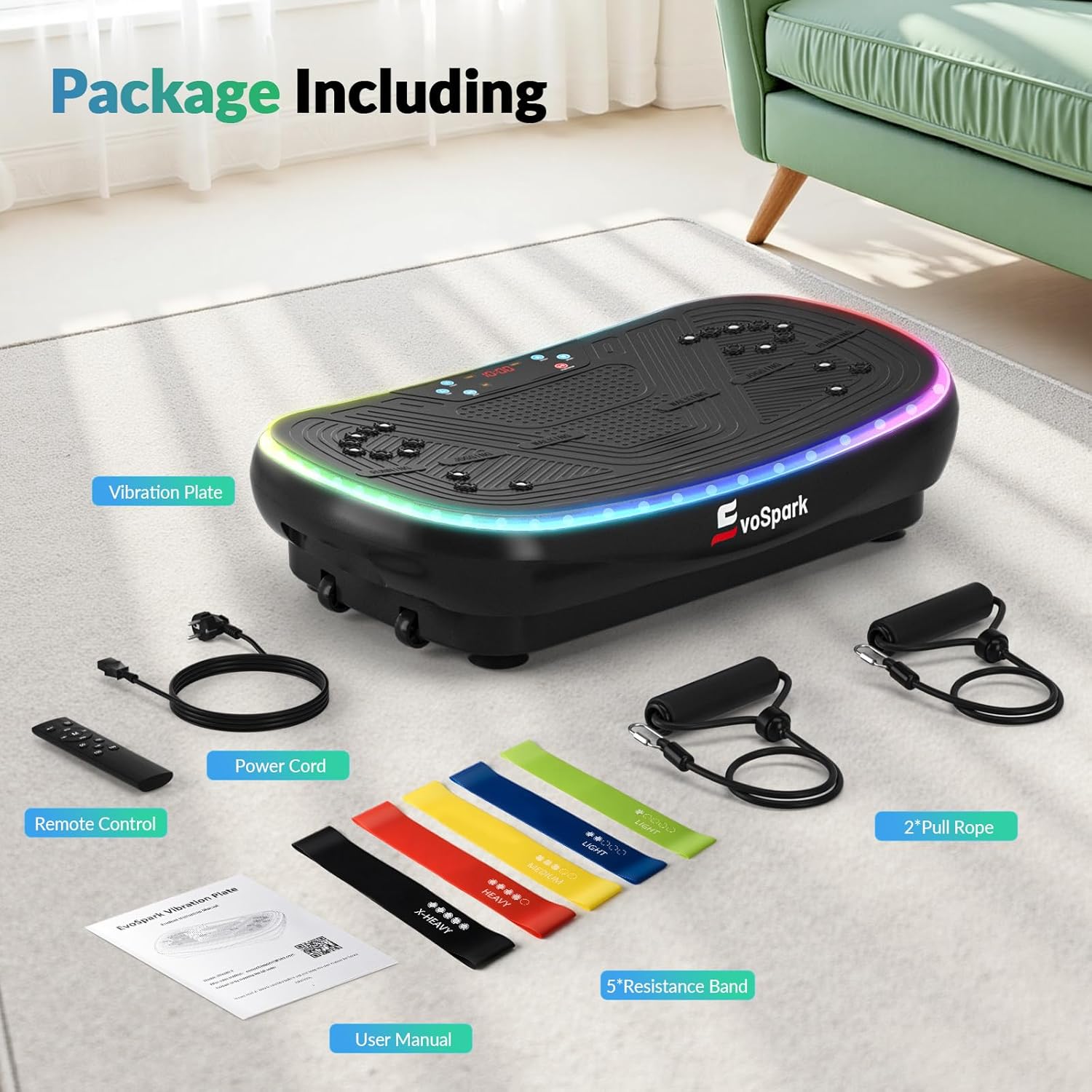
Figure 1: Package Contents
Setup
- Placement: Place the vibration plate on a firm, level surface. The anti-noise suction cups on the base will help secure the unit and minimize movement.
- Power Connection: Connect the power cord to the machine's power interface and then to a suitable electrical outlet. Ensure the power switch is in the OFF position before plugging in.
- Remote Control Batteries: Insert two AAA batteries into the remote control.
- Attach Resistance Bands (Optional): If desired, attach the pull ropes (resistance bands with handles) to the designated attachment points on the sides of the vibration plate.

Figure 2: Key Components and Connections
Operating Instructions
Power On/Off
- Locate the main power switch on the side of the unit. Flip it to the 'ON' position.
- Use the red power button on the remote control or the control panel to turn the vibration on or off.
Understanding Vibration Modes
The EvoSpark 4D PRO Vibration Plate offers 7 distinct training modes:
- M1 - Linear Vibration: Up-and-down motion.
- M2 - Horizontal Oscillation: Side-to-side motion.
- M3 - Pulses: Micro-vibrations.
- M1+M2 - Linear Vibration + Horizontal Oscillation: Combination mode.
- M1+M3 - Linear Vibration + Pulses: Combination mode.
- M2+M3 - Horizontal Oscillation + Pulses: Combination mode.
- M1+M2+M3 - Linear Vibration + Horizontal Oscillation + Pulses (4D Functions): Full combination mode.

Figure 3: Control Panel and Mode Indicators

Figure 4: Visual Representation of 7 Vibration Modes
Adjusting Speed and Programs
- The machine offers 199 adjustable speed levels. Use the '+' and '-' buttons on the remote or control panel to increase or decrease intensity.
- Select from pre-programmed automatic modes: Walking (1-60 speeds), Jogging (60-120 speeds), and Running (120-199 speeds). These are designed for varying exercise demands and fitness levels.
- The 16mm AI Smart Chip processes commands to deliver precise vibration patterns, speed, and intensity.

Figure 5: Speed Zones and Intensity Levels

Figure 6: Detailed Speed Level Guide
Music and Lighting
- The machine features 9 cool LED light effects (3 dynamic, 6 static) that pulse and accelerate with vibration speed.
- Connect your phone via Bluetooth (Bluetooth Name: Music-018DE) to play music during your workout.
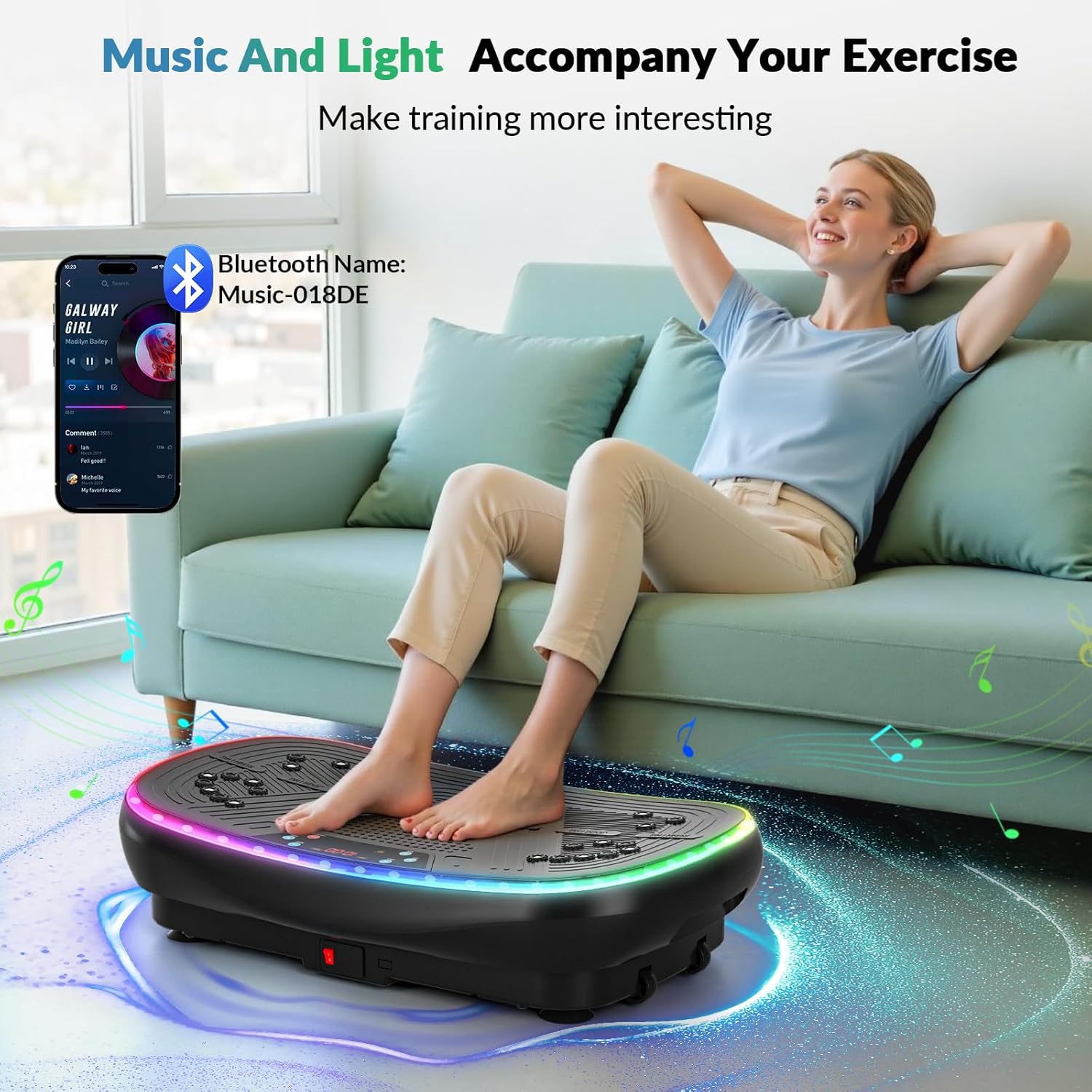
Figure 7: Music and Light Features

Figure 8: LED Lighting and AI Smart Chip

Figure 9: Bluetooth Connectivity for Music
Exercise Guide
The EvoSpark 4D PRO Vibration Plate can be used for various exercises to target different muscle groups and achieve diverse fitness goals. Utilize the resistance bands for upper body workouts.
- Standing Positions: Adjust your foot placement on the plate to vary intensity. Wider stance increases vibration intensity.
- Squats and Lunges: Perform these exercises on the plate to engage core and leg muscles more effectively.
- Upper Body with Resistance Bands: Attach the pull ropes and perform bicep curls, tricep extensions, or shoulder raises while standing on the plate.
- Seated Exercises: Sit on the plate or place your feet on it while seated for relaxation or targeted leg/glute activation.
- Acupressure Surface: The unique acupressure surface with 3000 massage points and 22 magnets stimulates pressure points for improved circulation.

Figure 10: Squat Exercise with Resistance Bands

Figure 11: Seated Exercise Position

Figure 12: Squat Exercise

Figure 13: Lunge Exercise

Figure 14: Arm Exercises with Resistance Bands

Figure 15: Seated Resistance Band Exercises
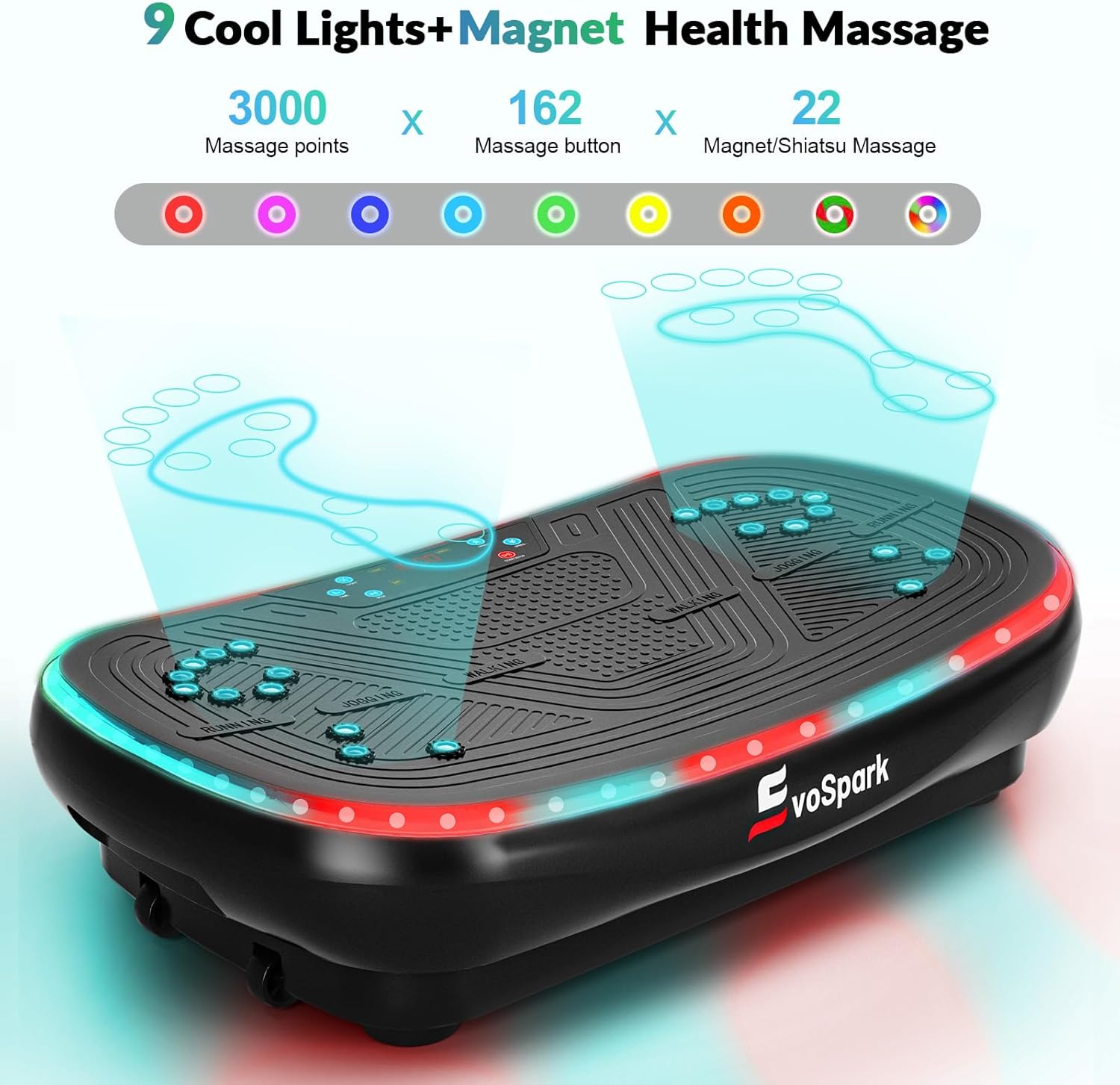
Figure 16: Acupressure and Magnetic Massage Features
Maintenance
- Cleaning: Wipe the surface of the vibration plate with a soft, damp cloth after each use. Do not use abrasive cleaners or solvents.
- Storage: Store the machine in a cool, dry place away from direct sunlight and moisture. Its compact size and built-in transport wheels allow for easy storage and movement.
- Inspection: Regularly check the power cord and resistance bands for any signs of wear or damage. Discontinue use if any damage is found.

Figure 17: Compact Design and Transport Wheels
Troubleshooting
If you encounter any issues with your EvoSpark 7-in-1 4D PRO Vibration Plate, please refer to the following common solutions:
- Machine does not power on:
- Ensure the power cord is securely plugged into both the machine and the wall outlet.
- Check if the main power switch on the unit is in the 'ON' position.
- Verify that the electrical outlet is functioning correctly.
- Remote control is not working:
- Replace the AAA batteries in the remote control.
- Ensure there are no obstructions between the remote and the machine's sensor.
- Unusual noise or vibration:
- Ensure the machine is on a flat, stable surface.
- Check for any loose components or foreign objects under the machine.
- If using resistance bands, ensure they are not hitting the machine or floor excessively.
For further assistance, please contact EvoSpark customer support.
Specifications
| Brand | EvoSpark |
| Model | 7-in-1 4D PRO Vibration Plate |
| Motor System | 900W Independent Triple Motor |
| Vibration Modes | Linear Vibration, Horizontal Oscillation, Pulses, and 4 Combo Modes (7 total) |
| Speed Levels | 199 Adjustable Speeds |
| LED Lights | 9 Atmosphere Light Effects (3 dynamic, 6 static) |
| Weight Capacity | 550 lbs |
| Material | Acrylonitrile Butadiene Styrene (ABS), Thickened Steel |
| Dimensions (L x W x H) | 66 x 39 x 16 cm (approx. 26 x 15.3 x 6.3 inches) |
| Item Weight | 16.5 kg (approx. 36.4 lbs) |
| Special Features | 16mm AI Smart Chip, Acupressure Surface, Foot Magnet Massage, Bluetooth Connectivity, Quiet Motor, Anti-noise Suction Cups, Transport Wheels |

Figure 18: 900W Triple Motor System

Figure 19: 16mm AI Smart Chip

Figure 20: Durable Construction and Weight Capacity
Warranty and Support
EvoSpark products are manufactured to high standards and undergo rigorous testing. We are committed to 100% customer satisfaction.
- Satisfaction Guarantee: Enjoy your EvoSpark vibration plate and resistance bands risk-free.
- Technical Support: EvoSpark provides lifetime technical support. For any problems or inquiries, please contact the seller directly via email.
Contact Email: evosparksupport@163.com