
1. Introduction
The Sonew V831 AI Development Module is a high-performance, low-power vision AI board designed for Python development within an AloTLinux environment. It integrates a single-core ARM Cortex A7 processor, supporting frequencies up to 800MHz. This module is optimized for advanced video coding and image processing tasks, making it suitable for a wide range of applications including security monitoring, SDV, dashcams, and wearable cameras.
The V831 features comprehensive H/H.265 video coding support, multi-stream coding capabilities, and can achieve 1080p video coding performance at 30 frames per second. It incorporates advanced image correction algorithms such as ISP image processor, NPU, EISE, wide-angle distortion correction, fisheye, and PTZ correction to deliver professional image effects. For cost efficiency and low power consumption, the V831 includes an embedded 64MB DDR2 chip and utilizes an advanced low-power architecture.
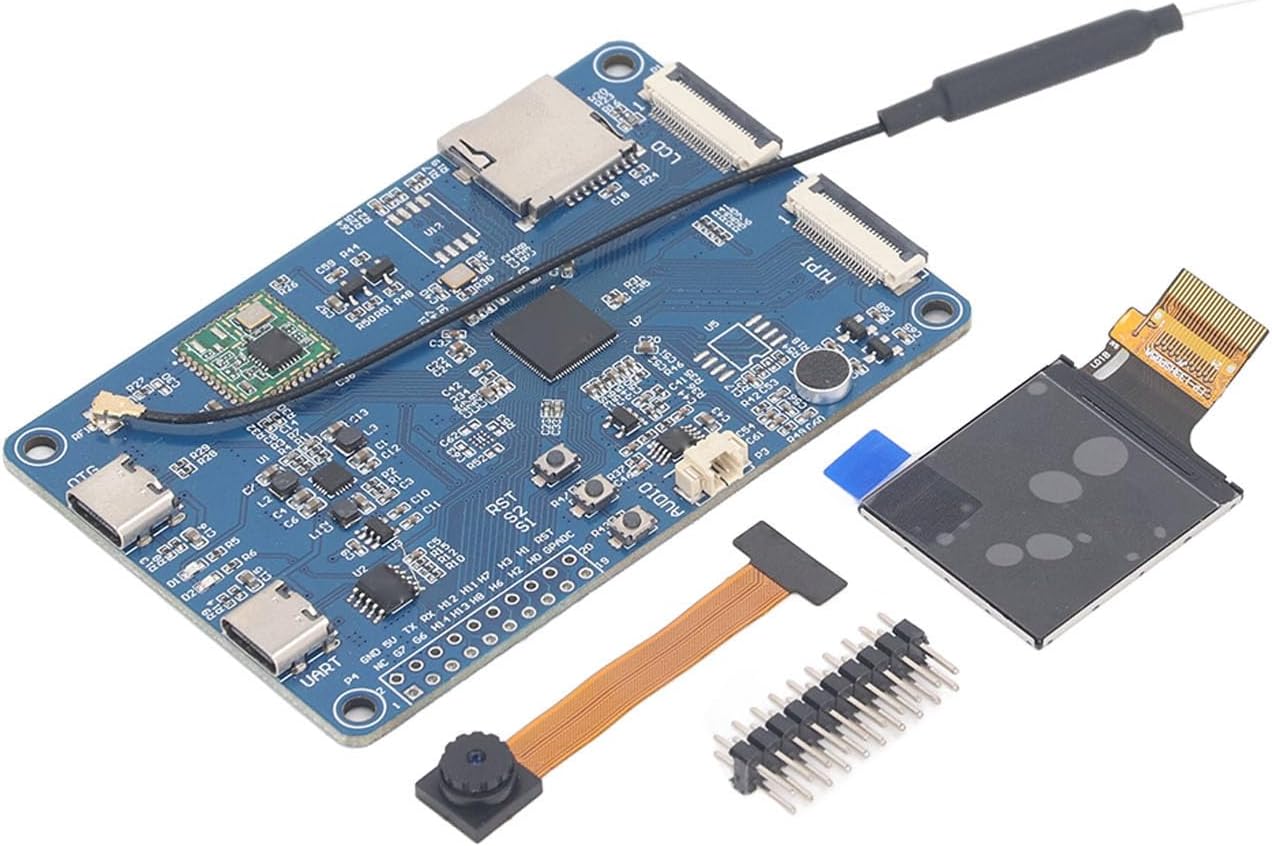
Figure 1: Sonew V831 AI Development Module with attached antenna.
2. Package Contents
Please verify that all items listed below are present in your package:
- 1 x V831 Visual AI Development Board
- 1 x LCD Screen 1.3TFI 24PIH 240x240
- 1 x Camera Module 0V2685 MIFl Interface 24P
- 1 x 2x10P Double Row Needle
- 1 x Storage Box
Note: Small memory card is not included.
3. Setup Instructions
Follow these steps to set up your Sonew V831 AI Development Module:
- Prepare the Development Board: Carefully remove the V831 development board from its packaging. Handle the board by its edges to avoid touching sensitive components.
- Connect the Camera Module: Locate the MIPI interface connector on the V831 board. Gently insert the ribbon cable of the 0V2685 Camera Module into this connector, ensuring it is properly aligned and secured.
- Attach the LCD Screen: Identify the LCD connector on the V831 board. Connect the 1.3TFI 24PIH 240x240 LCD Screen to this interface. Ensure the connection is firm.
- Install the Double Row Needle: If required for your specific application or debugging, attach the 2x10P Double Row Needle to the corresponding pin headers on the board.
- Power Connection: Connect a compatible 5V power supply to the appropriate power input port (e.g., USB-C OTG or UART) on the V831 board. Ensure the power supply meets the board's requirements.
- Initial Boot: Once all components are connected, power on the board. Observe the indicator lights for signs of activity.
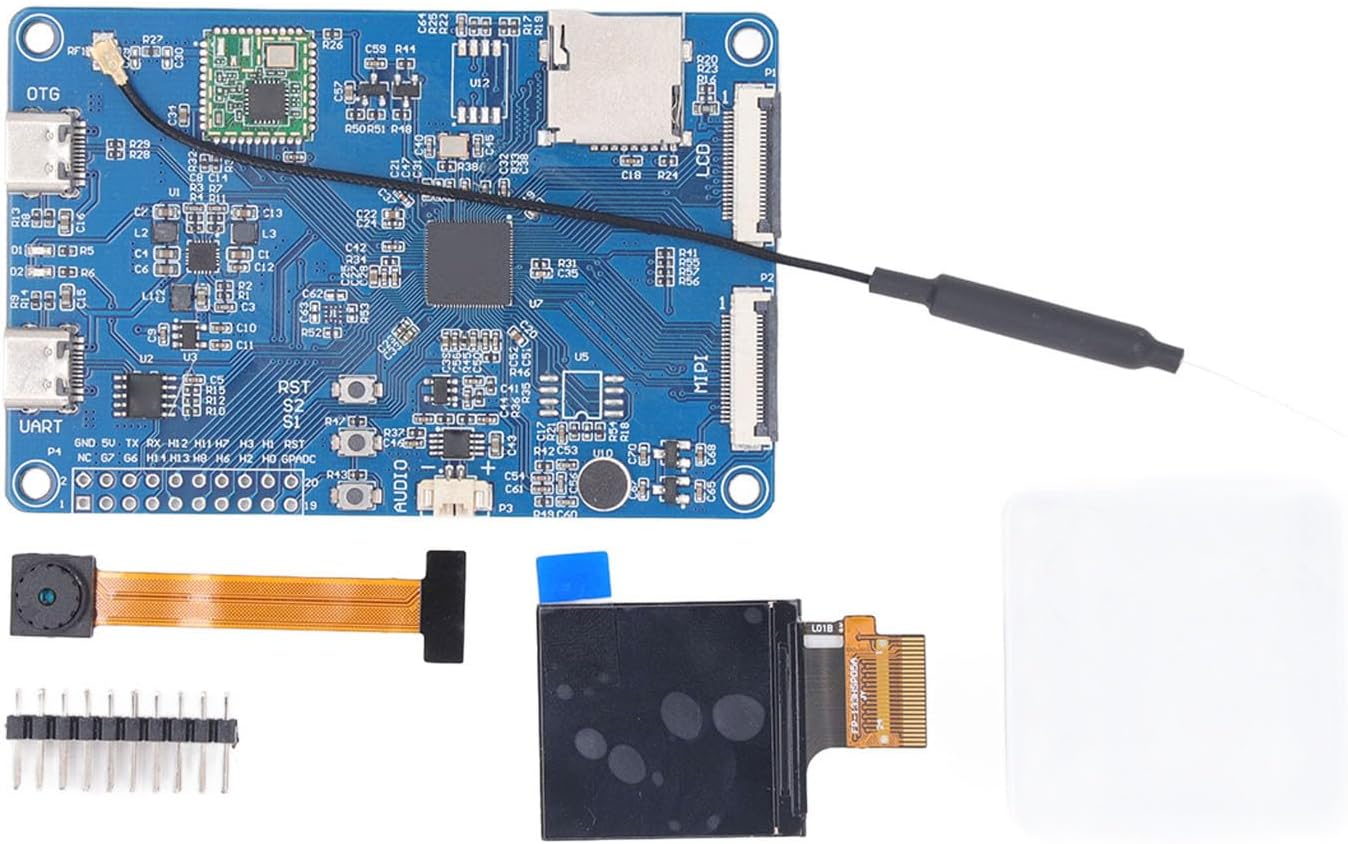
Figure 2: V831 Development Module with included camera, LCD, and pin header for assembly.

Figure 3: Detailed view of the LCD connector on the V831 board.
4. Operating Instructions
The Sonew V831 AI Development Module operates within an AloTLinux environment, supporting Python development. Its primary functions revolve around video coding and advanced image processing.
- Software Development: Utilize the Allwinner SDK for developing applications. The SDK is known for its stability and ease of use, facilitating rapid prototyping and mass production.
- Video Processing: Leverage the H/H.265 video coding capabilities for capturing, encoding, and streaming video at resolutions up to 1080p at 30fps.
- Image Enhancement: Implement the integrated ISP image processor, NPU, and EISE for advanced image correction, including wide-angle distortion, fisheye, and PTZ adjustments.
- AI Applications: Develop and deploy AI-driven applications for vision tasks, taking advantage of the ARM Cortex A7 processor and NPU for efficient computation.
- Connectivity: Utilize the available UART and OTG ports for communication and data transfer with other devices or for debugging purposes.
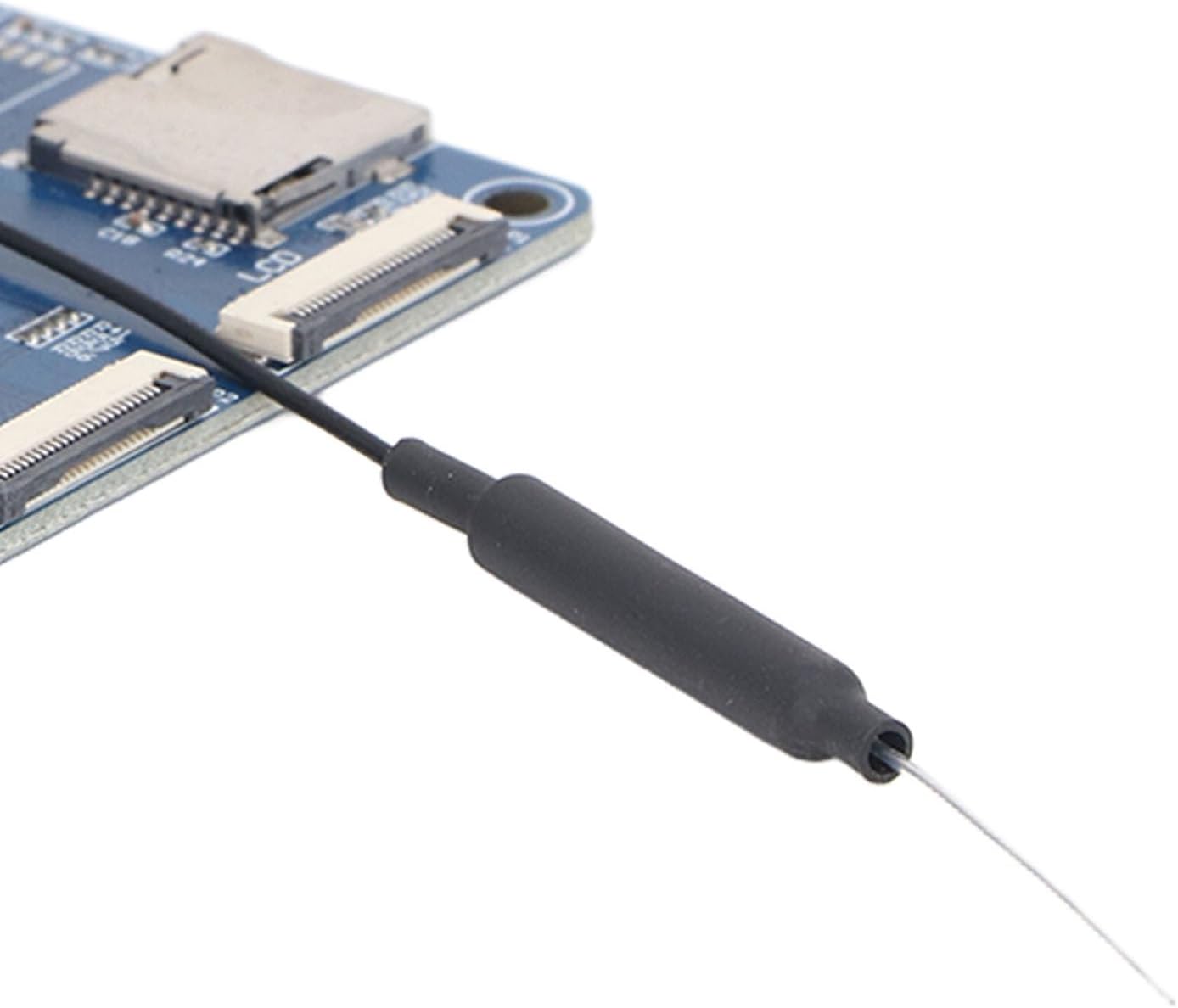
Figure 4: Close-up of the antenna connection point on the V831 board.
5. Maintenance
Proper maintenance ensures the longevity and reliable operation of your V831 AI Development Module:
- Handling: Always handle the board by its edges. Avoid touching the electronic components directly to prevent electrostatic discharge (ESD) damage.
- Cleaning: Keep the board free from dust and debris. Use a soft, dry brush or compressed air to gently clean the surface. Do not use liquid cleaners.
- Storage: When not in use, store the board in its original anti-static packaging or a static-safe environment. Keep it away from extreme temperatures and humidity.
- Power Supply: Always use a stable and appropriate power supply (5V) to prevent damage to the board.
- Firmware Updates: Regularly check for and apply firmware updates from the manufacturer to ensure optimal performance and access to new features.
6. Troubleshooting
If you encounter issues with your V831 AI Development Module, consider the following troubleshooting steps:
- No Power/No Boot:
- Verify that the power supply is correctly connected and providing the specified 5V.
- Check the power cable for any damage.
- Ensure the power source is functional.
- Display Issues (LCD):
- Confirm the LCD screen ribbon cable is securely and correctly inserted into the MIPI/LCD connector on the board.
- Check for any physical damage to the LCD screen or its cable.
- Camera Not Functioning:
- Ensure the camera module's ribbon cable is properly seated in its connector.
- Verify that the software drivers for the camera are correctly installed and configured in your AloTLinux environment.
- Software/Development Environment Issues:
- Refer to the Allwinner SDK documentation for specific software setup and debugging guides.
- Ensure your Python environment and necessary libraries are correctly installed.
- Overheating:
- Ensure the board has adequate ventilation.
- Reduce workload if possible, or consider passive cooling solutions if operating in high-temperature environments.
If problems persist after attempting these steps, please refer to the support information provided in Section 8.
7. Specifications
| Feature | Detail |
|---|---|
| Processor | Single-core ARM Cortex A7 |
| Frequency | Up to 800MHz |
| Video Coding | H/H.265, 1080p @ 30fps |
| Memory | 64MB DDR2 (embedded) |
| Image Processor | ISP, NPU, EISE |
| Correction Algorithms | Wide-angle distortion, fisheye, PTZ |
| Operating System | AloTLinux (for Python development) |
| Model Number | Sonewfx6gp95nwa |
| ASIN | B0GPWSZN1G |
| Parcel Dimensions | 15 x 10 x 3 cm |
| Weight | 35 g |
8. Warranty and Support
The Sonew V831 AI Development Module comes with a manufacturer warranty of 90 days from the date of purchase. This warranty covers defects in materials and workmanship under normal use.
For technical support, warranty claims, or further assistance, please contact Sonew customer service through the official channels provided at the point of purchase or on the Sonew brand website. Please have your product model number (Sonewfx6gp95nwa) and ASIN (B0GPWSZN1G) ready when contacting support.