
1. Introduction
Welcome to the realme C83 5G Smartphone user manual. This guide provides essential information to help you get the most out of your device. The realme C83 5G is designed for extended usage and smooth performance, featuring a large 7000mAh battery, a 144Hz ultra-smooth display, and a powerful Dimensity 6300 5G processor. It also boasts IP64 dust and water resistance and military-grade durability for enhanced protection.

Image: The realme C83 5G Smartphone, highlighting its long-lasting and smooth performance capabilities.

Image: A visual summary of the realme C83 5G's main features, including 7000mAh battery, 4-year smooth performance, 144Hz display, military-grade shock resistance, and IP64 dust & water resistance.
2. Setup
2.1 Initial Device Overview
Familiarize yourself with the physical components of your realme C83 5G Smartphone.
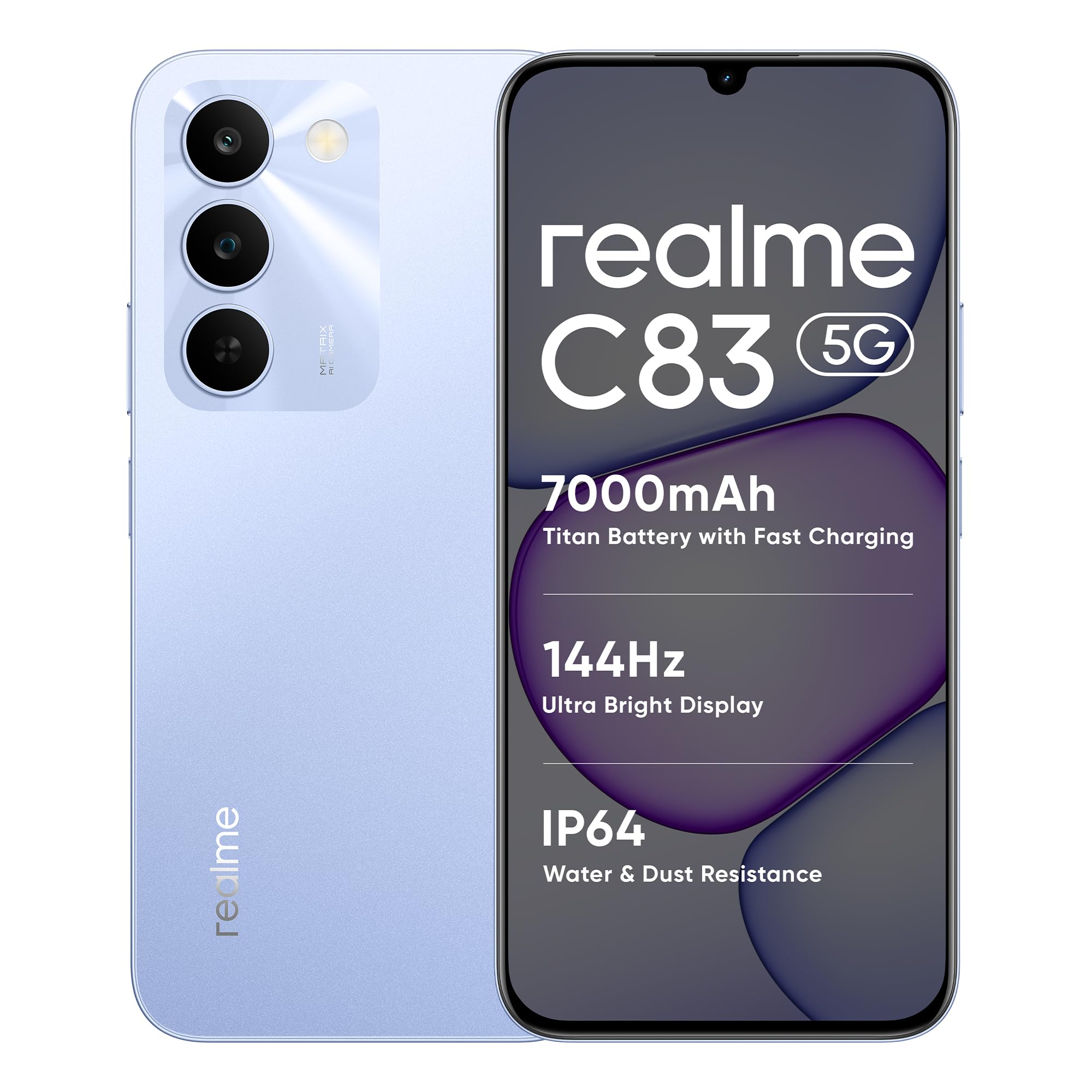
Image: A clear view of the realme C83 5G Smartphone, showcasing its design and camera module.
2.2 SIM Card and microSD Card Installation
To install your SIM card(s) and an optional microSD card:
- Locate the SIM tray on the side of your device.
- Insert the provided SIM tray ejector tool into the small hole next to the tray and press gently until the tray pops out.
- Place your Nano-SIM card(s) into the designated slots. Ensure the gold contacts face downwards. If using a microSD card, place it in its dedicated slot.
- Carefully reinsert the SIM tray into the device until it clicks into place.
2.3 Charging the Device
Before first use, fully charge your realme C83 5G. Use the provided USB Type-C cable and a compatible power adapter.
- Connect the USB Type-C cable to the charging port at the bottom of the phone.
- Connect the other end of the cable to a power adapter and plug it into a wall outlet.
- The charging indicator will appear on the screen.
3. Operating Instructions
3.1 Power On/Off and Basic Navigation
- Power On: Press and hold the Power button until the realme logo appears.
- Power Off: Press and hold the Power button, then select 'Power off' from the options.
- Restart: Press and hold the Power button, then select 'Restart'.
- Screen Lock/Unlock: Press the Power button briefly to lock or unlock the screen.
3.2 Display Features
The realme C83 5G features a 6.8-inch 144Hz Ultra Bright Display for a smooth and immersive visual experience.
- 144Hz Refresh Rate: Provides ultra-fluid scrolling and responsive gaming.
- High Brightness: Ensures clear visibility even in direct sunlight.

Image: The realme C83 5G display, highlighting its 144Hz ultra-high refresh rate and 900nit peak brightness for a smoother and brighter viewing experience.
3.3 Performance
Powered by the MediaTek Dimensity 6300 5G processor, the realme C83 5G offers efficient performance for daily tasks and 5G connectivity.
- Dimensity 6300 5G Chipset: Provides fast and smooth performance for gaming, streaming, and multitasking.
- Dynamic RAM: Features up to 18GB Dynamic RAM (6GB physical RAM + 12GB virtual RAM) for enhanced multitasking.

Image: A visual representation of the MediaTek Dimensity 6300 5G chipset, emphasizing its role in amplifying performance with AI Boost.

Image: Illustration of the Dynamic RAM feature, showing 6GB of physical RAM and 128GB of ROM, with up to 18GB Dynamic RAM for keeping multiple apps active in the background.
3.4 Battery Management
The device is equipped with a massive 7000mAh battery for extended usage.
- Mega Battery: Designed for heavy everyday usage, offering long hours of gaming, streaming, and browsing.
- Reverse Wired Charging: Your phone can act as a power bank to charge other devices.

Image: An internal view of the realme C83 5G, highlighting the large 7000mAh Titan Battery, indicating its reliability for extended use.

Image: The 7000mAh Titan Battery with estimated remaining usage times after extensive use, such as 19 hours of online videos, 22 hours of chat, and 68 hours of voice calls.

Image: Demonstrates the Reverse Wired Charging feature, allowing the realme C83 5G to charge another phone or a pair of earbuds.
3.5 Camera Usage
Capture stunning details with the 13MP AI Camera.
- 13MP AI Camera: Designed for clear and detailed photos.
- Smart Shots: Utilize AI enhancements for improved image quality.

Image: The realme C83 5G's 13MP AI Camera module alongside examples of detailed and vibrant photographs taken with the device.

Image: The 13MP AI Camera of the realme C83 5G, showcasing its ability to capture stunning detail and smarter shots with various photographic examples.
3.6 Audio
Experience boosted and immersive sound with the 300% Ultra Volume Mode.
- 300% Ultra Volume Mode: Provides significantly louder and ultra-clear audio for calls, alerts, and media.

Image: A person using the realme C83 5G in a busy street, illustrating the effectiveness of the 300% Ultra Volume Mode for clear audio in noisy environments.
3.7 Software
The realme C83 5G runs on Android 16 with realme UI 7.0, offering an enhanced and seamless user experience.
- Android 16: The latest Android operating system for improved security and features.
- realme UI 7.0: Provides enhanced aesthetics, seamless performance, and intelligent AI features.

Image: The realme UI 7.0 logo and tagline, emphasizing its smart, smooth, and easy-to-use interface with enhanced aesthetics and intelligent AI.
4. Maintenance
4.1 Durability and Protection
The realme C83 5G is built with enhanced durability features.
- IP64 Dust and Water Resistance: Protects against splashes, light rain, and dusty environments.
- Military Grade Durability: Offers extra confidence against accidental drops and everyday challenges.

Image: The realme C83 5G Smartphone being splashed with water, illustrating its IP64 dust and water resistance for worry-free use in various conditions.
4.2 Cooling System
The device incorporates an advanced cooling system to maintain optimal performance.
- 5334mm² Airflow VC Cooling: Provides excellent cooling, keeping performance stable even during intensive use with multiple apps and games.

Image: An exploded view of the realme C83 5G, showcasing the 5334mm² Airflow VC cooling system designed to lower temperature and improve frame rate stability during extended use.
4.3 Cleaning and Care
- Use a soft, lint-free cloth to clean the screen and body of the phone.
- Avoid using harsh chemicals or abrasive materials.
- Keep the device away from extreme temperatures and direct sunlight.
4.4 Software Updates
Regularly check for and install software updates to ensure optimal performance, security, and access to new features.
- Go to Settings > About phone > Software update to check for available updates.
5. Troubleshooting
If you encounter issues with your realme C83 5G, try the following steps:
- Device Not Powering On: Ensure the battery is charged. Connect the charger and wait a few minutes before attempting to power on again.
- Slow Performance: Close unnecessary background applications. Clear cache from apps. Consider restarting the device.
- Network Issues: Check if Airplane Mode is off. Restart the device. Verify your SIM card is correctly inserted. Contact your network provider if issues persist.
- App Crashing: Clear the app's cache and data (Settings > Apps > [App Name] > Storage > Clear cache/data). Reinstall the app if necessary.
- Battery Draining Quickly: Reduce screen brightness, disable unused features like GPS or Bluetooth, and identify power-hungry apps in battery settings.
- Factory Reset: As a last resort, if software issues persist, you can perform a factory reset. Warning: This will erase all data on your phone. Back up important data before proceeding. Go to Settings > System > Reset options > Erase all data (factory reset).
6. Specifications
Key technical specifications for the realme C83 5G Smartphone:

Image: The realme C83 5G Smartphone, highlighting its slim design with a thickness of approximately 8.45mm and a weight of about 212g.
| Feature | Specification |
|---|---|
| Brand | realme |
| Model | C83 5G |
| Operating System | Android 16 |
| Processor | Mediatek Dimensity 6300 |
| RAM Memory Installed | 4 GB (expandable with Dynamic RAM) |
| Memory Storage Capacity | 64 GB |
| Display Size | 6.8 Inches |
| Refresh Rate | 144 Hz |
| Display Type | LCD |
| Battery Capacity | 7000 Milliamp Hours |
| Cellular Technology | 5G |
| Water Resistance Level | Water Resistant (IP64) |
| Connector Type | USB Type C |
| Item Weight | 212 Grams |
| Item Dimensions | 16.6 x 7.8 x 0.8 Centimeters |
| Box Contents | Phone Case, Quick Start Guide, SIM Tray Ejector, USB Cable |
7. Warranty and Support
7.1 Warranty Information
Your realme C83 5G Smartphone comes with a 1-year warranty. Please refer to the warranty card included in the box for detailed terms and conditions.
7.2 Customer Support
For further assistance, technical support, or warranty claims, please contact realme customer service. You can find contact details on the official realme website or through the support information provided in your device's settings.
Manufacturer: Padget Electronics Pvt Ltd
Importer Contact Information: Padget Electronics Pvt Ltd A-154C, A BLOCK, SECTOR 63, GAUTAM BUDDHA NAGAR, GAUTAM BUDDHA NAGAR, UTTAR PRADESH, India-201305


