
Introduction
The Havit H2015PRO is a versatile gaming headset designed for multi-platform compatibility and immersive audio experiences. Featuring five distinct connection modes, this headset offers flexibility for various gaming setups and entertainment needs. It delivers high-fidelity sound with 360° spatial audio and low latency, ensuring a competitive edge in gaming. This manual provides essential information for setting up, operating, maintaining, and troubleshooting your Havit H2015PRO headset.
Product Overview
The Havit H2015PRO headset includes the following components:
- Havit H2015PRO Gaming Headset
- Detachable Microphone
- 2.4 GHz USB Wireless Dongle
- USB-C Charging Cable
- 3.5mm Audio Cable
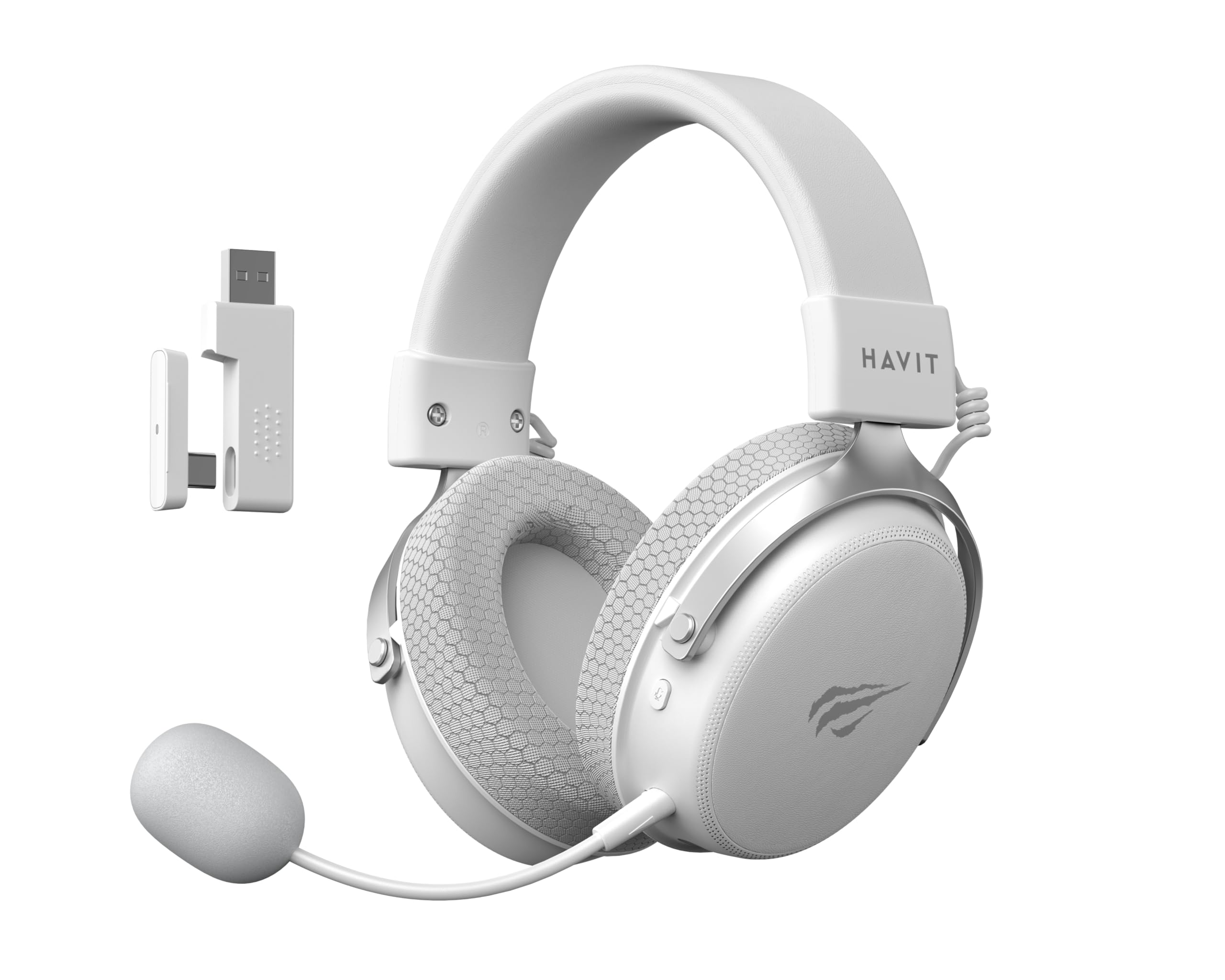
Image: The Havit H2015PRO headset in white, showcasing the main unit, detachable microphone, and the 2.4 GHz USB wireless dongle. This image provides a clear view of the primary components included with the product.
Setup
The Havit H2015PRO offers five connectivity options to suit various devices and preferences.
1. 2.4 GHz Wireless Connection (USB Dongle)
- Insert the 2.4 GHz USB wireless dongle into an available USB port on your PC, PlayStation, or Nintendo Switch (in docked mode).
- Power on the headset. The headset should automatically connect to the dongle.
- Ensure the headset is selected as the audio output and input device in your system settings.
2. Bluetooth Connection
- Power on the headset and switch it to Bluetooth mode (refer to the headset controls for mode selection).
- On your device (smartphone, tablet, PC with Bluetooth), go to Bluetooth settings and enable Bluetooth.
- Select "Havit H2015PRO" from the list of available devices to pair.
3. Wired Connection (3.5mm Audio Cable)
- Connect one end of the 3.5mm audio cable to the headset's 3.5mm port.
- Connect the other end to the 3.5mm audio jack on your PC, console controller, or mobile device.
- This mode does not require the headset to be powered on.
4. Wired Connection (USB-C Cable)
- Connect the USB-C cable to the headset's USB-C port.
- Connect the other end to a compatible USB-C port on your PC or device.
- This connection can be used for both audio and charging.

Image: An angled view of the Havit H2015PRO headset, highlighting the earcups, headband, and visible controls on the side. This perspective helps in identifying connection ports and buttons.
Operating Instructions
Power On/Off
- To power on, press and hold the Power button until the indicator light illuminates.
- To power off, press and hold the Power button until the indicator light turns off.
Volume Control
- Use the volume roller or buttons located on the earcup to adjust the audio level.
Microphone Usage
- Attach the detachable microphone to the designated port on the headset.
- Adjust the microphone's flexible arm for optimal voice pickup.
- Use the microphone mute button (if available) on the headset to toggle mute on/off.
Charging the Headset
- Connect the USB-C charging cable to the headset's USB-C port and the other end to a USB power source.
- The indicator light will show charging status (e.g., red for charging, off or green for fully charged).
- A full charge typically takes approximately 2-3 hours.
Maintenance
Proper care ensures the longevity and performance of your Havit H2015PRO headset.
- Cleaning: Use a soft, dry cloth to wipe the headset. For earcups, a slightly damp cloth with mild soap can be used, but ensure no moisture enters the speaker grilles.
- Storage: Store the headset in a cool, dry place away from direct sunlight and extreme temperatures.
- Battery Care: To preserve battery life, avoid fully discharging the headset frequently. Charge it regularly, even if not in use for extended periods.
- Avoid Liquids: Do not expose the headset to water or other liquids, as it is not water-resistant.
Troubleshooting
If you encounter issues with your Havit H2015PRO headset, refer to the following common solutions:
| Problem | Solution |
|---|---|
| No sound from headset |
|
| Microphone not working |
|
| Headset not connecting wirelessly |
|
| Charging issues |
|
Specifications
Detailed technical specifications for the Havit H2015PRO headset:
- Model Name: HAVIT H2015PRO
- Connectivity Technology: Hybrid (2.4 GHz Wireless, Bluetooth, 3.5mm Jack, USB-C)
- Driver Size: 53 mm
- Impedance: 64 Ohms
- Frequency Response: 20.2 Hz (Specific value provided, typical range is 20Hz-20kHz)
- Battery Capacity: 1500 mAh
- Low Latency: 24 ms
- Audio Features: 360° Spatial Audio, Virtual 7.1 Surround Sound
- Microphone: Removable and Adjustable
- Control Type: Integrated (Touch controls)
- Material: Plastic
- Product Weight: 500 Grams
- Compatibility: Desktops, PC, PlayStation, Xbox, Nintendo Switch, Mobile Devices
- Water Resistance Level: Not water-resistant

Image: A front-facing view of the Havit H2015PRO headset, clearly showing the earcups, headband, and the attached microphone. This view emphasizes the ergonomic design and microphone placement.
Warranty and Support
Warranty Information
The Havit H2015PRO headset comes with a 1-year manufacturer warranty. This warranty covers defects in materials and workmanship under normal use. Please retain your proof of purchase for warranty claims.
Customer Support
For technical assistance, warranty claims, or further inquiries, please contact Havit customer support through their official website or the retailer where the product was purchased. Provide your product model number (H2015PRO) and proof of purchase when seeking support.


