
Introduction
This manual provides essential information for the proper setup, operation, maintenance, and troubleshooting of your Fastrack Kronos 3 Men's Watch, Model 3335NM01. Please read these instructions carefully to ensure optimal performance and longevity of your timepiece.

Image: The Fastrack Kronos 3 watch, showcasing its blue dial and black stainless steel strap.
Setup
1. Setting the Time and Date
- Pull out the crown: Gently pull the crown (located on the right side of the watch case) to position 2 for date adjustment or position 3 for time adjustment.
- Adjust the date: If in position 2, rotate the crown clockwise or counter-clockwise to set the desired date.
- Adjust the time: If in position 3, rotate the crown to move the hour and minute hands to the correct time. Ensure to account for AM/PM if your watch has a 24-hour indicator or date change mechanism.
- Push in the crown: Once the time and date are set, push the crown back into position 1 (normal operating position) to start the watch and ensure water resistance.

Image: Side view of the watch, highlighting the crown and chronograph pushers for setting and operation.
2. Adjusting the Stainless Steel Strap
The stainless steel strap can be adjusted by adding or removing links. This procedure typically requires specialized tools and should be performed by a qualified watch technician or jeweler to avoid damage to the strap or watch.
Operating
1. Timekeeping
Your Fastrack Kronos 3 watch features a precision quartz movement for accurate timekeeping. The main hands display hours, minutes, and seconds.
2. Chronograph Function
The watch is equipped with a chronograph function for measuring elapsed time. It features a retrograde second hand in the subdials.
- Start: Press the upper pusher (button A) to start the chronograph. The chronograph second hand will begin to move.
- Stop: Press the upper pusher (button A) again to stop the chronograph. The elapsed time will be indicated by the chronograph hands.
- Reset: With the chronograph stopped, press the lower pusher (button B) to reset all chronograph hands to their zero positions.

Image: Front view of the Fastrack Kronos 3 watch, showing the main dial and the chronograph subdials.
3. Water Resistance
This watch is water-resistant up to 50 meters (5 ATM). This means it is suitable for everyday use, such as splashes, rain, and brief immersion in water. It is not suitable for swimming, diving, or showering with hot water, as steam can penetrate the seals.
Maintenance
1. Cleaning Your Watch
- Wipe the watch case and strap regularly with a soft, dry cloth to remove dust and dirt.
- For stainless steel straps, a slightly damp cloth with mild soap can be used, followed by a dry cloth. Ensure no moisture enters the watch case.
- Avoid using harsh chemicals, solvents, or abrasive cleaners, as these can damage the watch's finish and seals.
2. Battery Replacement
Your quartz watch is powered by a battery. When the battery runs low, the watch may stop or the second hand might skip. Battery replacement should be performed by a qualified watch technician to ensure the watch's seals and water resistance are maintained.
3. Water Resistance Care
- Always ensure the crown is fully pushed in to maintain water resistance.
- Avoid operating the crown or pushers when the watch is wet or submerged in water.
- Have the water resistance seals checked periodically (e.g., every 2-3 years) by a professional, especially after battery replacement.
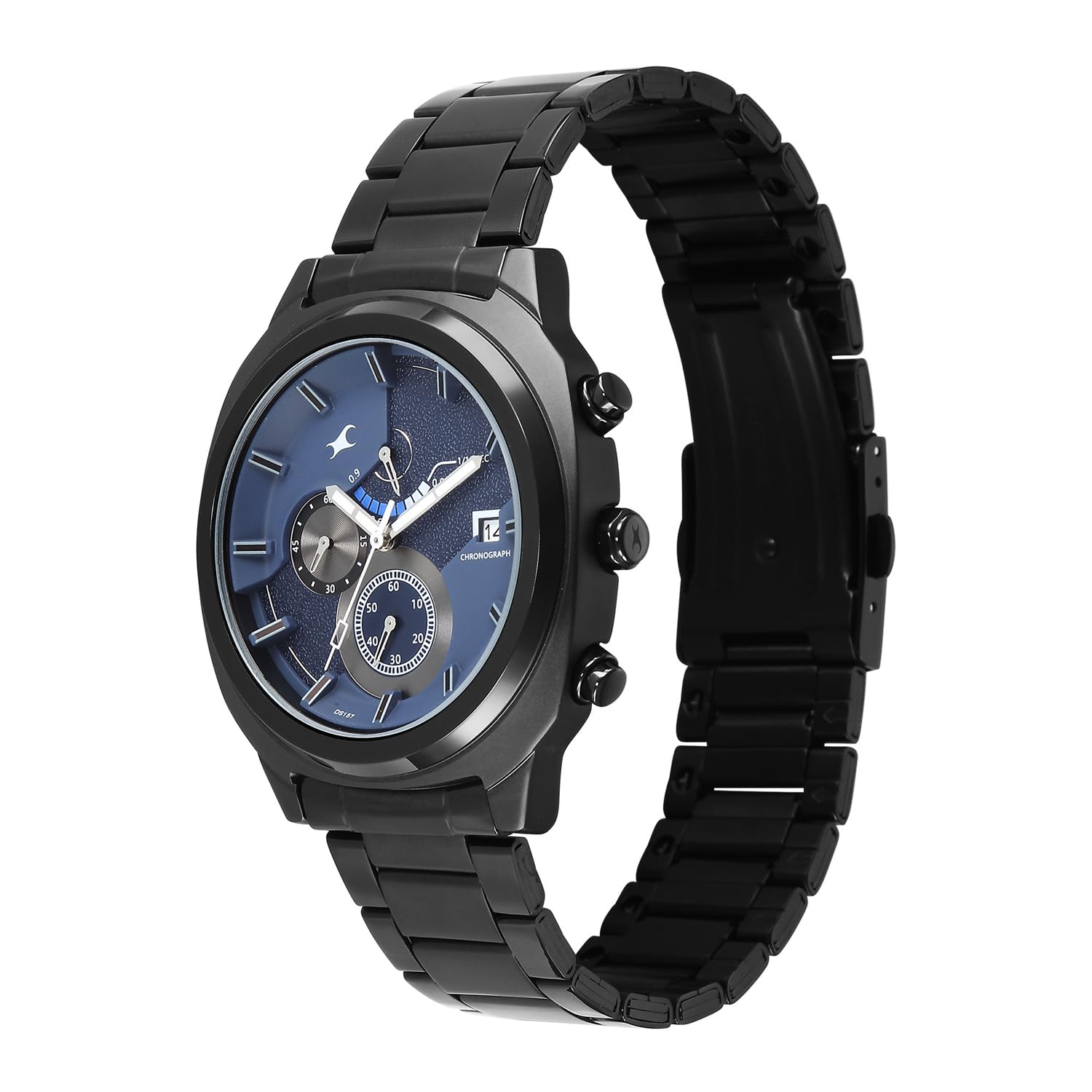
Image: Back view of the watch, displaying the '50M Water Resistant' engraving and other product details.
Troubleshooting
- Watch not running: Check if the crown is fully pushed in. If it is, the battery may need replacement.
- Incorrect time: Reset the time as per the 'Setting the Time and Date' instructions. If the time continues to be inaccurate, the watch may require professional inspection.
- Condensation under the crystal: This indicates a breach in the watch's water resistance. Seek immediate professional service to prevent further damage.
- Chronograph not resetting to zero: This may require a chronograph hand alignment procedure, which is best performed by a watch technician.
Specifications
| Feature | Detail |
|---|---|
| Model Name | Fastrack Kronos 3 |
| Model Number | 3335NM01 |
| Display Type | Analog |
| Movement Type | Quartz |
| Water Resistance Depth | 50 Metres (5 ATM) |
| Clasp Type | Push Button Deployment Clasp |
| Band Material | Stainless Steel |
| Case Material | Brass |
| Crystal Material | Mineral Glass |
| Case Diameter | 51.3 Millimetres |
| Band Width | 1.2 Millimetres |
| Case Thickness | 10.85 Millimetres |
| Case Shape | Asymmetrical |
| Band Colour | Black |
| Dial Colour | Blue |
| Item Weight | 200 Grams |
| Country of Origin | India |

Image: The Fastrack Kronos 3 watch displayed alongside a credit card to illustrate its case size of 44mm.
Warranty
Your Fastrack Kronos 3 watch comes with a Two Year Guarantee from the date of purchase. This warranty covers manufacturing defects under normal use. Please retain your proof of purchase for any warranty claims. The warranty does not cover damage resulting from improper use, accidents, unauthorized repairs, or normal wear and tear.
Support
For further assistance, service, or warranty inquiries, please contact the manufacturer:
Manufacturer: Titan Company Limited
Address: #3, Sipcot Industrial Complex, Hosur, Tamil Nadu - 635126, India
Please refer to the official Fastrack website or your purchase documentation for the most current contact information and service center details.