
Important Safety Instructions
Please read all instructions carefully before operating this appliance. Failure to follow these instructions may result in electric shock, fire, property damage, or personal injury.
- Always connect the unit to a grounded power outlet with the correct voltage.
- Do not operate the unit with a damaged power cord or plug.
- Keep the air intake and exhaust vents clear of obstructions.
- Do not insert objects into the air vents.
- Unplug the unit before cleaning or performing any maintenance.
- Do not use the unit near water or in excessively humid environments.
- This appliance is not intended for use by persons (including children) with reduced physical, sensory or mental capabilities, or lack of experience and knowledge, unless they have been given supervision or instruction concerning use of the appliance by a person responsible for their safety.
Product Overview
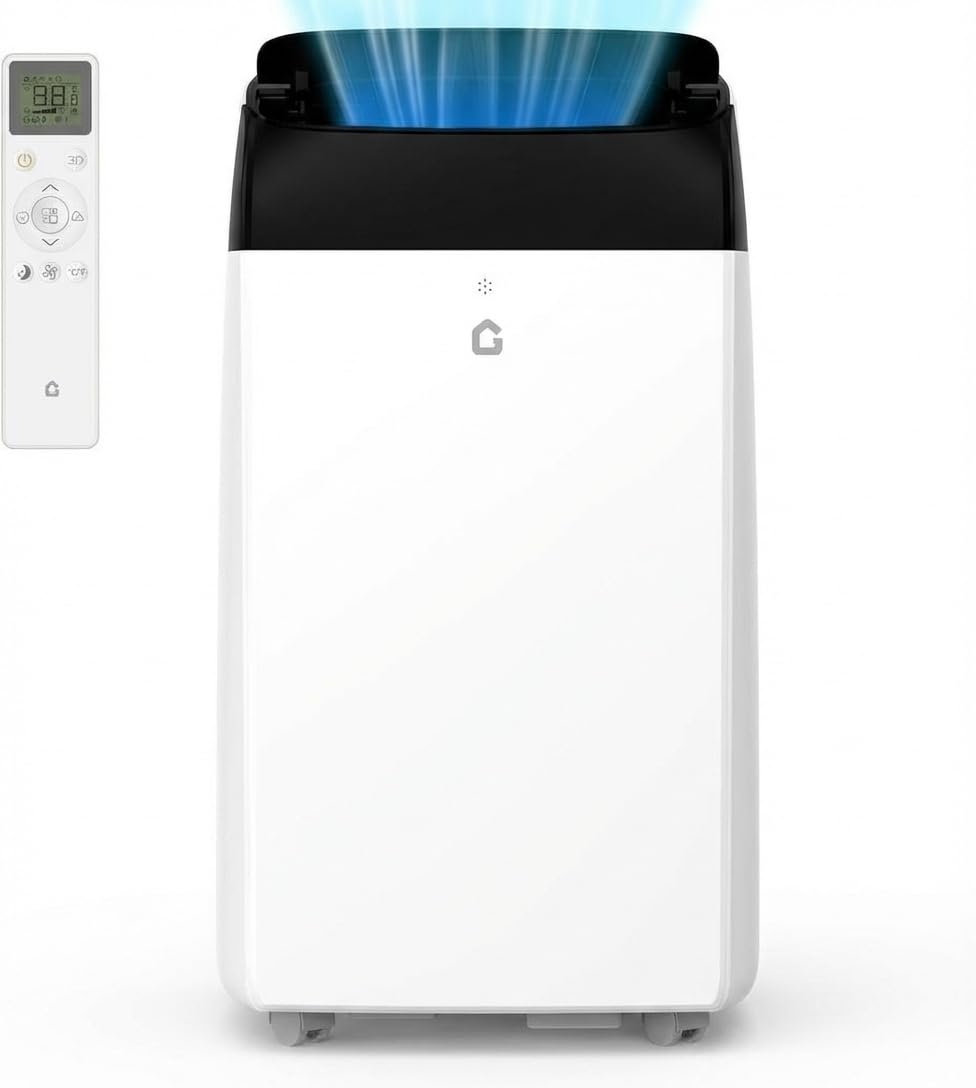
The GarveeLife Portable Air Conditioner is a versatile 3-in-1 unit designed to provide cooling, dehumidification, and fan-only operation. Its compact design and mobility make it suitable for various rooms.
Key Features:
- High Cooling Power: 12000 BTU capacity for rapid room cooling.
- 3-in-1 Versatility: Functions as an air conditioner, dehumidifier, and fan.
- Easy Control: Digital display and remote control for convenient adjustments.
- Smart Timer & Sleep Mode: 24-hour timer and quiet sleep mode for energy saving and comfort.
- Energy Efficient & Mobile: Equipped with smooth casters and side handles for easy relocation.

Setup
Unpacking
Carefully remove the air conditioner from its packaging. Ensure all components are present: main unit, exhaust hose, window sealing kit, remote control, and user manual. Inspect the unit for any damage incurred during shipping.
Window Kit Installation
The included window kit is designed for easy installation in various window types to vent hot air outside. Follow these steps:
- Attach the exhaust hose to the unit's exhaust port and the window kit adapter.
- Adjust the window slider kit to fit your window opening (double/single-hung or sliding slash windows).
- Secure the window kit in place, ensuring a tight seal to prevent air leakage.
- Connect the exhaust hose to the window kit adapter.

Operating Instructions
The unit can be operated using the control panel on the top of the unit or the included remote control.
Control Panel and Remote Control
The digital display shows the current temperature and settings. Buttons allow you to power on/off, select modes, adjust fan speed, set the timer, and activate sleep mode.

Operating Modes
Select the desired mode using the 'MODE' button on the control panel or remote.
- Cool Mode: Provides powerful cooling. Adjust the temperature using the up/down arrows.
- Dehumidify Mode (Dry): Removes excess moisture from the air, improving comfort. The unit can remove up to 80 pints per day.
- Fan Mode: Circulates air without cooling. Choose between High, Low, or Auto fan speeds.

Maintenance
Regular maintenance ensures efficient operation and extends the lifespan of your air conditioner.
Filter Cleaning
The air filter should be cleaned every two weeks or more frequently depending on usage. A dirty filter can reduce cooling efficiency and airflow.
- Unplug the unit from the power outlet.
- Locate and remove the air filter from the back or side of the unit.
- Wash the filter with warm, soapy water. Rinse thoroughly.
- Allow the filter to air dry completely before reinserting it into the unit.
Drainage (Auto-Evaporation)
This unit features an auto-evaporation system, which typically eliminates the need for manual drainage by expelling condensed water through the exhaust hose. However, in high humidity conditions, the internal water tank may fill up. If the 'Full' indicator lights up, the unit will stop operating. You will need to manually drain the water.
- Unplug the unit.
- Place a shallow pan or tray under the drainage port, usually located at the bottom rear of the unit.
- Remove the drain plug to allow water to flow out.
- Once drained, replace the drain plug securely.
Troubleshooting
Refer to this section for common issues and their solutions.
| Problem | Possible Cause | Solution |
|---|---|---|
| Unit does not turn on | No power; Power cord not plugged in; Circuit breaker tripped; Water tank full. | Check power connection; Reset circuit breaker; Drain water tank if full. |
| Insufficient cooling | Dirty air filter; Blocked air intake/exhaust; Room too large; Doors/windows open; Temperature setting too high. | Clean air filter; Clear obstructions; Ensure proper room size; Close doors/windows; Lower temperature setting. |
| Unit is noisy | Unit not on a level surface; Fan speed too high; Internal components vibrating. | Place unit on a flat, stable surface; Reduce fan speed; Contact customer support if noise persists. |
| Water leakage | Drain plug not secured; Unit tilted; Excessive humidity. | Ensure drain plug is tight; Place unit on a level surface; Drain water tank if full. |
Specifications
Detailed technical specifications for the GarveeLife Portable Air Conditioner.
| Specification | Value |
|---|---|
| Brand | GarveeLife |
| Model Number | TAC-12CPB/DM7 |
| Cooling Capacity | 12000 BTU |
| Dimensions (D x W x H) | 39.5P x 86l x 45H cm |
| Weight | 31100 Grams |
| Voltage | 220 V |
| Power Consumption | 1780 Watts |
| Noise Level | 51 Decibels |
| Control Method | Remote Control, Touch Control |
| Applicable Floor Area | 51 square meters |
| Energy Efficiency Class | A |
| Components Included | Remote control |
Warranty and Support
For any questions, technical assistance, or warranty claims, please contact GarveeLife customer support. Refer to your purchase documentation for specific warranty terms and contact information.
GarveeLife is committed to providing specialized customer support to ensure your satisfaction with our products.