
1. Introduction
This manual provides instructions for the proper installation, use, and maintenance of your Samsung Silicone Magnet Case for the Galaxy S26 Ultra. This case is designed to offer protection and enhance functionality with its integrated magnetic features.
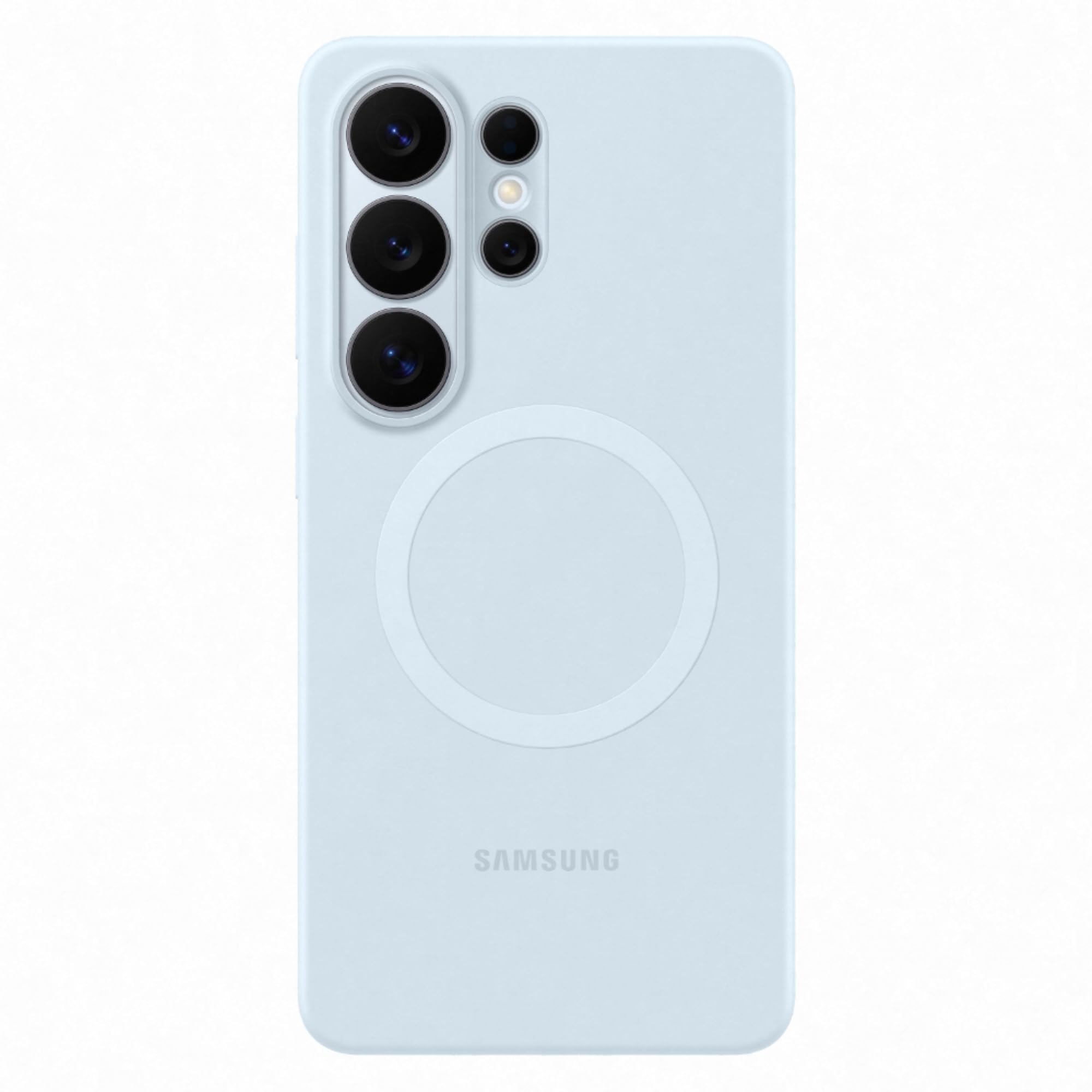
Figure 1: Samsung Galaxy S26 Ultra Silicone Magnet Case (Light Blue)
2. Setup and Installation
Follow these steps to correctly install the Silicone Magnet Case on your Samsung Galaxy S26 Ultra smartphone.
2.1 Installing the Case
- Ensure your Samsung Galaxy S26 Ultra is clean and free of dust or debris.
- Align the phone with the case, starting with the top edge where the camera cutouts are located.
- Gently press the phone into the case, ensuring all corners and edges are securely seated.

Figure 2: Front view of phone with case installed

Figure 3: Back view of phone with case installed, highlighting the magnetic ring
2.2 Removing the Case
- Start by gently peeling one of the top corners of the case away from the phone.
- Work your way around the edges until the phone can be safely lifted out of the case.
3. Operating Instructions
The Silicone Magnet Case is designed for daily use, offering a comfortable grip and magnetic functionality.
3.1 Magnetic Alignment for Wireless Charging
The case features built-in magnets that align perfectly with your phone for efficient wireless charging. Place your phone with the case onto a compatible magnetic wireless charger. The magnets will help ensure optimal positioning for fast charging.
3.2 Attaching Magnetic Accessories
The integrated magnetic ring allows for easy attachment and detachment of compatible magnetic accessories. Simply bring the accessory close to the back of the case, and the magnets will secure it in place.

Figure 4: Back of the case showing the magnetic ring
4. Maintenance
To keep your Silicone Magnet Case in optimal condition, follow these maintenance guidelines:
- Cleaning: Wipe the case regularly with a soft, slightly damp cloth. Avoid using harsh chemicals, abrasive cleaners, or solvents, as these can damage the silicone material and color.
- Storage: When not in use, store the case in a cool, dry place away from direct sunlight and extreme temperatures.
- Avoid Sharp Objects: Prevent contact with sharp objects that could scratch or puncture the case.
5. Troubleshooting
If you encounter any issues with your Silicone Magnet Case, refer to the following common solutions:
- Case Not Fitting Properly: Ensure you have the correct case model for your Samsung Galaxy S26 Ultra. Re-install the case, making sure all edges snap into place.
- Wireless Charging Issues: Verify that your wireless charger is compatible with magnetic alignment. Ensure the phone with the case is centered correctly on the charging pad. Remove any foreign objects between the phone and the charger.
- Magnetic Accessories Not Attaching: Confirm that the accessory is designed for magnetic attachment. Ensure there is no obstruction between the accessory and the case's magnetic ring.
6. Specifications
| Feature | Detail |
|---|---|
| Brand | Samsung |
| Compatible Phone Model | Samsung Galaxy S26 Ultra |
| Material | Polycarbonate (with Silicone finish) |
| Color | Light Blue |
| Item Dimensions (L x W x H) | 8.2 x 16.7 x 1.1 Centimeters |
| Item Weight | 36 Grams |
| Model Number | EF-ES948 |
| Manufacturer Part Number | EF-ES948CLEGIN |
| Product Features | Fade Resistant, Magnetic, Wireless Charging Compatible |
7. Warranty Information
This Samsung Silicone Magnet Case comes with a 3 Months Manufacturer Warranty from the date of purchase. This warranty covers manufacturing defects under normal use. It does not cover damage caused by misuse, accidents, unauthorized modifications, or normal wear and tear.
Please retain your proof of purchase for warranty claims.
8. Support
For further assistance, technical support, or warranty inquiries, please contact Samsung customer service:
- Email: support.india@samsung.com
- Manufacturer Contact: Hochen, 301-3-7/F, Building 29, Yi Feng Hua Innovation Industrial Park, Xinshi Community, Dalang, Longhua District, Shenzhen.
- Importer Contact: Samsung India Electronics Pvt ltd, 6th Floor, DLF Centre, Sansad Marg, New Delhi - 110001.
You may also visit the official Samsung website for additional support resources and FAQs.